
Dark Theme UI
Sleek Dark Mode by Saransh. Featuring translucent charcoal UI, smooth Quantico typography, and an End panorama. Optimized for a minimalistic experience.
截图


介绍
Dark Theme: Charcoal & Translucent UI
By Saransh
Dark Theme is a resource pack for Minecraft that replaces the default grey GUI with a dark charcoal color scheme and added transparency.
###
🛠 Core Features
Translucent HUD: The hotbar and inventory background use 50% transparency to improve visibility of the world while menus are open.
Charcoal Container Re-texture: Replaces the vanilla GUI textures for Chests, Crafting Tables, Furnaces, and Beacons with a dark grey/charcoal palette.
Font Replacement: Replaces the default Minecraft font with the Quantico typeface for menus and chat.
Custom Main Menu: Changes the main menu background panorama to an End-dimension theme and modifies the Minecraft logo color to orange.
📋 Technical Details
Compatibility: Designed for Minecraft 1.20.2 through 1.21.x.
Format: Utilizes the Minecraft sprite system for GUI elements.
Resolution: Standard resolution; compatible with most third-party resource packs (load this pack at the top of your list to ensure the UI and font apply correctly).
Performance: This is a texture-based change and does not require external shaders or performance mods.
📥 Installation
In Minecraft, go to Options > Resource Packs > Open Pack Folder.
Move the downloaded .zip file into that folder.
In the game menu, move Dark Theme to the “Selected” column.
Ensure this pack is at the top of the list to avoid conflicts with other UI packs.
常见问题
Dark Theme UI 支持哪些 Minecraft 版本?
Dark Theme UI 支持 Minecraft Java 版 1.20–1.21.11,共 19 个版本。下载时注意选择和你游戏版本一致的文件。
Dark Theme UI 怎么安装?
把下载的 .zip 文件(不用解压)放进游戏目录的 resourcepacks 文件夹,进游戏后在「选项 → 资源包」里把它移到右边启用。
Saransh 的其他作品
查看全部 →
Potato Craft-8x
PotatoCraft 8x is an 8x Texture Pack that significantly increases FPS in Low-End Devices.
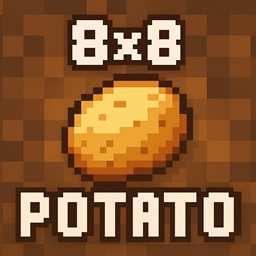
PotatoCraft 8x – Java
PotatoCraft 8x Increases FPS in 'Potato PCs' and Low-End PCs For a Way More Smoother Gameplay

Singularity-Shaders
Delivering 3x the FPS of standard shaders with cinematic visuals: realistic night skies, dynamic water physics, an active black hole, and filmic atmospheric lighting.

AnalogCraft
Adds Beautiful Filters. Transform Minecraft into a playable retro fever dream. Analog features 10 fully authentic camera and screen filters including VHS, Bodycam, Game Boy, and 35mm Film.
评论
登录后评论和评分