
Elytra-Slot
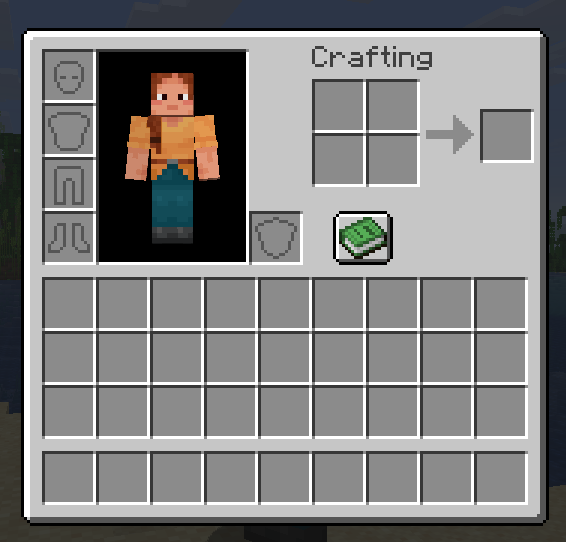
Wear your elytra and chestplate at the same time with a dedicated, fully-functional elytra slot.
截图



介绍
Elytra Slot
Wear your elytra and your chestplate at the same time.
Ever wished you could keep your Netherite Chestplate on while still enjoying elytra flight? Elytra Slot adds a dedicated equipment slot for your elytra, right next to your armor slots, so you no longer have to choose between defense and mobility.
Features
- Dedicated elytra slot, appearing next to your chestplate slot in both the survival inventory and the Creative inventory tab
- Wear armor and elytra simultaneously, no more compromise between protection and flight
- Hover-to-reveal design: the slot stays hidden until you hover over the chestplate area, keeping your inventory clean and uncluttered
- Full vanilla-like interactions:
- Shift-click an elytra from your inventory to send it straight to the slot
- Right-click an elytra in your hotbar to equip it instantly
- Take it out normally with a regular click
- Persistent: your elytra stays safely in its slot across game sessions
- Custom slot icon, matching the style of vanilla equipment slots
- Fully functional flight: durability, gliding physics, and skin rendering all work exactly as if the elytra were worn normally
- Works seamlessly in the Creative inventory tab too
Installation
- Install Fabric Loader for Minecraft 26.2
- Download and install Fabric API (required dependency)
- Download the latest Elytra Slot .jar and drop it into your mods folder
- Launch the game and enjoy the skies without compromise
Requirements
- Minecraft 26.2
- Fabric Loader
- Fabric API
Found a bug?
This is a solo-developed passion project. Feedback and bug reports are always welcome, feel free to leave a comment.
License
MIT
Made with curiosity, a lot of debugging, and zero prior Java experience.
https://www.curseforge.com/minecraft/mc-mods/elytra-slot-1-0-0/preview
常见问题
Elytra-Slot 支持哪些 Minecraft 版本?
Elytra-Slot 支持 Minecraft Java 版 26.2,可用的加载器:Fabric。下载时注意选择和你游戏版本一致的文件。
Elytra-Slot 怎么安装?
先用 PCL2 或 HMCL 启动器安装对应版本的 Fabric,再把下载的 .jar 文件放进游戏目录的 mods 文件夹,重新启动游戏即可。开启了版本隔离的,mods 文件夹在 versions/版本名 下面。运行环境:客户端和服务端都要装。
评论
登录后评论和评分