
MC-Sync
Two-way chat between your Minecraft server and a Discord channel, plus server status, whitelist and alerts. No open port needed. Companion plugin for the Minecraft Sync Discord bot.
截图


介绍
Description
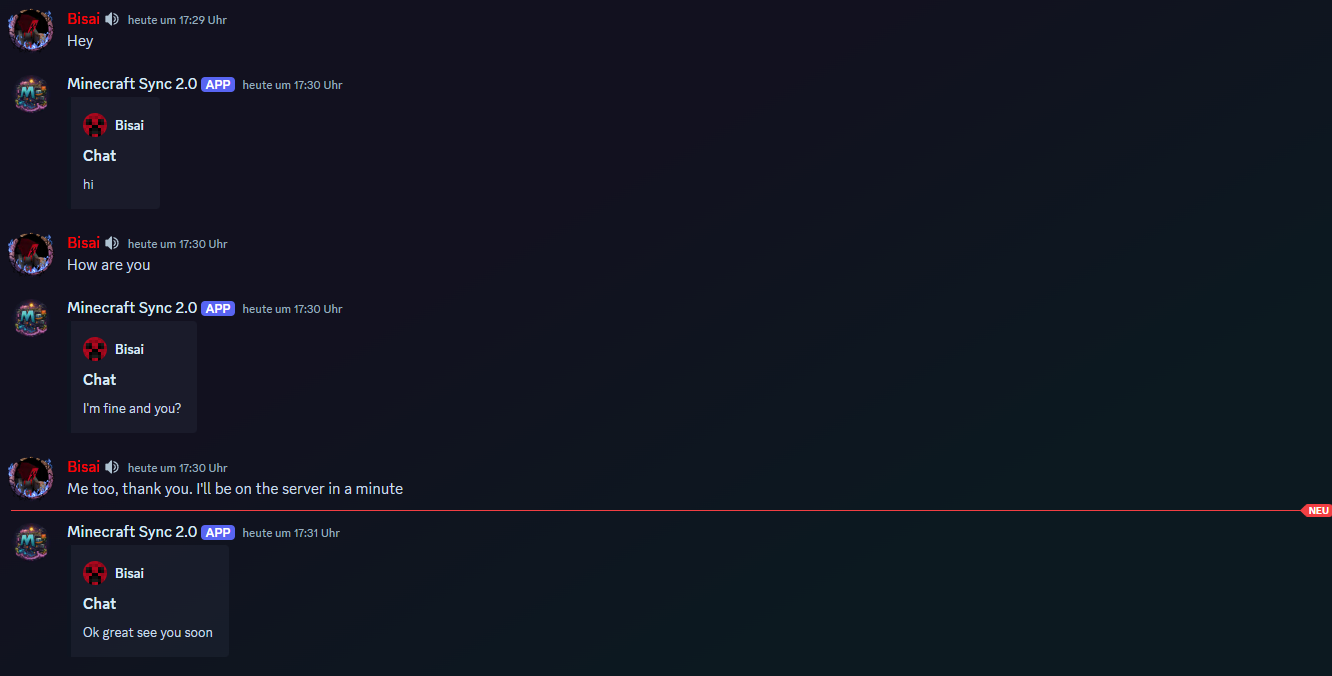
This solution was specifically developed for the Minecraft Sync 2.0 Discord Bot.
Together, the bot and this integration allow you to seamlessly synchronize the Minecraft chat with a Discord chat.
This enables you to connect chats between both platforms in real time effortlessly!
Invite the bot via the following link: bot invite link
Support: support discord server
Website: https://mc-sync.eu
Email: [email protected]
Setup
After the first startup, the token is generated automatically.
If needed, it can be adjusted in the following file: config.yml.
Configuration
- Obtain the Token Invite the Discord bot to your server and execute /chat-sync add. Copy the generated token!
- Install the Plugin/Mod Upload the plugin or mod to your server and restart it. Once the server is running, paste the token into the
config.ymlfile and restart it again.
I hope this guide helps you set everything up smoothly.
If you have any questions, feel free to reach out anytime! 😊
常见问题
MC-Sync 支持哪些 Minecraft 版本?
MC-Sync 支持 Minecraft Java 版 1.8.8–26.3,共 67 个版本,可用的加载器:Fabric / Folia / Forge / NeoForge / Paper / Quilt / Spigot。下载时注意选择和你游戏版本一致的文件。
MC-Sync 怎么安装?
先用 PCL2 或 HMCL 启动器安装对应版本的 Fabric / Folia / Forge / NeoForge / Paper / Quilt / Spigot,再把下载的 .jar 文件放进游戏目录的 mods 文件夹,重新启动游戏即可。开启了版本隔离的,mods 文件夹在 versions/版本名 下面。运行环境:客户端 / 服务端。
评论
登录后评论和评分