
截图
介绍
Toggle mod by pressing b. This can be remapped in the controls menu.
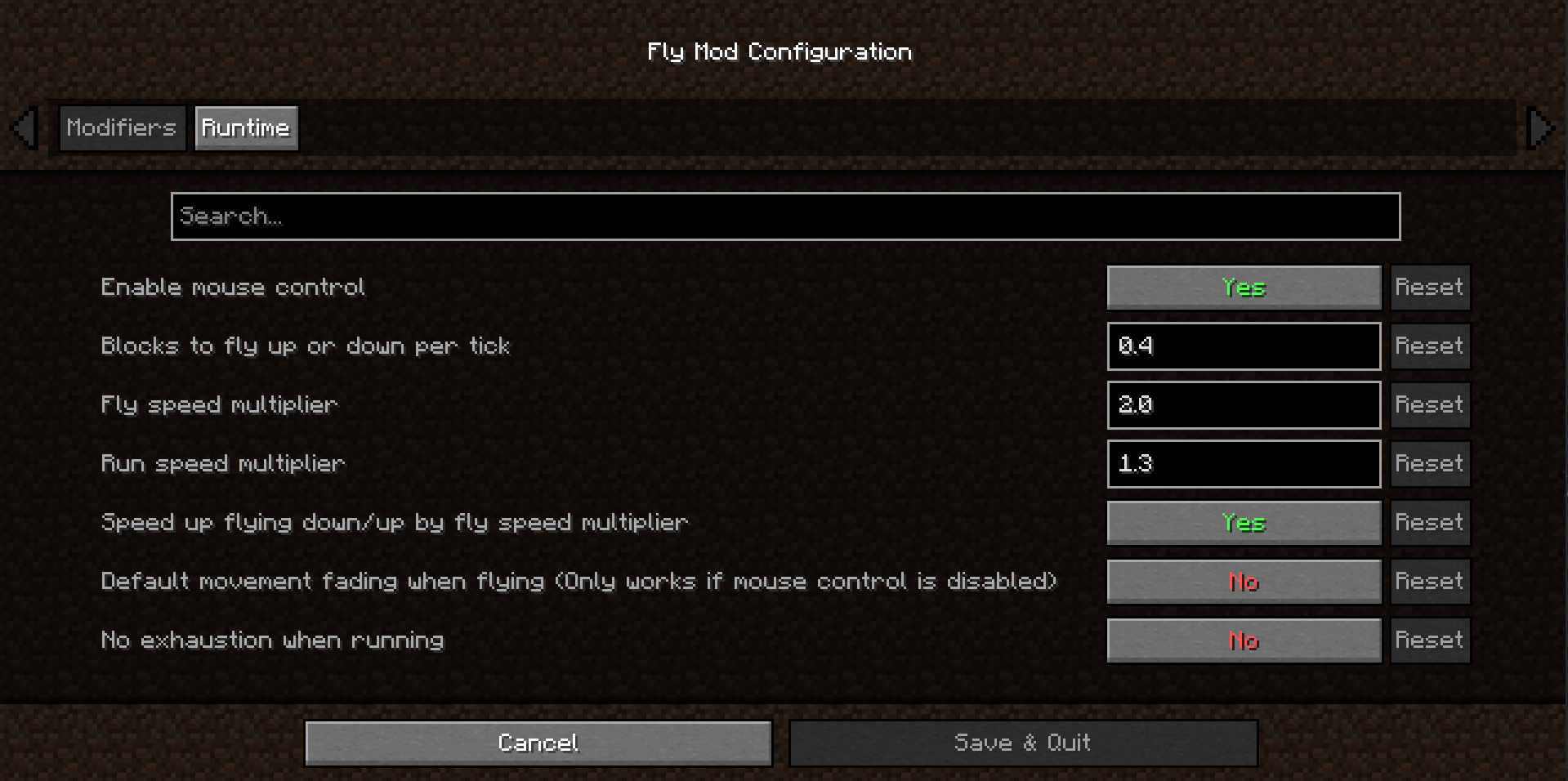
The main feature of this mod is Mouse Control. With this you fly into the direction your are looking. You can ascend and descend, fly around a corner, by only moving forward.
If this isn’t your cup of tea, don’t worry, it can be disabled to then behave similar to default flying.
The following modifiers are tuned to be close to the default Minecraft speeds, but they are fully customizable:
- Amount of blocks to fly up/down per tick
- Fly speed modifier
- Run speed modifier
- Speed up flying up/down with fly speed modifier
QoL modifiers:
- Toggle default movement fading when flying (only works with mouse control disabled)
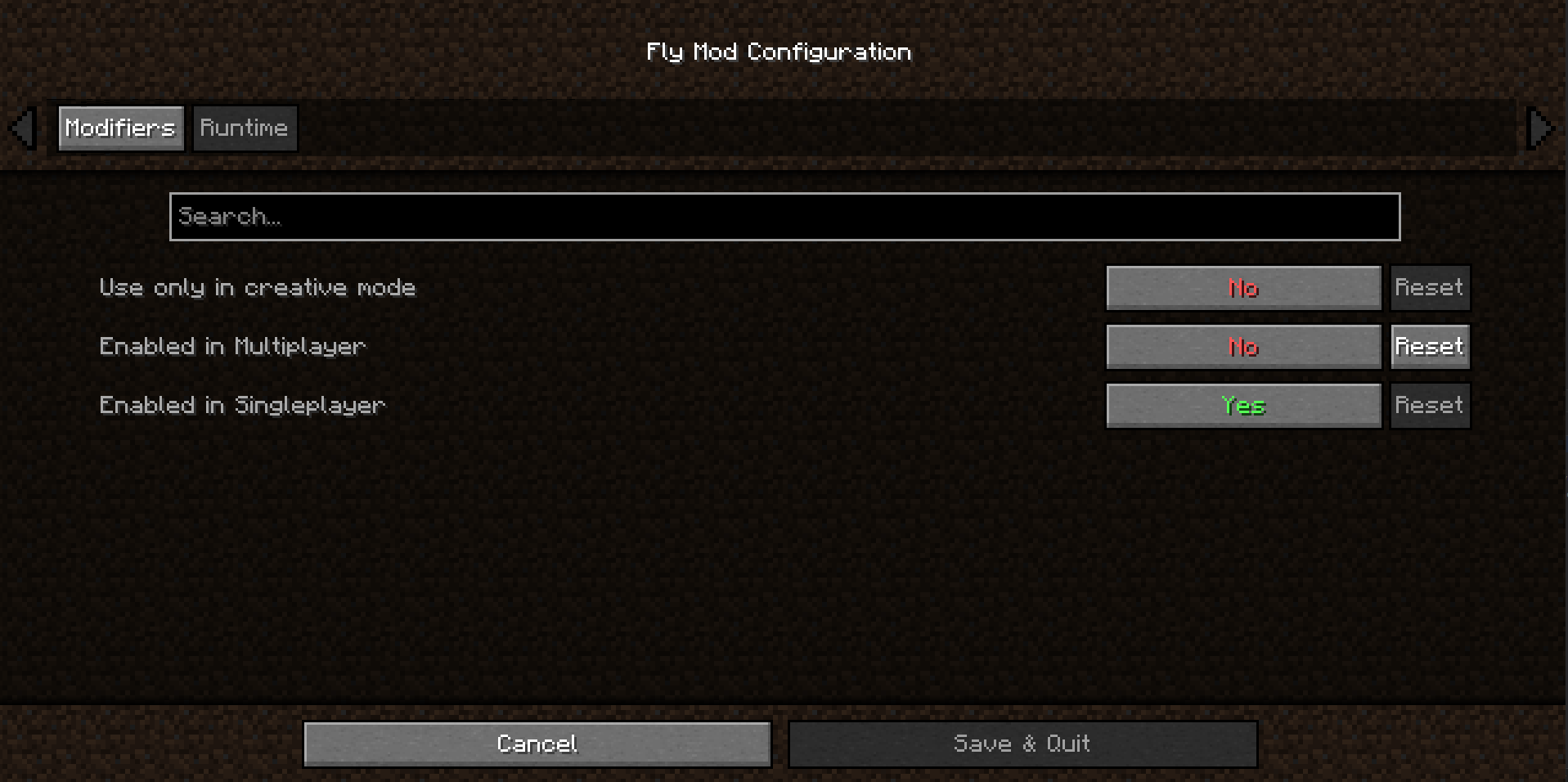
- Use only in creative mode
- Override exhaustion (no exhaustion through sprinting)
Limitations
To allow fair gameplay when playing online / on a dedicated server, speed modifiers are ignored. Also, activating flying is only possible if the server has granted you permission to fly.
On Bukkit Server you would need access to /fly and execute the command to be able to activate flying.
If problems with anti-cheat or other kind of plugins occur, please create an issue on GitHub.
Supported languages
- Deutsch / German
- English
常见问题
Fly Mod 3D 支持哪些 Minecraft 版本?
Fly Mod 3D 支持 Minecraft Java 版 1.20–1.21.10,共 5 个版本,可用的加载器:Fabric。下载时注意选择和你游戏版本一致的文件。
Fly Mod 3D 怎么安装?
先用 PCL2 或 HMCL 启动器安装对应版本的 Fabric,再把下载的 .jar 文件放进游戏目录的 mods 文件夹,重新启动游戏即可。开启了版本隔离的,mods 文件夹在 versions/版本名 下面。运行环境:仅客户端。

评论
登录后评论和评分