介绍
I decided to port /camera command from Minecraft Bedrock
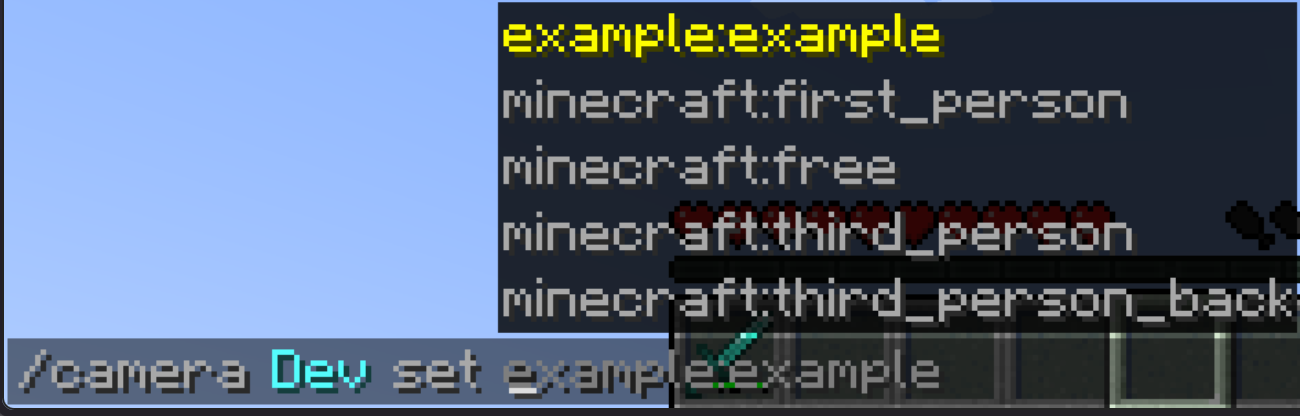
Syntax:
/camera clear – Clears your camera settings
/camera fade time color – Color fade effect
/camera set – Set your camera mode
/camera set pos – Set your camera position
/camera set rot – Set your camera rotation
/camera set facing – Set your camera look at entity
/camera set facing – Set your camera look at pos
/camera set ease – Set your camera look at pos
List of all easings
linear, spring, in_quad, out_quad, in_out_quad, in_cubic, out_cubic, in_out_cubic, in_quart, out_quart, in_out_quart, in_quint, out_quint,
in_out_quint, in_sine, out_sine, in_out_sine, in_expo, out_expo, in_out_expo, in_circ, out_circ, in_out_circ, in_bounce, out_bounce, in_out_bounce,
in_back, out_back, in_out_back, in_elastic, out_elastic, in_out_elastic
You can add your own camera presets with datapacks and change them.
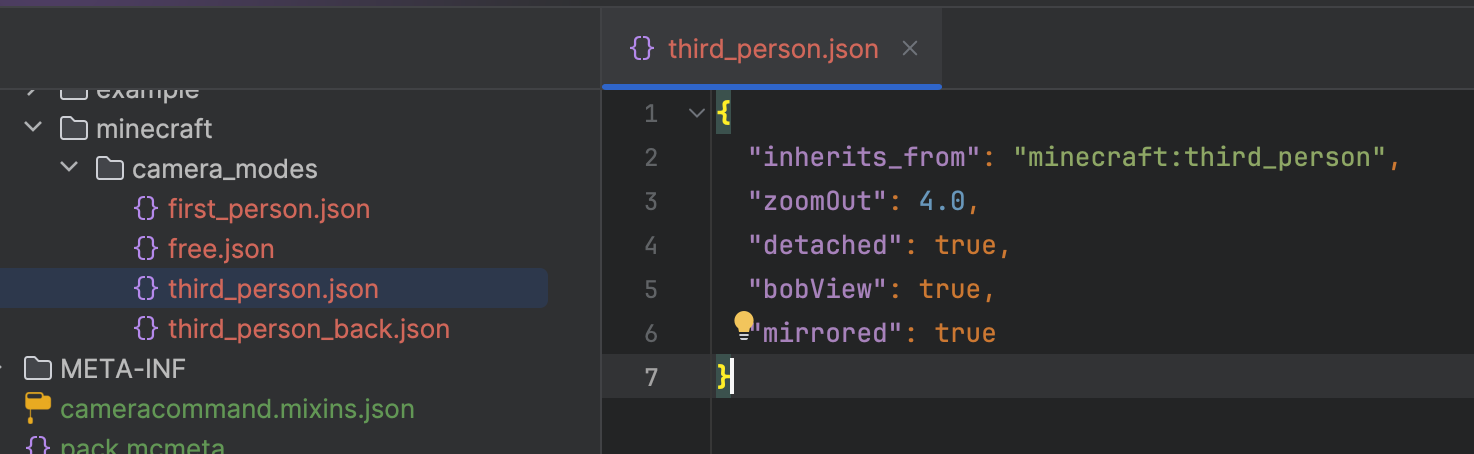
You can change this properties inside of presets json files:
“inherits_from” – Default camera preset as parent, can be set to (“minecraft:first_person”,”minecraft:third_person”,”minecraft:third_person_back”,”minecraft:free”),
“detached” – Property to make your camera preset detached, like in third person (true, false)
“mirrored” – Property to make your camera preset mirrored, like third person front (true, false)
“bobView” – Property to make your camera bob while moving (true, false)
“free” – Makes your camera unattached to player entity (true, false)
“zoomOut” – Zoom value is used in detached camera modes (Default is 4.0)
“rotation” – Camera mode default rotation (Default is [0, 0])
“position” – Camera mode default position (Default is [0, 0, 0])
“offset” – Camera mode default offset, can’t be used in free camera modes (Default is [0, 0, 0])
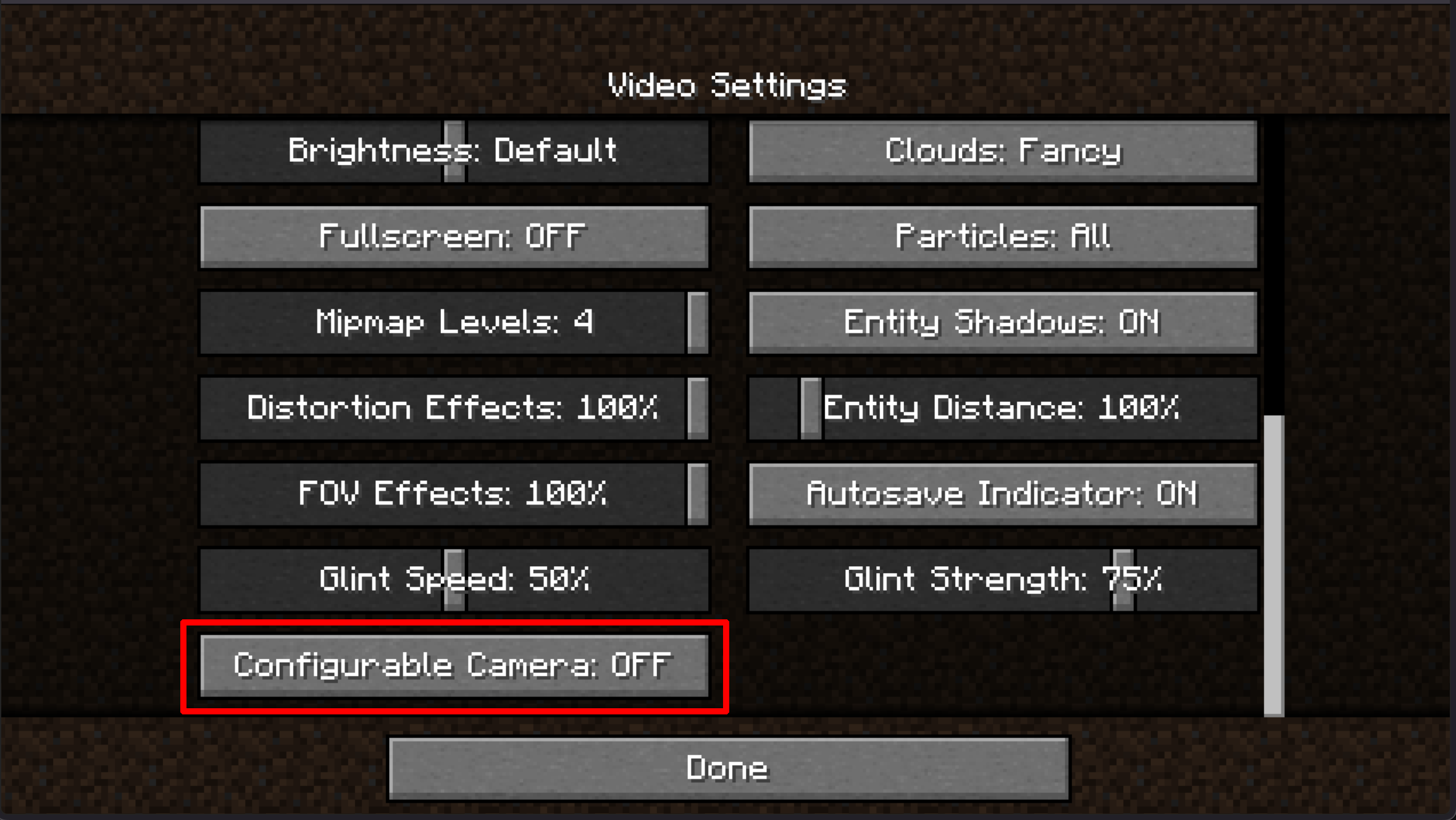
Also you can disable this feature inside of options menu and use Free Cam keybinding (Default is B key)
常见问题
Bedrock Camera Command 支持哪些 Minecraft 版本?
Bedrock Camera Command 支持 Minecraft Java 版 1.20–1.20.1,共 2 个版本,可用的加载器:Forge。下载时注意选择和你游戏版本一致的文件。
Bedrock Camera Command 怎么安装?
先用 PCL2 或 HMCL 启动器安装对应版本的 Forge,再把下载的 .jar 文件放进游戏目录的 mods 文件夹,重新启动游戏即可。开启了版本隔离的,mods 文件夹在 versions/版本名 下面。运行环境:客户端和服务端都要装。


评论
登录后评论和评分