
截图

介绍
# Major Update:
> Starting from version 2.0.1, this mod now uses
malilibas its configuration dependency instead ofYet Another Config Lib.And aslo reqiresRyansRenderingKit
> The codebase has been almost completely refactored. Some old features, such as Trajectory and ProjectileCamera, have been removed, while several new features have been introduced. You can open the configuration by pressing X + V or via Mod Menu
lucidity
The Ultimate Client-Side Visualization Tool!
What Is This
This mod adds various client-side visual features, such as
- selective block/entiy/particle rendering
- fluid source highlighting
- orientation display
- ore highlighting
- container comparator output display
- …more!
–
mob tracking range visualization(v2.0 -)previews for certain commands.(v2.0 -)damage indicator(v2.0 -)projectile trajectory prediction(v2.0 -)
Main Features
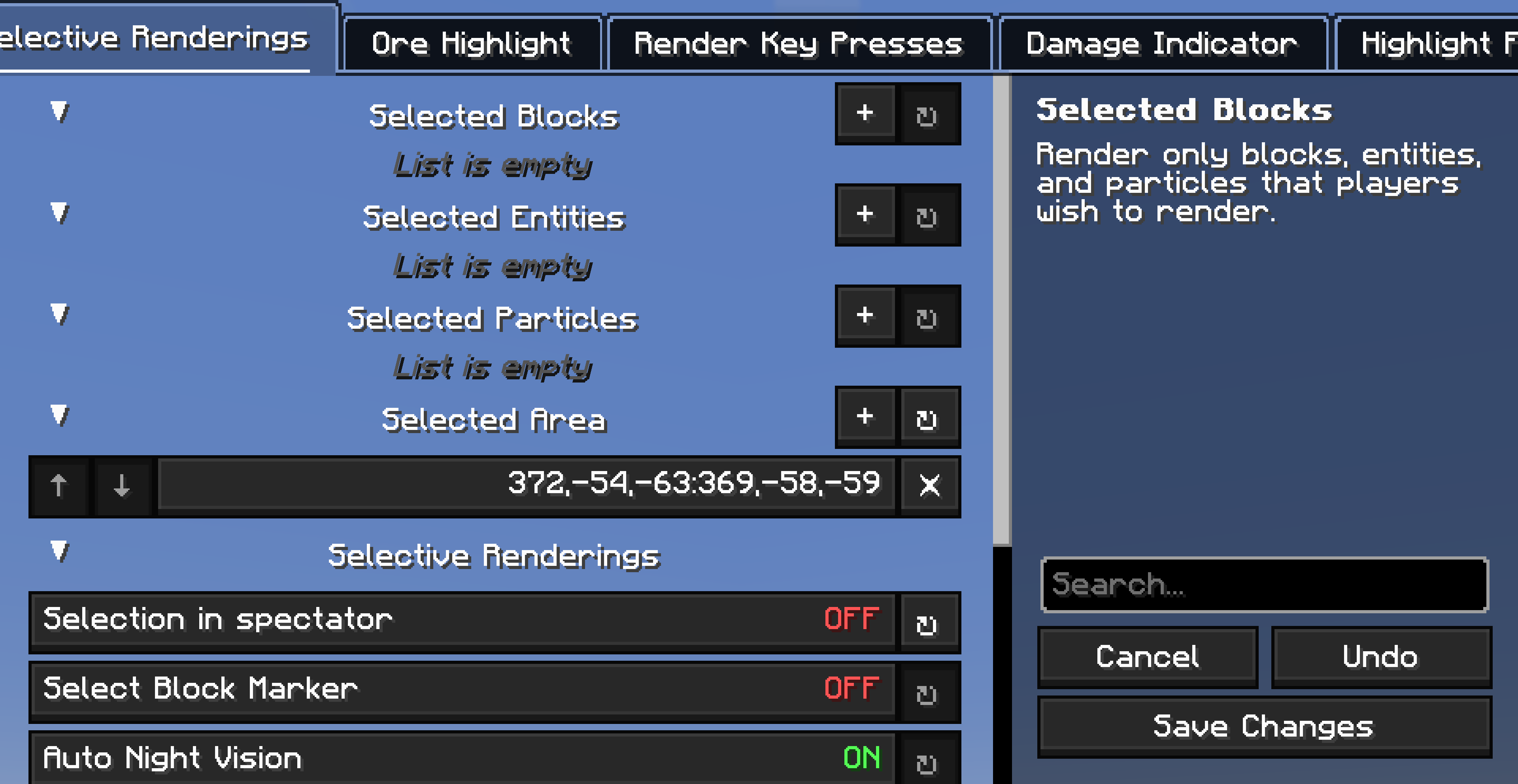
Selective Rendering
This feature offers various selective rendering options (“Specific Content” below refers to the selected blocks/entities/particles by the player).
Block/Entity/Particle Rendering Modes:
- Disabled
- Render specific content inside the selection area
- Render specific content outside the selection area
- Do not render specific content inside the selection area
- Do not render specific content outside the selection area
- Render only specific content
- Do not render specific content
- Render everything inside the selection area
- Render everything outside the selection area
- Render everything inside the selection area except specific content
- Render everything outside the selection area except specific content
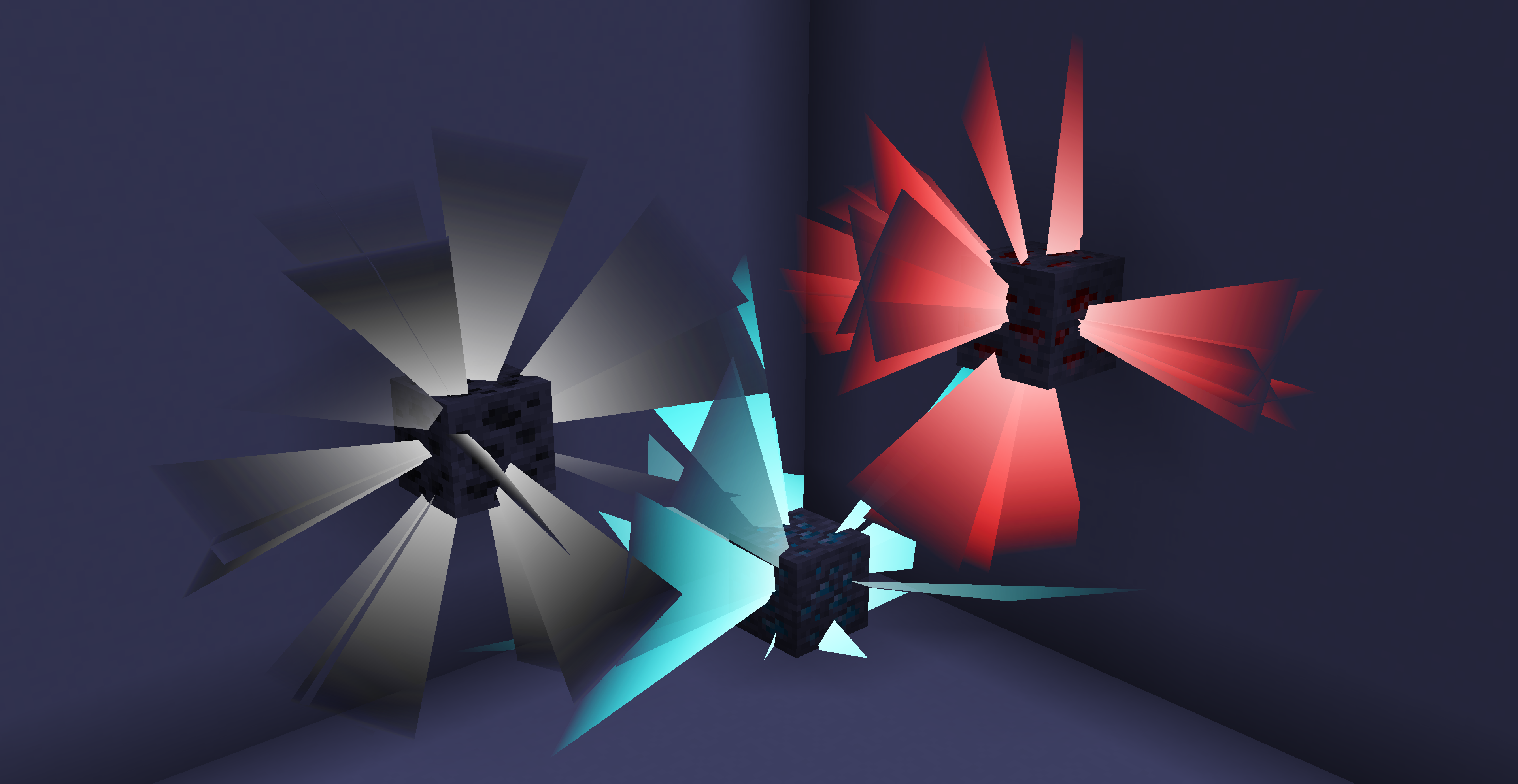
Ore Highlighting
Highlights ores within the detection range (allows adding custom blocks as ores and adjusting highlight colors per ore type).
Key Display
Displays all pressed keys.
Damage Indicator
Indicates the source of damage
Calculates potential damage
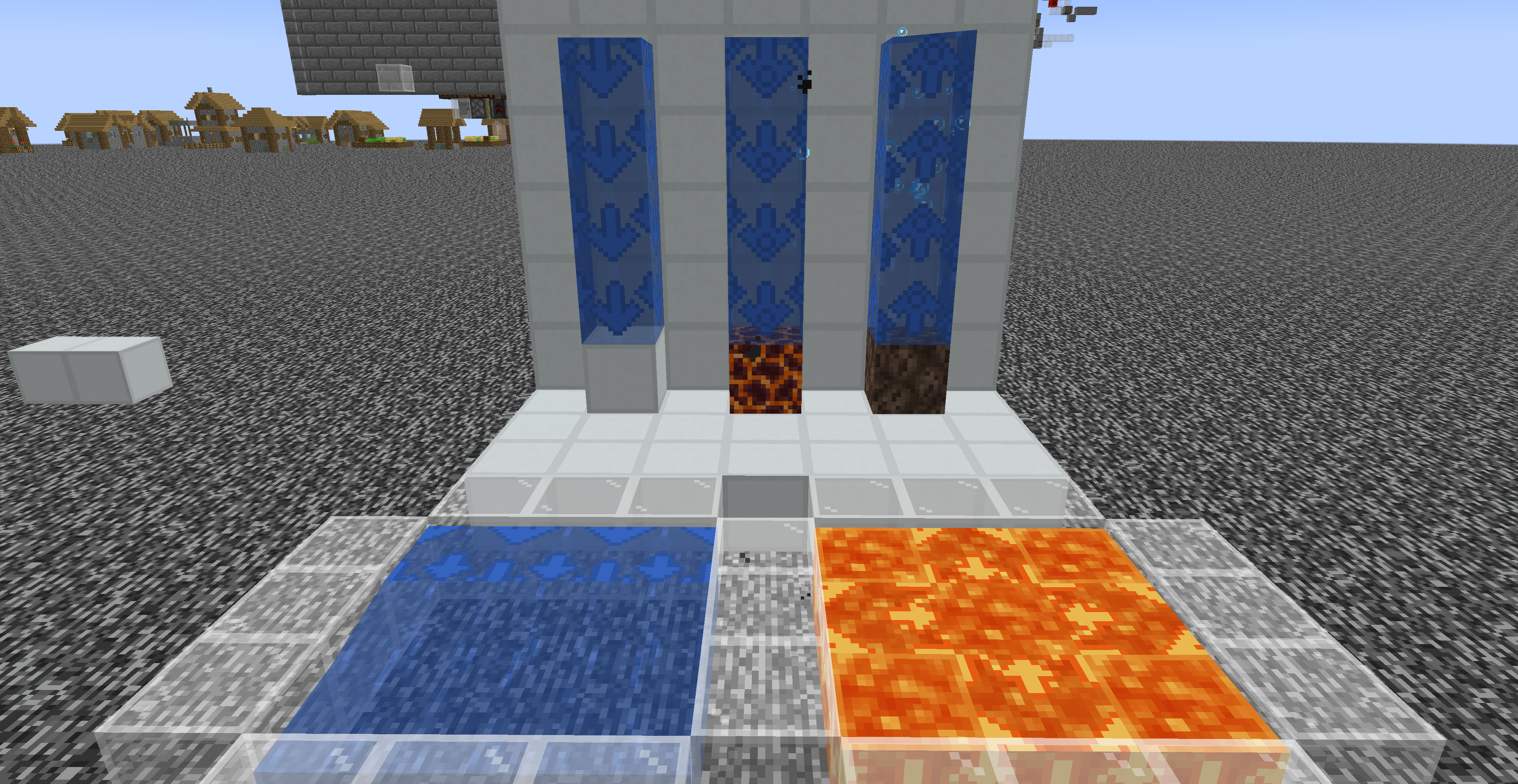
Fluid Highlighting
Applies a special highlight texture to fluid blocks from texture packs.
- Fluid source direction
- Bubble column direction
Projectile Trajectory
Marks the following with lines:
- Predicted trajectory of projectiles held by other players
- First-person predicted trajectory of held projectiles
- Predicted trajectory of projectiles held by mobs/entities
- Real-time predicted trajectory of existing projectiles in the world
Explosion Visualization
Explosion Visualization
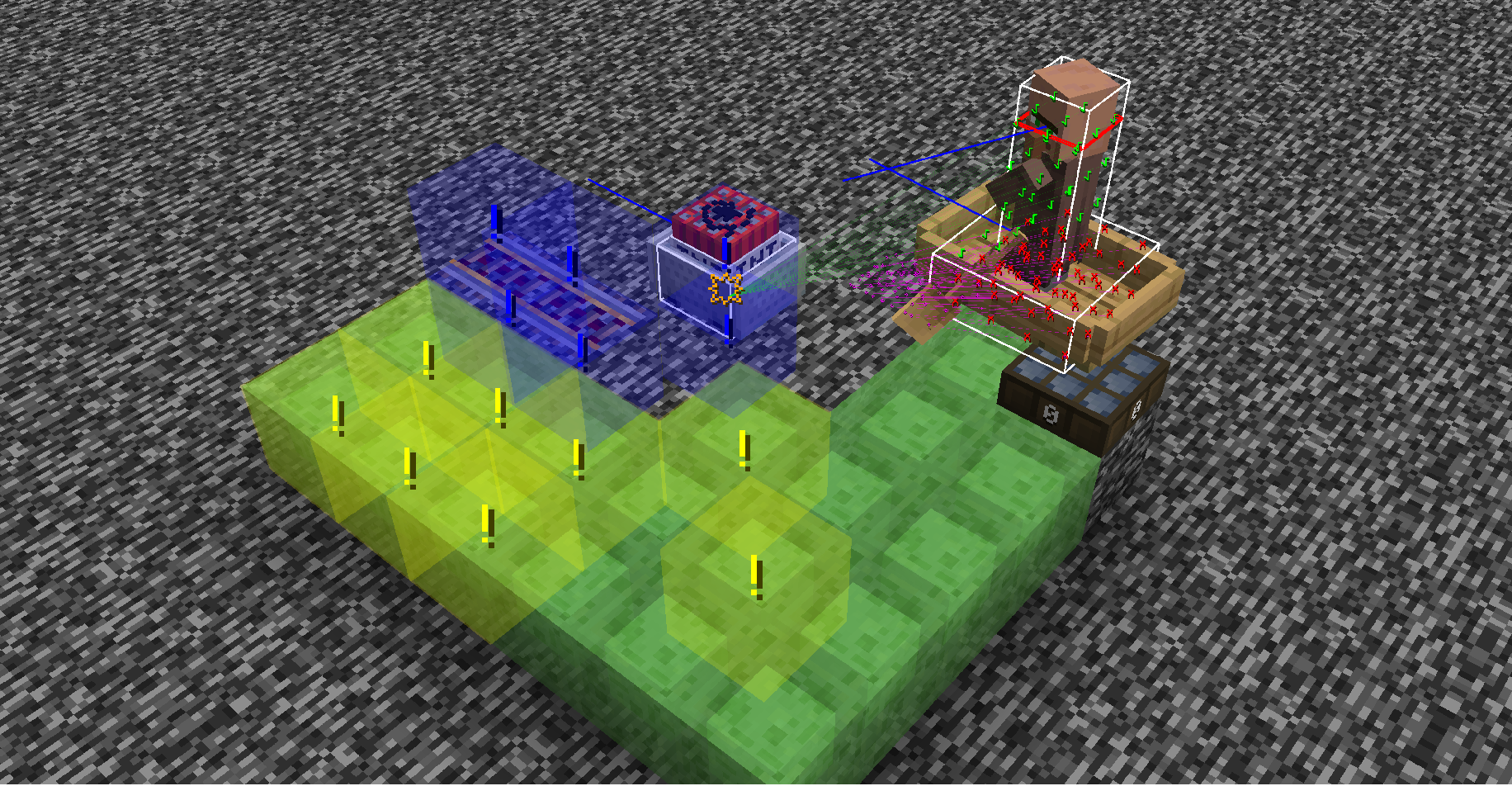
A powerful tool that simulates and visualizes explosion details in real time, including:
- Explosion rays
- Blocks that will be destroyed
- Explosion center
- Estimated damage to nearby entities
- Sample points of affected entities
Mob Debug Renderings
- Visualizes areas where entities can detect target.
- Displays spawnable entities on blocks around the player(not alwaysaccurate).
- Displays a line between entity’s eye and its target’s eye.
- Shows the effective attack range of sonic booms.
Creative Helper
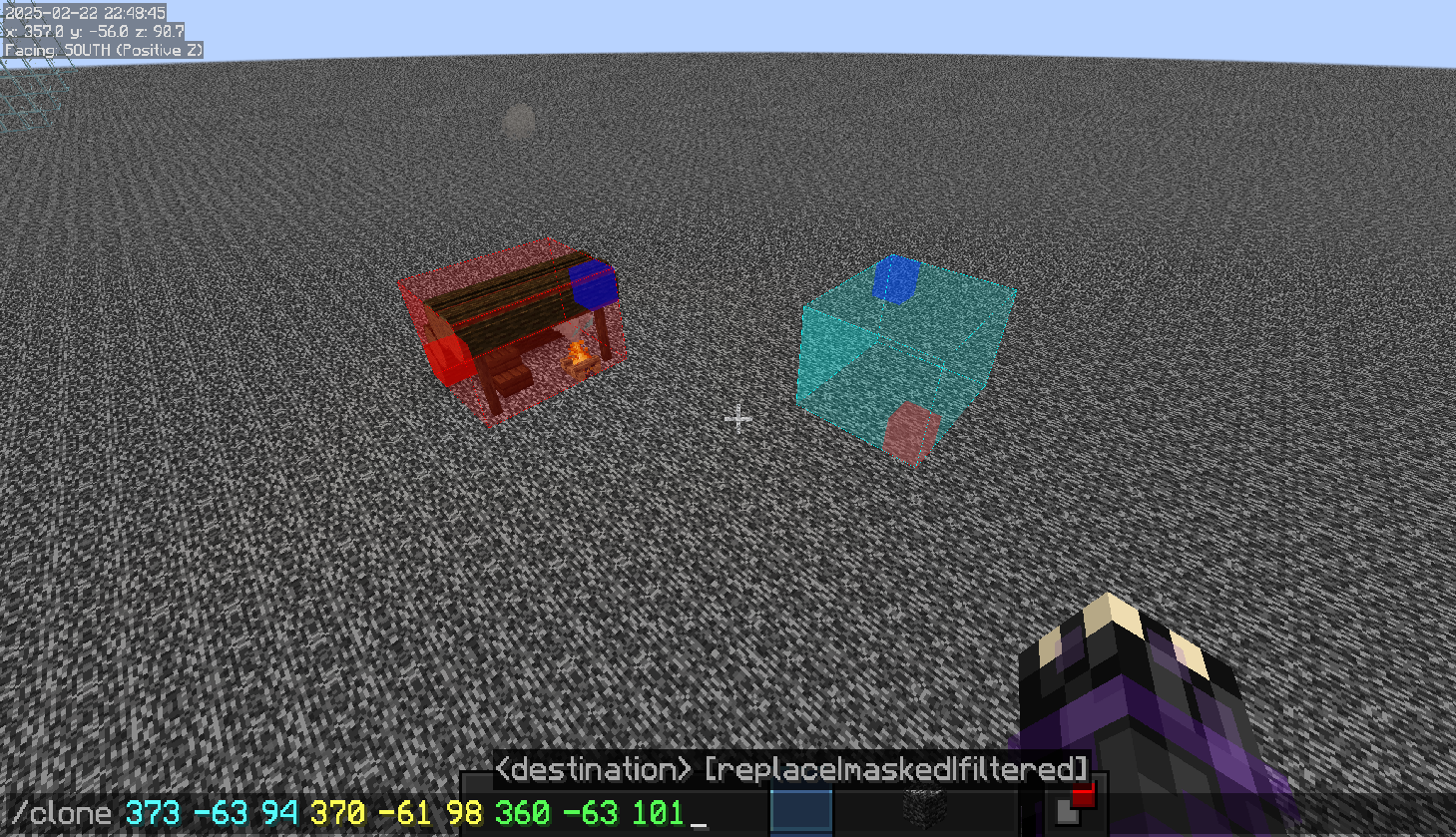
- Displays the range of certain commands (/fill, /clone)
- Improves the visibility of structure voids
- Enhances the appearance of barriers
- Forces the rendering of some technical blocks (barriers, structure voids, etc.)
Other Fun Features!
- Press Ctrl while firing a projectile to switch your view to the projectile’s perspective (press Shift to reset view)
- Visualizes surrounding sound events (e.g., footsteps)
- Displays surrounding block events (accuracy not guaranteed)
常见问题
Lucidity 支持哪些 Minecraft 版本?
Lucidity 支持 Minecraft Java 版 1.21–1.21.11,共 12 个版本,可用的加载器:Fabric。下载时注意选择和你游戏版本一致的文件。
Lucidity 怎么安装?
先用 PCL2 或 HMCL 启动器安装对应版本的 Fabric,再把下载的 .jar 文件放进游戏目录的 mods 文件夹,重新启动游戏即可。开启了版本隔离的,mods 文件夹在 versions/版本名 下面。运行环境:仅客户端。
ryan100c 的其他作品
查看全部 →
CarpetGUI
An easy to use GUI for CarpetMod

Flashback-Iris-SkyColorOverrideCompat
Flashback sky color override compat for IrisShaders.
Flashback-Iris-SkyColorOverrideCompat
Flashback sky color override compat for IrisShaders.

KeepMyModMenuScroll(KMMMS)
This mod keeps your mod menu page scroll after you leave the mod menu screen
评论
登录后评论和评分