
Vanilla texture fix
fixes some issues with Minecraft's textures and 3D models such as 2D and floating rails, etc.
截图



介绍
About
This resource pack fixes some issues with Minecraft’s textures and 3D models and adds small tweaks for a better gameplay.
Current changes made by this pack
Rails
All types of rails are by default 2D and they’re also floating 1 pixel above the surface of the block beneath them. this pack fixes that by making rails 3D.
Show images
Default

This pack

Ladder
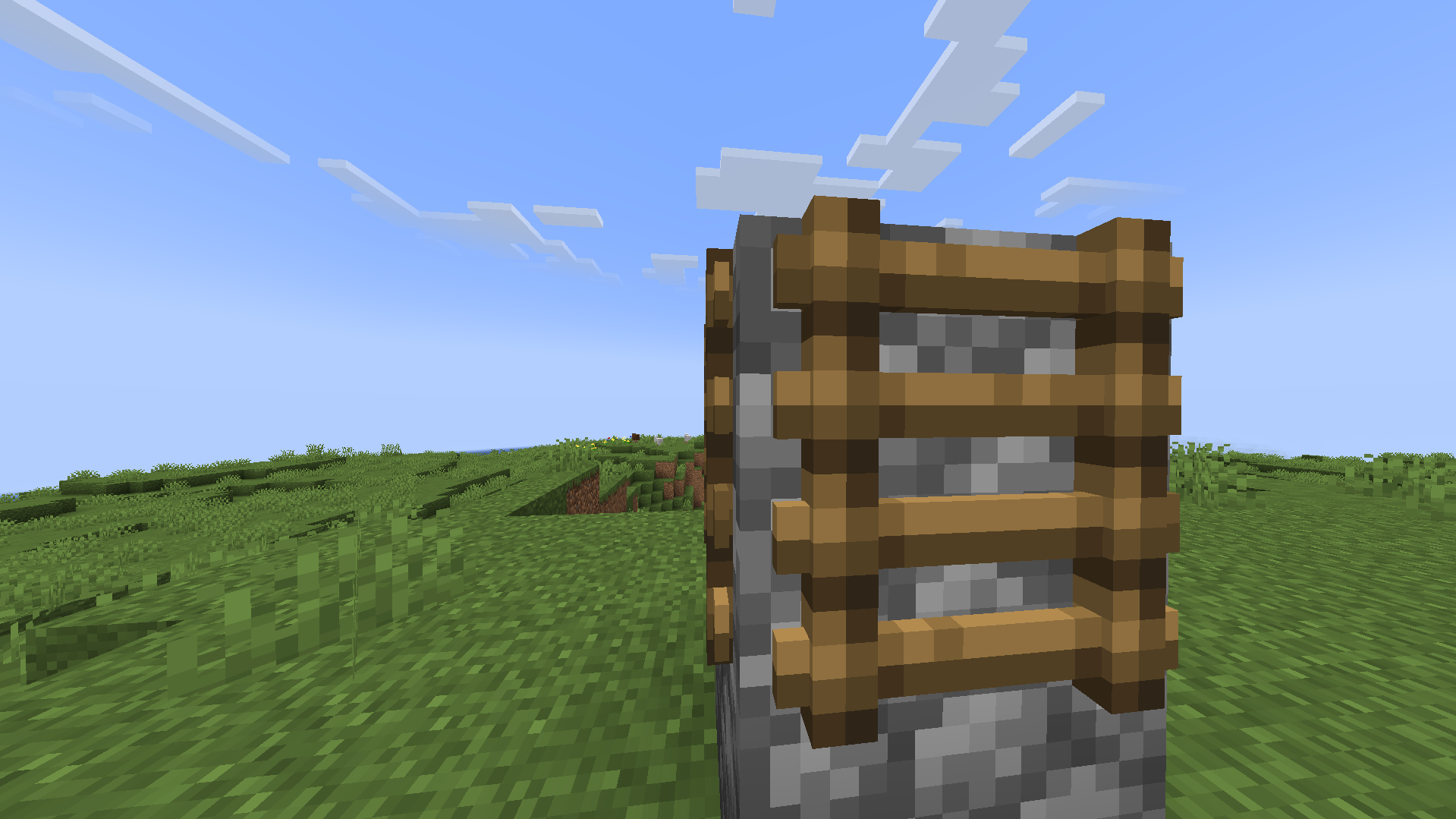
Ladders have just about the same problems as rails.
Note:
when using this resource pack, ladders seem to have a darker texture compared to the vanilla texture, but as far as I know this is an issue with Minecraft’s lighting system and there is no problem with the 3D model or the texture in this resource pack.
Show images
Default

This pack
GUI
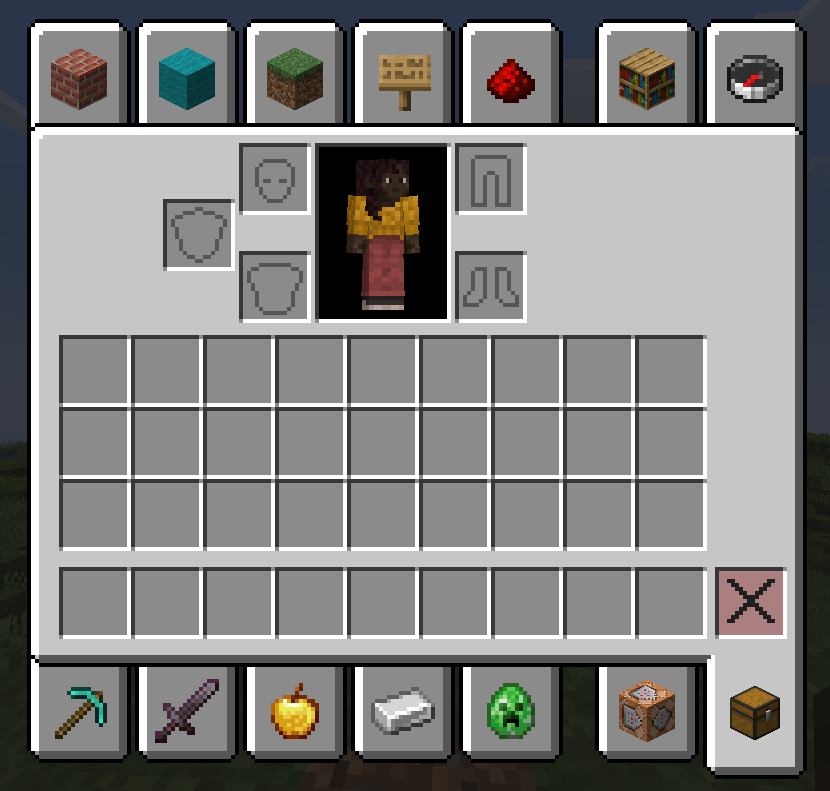
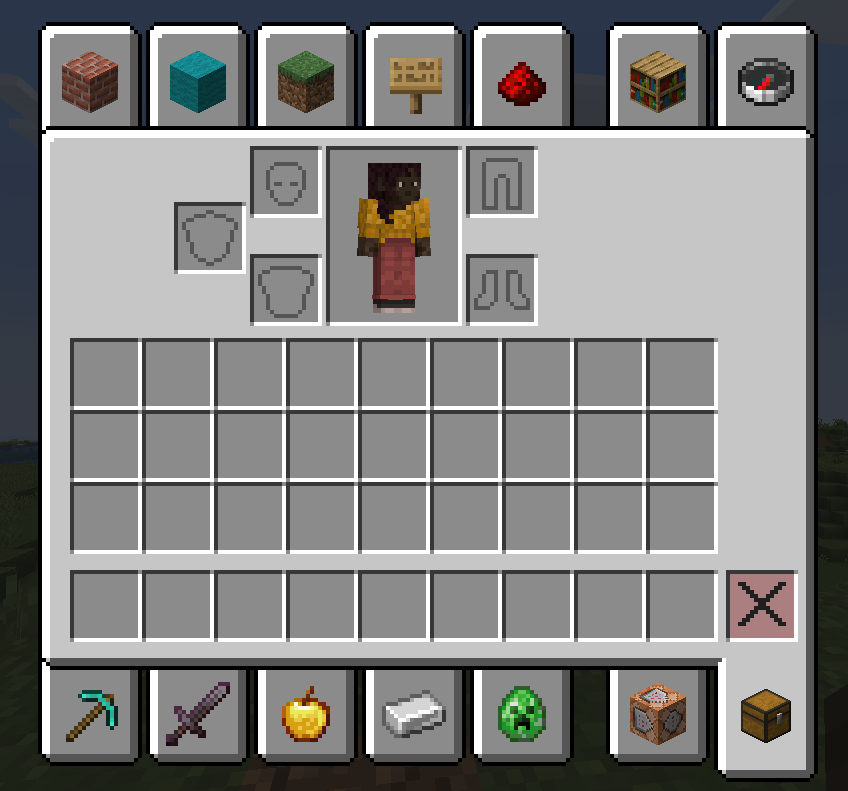
The default background of the player(or horse) charecter in some GUIs(like the inventory) is black and feels inconsistent. This resource pack fixes that by changing the the color of that part of the GUI.
Show images
Default
This pack
Leaves
The texture of the other sides of all leaves are not visible through the gaps in the vanilla game. This resource pack fixes this issue by changing the 3D model of leaves.
Note: More Culling will not visualy effect this pack, but enabling “Fast” mode leaves culling might still improve performance.
Show images
Default

This pack

Coming soon
These are the problems I’ve found and I’m currently working on.
Better doors and trapdoors
The holes in some doors and trapdoors don’t have a texture inside them, I’ll fix that in version 4.0
常见问题
Vanilla texture fix 支持哪些 Minecraft 版本?
Vanilla texture fix 支持 Minecraft Java 版 1.21–26.2,共 16 个版本。下载时注意选择和你游戏版本一致的文件。
Vanilla texture fix 怎么安装?
把下载的 .zip 文件(不用解压)放进游戏目录的 resourcepacks 文件夹,进游戏后在「选项 → 资源包」里把它移到右边启用。
284a 的其他作品
查看全部 →
more transparent hotbar(dark)
makes hotbar 100% transparent with black outline.

old enderman
turns enderman eyes to green, just like in old versions of the game!

284a’s healthBar
turns normal health indicator and hunger indicator into a bar.
284a’s healthBar
turns normal health indicator and hunger indicator into a bar.
评论
登录后评论和评分