
World Install Button
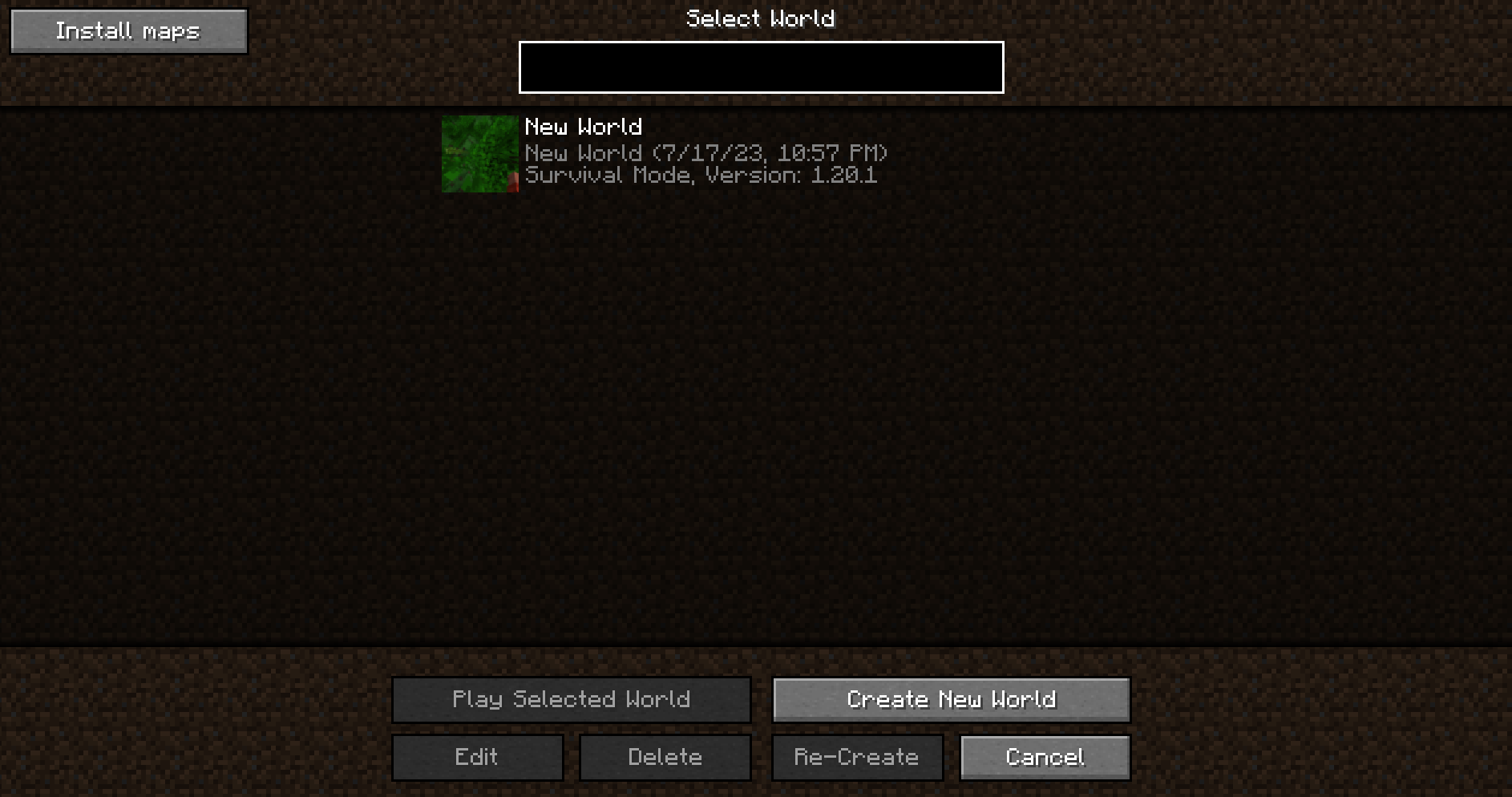
Adds a button to the Select World screen to instantly extract and install worlds from your downloads folder.
截图

介绍
World Install Button
Download on Modrinth
A client-side Fabric mod that adds a button to the Select World screen to instantly extract and install worlds from your downloads folder.
It scans your Downloads directory for valid zip files of Minecraft worlds (that contain a level.dat file) and allows you to select which one to install.
Also lets you export a world in one click from the Edit World screen, outputing a zip directly to your downloads folder.
Config
The directory path is configurable. Edit config/worldinstaller.json.
~ here represents the user home and works on both Windows and Linux.
Default config:
"installDirectory": "~/Downloads",
"exportDirectory": "~/Downloads"
常见问题
World Install Button 支持哪些 Minecraft 版本?
World Install Button 支持 Minecraft Java 版 1.20–26.2,共 19 个版本,可用的加载器:Fabric。下载时注意选择和你游戏版本一致的文件。
World Install Button 怎么安装?
先用 PCL2 或 HMCL 启动器安装对应版本的 Fabric,再把下载的 .jar 文件放进游戏目录的 mods 文件夹,重新启动游戏即可。开启了版本隔离的,mods 文件夹在 versions/版本名 下面。运行环境:仅客户端。
评论
登录后评论和评分