
Potioncraft
Makes cauldrons do what they should! You can brew and mix your potions in a cauldron, like a real witch/wizard/alchemist.
截图


介绍
**This mod is in development, many features are planned and bugs are to be expected.
Please report bugs, I will fix them ASAP.**
Mixing
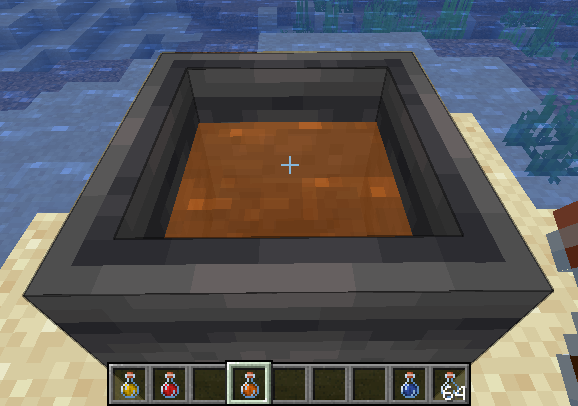
Mixing is a core component of this mod, it involves taking several potions and combining their effects in cauldron. To begin mixing, add any potion to a cauldron! The cauldron behaves the same as vanilla with the 3 levels.
While mixing, the cauldron cannot be used for other vanilla purposes (and cannot be moved with pistons).
Additionally, the mixture will appear translucent.
To revert to vanilla behavior, empty the cauldron or dilute with water until there is no remaining effect.
Additionally using a milk bucket will remove all effects.
Balancing
Potioncraft uses dilution to balance potions, adding two potions will result in two potions that have both effects but with half duration and amplification.
Adding a water bottle to a mixture will increase the cauldron level, but dilutes the mixture.
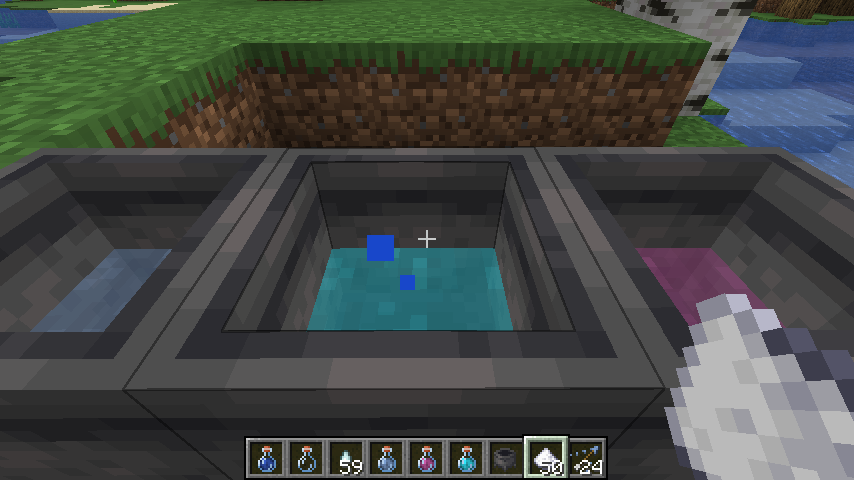
Another balancing mechanic is “potency”. This limits the amount of ingredients you can add to a single mixture, the default max is 5 but this can be changed or disabled in the config. Mixing a potion with max potency into an existing mixture will cause that mixture to have max potency! Potency is indicated by the potion cauldron splashing and making bubble noises.
Brewing
Brewing using only a cauldron requires no blaze powder, but more ingredients are needed for 3 potions.
All the vanilla recipes can be used to create effects.
This mod uses data packs to determine recipes, so you can change everything to how you like!
View the README on the GitHub for more info on data packs!
常见问题
Potioncraft 支持哪些 Minecraft 版本?
Potioncraft 支持 Minecraft Java 版 1.20–1.21.6,共 4 个版本,可用的加载器:Fabric。下载时注意选择和你游戏版本一致的文件。
Potioncraft 怎么安装?
先用 PCL2 或 HMCL 启动器安装对应版本的 Fabric,再把下载的 .jar 文件放进游戏目录的 mods 文件夹,重新启动游戏即可。开启了版本隔离的,mods 文件夹在 versions/版本名 下面。运行环境:客户端和服务端都要装。
评论
登录后评论和评分