
NBT Viewer
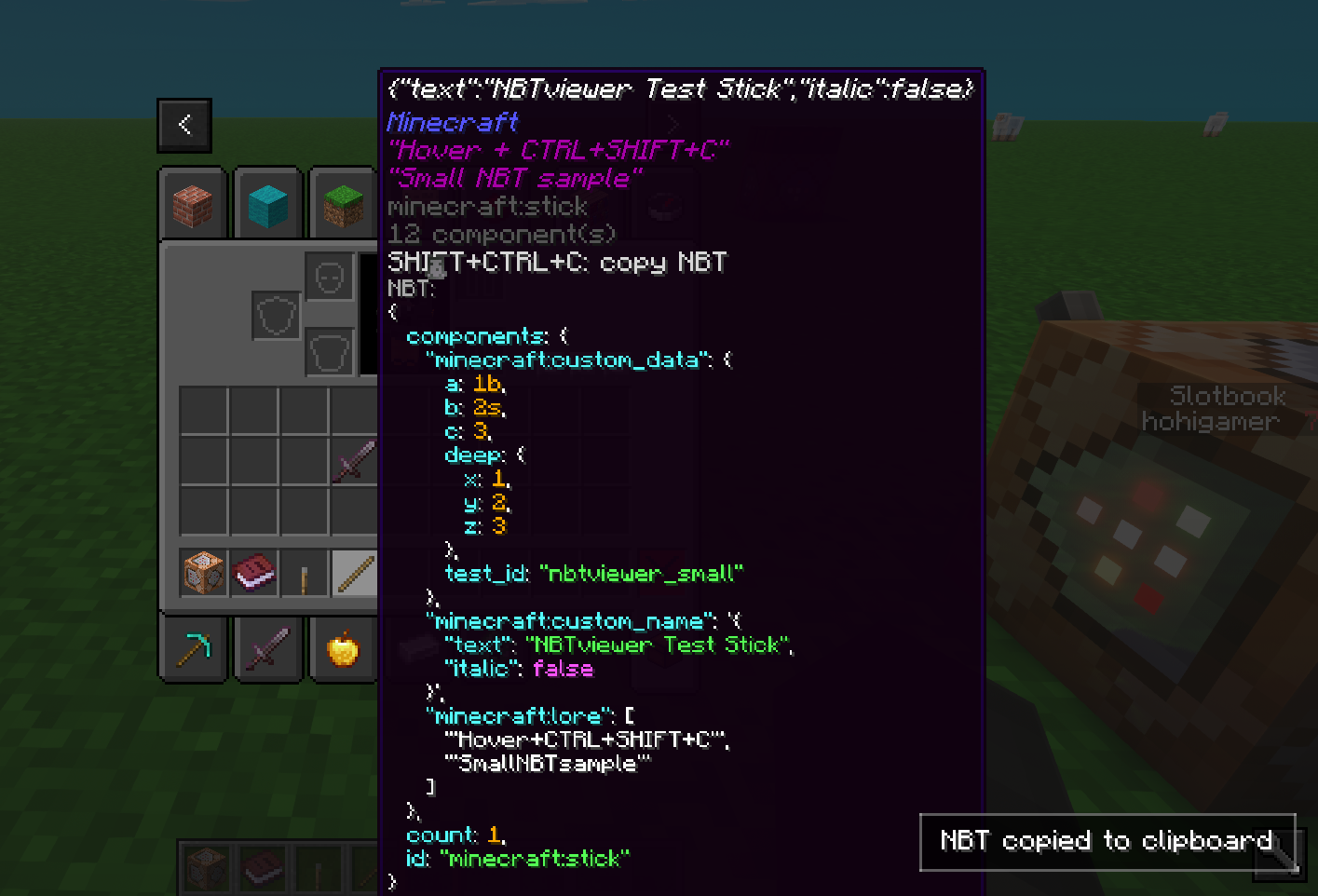
NBT Viewer lets you inspect item NBT data at a glance by displaying it directly in tooltips, making debugging and mod development easier.
截图
介绍
NBTviewer
NBTviewer is a lightweight client-side NeoForge mod that displays NBT (SNBT) data directly in-game.
It is designed for modders, pack makers, and advanced players who want to inspect, debug, and understand data instantly — without commands or external tools.
Main Features
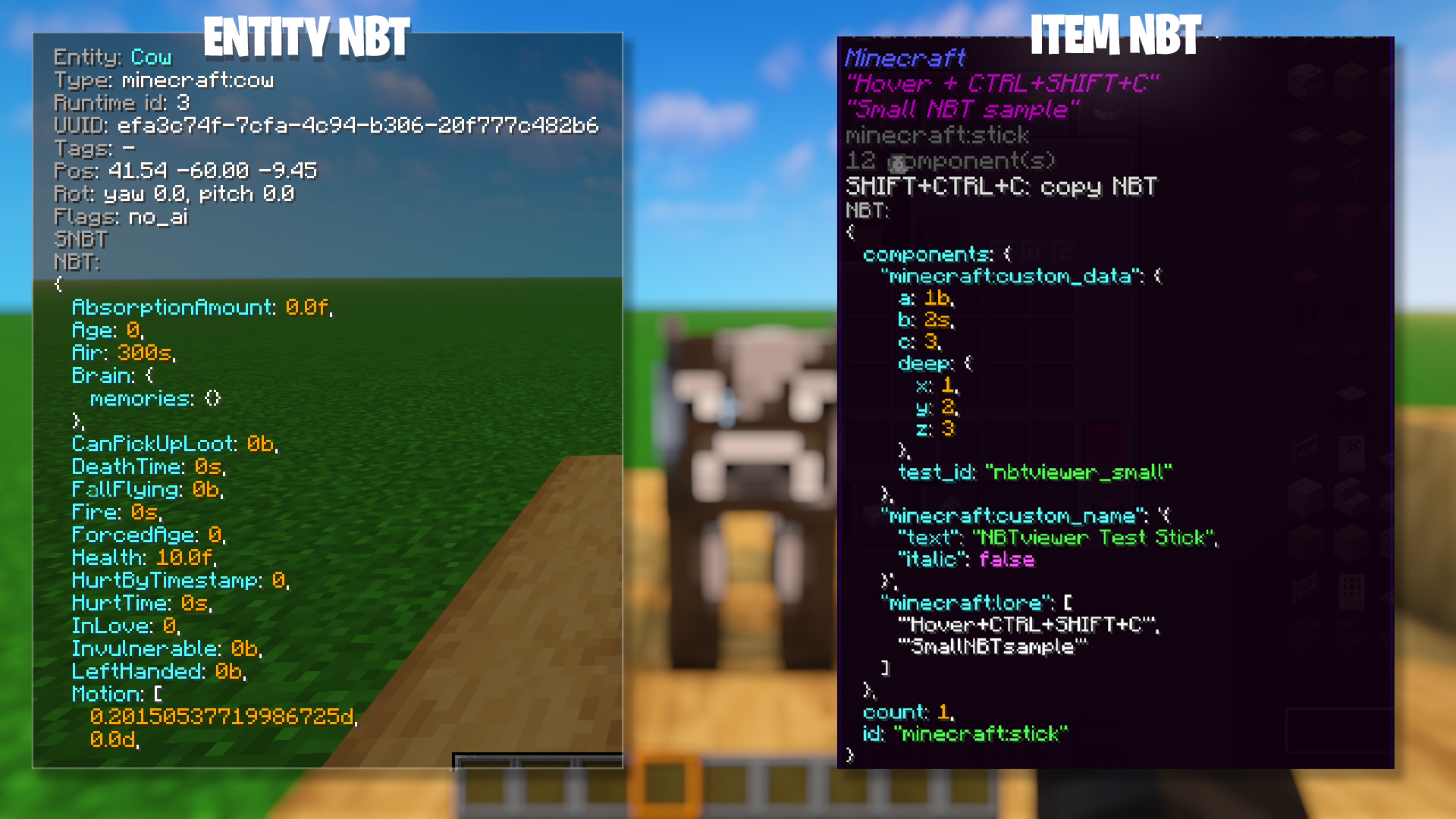
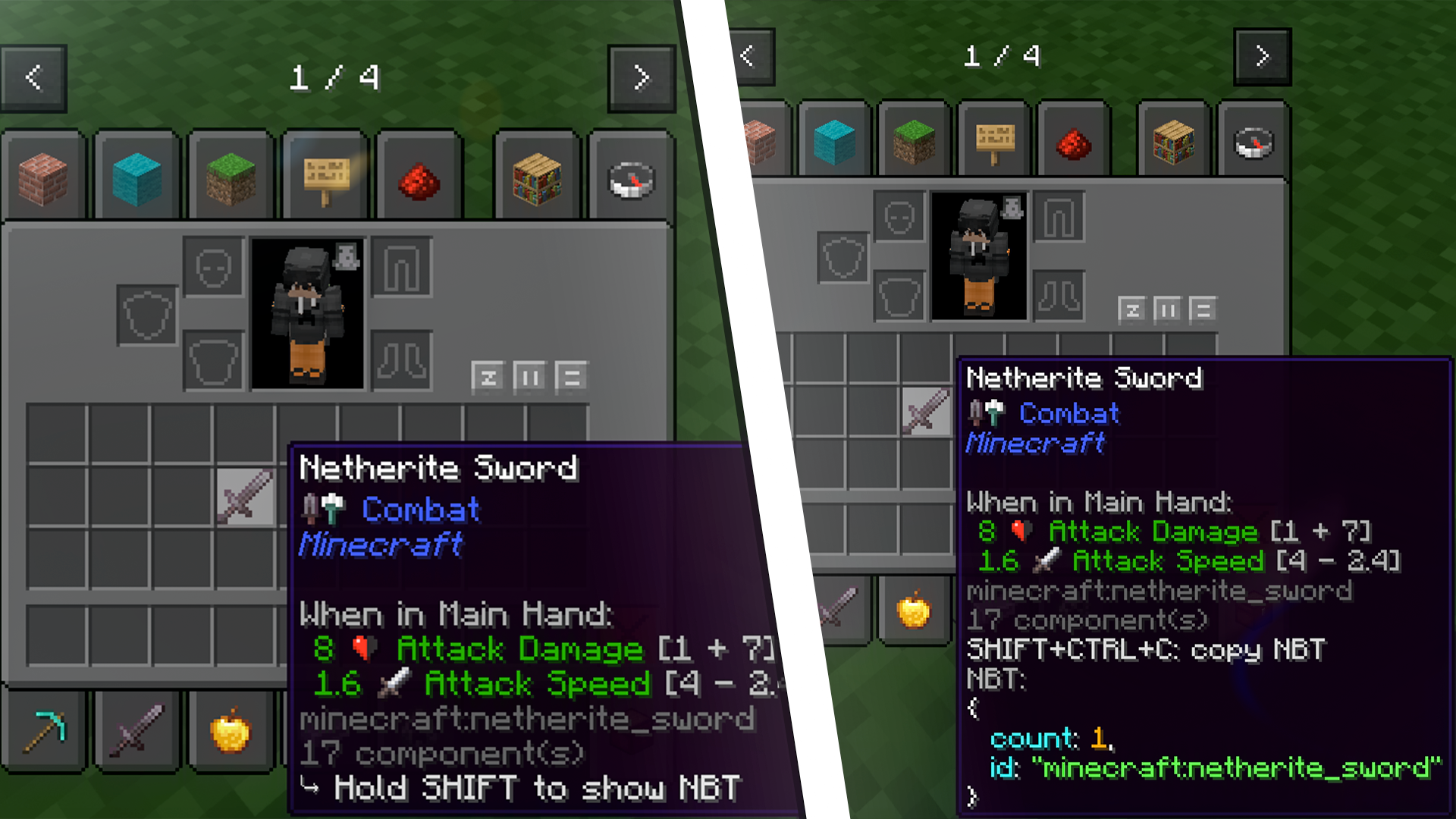
NBT directly in tooltips
- Displays the full SNBT of the hovered item directly in its tooltip
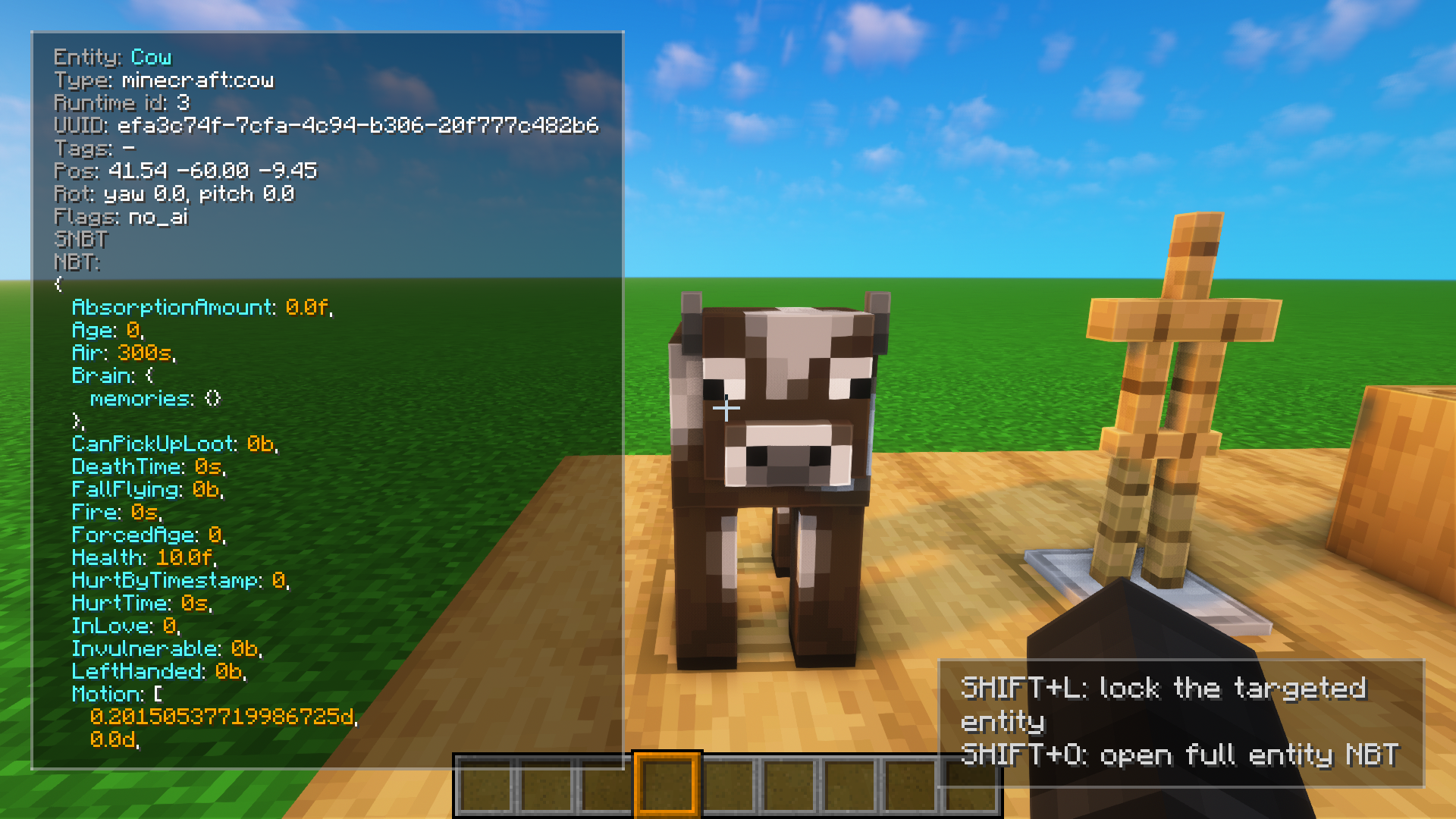
Entity NBT overlay
- Press N to toggle entity NBT display while looking at entities
- Displays key entity data directly on the player HUD
- Works seamlessly alongside item tooltips
Entity lock system
- Shift + L to lock the currently targeted entity
- Keeps displaying its NBT even when not looking at it anymore
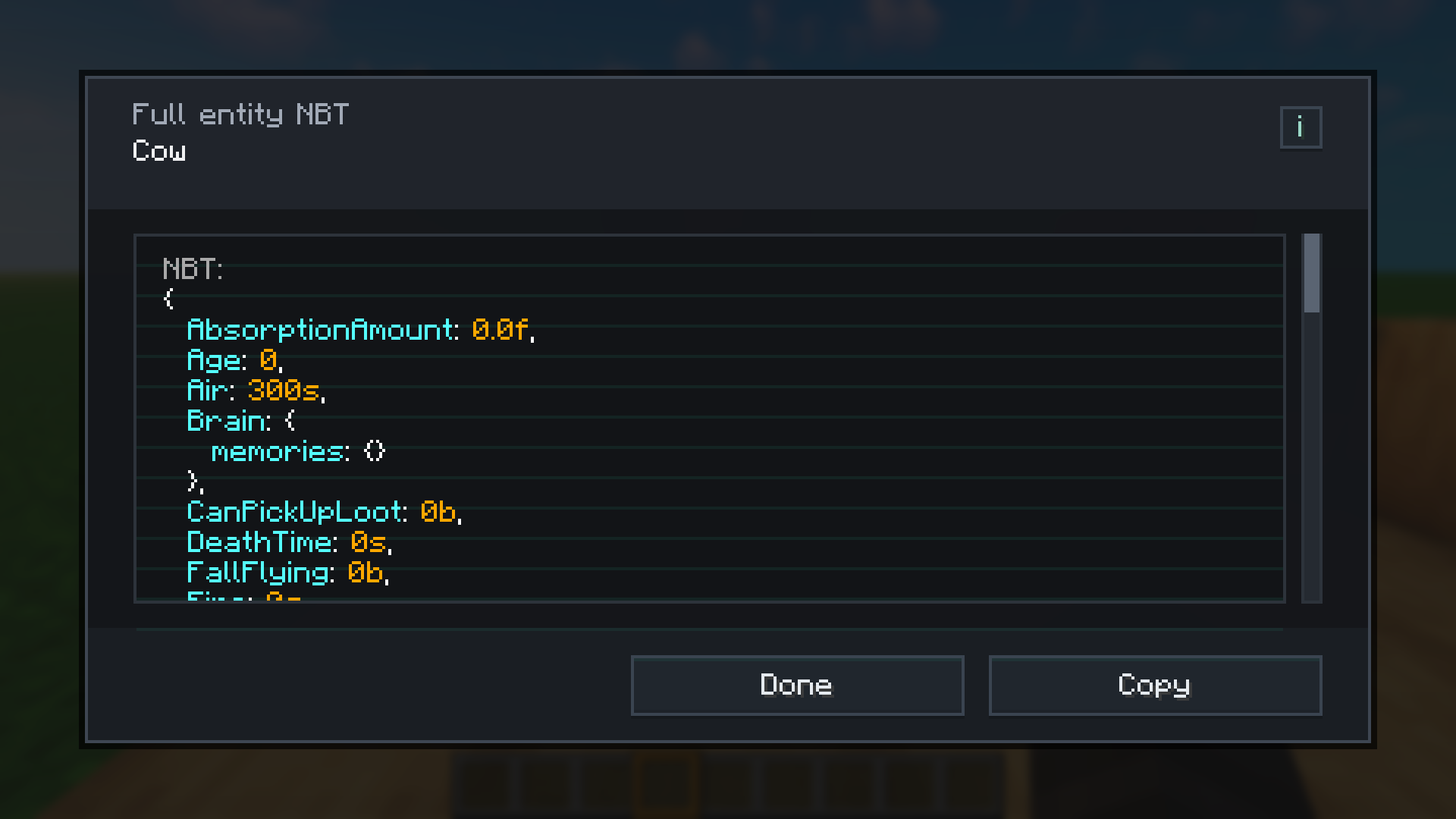
Advanced entity NBT viewer
- Shift + O to open a clean and scrollable interface
- Better readability for large and complex NBT structures
- Includes a copy button for quick access
Hold SHIFT to show (optional)
- By default, NBT is only shown while holding SHIFT
- Optional hint line when SHIFT is not held
Syntax highlighting (HEX colors)
- Keys
- Strings
- Numbers
- Booleans
- Punctuation (
{ } [ ] , :) - Identifiers
All colors are configurable using HEX format (#RRGGBB).
Formatting modes
- Single-line: compact raw SNBT on one line
- Multi-line: formatted with indentation and line breaks
Includes safety limits to avoid excessively large tooltips.
Safe truncation & limits
- Maximum total character count
- Maximum line length
- Configurable indentation size
Tooltip scaling
- Auto-scale: adapts to NBT size and line count
- Manual scale: fixed size (ignored when auto-scale is enabled)
Copy NBT to clipboard
- Press CTRL + SHIFT + C to copy item SNBT
- Optional feedback:
- Small popup confirmation
- Optional local sound effects (client-side only)
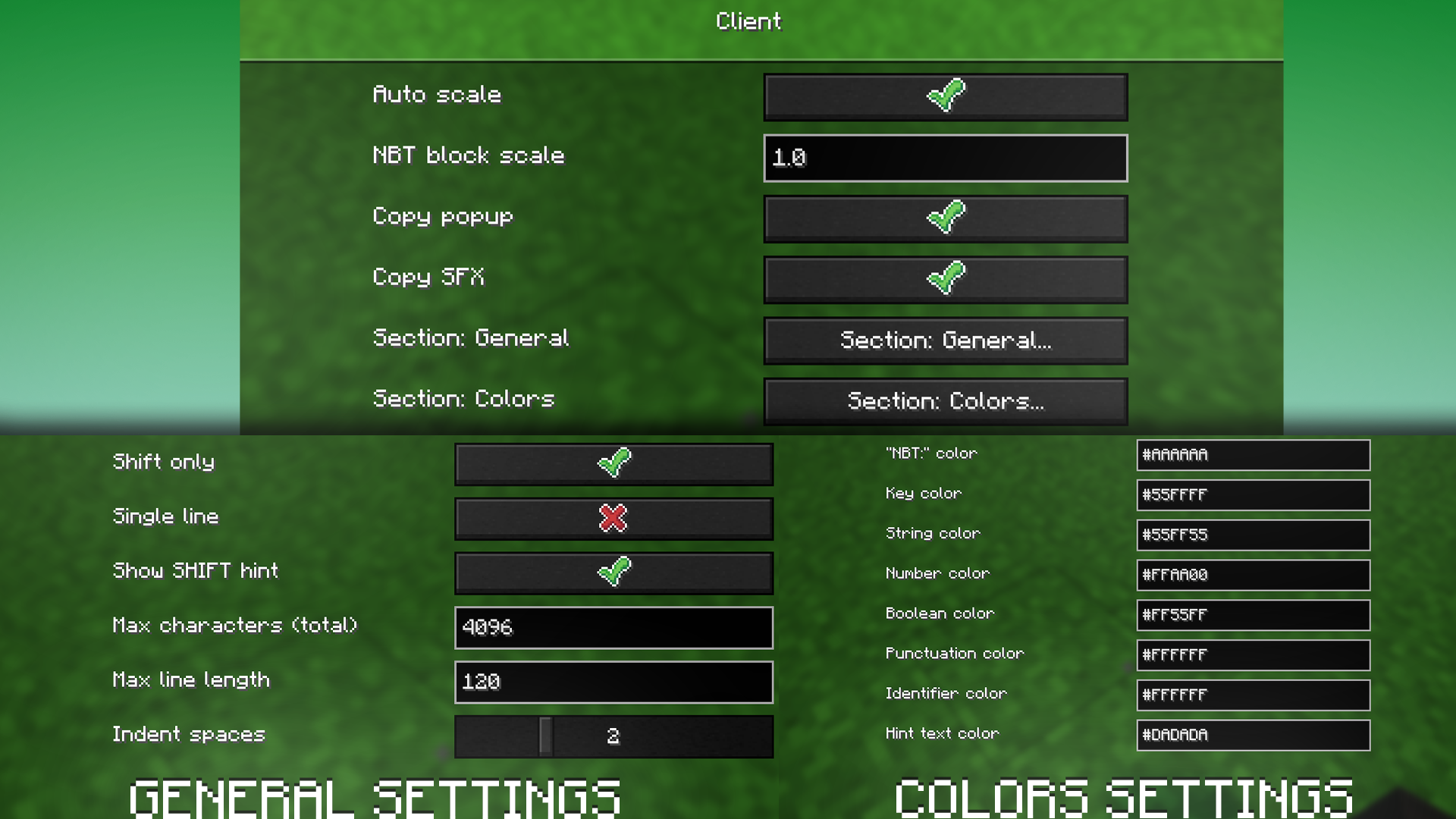
Configuration
- SHIFT-only display
- Single-line or multi-line formatting
- Tooltip hint lines
- Tooltip size limits
- Indentation spacing
- Auto-scale or manual scale
- Clipboard popup and sounds
- Full HEX color customization
Multiplayer
- Client-side only
- No server installation required
- No network traffic
- Only affects local tooltips
Language Support
- English
- French
- German
- Spanish
- Italian
- Portuguese (Brazil)
常见问题
NBT Viewer 支持哪些 Minecraft 版本?
NBT Viewer 支持 Minecraft Java 版 1.16.5–26.2,共 10 个版本,可用的加载器:Fabric / Forge / NeoForge。下载时注意选择和你游戏版本一致的文件。
NBT Viewer 怎么安装?
先用 PCL2 或 HMCL 启动器安装对应版本的 Fabric / Forge / NeoForge,再把下载的 .jar 文件放进游戏目录的 mods 文件夹,重新启动游戏即可。开启了版本隔离的,mods 文件夹在 versions/版本名 下面。运行环境:仅客户端。
Hohigamer 的其他作品
查看全部 →
Technoblade Pig Crown
Adds a 1-in-7 chance for vanilla pigs to spawn with a Technoblade-style crown. Requires ETF, ETM, or OptiFine. Works on 1.21.x and likely earlier versions.

RenderKit Utilities
A creator-focused shaderpack for Minecraft thumbnails and renders, with flat lighting, cutouts, custom colors, and full sky control.
评论
登录后评论和评分