
WarmPix Home
放置家园锚点设置家园,再用家园指南针和适合触屏的家园界面返回;还支持玩家传送、拜访和返回死亡地点。适用于 Minecraft 26.3 NeoForge。
介绍
WarmPix Home
WarmPix Home adds a placeable Home Anchor and a Home Compass to Minecraft 26.3 / NeoForge, with a touch-friendly Home UI, player-to-player teleports, visits, and a return to your last death point.
Why download it
Download it if you want homes and teleports on a 26.3 NeoForge client and server, with a warm-up, cooldowns, and a safe-landing check, plus a compass and UI that work well on touch screens.
Requirements
- Minecraft 26.3 (the jar targets
[26.3,26.4), so 26.4 is not included) - NeoForge 26.3.0.23-beta or later
- Install on both the client and the server
- No other required mods
- Language files for Simplified Chinese and English are included
- License: MIT. This GitHub repository is a release upload only and does not include source.
What it adds
- Home Anchor (craftable): placing it makes that spot one of your homes. Only the owner or an operator can break it. It is blast- and piston-proof; breaking it removes that home as well.
- Home Compass (craftable): right-click to open the Home UI; sneak-right-click to go to your default home. The needle points to the default home.
- Home UI: view all of your homes, set a home here, rename, set the default, or delete. Tap and drag-scroll are supported, including on touch screens.
- Commands:
/sethome [name],/home [name],/delhome,/renamehome <old> <new>,/homes. Home names can be in Chinese (1–16 characters). - Going home: a stand-still warm-up; moving or taking damage cancels it. There is a cooldown and a per-player home limit. If the destination is blocked, hanging in the air, or has lava, the teleport is cancelled and the home is kept.
- Player teleports:
/tpa,/tpahere, accept or deny from chat,/tpacancelto withdraw,/tptoggleto block incoming requests. Requests have an expiry and a cooldown. - Visits:
/visit <player>asks to visit that player’s house; after they accept, you are teleported there./visit sethome <name>sets which of your homes visitors arrive at. /backreturns to your most recent death point and looks nearby for a safe landing spot.- The server is authoritative. The config file
config/warmpix_home.jsoncovers the home limit, warm-up, cooldown, whether cross-dimension travel is allowed, forbidden dimensions, and similar options. Operators can change limits and reload the config. - The jar also includes an operator feature that can automatically build roads and place a village in a home world. It only runs if the server owner configures a dedicated dimension for it; it does nothing if that is left unset.
中文介绍
暖像素家园(WarmPix Home)是一款面向 Minecraft 26.3、NeoForge 的模组。放下家之锚就安了家,用归家罗盘和触屏友好的家园界面回家,还有玩家互传、上门做客和死亡返回。
版本与安装
当前版本 1.3.0。需要 Minecraft 26.3(不包含 26.4)和 NeoForge 26.3.0.23-beta 或更高。无其他模组前置。客户端和服务端都要安装。游戏内有简体中文和英文。许可为 MIT,免费提供。本 GitHub 仓库只用于发布 jar,不含源码。
主要内容
- 家之锚(可合成):放下即成为你的一个家;只有主人和管理员能拆,防爆、防活塞,拆除时家会一起移除
- 归家罗盘(可合成):右键打开家园界面,潜行右键回到默认的家,指针指向默认的家
- 家园界面:查看全部的家,在此安家、改名、设为默认、删除;支持点按、拖动滚动,适合触屏
- 指令:
/sethome [名称]、/home [名称]、/delhome、/renamehome <旧名> <新名>、/homes,家名可用中文(1–16 字) - 回家规则:站稳倒计时,移动或受伤会取消;冷却时间、每人家数量上限;目的地被堵住、悬空或有岩浆时取消传送并保留家
- 玩家互传:
/tpa、/tpahere,聊天里点击接受或拒绝,/tpacancel撤回,/tptoggle关闭他人请求;请求有效期与冷却 - 上门做客:
/visit <玩家>申请参观对方的小屋,对方同意后传送过去;可用/visit sethome <家名>指定接待的地点 /back返回最近一次死亡地点,附近找安全落脚点- 服务端权威,配置文件
config/warmpix_home.json:家上限、倒计时、冷却、是否允许跨世界、禁止的维度等;管理员可改上限、重载配置
注意事项
- jar 里还带有一套给家园世界自动修路、布置村镇的管理员功能,需要服主另外配置专用维度才会启用,不配置时不生效。
Made by the WarmPix team. Official site: warmpix.com · QQ group 705556278
由 WarmPix 团队制作。官网:warmpix.com ,QQ 群 705556278。
常见问题
WarmPix Home 支持哪些 Minecraft 版本?
WarmPix Home 支持 Minecraft Java 版 26.3,可用的加载器:NeoForge。下载时注意选择和你游戏版本一致的文件。
WarmPix Home 怎么安装?
先用 PCL2 或 HMCL 启动器安装对应版本的 NeoForge,再把下载的 .jar 文件放进游戏目录的 mods 文件夹,重新启动游戏即可。开启了版本隔离的,mods 文件夹在 versions/版本名 下面。
CatfishW 的其他作品
查看全部 →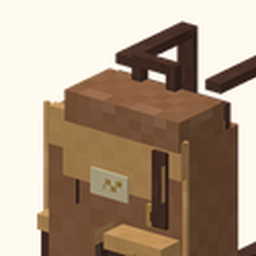
Warmpixel Backpacks
为 Minecraft 26.3 NeoForge 添加六款建模精美的背包,支持分页收纳、搜索、排序,以及能保留所有物品的锻造台升级。Curios 为可选前置。
Warmpix Decor
提供 8 个类别的 166 件可互动家具,以及 10 种手持玩具:坐下、打开柜子、开关灯,还能用装饰刷重新设计家具。适用于 Minecraft 26.3 NeoForge。

Warmpix Neon
为 Minecraft 26.3 NeoForge 添加可控霓虹灯、激光、标牌和 16 通道灯光控制台,以及赛博酒吧装饰。没有合成配方。

WarmPix SwordForge
在天界锻造祭坛体验三阶段锻造小游戏,使用六把拥有连招、技能和终极技的特效剑,还有一位会在战斗中成长的剑灵。适用于 Minecraft 26.3 NeoForge。
评论
登录后评论和评分