
PVPStatsPlus+
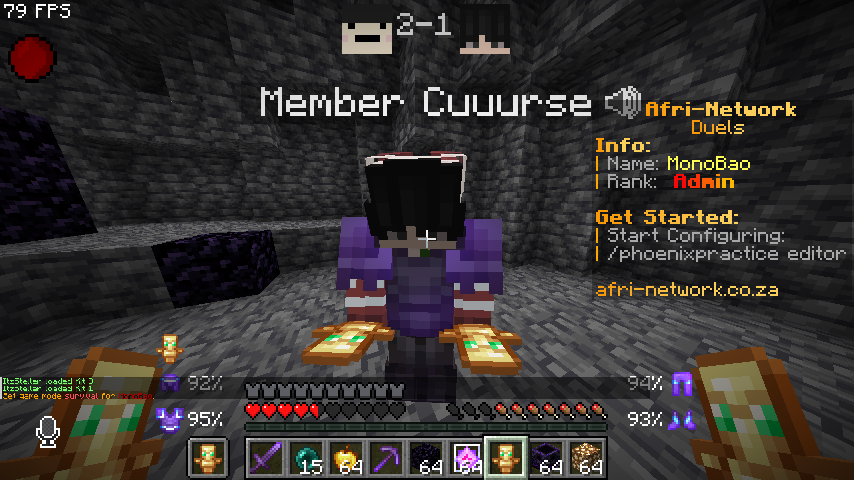
The mod offers a customizable HUD, detailed match tracking, tiered progression, and performance analytics for PvP, allowing players to optimize their interface, track stats, and refine their combat skills.
截图
介绍

HUD Editor 🖥️
The HUD Editor gives you complete control over your PvP interface, letting you arrange and toggle visual elements for maximum clarity and comfort.
Features
- Visibility Control
- Toggle elements like the scoreboard or recording indicator on or off.
- Great for reducing screen clutter or tailoring your view to your playstyle.
Click to watch video
<iframe
width=”560″
height=”315″
src=”https://www.youtube-nocookie.com/embed/yiM_0o0fQeo”
title=”YouTube video player”
frameborder=”0″
allowfullscreen>
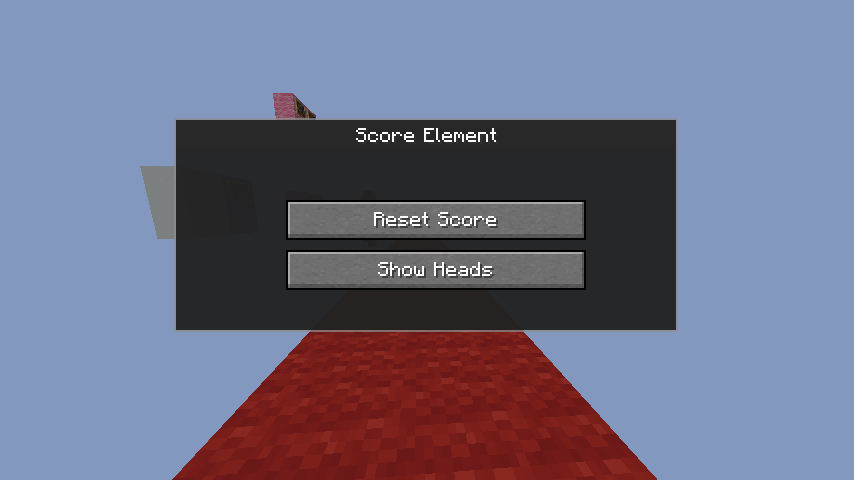
- Score Elements GUI
- Right-click the scoreboard to open a configuration menu.
- Reset Scores between matches or tournaments.
- Customize the view:
- Scores Only
- Heads + Scores
Click to watch video
<iframe
width=”560″
height=”315″
src=”https://www.youtube-nocookie.com/embed/NHboCI5aByk”
title=”YouTube video player”
frameborder=”0″
allowfullscreen>
- Resizable HUD
- Use the mouse scroll wheel to resize HUD elements like the scoreboard and recorder.
- Easy access to the GUI with right-click makes in-game adjustments quick and intuitive.
Click to watch video
<iframe
width=”560″
height=”315″
src=”https://www.youtube-nocookie.com/embed/rzEVAcu8CeU”
title=”YouTube video player”
frameborder=”0″
allowfullscreen>
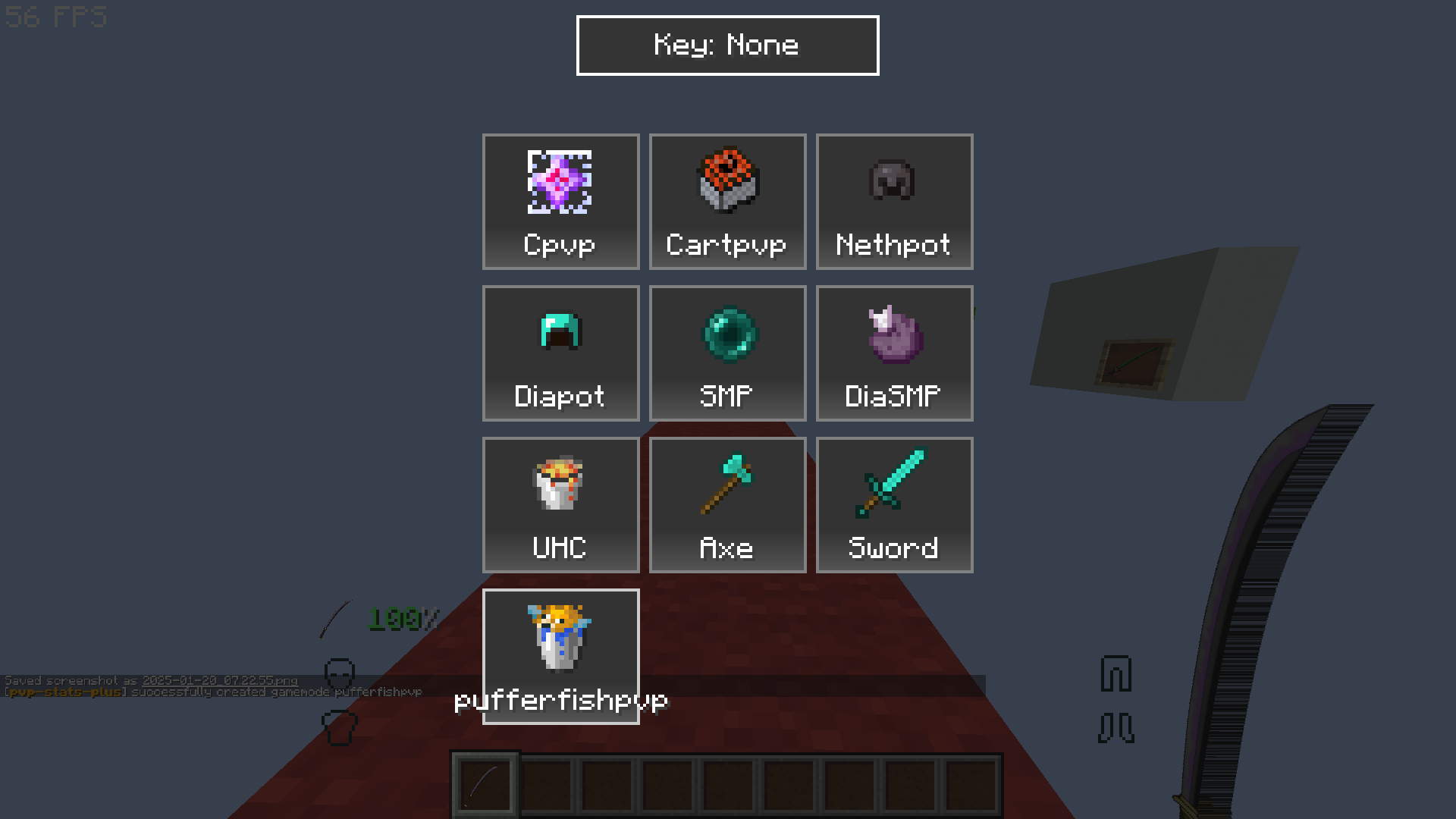
Recorder GUI 🕹️
Track stats precisely with the Recorder GUI, designed for all PvP modes.
How It Works
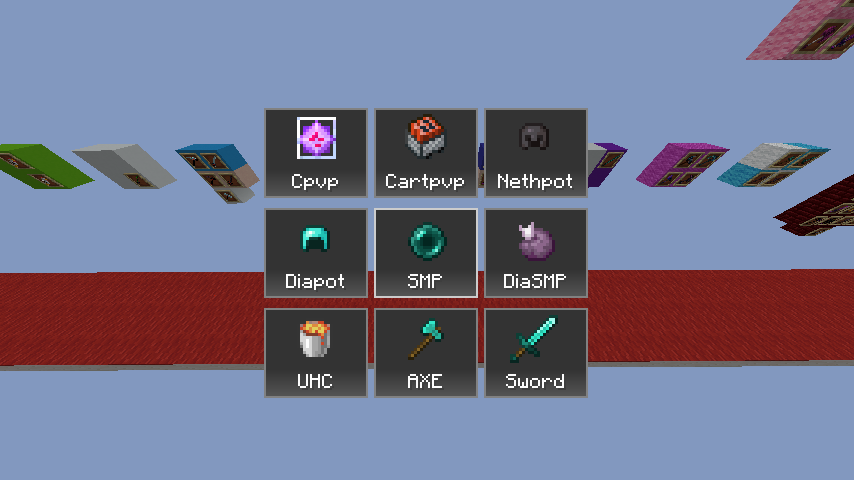
- 9-Box Interface
- Choose from modes like:
- Crystal PvP
- Cart PvP
- Netherite Pot
- Diamond Pot
- SMP
- UHC
- Axe PvP
- Sword PvP
- Quick Activation
- After selecting a mode, your stats begin tracking the moment you hit another player.
- Auto-Save
- After a match, your stats are automatically sent to the Stats GUI.
Click to watch video
<iframe
width=”560″
height=”315″
src=”https://www.youtube.com/embed/Fh_ITWoV0Ms”
title=”YouTube video player”
frameborder=”0″
allowfullscreen>
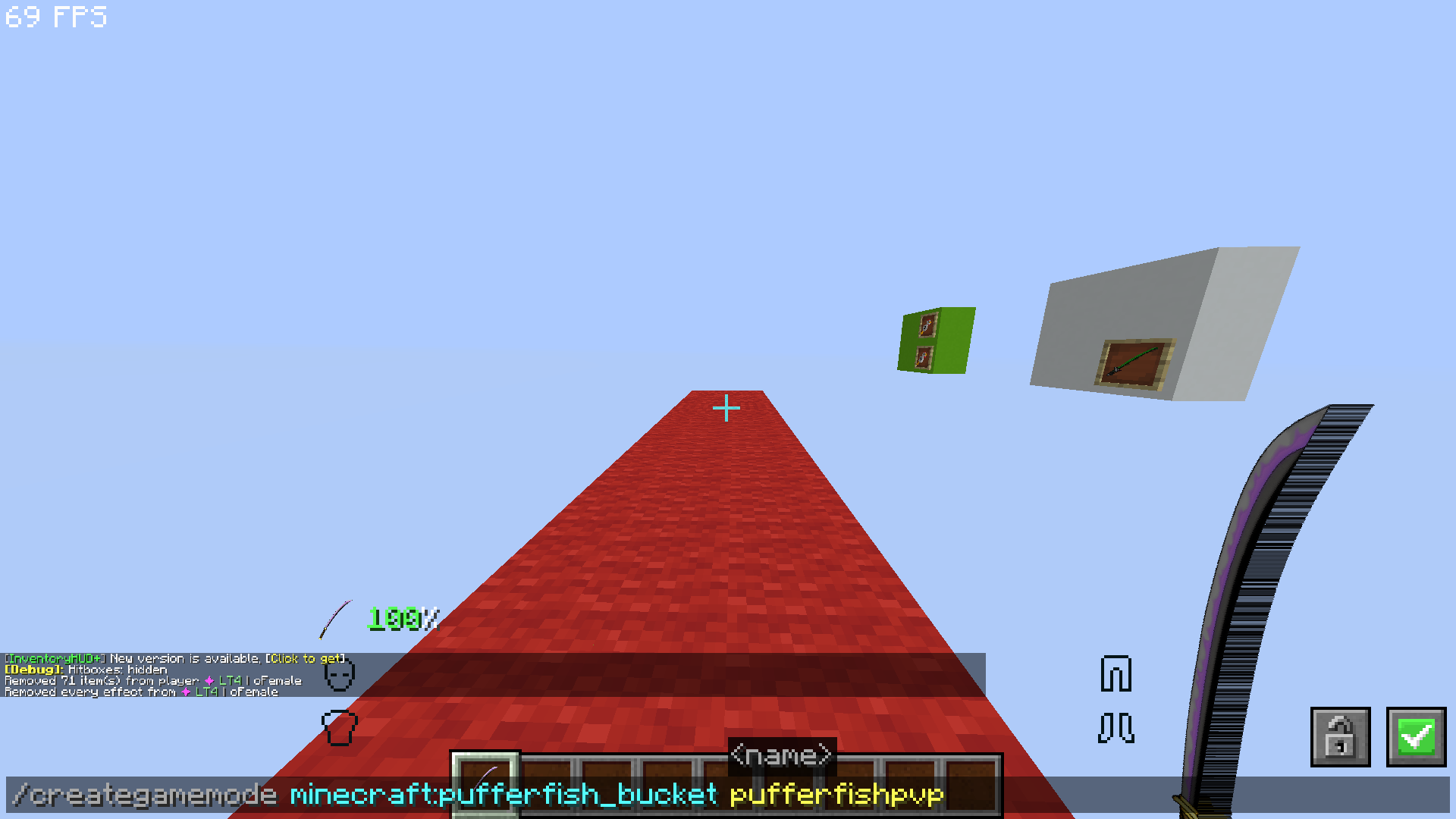
- Custom Modes
- Use
/creategamemode {item} {name}to add your own game modes.
Click to watch video
<iframe
width=”560″
height=”315″
src=”https://www.youtube.com/embed/kZ47bRXM17k”
title=”YouTube video player”
frameborder=”0″
allowfullscreen>
- Delete Options
- Ctrl + Delete: Removes all hotkeys.
Click to watch video
<iframe
width=”560″
height=”315″
src=”https://www.youtube-nocookie.com/embed/kZ47bRXM17k”
title=”YouTube video player”
frameborder=”0″
allowfullscreen>
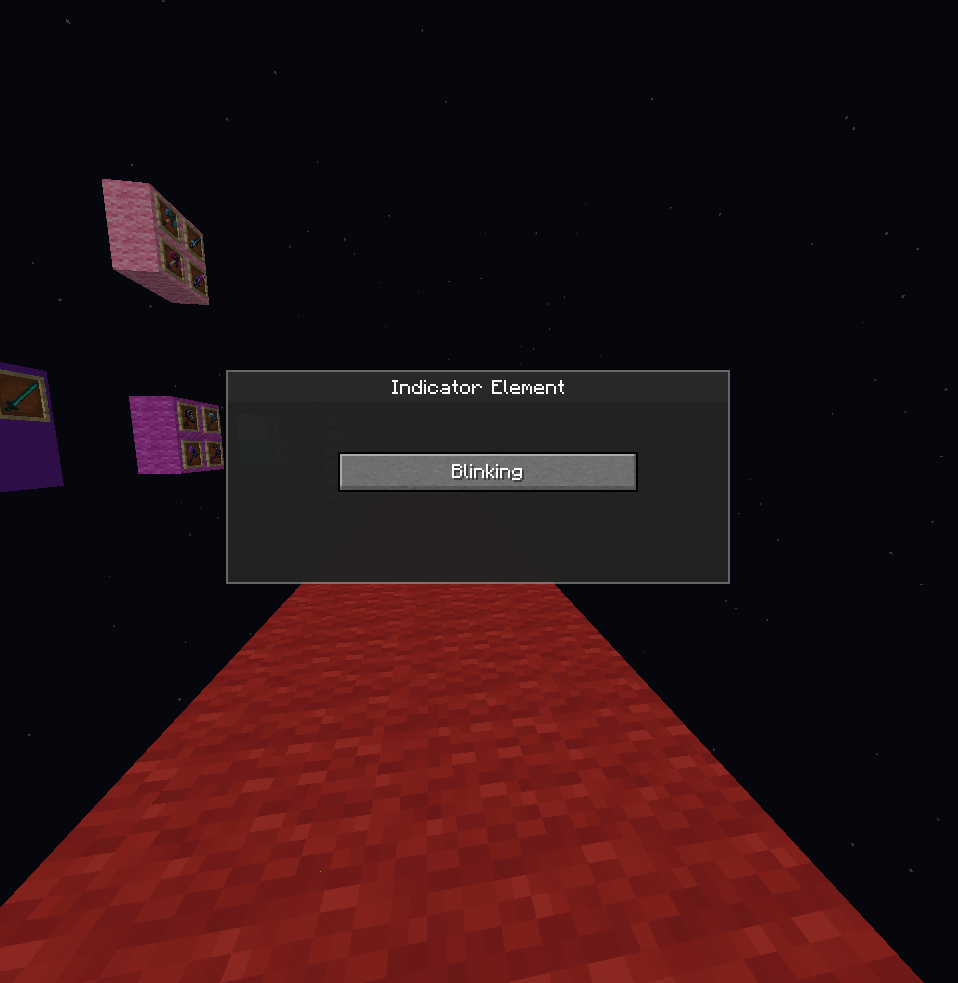
Indicator Element 💡
A clear, blinking icon lets you know when you’re recording.
Features
- Blinks when recording is active, stops when paused.
- Right-click the bar to toggle manually.
Click to watch video
<iframe
width=”560″
height=”315″
src=”https://www.youtube.com/embed/QkHX7Mkzz7Q”
title=”YouTube video player”
frameborder=”0″
allowfullscreen>
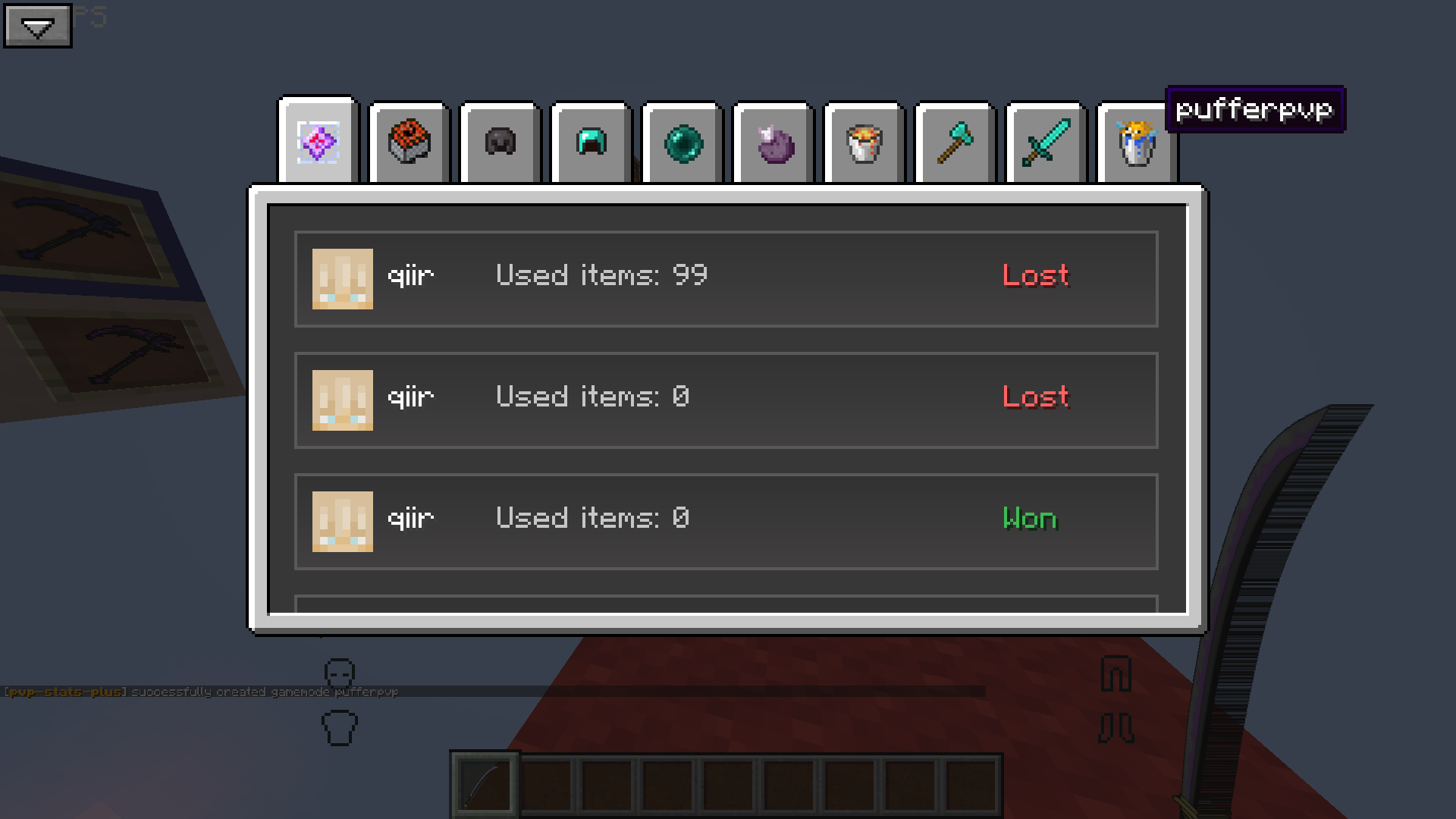
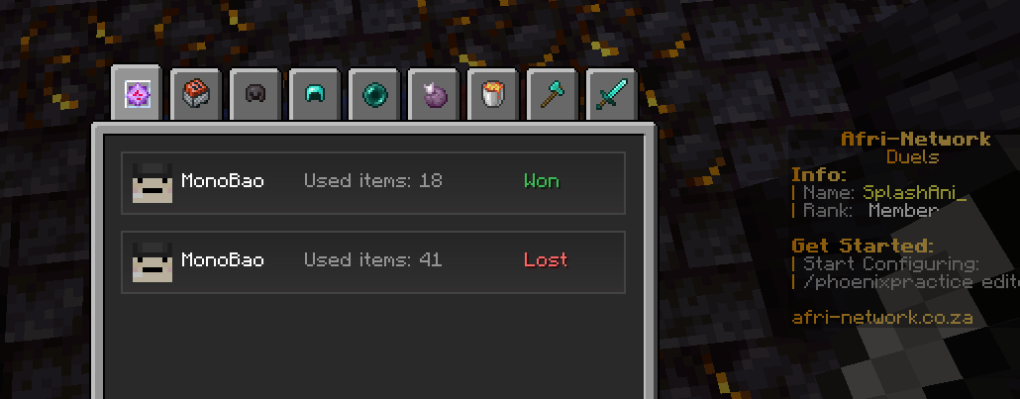
Stats GUI 📊
Your personal analytics dashboard for PvP matches.
Features
- Match Overview
- Win (🟢) or lose (🔴) indicators
- Player heads, usernames
- Sort using Ascending or Descending buttons
Click to watch video
<iframe
width=”560″
height=”315″
src=”https://www.youtube.com/embed/olzGorkWXa0″
title=”YouTube video player”
frameborder=”0″
allowfullscreen>
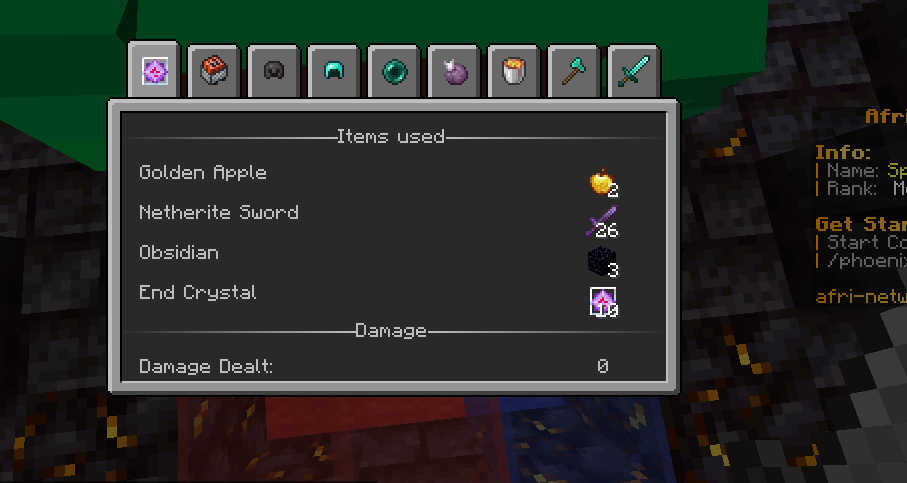
- Detailed Match Stats
- Mode-specific tracking:
- Items used
- Damage dealt
- Attack types
- Match duration ⏱️
- Unique Match ID
Click to watch video
<iframe
width=”560″
height=”315″
src=”https://www.youtube.com/embed/-t2m51ROIdQ”
title=”YouTube video player”
frameborder=”0″
allowfullscreen>
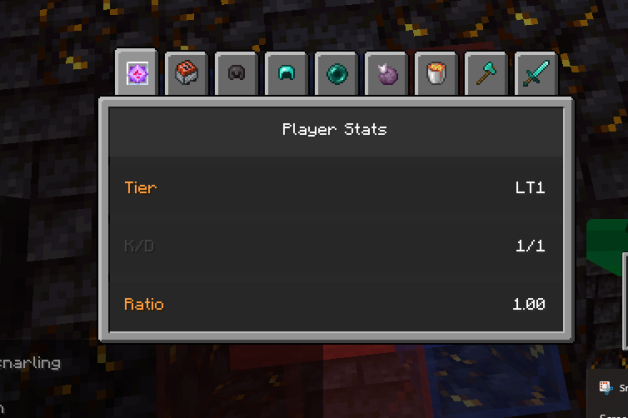
- K/D Ratio
- Automatically calculated and displayed
- Tiers & Progression System
- Shows your current tier and recent changes
Click to watch video
<iframe
width=”560″
height=”315″
src=”https://www.youtube.com/embed/yx4N0d0Emto”
title=”YouTube video player”
frameborder=”0″
allowfullscreen>
- Deletion Options
- Ctrl + Delete: Delete all game modes
- Hover + Delete: Delete a specific mode
Click to watch video
<iframe
width=”560″
height=”315″
src=”https://www.youtube.com/embed/BW0VljZqqBU”
title=”YouTube video player”
frameborder=”0″
allowfullscreen>
Tiers & Progression System 🏅
Earn recognition for your skill and growth in PvP.
Tier Breakdown
- High Tier (HT1–HT5): Top performers
- Low Tier (LT1–LT5): New or learning players
Progression
- Climb tiers with wins and kills
- Fall back after frequent losses
- Tiers are color-coded in the Stats GUI
- Exclusive rewards at HT1
Why Use This Mod? 💡
- 📈 Analyze your progress
- 🔍 Improve your combat strategy
- 🎨 Customize your HUD
- 🏆 Track & show off your K/D and tier rank
常见问题
PVPStatsPlus+ 支持哪些 Minecraft 版本?
PVPStatsPlus+ 支持 Minecraft Java 版 1.21–1.21.4,共 3 个版本,可用的加载器:Fabric。下载时注意选择和你游戏版本一致的文件。
PVPStatsPlus+ 怎么安装?
先用 PCL2 或 HMCL 启动器安装对应版本的 Fabric,再把下载的 .jar 文件放进游戏目录的 mods 文件夹,重新启动游戏即可。开启了版本隔离的,mods 文件夹在 versions/版本名 下面。运行环境:仅客户端。
SplashAni 的其他作品
查看全部 → PVPStatsPlus+
The mod offers a customizable HUD, detailed match tracking, tiered progression, and performance analytics for PvP, allowing players to optimize their interface, track stats, and refine their combat skills.

MiddleClickFixPlus+
Fixes issue where click to middle block button doesn't register for creative inventory actions

ChatEmojisPlus+
This mod enhances the Minecraft chat experience by allowing you to type emojis using simple tags like :emojiName: instead of relying on OS-level input (e.g., Windows emoji picker).
评论
登录后评论和评分