
AllTheMasks – By StefanJ2
Adds a huge collection of wearable masks, without any required mods. Perfect for roleplay on servers.
截图


介绍
AllTheMasks is more fun with friends.
Get your own server with the discount code below.

AllTheMasks
AllTheMasks is a Resource Pack + Datapack that adds a huge collection of wearable masks, without any required mods.
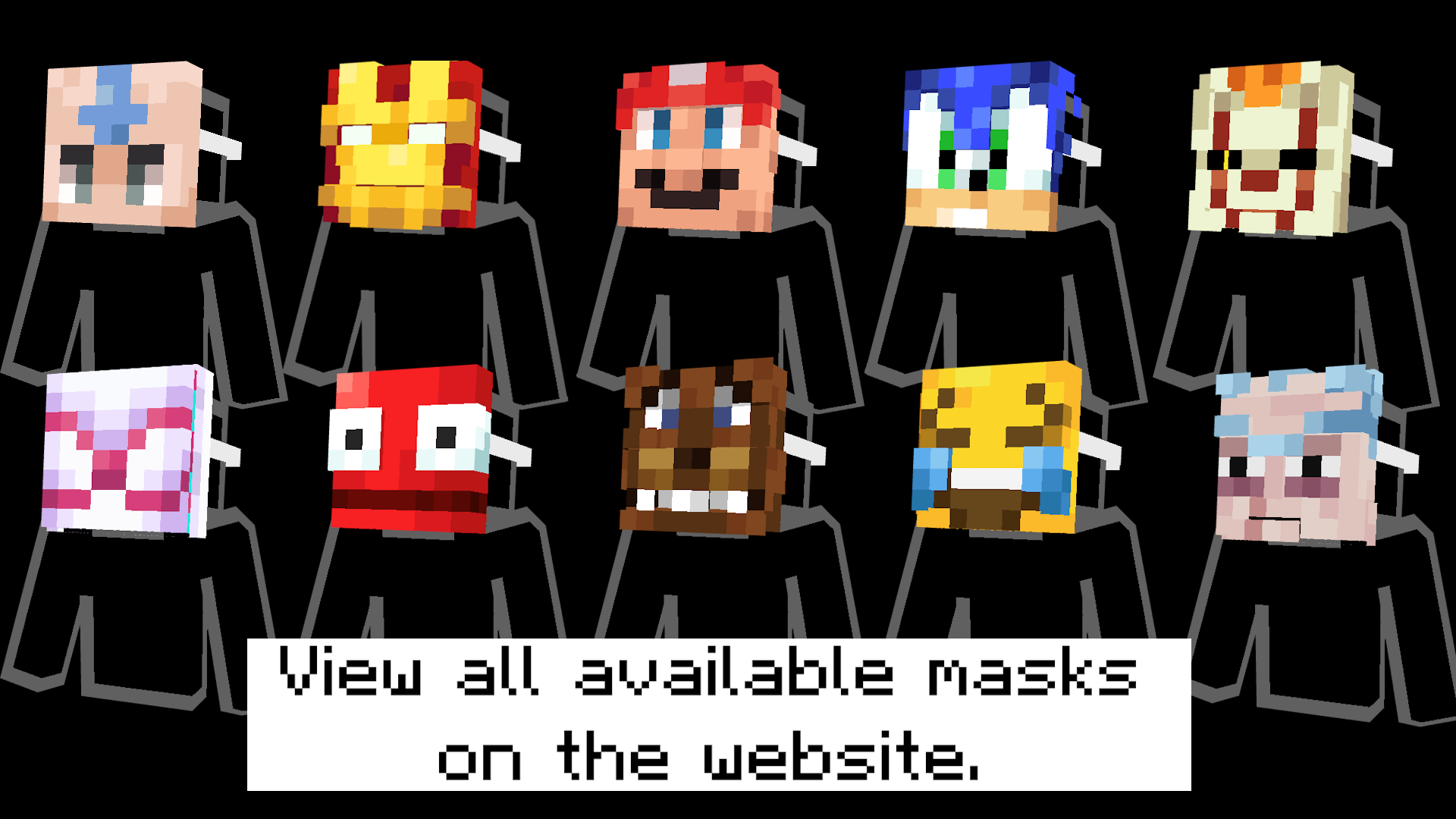
- A complete list of all available masks can be found on the website.
- The datapack can be downloaded here.
- Can be used with Optifine/Cit mods instead of datapack.
Features
- 🎭 Over 100 unique masks
- 🌍 Fully vanilla
- 👥 Multiplayer compatible
- 🔄 Switch each mask between two wearable positions (Datapack exclusive)
Getting Masks
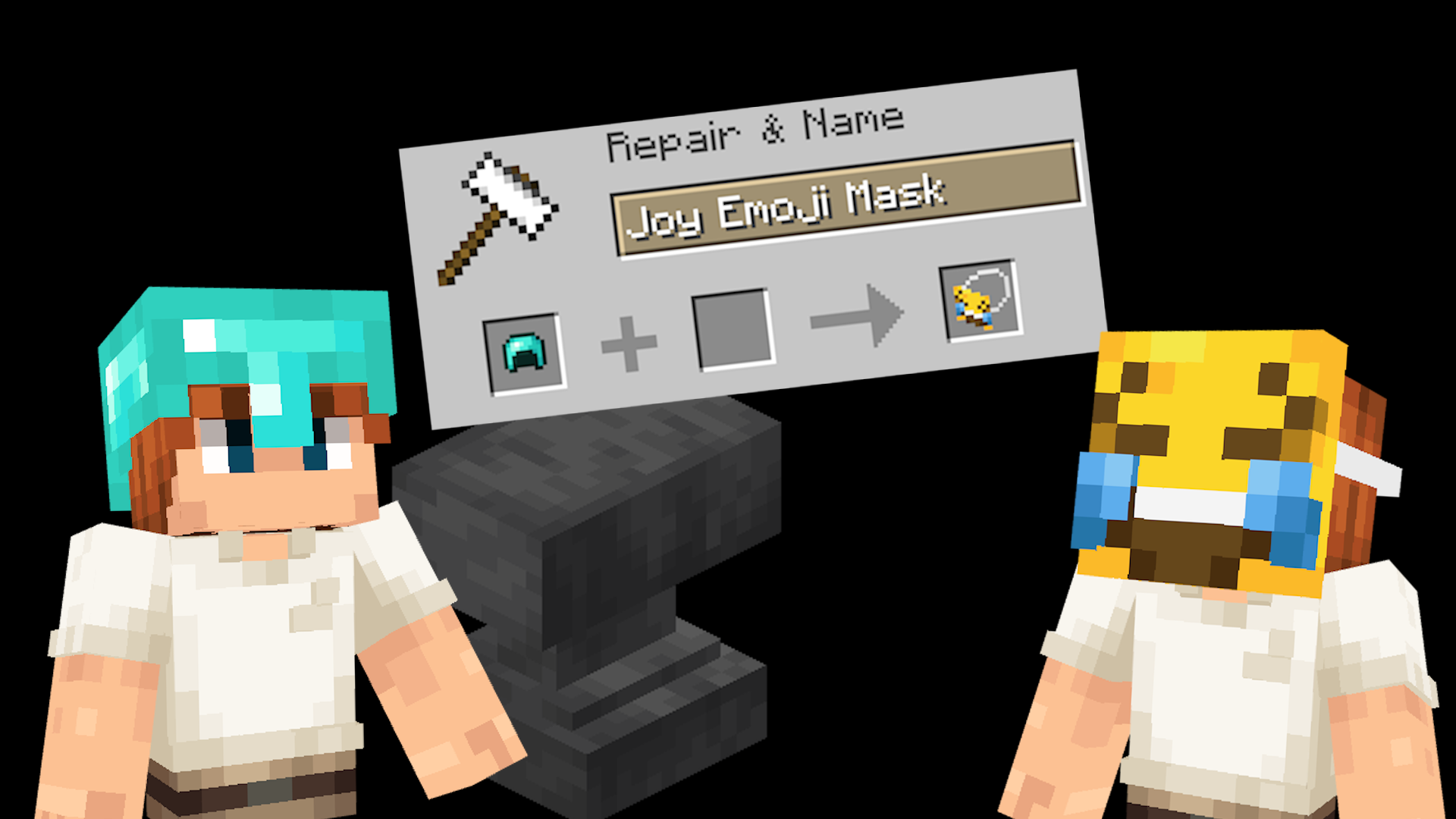
Masks are obtained by renaming any helmet in an anvil. Rename it to the name of any supported mask.
A complete list of all available masks can be found on the website.
Switching mask position
Every mask can be worn in two different ways:
- In front of your face, like actually wearing it.
- On top of your head, like holding the mask up.
Simply press your Sneak + Sprint keys (Shift + Control by default) to switch between these two positions.
Installation
Both the Resource Pack and Datapack are required.
- Place the Resource Pack in your
resourcepacksfolder. - Place the Datapack in your world’s
datapacksfolder. - Load the world and run
/reloadif necessary.
Multiplayer
For multiplayer, only the server needs the datapack installed, while every player must use the matching resource pack.
All Masks
A complete list of all available masks can be found on the website.
Non-vanilla
The resource pack also works without the datapack when using CIT mods such as OptiFine. However, the Sneak + Sprint switching feature is only available when using the datapack.
Help
Need help? Join the Discord server.
常见问题
AllTheMasks – By StefanJ2 支持哪些 Minecraft 版本?
AllTheMasks – By StefanJ2 支持 Minecraft Java 版 1.16–26.2,共 39 个版本。下载时注意选择和你游戏版本一致的文件。
AllTheMasks – By StefanJ2 怎么安装?
把下载的 .zip 文件(不用解压)放进游戏目录的 resourcepacks 文件夹,进游戏后在「选项 → 资源包」里把它移到右边启用。
stefanJ2 的其他作品
查看全部 →
BetterVanillaBuilding Overlays
BetterVanillaBuilding 附加资源包,恢复草方块、泥土、沙子等方块的叠加层。
Armors’N’Items – By StefanJ2
通过铁砧重命名添加大量自定义物品,无需任何前置模组。

Bushy Biomes
Adds bushy leaves and biome variation to your game

Enchanted Covers
Adds custom textures to enchanted books. Works on vanilla Minecraft.
评论
登录后评论和评分