介绍
Invisible Frames Revealed Datapack
Craft invisible item frames in survival – and always find them again.
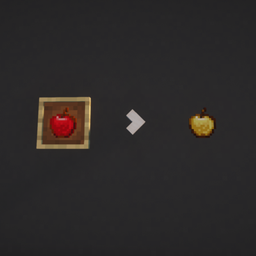
Invisible item frames are great for decoration, but in vanilla you can only get them with commands, and once placed you can’t see where they are. This datapack adds a simple survival recipe and shows you every hidden frame while you hold one.
Recipe
Surround an Item Frame with 8 Glass Panes:
| Glass Pane | Glass Pane | Glass Pane |
| Glass Pane | Item Frame | Glass Pane |
| Glass Pane | Glass Pane | Glass Pane |
Result: 1 Invisible Item Frame. Put a Glow Item Frame in the middle to get an Invisible Glow Item Frame.
Features
- Truly invisible – once placed, only the item inside is visible.
- Stays invisible – broken invisible frames drop as invisible frames again.
- Find them again – hold an invisible item frame and every placed invisible frame shows up as a glass marker.
- Only for you – the markers are visible only to the player holding the frame, nobody else.
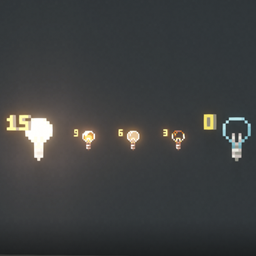
- Long range – markers show as far as normal item frames are visible (160 blocks by default, configurable).
- Works with existing frames – frames that were already invisible before installing are detected too.
- Recipe unlocks automatically as soon as you pick up an item frame or a glass pane.
Commands (operators only)
| Command | Effect |
|---|---|
/function unsichtbare_rahmen:geben {anzahl:16} |
Give invisible item frames (1-64) |
/function unsichtbare_rahmen:geben_leucht {anzahl:16} |
Give invisible glow item frames |
/function unsichtbare_rahmen:reichweite {bloecke:96} |
Change the marker range in blocks (max. 512) |
/function unsichtbare_rahmen:deinstallieren |
Remove everything, then disable the pack |
Paper / Spigot servers only send item frames up to 96 blocks away. Match it with /function unsichtbare_rahmen:reichweite {bloecke:96}
Installation
Singleplayer
- Select your world -> Edit -> Open World Folder
- Put the ZIP into the
datapacksfolder - Type
/reloadin the world
Server
- Put the ZIP into
<world>/datapacks/ - Run
/reload
Requirements: Minecraft Java Edition 26.1 – 26.3
Good to know
- The markers are particles, because that’s the only way a datapack can show something to a single player. After you put the frame away, they stay visible for up to 4 seconds.
- There is also a plugin version for Paper servers: Invisible Frames Revealed.
- Use either the plugin or the datapack – not both at once.
常见问题
Invisible Frames Revealed Datapack 支持哪些 Minecraft 版本?
Invisible Frames Revealed Datapack 支持 Minecraft Java 版 26.1–26.3,共 5 个版本。下载时注意选择和你游戏版本一致的文件。
Invisible Frames Revealed Datapack 怎么安装?
新建世界时在「数据包」里把下载的 .zip 拖进去;已有的存档,把文件放进存档目录下的 datapacks 文件夹,进游戏输入 /reload 即可生效。服务器同样放在世界目录的 datapacks 里。


评论
登录后评论和评分