Reflected
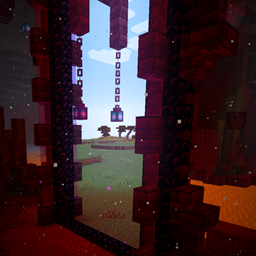
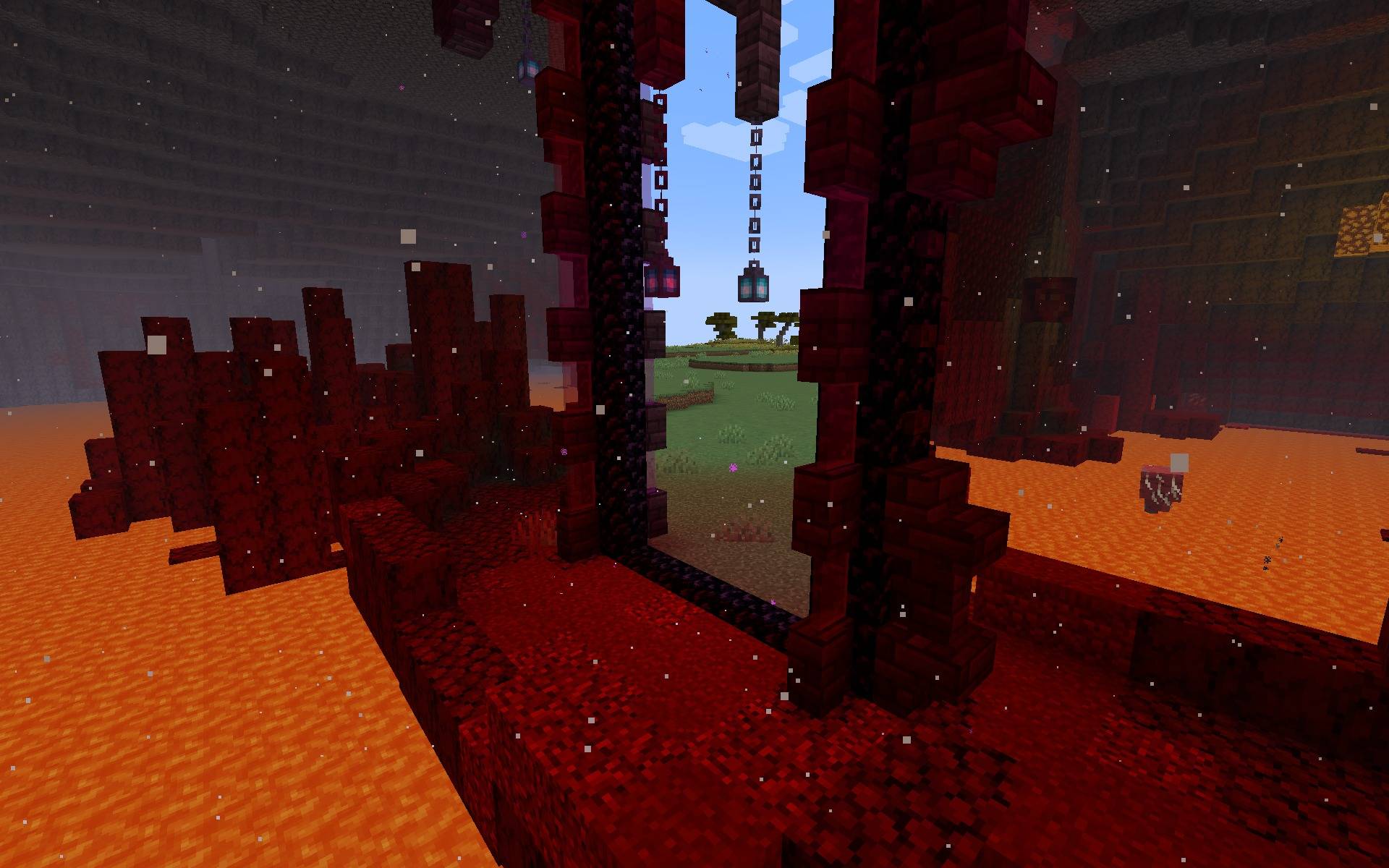
Your Nether portal comes out looking like the one you built: same frame, same decorations, instead of an obsidian box.
截图
介绍
Reflected
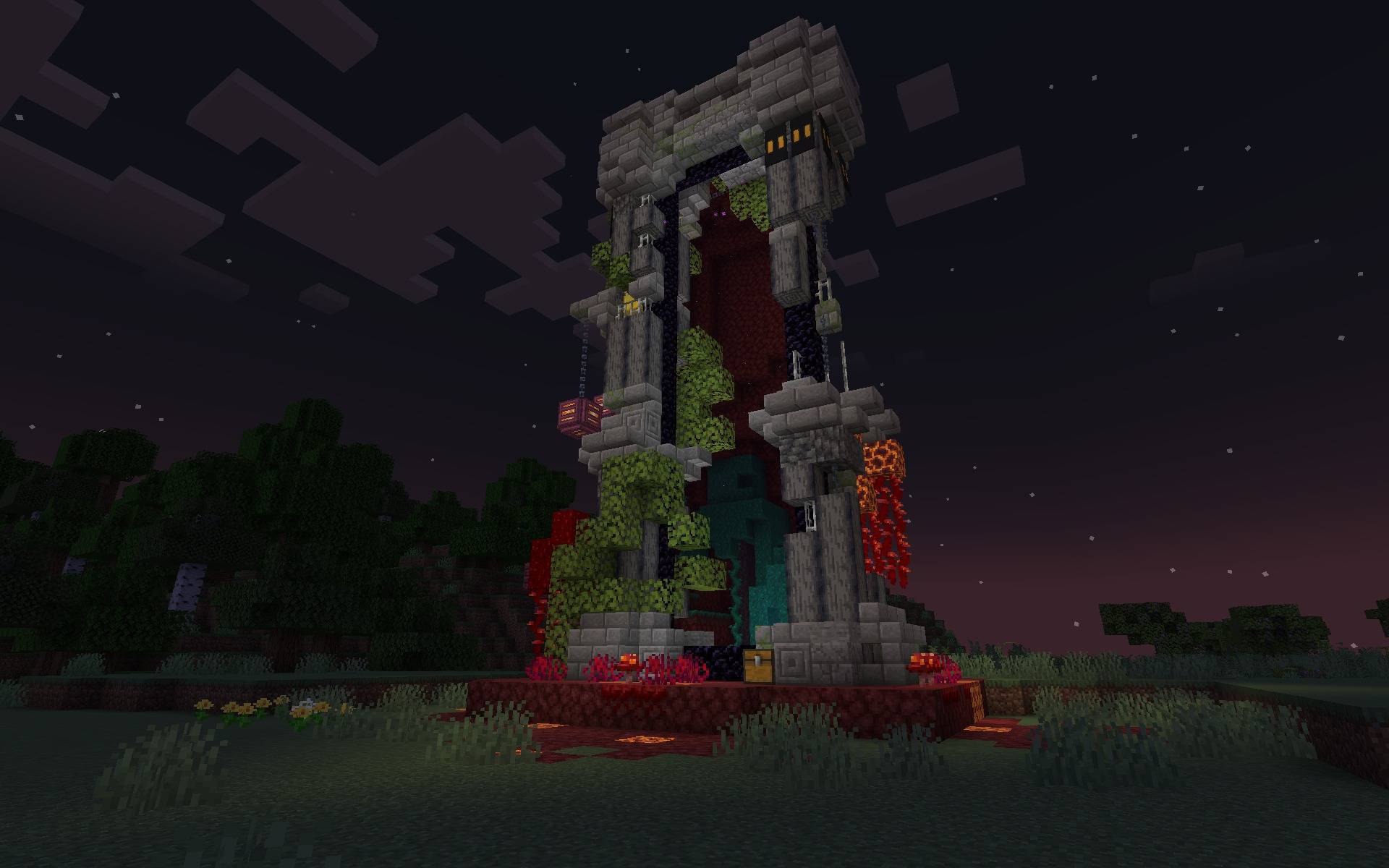
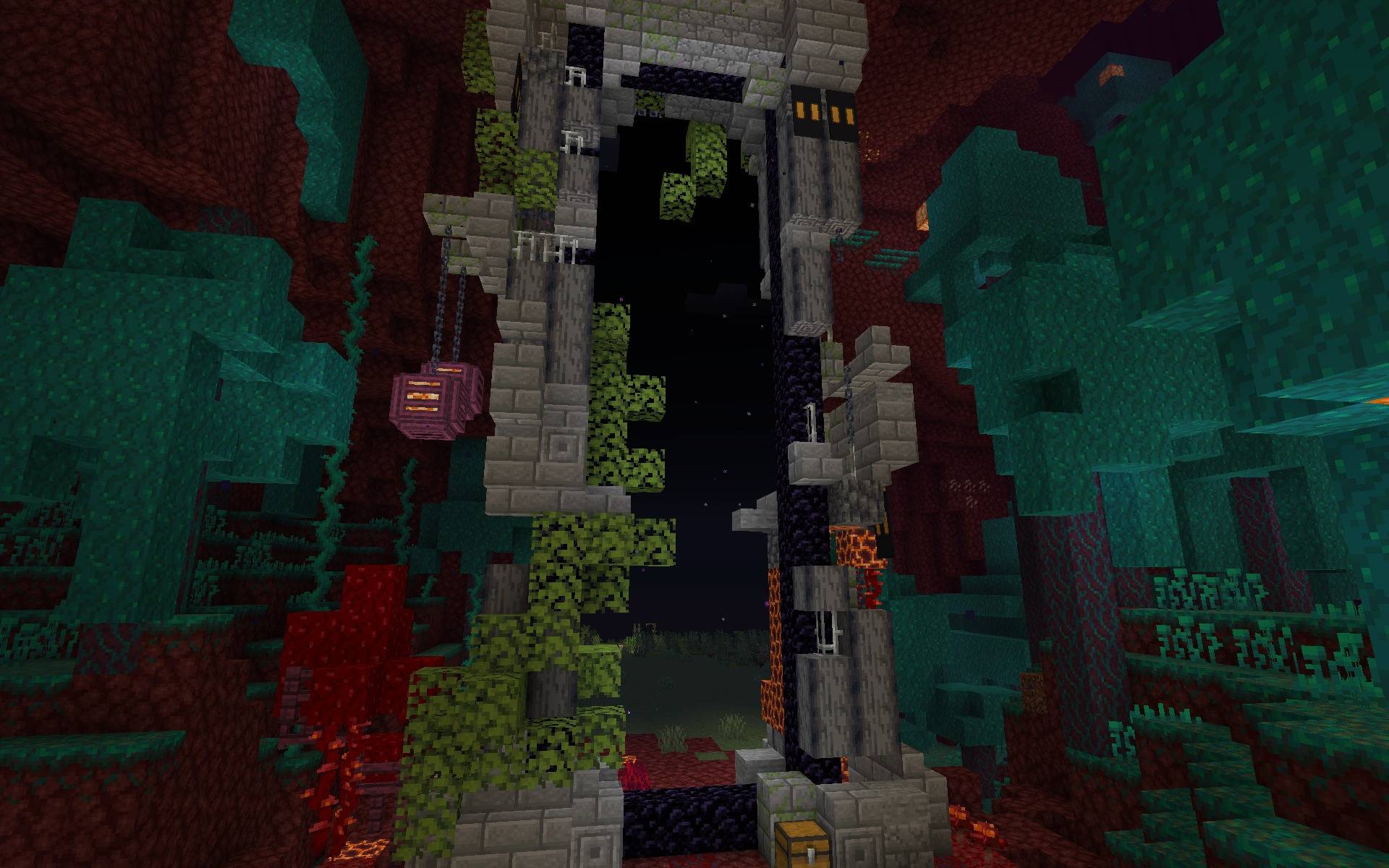
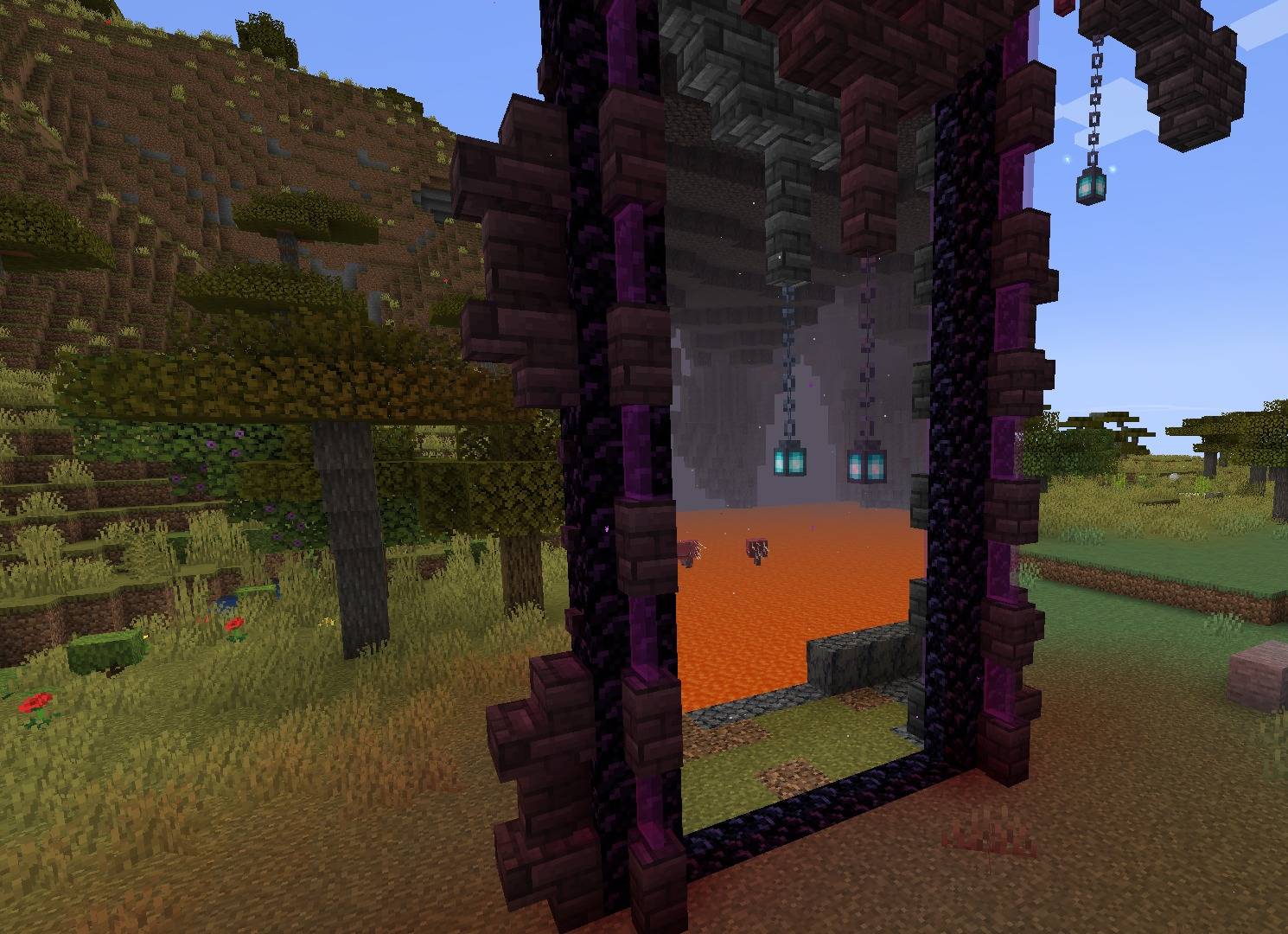
You spent an hour on your portal. Polished blackstone pillars, chains, a couple of soul lanterns, a little path leading up to it. You step through and the Nether gives you… a 4×5 obsidian box stuck in a wall of netherrack.
Reflected fixes that. When the game creates the other side of your portal, it becomes a copy of what you actually built: same frame, same size, same decorations, in a cave carved out to fit it.
It works both ways. Light a portal in the Nether, and the Overworld side becomes a copy of your Nether build.
Available for Forge 1.20.1 and NeoForge 1.21.1.
What comes across
- The whole frame, at any size. Big portals stay big, and you arrive in the matching spot inside them.
- Your decorations, up to 8 blocks around the frame: stairs, slabs, walls, fences, chains, lanterns, glass, banners with their patterns, signs with their text, mob heads, paintings, item frames and armor stands.
- Decorations land on the Nether’s own ground. Things that aren’t attached to the portal, like a lamp post, a fence line, a bench or a statue, aren’t pasted at a fixed height. Each one sits on the first layer of Nether ground (or lava) near it, at the same height it had above the Overworld ground. A dock floating on your pond floats on a lava lake.
- Only what you can see. Foundations buried in dirt and supports under water are left behind. Water drains out of waterlogged blocks, since this is the Nether.
- A bit of each world leaks through. Going into the Nether, patches of your grass, moss and podzol spread across the Nether floor, with the flowers and tall grass growing on them, fading into coarse dirt at the edges. Coming out of the Nether, nylium, soul soil and netherrack creep into the Overworld with their roots and fungi, fading into netherrack. Both are thickest at the portal and thin out with distance.
What doesn’t
- Terrain. Your hillside, trees and pond stay where they are, and so do netherrack, basalt and huge fungi. Reflected tells your build apart from the landscape and only copies the build. Naturally grown trees count as landscape; a tree you planted from leaves and logs you placed counts as build.
- Loot. Chests, barrels and furnaces arrive empty. Books, records, item-frame items and armor-stand gear stay behind. Diamond, gold, iron, emerald and netherite blocks, beacons, spawners, shulker boxes and TNT are never copied. Nothing can be duplicated.
- Beds. They’d explode, so they’re skipped.
- Your existing portals. If a portal is already linked, nothing is rebuilt. Only newly created portals are mirrored.
The cave
Instead of a box, the build gets a rounded cave shaped around its footprint, with uneven walls and a domed ceiling. The floor is flat under your build and curves up toward the walls. Patches are made with whatever is local: soul soil in a soul sand valley, basalt in the deltas, stone or dirt in the Overworld. Lava or water next to the cave is sealed so it can’t pour onto your portal, and gravel overhead is made solid.
Immersive Portals
Works with Immersive Portals (Forge 1.20.1 and NeoForge 1.21.1). It’s optional, not required. When Immersive Portals opens a see-through portal, the far side is your mirrored build rather than a bare frame, so you see your own build through the portal before you step in. Circular, triangular and other odd frames, plus floor portals, are mirrored block for block. In Immersive Portals’ vanilla mode, the normal mirroring applies.
Config
Everything is in config/reflected-common.toml. There are no commands.
| Option | Default | What it does |
|---|---|---|
enabled |
true |
master switch |
mirrorFromNether |
true |
also mirror portals lit in the Nether into the Overworld |
radius |
8 |
how far around the frame to look for decorations (0–16) |
heightAbove / depthBelow |
8 / 3 |
how far above and below the frame to look |
headroom |
2 |
minimum space between the top of your build and the cave ceiling |
surfaceSnap |
true |
put loose decorations on the Nether ground; false copies everything as one rigid block |
surfaceSearch |
12 |
how far up or down to look for that ground |
creepingGrass |
true |
let ground patches creep through, in both directions |
creepDensity |
0.6 |
how much grass (0 = none, 1 = almost a lawn) |
copyBlockEntityData |
true |
sign text, banner patterns, heads |
copyEntities |
true |
paintings, empty item frames, bare armor stands |
sealFluids |
true |
stop lava flooding the cave |
matchLocalStone |
true |
patch with the local Nether block instead of only netherrack |
immersivePortalsCompat |
true |
mirror Immersive Portals’ portals too |
Modpack makers can also change four block tags with a datapack (in tags/blocks/ on 1.20.1, tags/block/ on 1.21.1): reflected:natural_terrain (what counts as landscape), reflected:never_copy, reflected:creeping_ground and reflected:creeping_plants.
Good to know
- Plain stone and dirt count as landscape. Stone, deepslate, granite, dirt, sand, gravel, netherrack, basalt, blackstone and wart blocks are treated as terrain even if you placed them yourself. Polished, brick, smooth and cut variants are copied as normal.
- Server-side only. Put it on the server; players don’t need it to join. It works in singleplayer too.
- Wood on lava burns. A wooden dock that lands on a lava lake can catch fire, like it would anywhere else in the Nether.
- Respawn anchors arrive uncharged, so they can’t be used to duplicate glowstone.
- Safe fallback. If anything goes wrong while building, you get the vanilla portal instead, and your trip isn’t interrupted.
FAQ
Does it work on portals I built before installing it?
Yes, as long as the Nether side doesn’t exist yet. If the portal already links somewhere, that link is kept.
Will it overwrite my Nether base?
It only builds where the game was already going to create a new portal, and it only carves the space your build needs.
Fabric?
Forge 1.20.1 and NeoForge 1.21.1 for now.
常见问题
Reflected 支持哪些 Minecraft 版本?
Reflected 支持 Minecraft Java 版 1.20.1–1.21.1,共 2 个版本,可用的加载器:Forge / NeoForge。下载时注意选择和你游戏版本一致的文件。
Reflected 怎么安装?
先用 PCL2 或 HMCL 启动器安装对应版本的 Forge / NeoForge,再把下载的 .jar 文件放进游戏目录的 mods 文件夹,重新启动游戏即可。开启了版本隔离的,mods 文件夹在 versions/版本名 下面。
评论
登录后评论和评分