
截图
介绍
中文介绍正在准备中,下面暂时显示原文。

New Features
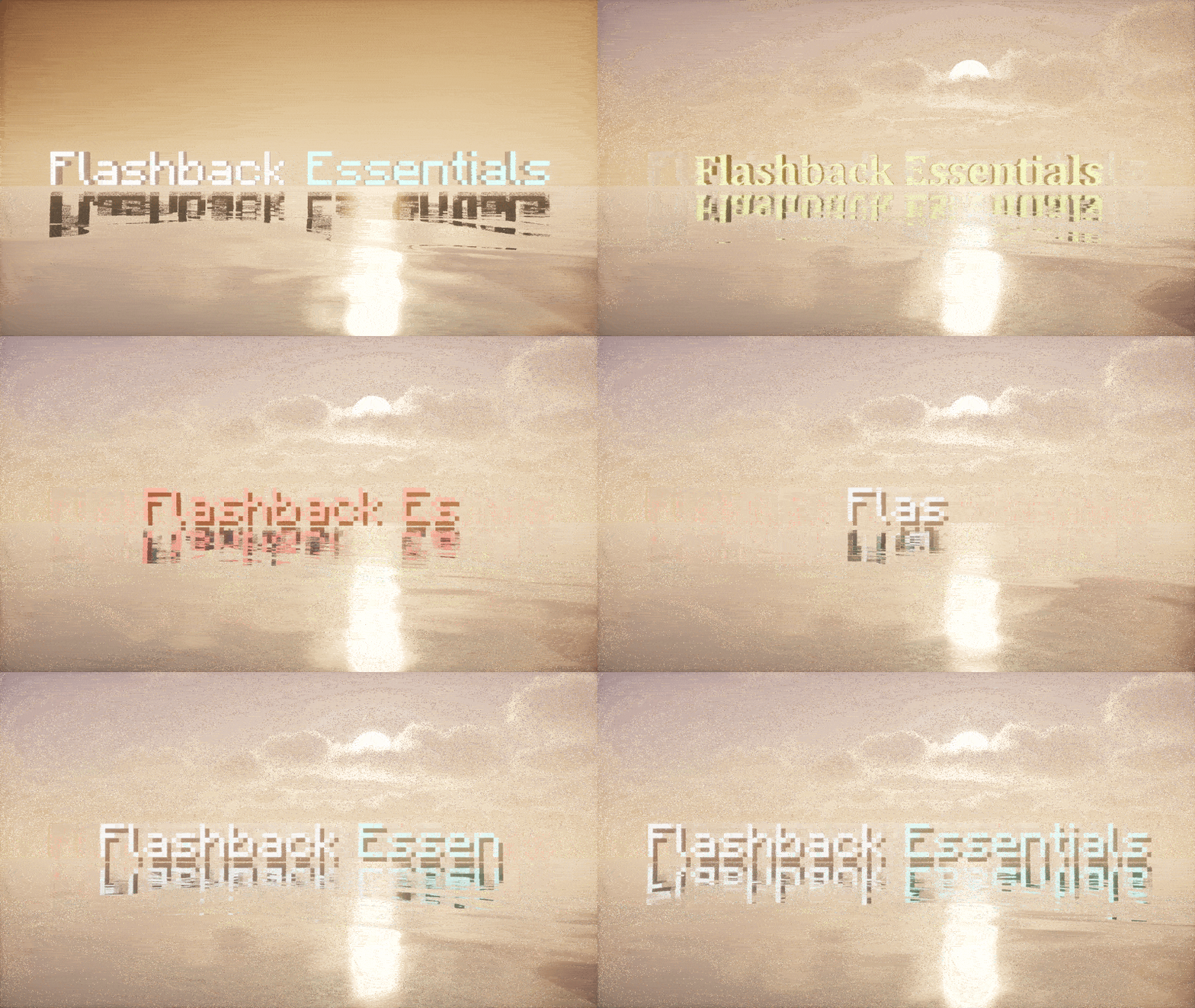
Render Text in World (My favorite)
- Add text anywhere in your replay with Text tracks, ex. titles, labels, subtitles
- Keyframe its position, rotation, size and colour, and it blends between keyframes, ex. fade in and out
- Several lines, colour codes, and bold, italic, underline and strikethrough buttons
- Typewriter Animation: types the text in between keyframes
- Counter: counts up between keyframes, ex. 0 to 1,000,000 or Day 1 to Day 100
- 3D text with depth, plus shadow, background box, always face the camera and show through blocks
- Supports any font on your computer, with search and favourites

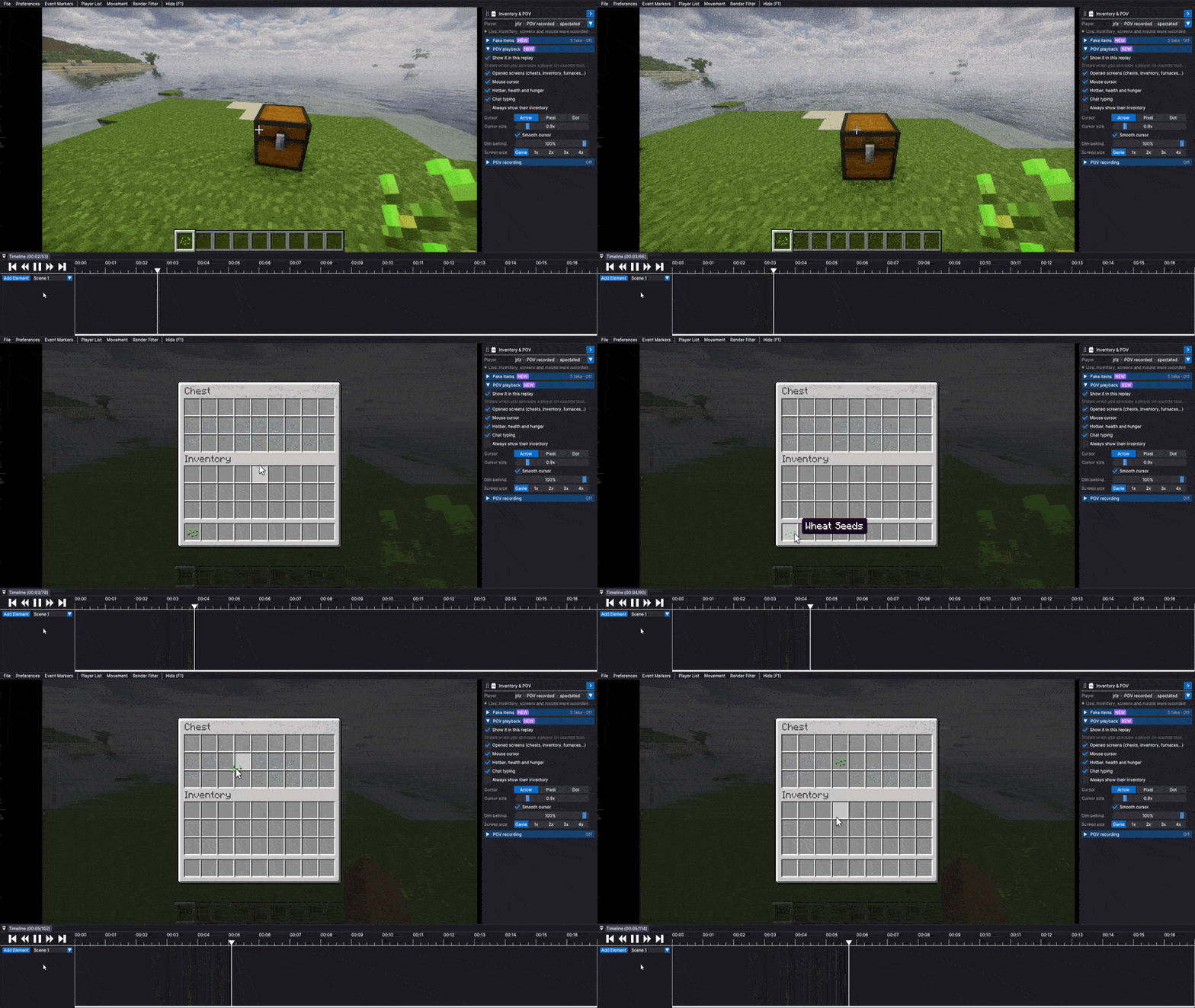
POV Recording
- Your inventory, the screens you open (ex. chests, furnaces, villager trades), your mouse and your chat typing get recorded with your replay
- Spectate yourself and it plays back like a recording of your screen
- Replays with POV data still open without the mod

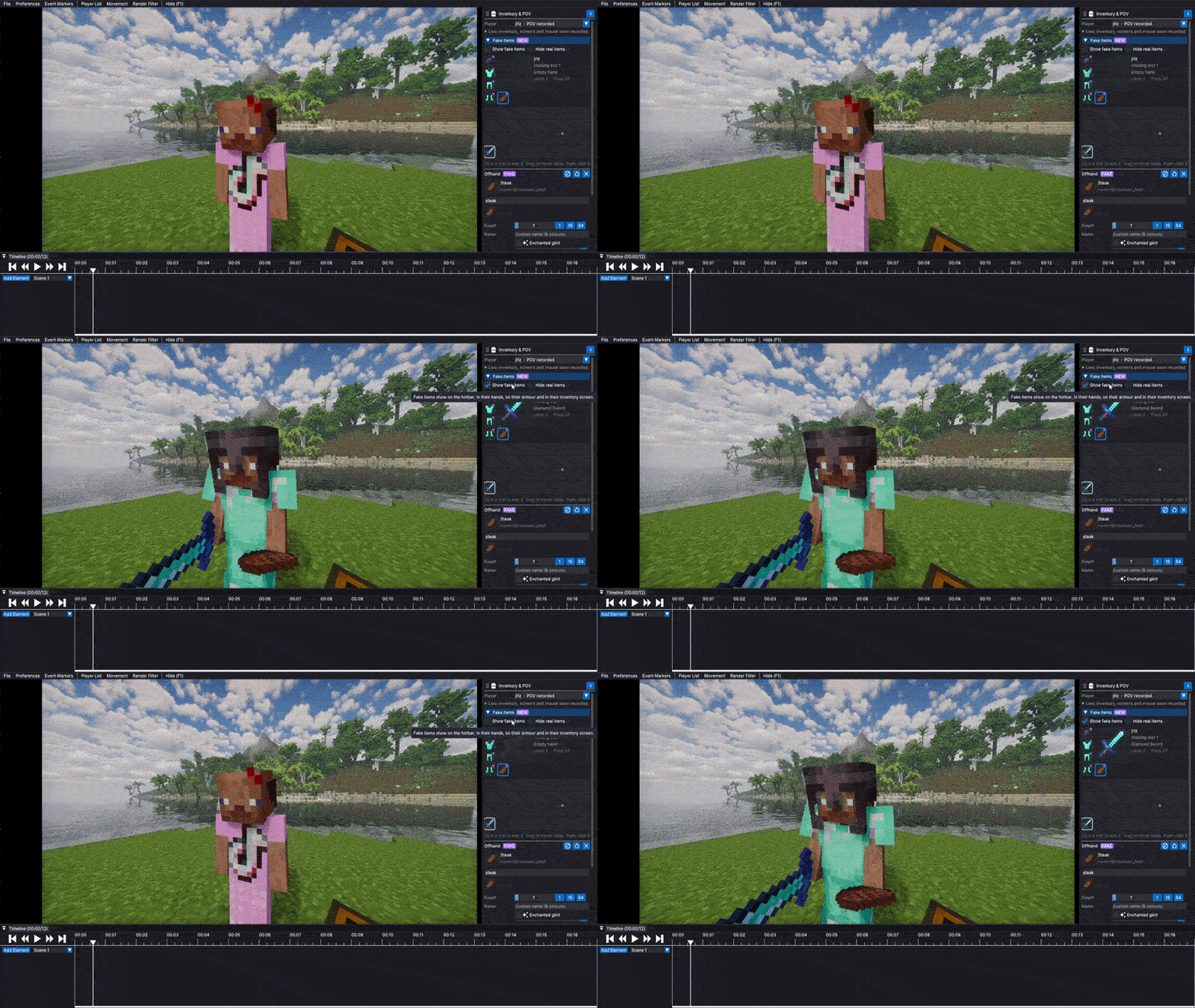
Fake Items
- Give any player fake items with a custom count, name, enchantments, glint and durability
- They show on the hotbar, in their hand, on their armor and in their inventory, and follow the real item when its moved
- Open it with the blue tab on the right side of the editor

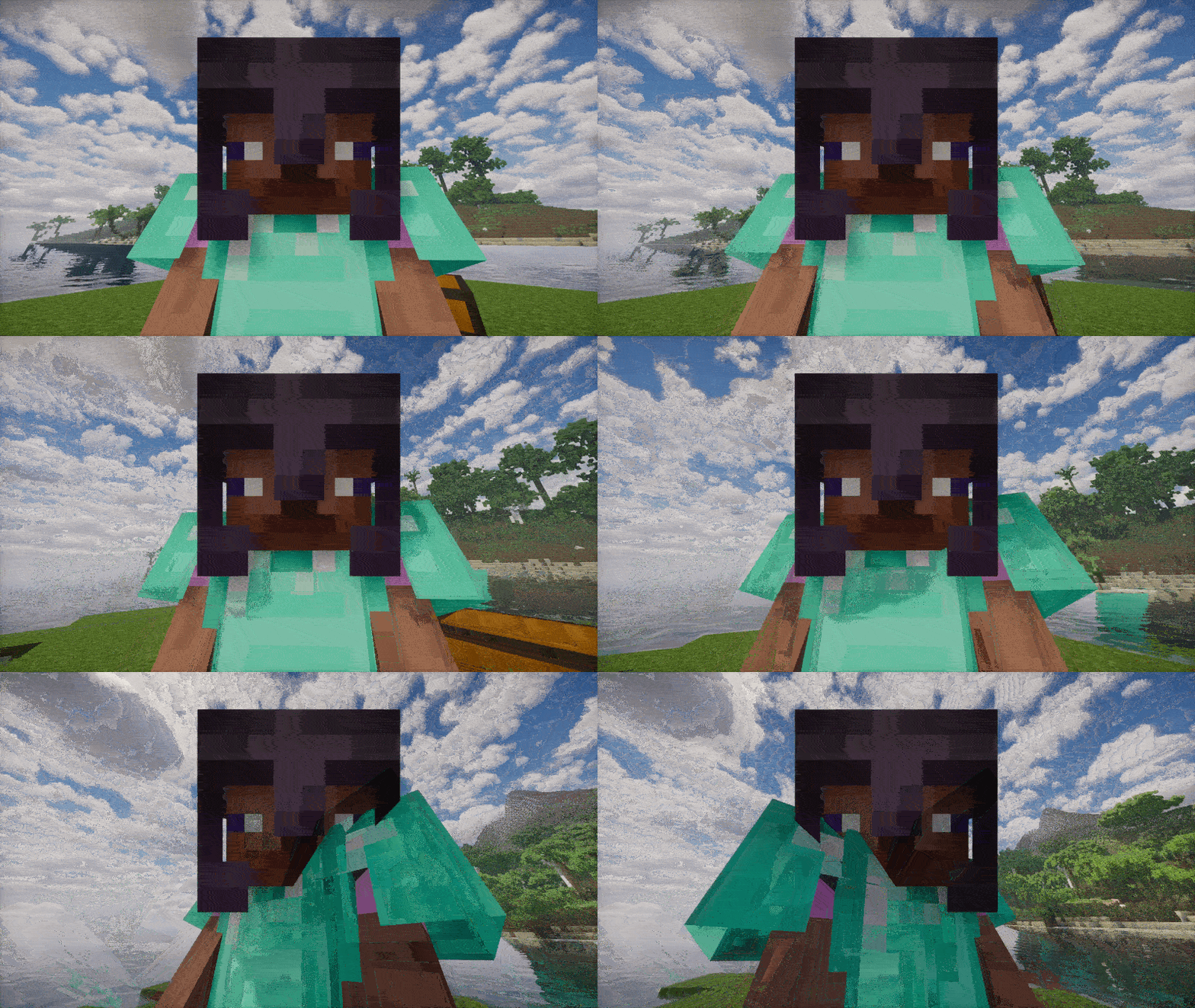
Camera Mount
- Mount the camera onto a player or any entity and it moves and rotates exactly with them
- Headcam and Bodycam, plus position tuning
- Right click someone in the replay -> Mount camera – or add as element.

FOV and Camera Shake Presets
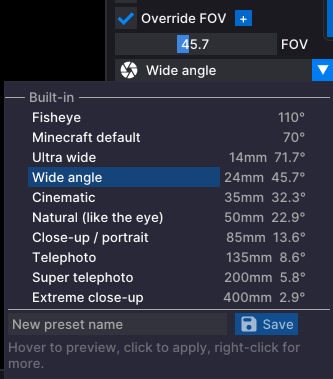
- Built in lenses under the FOV slider: Fisheye, Ultra wide 14mm, Wide angle 24mm, Cinematic 35mm, Natural 50mm, Close-up 85mm, Telephoto 135mm, Super telephoto 200mm, Extreme close up 400mm and Minecraft default
- Built in camera shakes: Tripod breathing, Steady handheld, Handheld, Drone float, Walking, Running / chase, Found footage, Horror unease, Vehicle rumble, Explosion / impact and Earthquake
- Hover over a preset to preview it, save your own, favorite them and delete them with the X

Export
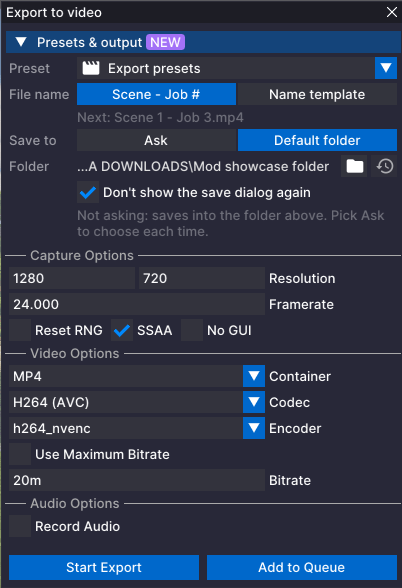
- Export presets for resolution, framerate, format, codec, bitrate and audio
- Built in presets: YouTube 1080p, YouTube 1440p, YouTube 4K, Shorts / TikTok (Vertical), Cinematic 24fps and one for quick previews.
- Pin a preset and its used every time you open the export window
- Exports get named after your scene automatically, ex. Close Up – Job 1
- Default export folder, with a Don’t show the save dialog again checkbox
- Hotkeys: Ctrl+E opens the export window, Ctrl+Shift+E adds the scene to the
- export queue

Event Markers
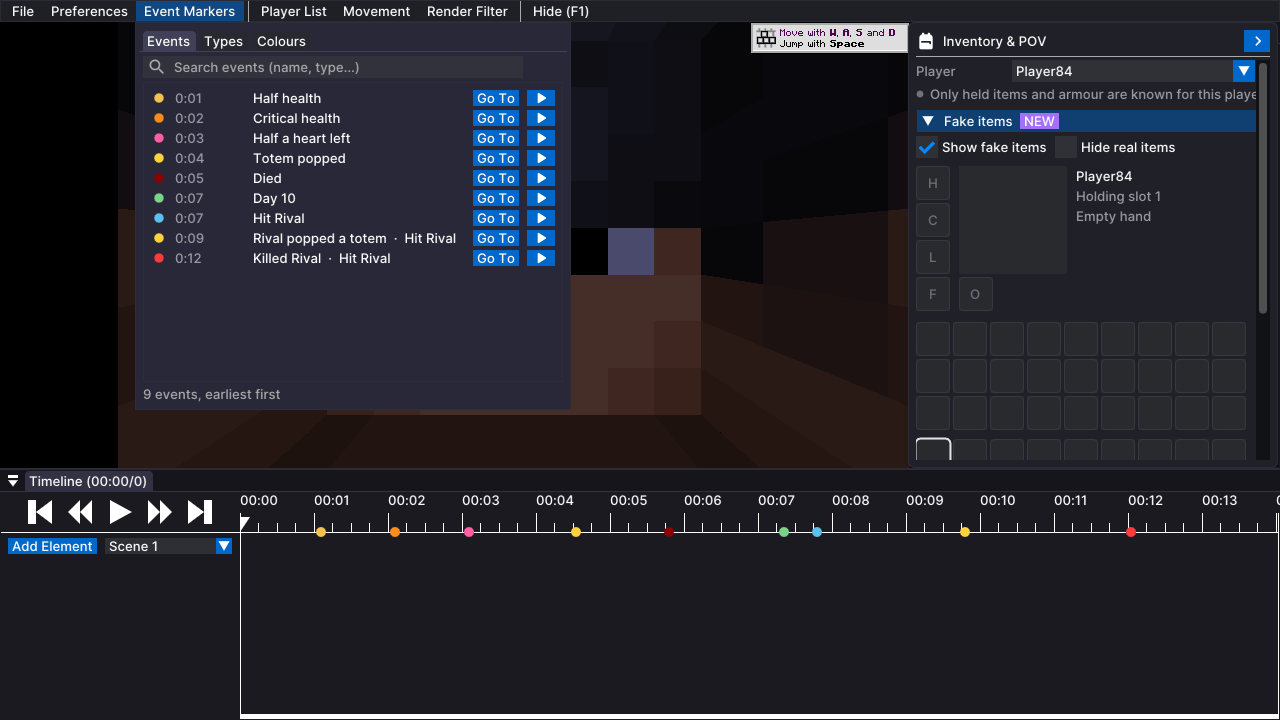
- Markers get added automatically while you record, ex. Half a heart, Totem popped, Player killed
- Day milestones can be marked:
- Every 10 days (default)
- Every 1, 2, 5, 50, 100 or any number of days
- Only between two days, ex. every day from day 1 to 100
- Your own list of days and ranges, ex. 7, 30-33, 365
- New Event Markers menu at the top: search events, Go To one, or play from it, and pick a colour for each type
- They are normal Flashback markers, so replays still open without the mod

More
- Default tracks for new scenes, ex. Camera and Timelapse
- Hide name tags behind blocks (Visuals -> World)
- First person hands now show while spectating with shaders on
- New Flashback Essentials section in Preferences
- Every panel follows flashbacks UI scale, so nothing gets cut off on super scaled screens
Fixes
- Fixed the “Set 0%” hint showing as “Set 00n”
- Fixed % signs in names and tooltips showing up as random numbers
Requirements
- Minecraft 1.21.1, Flashback for 1.21.1 and Fabric API
- Also runs on NeoForge through Sinytra Connector (with Forgified Fabric API)
常见问题
Flashback Essentials 支持哪些 Minecraft 版本?
Flashback Essentials 支持 Minecraft Java 版 1.21.1–1.21.11,共 2 个版本,可用的加载器:Fabric。下载时注意选择和你游戏版本一致的文件。
Flashback Essentials 怎么安装?
先用 PCL2 或 HMCL 启动器安装对应版本的 Fabric,再把下载的 .jar 文件放进游戏目录的 mods 文件夹,重新启动游戏即可。开启了版本隔离的,mods 文件夹在 versions/版本名 下面。


评论
登录后评论和评分