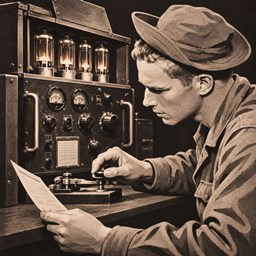
Historical Radiotelegraph
Experience authentic historical radio telegraphy with real Morse code, antennas, radio frequencies, and realistic communication systems.
截图
介绍
Historical Radio Telegraph
Build your station. Tune your frequency. Send your message.
Historical Radio Telegraph brings the fascinating world of 1930s–1940s radio communication to Minecraft!
Experience authentic Morse code communication, construct functional radio stations, and establish your own telecommunications network using antennas, transmitters, receivers, and electrical equipment.
This isn’t just another communication mod. Every signal matters, every connection counts, and building a reliable radio station requires proper infrastructure.
Features
Authentic Morse Code Communication
- Send real Morse code using your keyboard.
- Realistic CW (Continuous Wave) radio sounds.
- Accurate dot, dash, and timing mechanics.
- Manual transmission and reception.
- Multiplayer communication between radio operators.
Realistic Radio Stations
- Adjustable radio frequencies.
- Transmitter power and receiver controls.
- Radio signal strength and interference.
- Realistic radio static and atmospheric noise.
- Historical radio operation mechanics.
Build Your Own Antenna System
- Construct antenna masts and wire antennas.
- Half-wave dipole and vertical antennas.
- Connect antennas using RF transmission lines.
- Adjust antenna tuning and SWR.
- Improve communication performance through proper antenna construction.
Electrical Infrastructure
- Battery-powered radio stations.
- Field generators.
- Physical electrical connections.
- Power consumption during operation.
Radio Propagation Simulation
- Signal strength based on transmission power and antenna efficiency.
- Distance and frequency-dependent reception.
- Ground-wave and ionospheric propagation.
- Day and night propagation conditions.
- Atmospheric interference and signal fading.
Historical Telecommunications
- Wired telegraph communication.
- Telegraph lines and infrastructure.
- Radio relay stations.
- Station call signs and communication logs.
How to Use
1. Power your first station
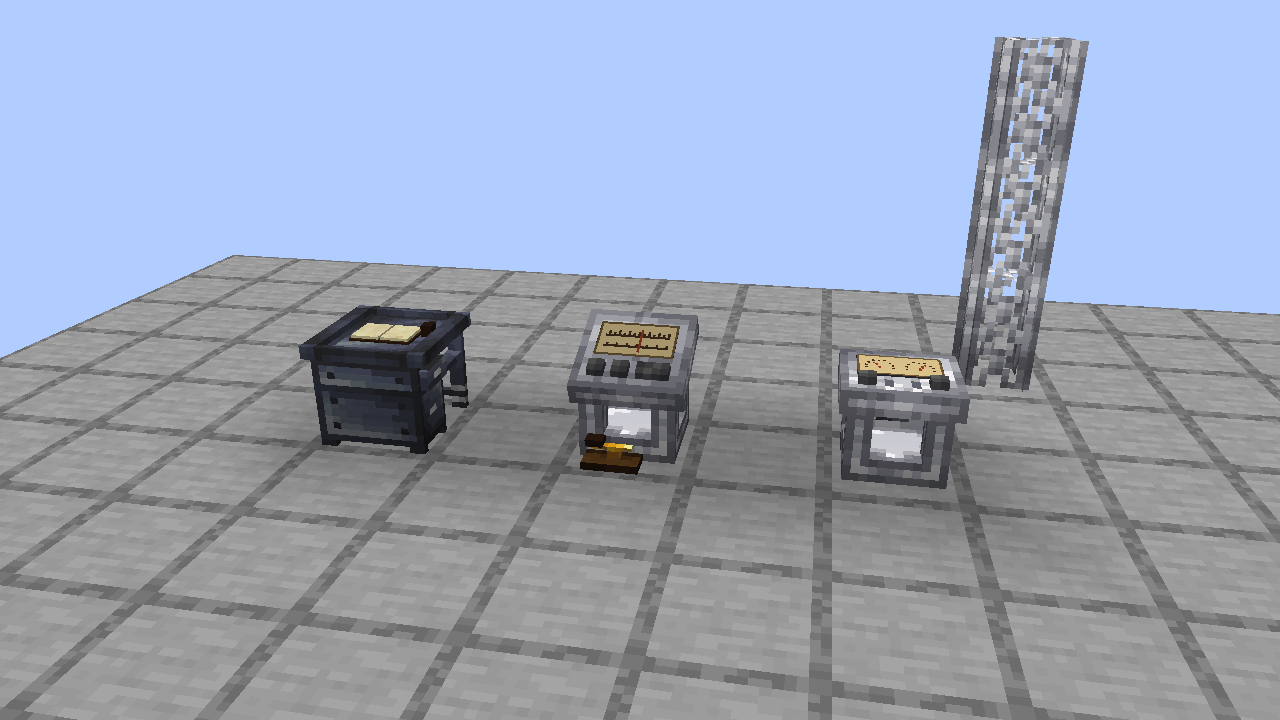
Place a Radio Telegraph Station near the spot where you want your antenna. Connect a Field Radio Generator to one side of the station using at least one Power Cable. The blocks must touch face to face.
Field Radio Generator → Power Cable → Radio Telegraph Station
Right-click the generator with coal to insert fuel. Then right-click it with an empty hand and press START / STOP GENERATOR. You can also connect a Radio Battery Bank to the same cable network. A newly placed battery starts empty and charges while the generator runs.
2. Build a 7 MHz dipole antenna
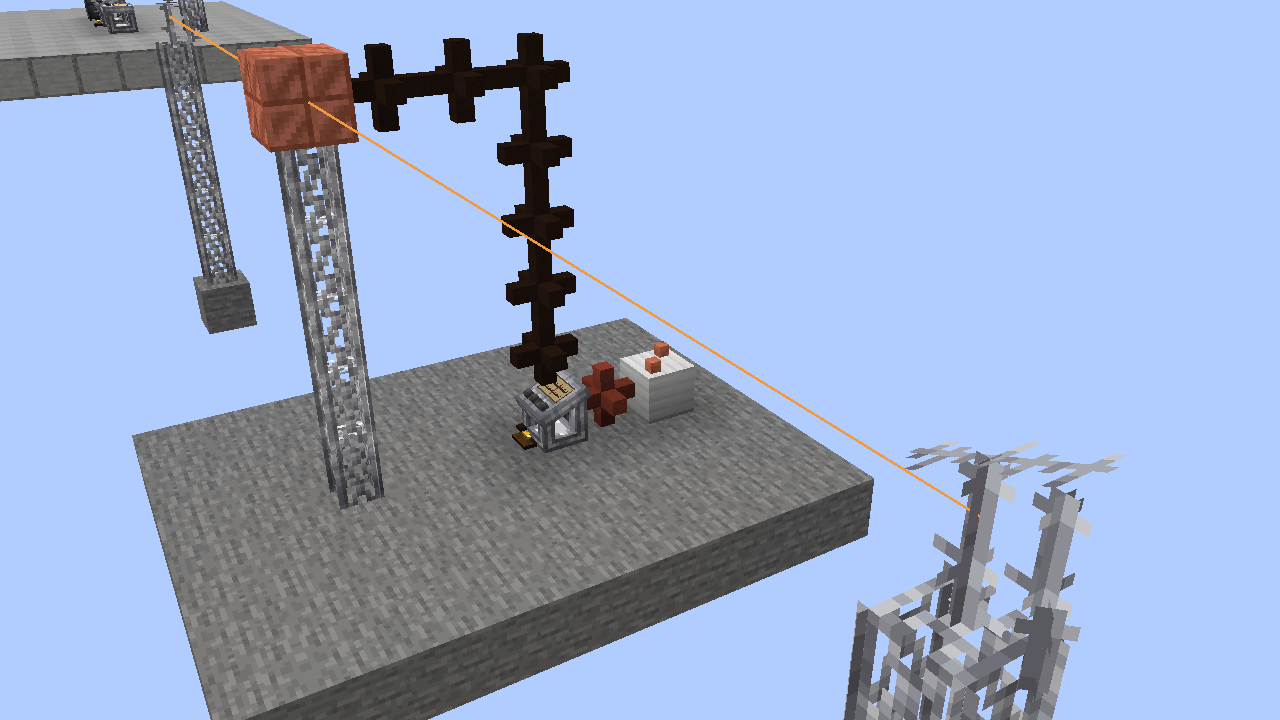
Find a clear stretch of level ground. Build three Antenna Mast towers in a straight line, each five mast blocks tall. Place the outer towers 10 blocks from the center tower, measured from the center of one mast to the center of the next. For example, use X coordinates 0, 10, and 20, keeping Z the same.
- Place an Antenna Feed Point on top of the center mast.
- Place an Antenna Insulator on top of each outer mast.
- Right-click the feed point with an empty hand. Its panel should read Half-wave dipole. If it reads Quarter-wave vertical, press SWITCH DIPOLE / VERTICAL.
3. Connect the two antenna arms
Use the Antenna Wire Spool to make two separate connections. The center feed point is an endpoint for both wires.
- Right-click the center feed point, then the left insulator. Look for Connected 10.00 m.
- Right-click the center feed point again, then the right insulator. Look for the same confirmation.
Left insulator ← 10 m of wire → Center feed point ← 10 m of wire → Right insulator
Keep both wire paths clear. If you connect the wrong blocks, hold the spool and Shift + right-click an endpoint to remove its connections. Clicking an outer insulator lets you redo just that arm.
4. Connect the antenna and tune the radio
Run Coaxial Cable from another face of the radio up to the center Antenna Feed Point. Each cable block must touch the next face to face, and the last one must touch the feed point. The mast supports the antenna; the coax carries the radio signal.
Open the radio, switch POWER on, enter 7000.0 in FREQ. (kHz), and press SET. Open [i] to check the station measurements. For this build, look for an antenna Length of 20 m, an Input SWR of 3:1 or lower, and TRANSMITTER READY.
5. Make your first contact
Have another player operate a second powered station with its own antenna in the same dimension. Set both radios to 7000.0 kHz and open both station panels.
For a quick test, send the letter A. Tap SPACE briefly for a dot, pause briefly, then hold SPACE about three times longer for a dash. You can also hold the on-screen MORSE KEY with the mouse. Ask the other operator to listen for the short tone followed by the long tone, then send it back. Once you hear the reply, you have confirmed that both stations can transmit and receive.
If the station shows a warning
| Station message | What to check |
|---|---|
| OPEN OR INVALID ANTENNA ARMS | Select Half-wave dipole. Check that each outer insulator has its own wire to the center feed point. A single wire stretched between the outer towers skips the feed point. |
| ANTENNA MISMATCH — POWER REDUCED | Open [i] and read Input SWR. For the 7000.0 kHz example, check for two 10 m arms and 20 m total length. For a custom build, an optional Antenna Tuning Unit in the feed line lets you adjust inductance and capacitance while watching the SWR reading. |
| NO ANTENNA CONNECTED or NO RF FEED LINE | Follow the coax from the radio all the way to the feed point. Check for gaps, diagonal connections, or a cable that ends at the mast. |
| BATTERY EMPTY / GENERATOR STOPPED | Add fuel, start the generator, and check that a Power Cable connects it to the station. |
Development Status
Early Release — Work in Progress
The core radio communication and telecommunications systems are functional.
Custom 3D models are still under development. Some equipment currently uses placeholder models and textures.
Future updates will focus on improving the visual appearance of historical radio equipment and further expanding the mod.
Compatibility
- Minecraft: Java Edition 1.20.1
- Mod Loader: Minecraft Forge
- Multiplayer: Supported
From a simple Morse signal to an entire historical communication network.
Historical Radio Telegraph — Make every signal count.
常见问题
Historical Radiotelegraph 支持哪些 Minecraft 版本?
Historical Radiotelegraph 支持 Minecraft Java 版 1.20.1,可用的加载器:Forge。下载时注意选择和你游戏版本一致的文件。
Historical Radiotelegraph 怎么安装?
先用 PCL2 或 HMCL 启动器安装对应版本的 Forge,再把下载的 .jar 文件放进游戏目录的 mods 文件夹,重新启动游戏即可。开启了版本隔离的,mods 文件夹在 versions/版本名 下面。
Zeorez 的其他作品
查看全部 →
Historical Telgraph
一个使用线缆和语音集成的简单电报通信模组。需要Simple Voice Chat。

WW2 Arsenal
一个适用于 Minecraft 26.2 的 Fabric 二战武器模组,添加了 102 种历史枪械、3 种弹药类型、自定义材质、提示信息、合成配方,以及战术拔枪开火战斗系统。

Tacz:Recruits
一个小型模组,提供Tacz模组和Recruits模组之间的兼容性。

Historical Artillery
我们将真实历史火炮带入 Minecraft 世界。
评论
登录后评论和评分