WLAN Redstone – Wireless Redstone Networks
Transmit and control Redstone signals wirelessly across unlimited distances and dimensions, with advanced connections and customizable settings. Designed for complex Redstone automation, large-scale factories, and interconnected control systems.
截图
介绍
WLAN Redstone
Wireless Redstone connections without distance limits.
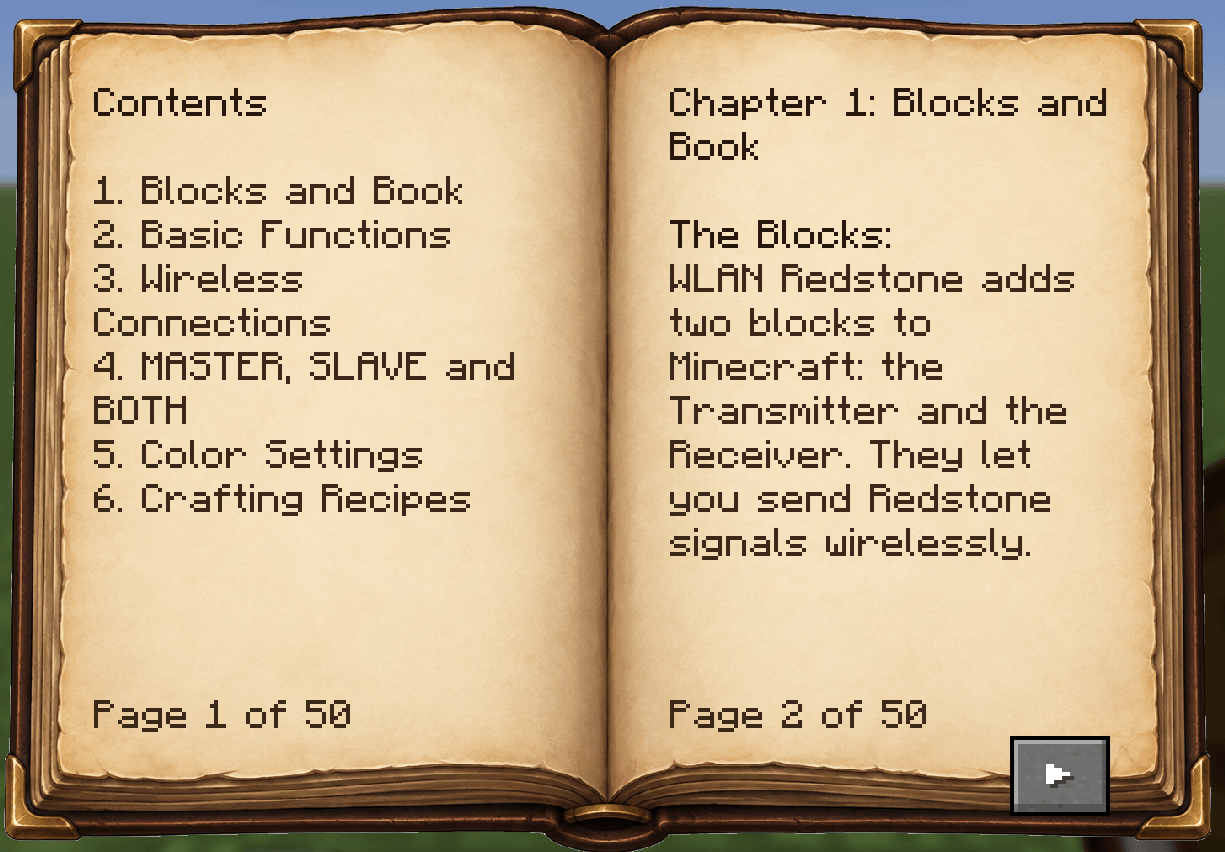
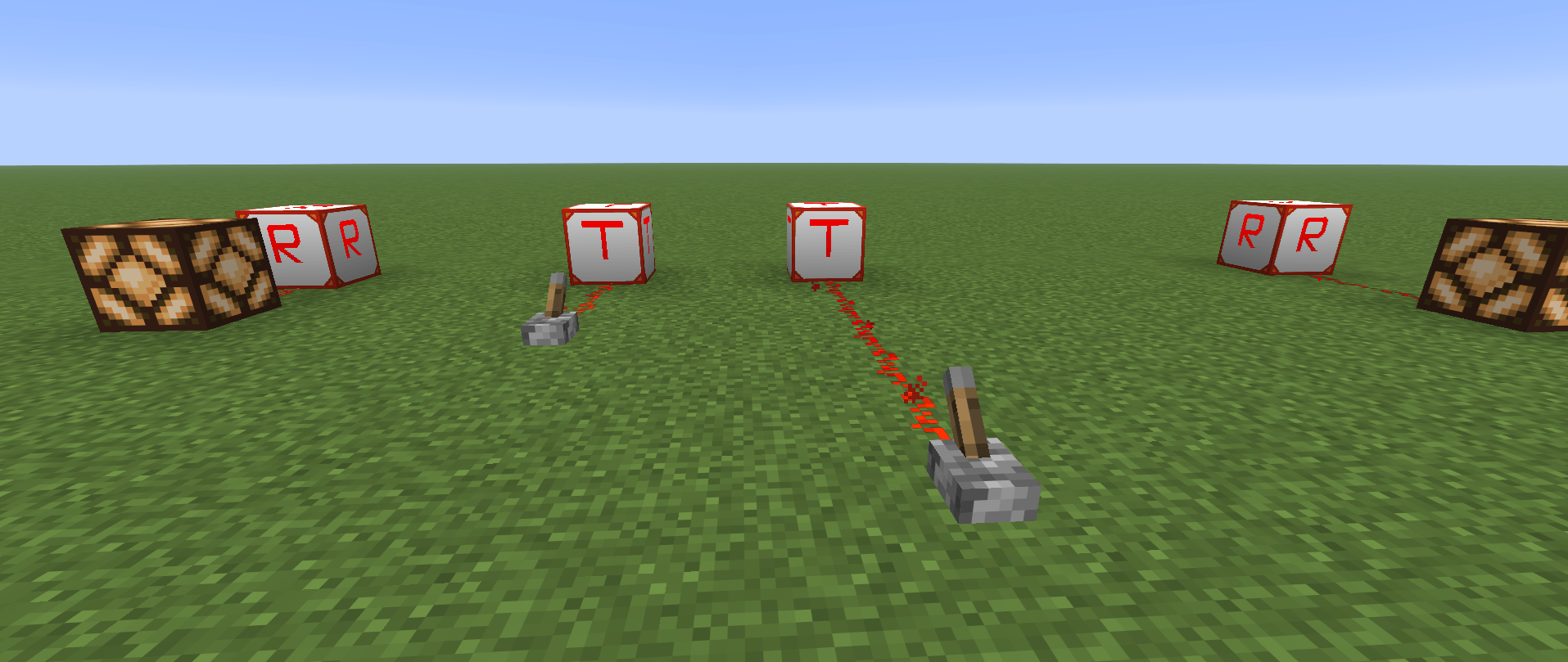
WLAN Redstone adds two new blocks to Minecraft: the Transmitter and the Receiver. Together, they allow you to send Redstone signals wirelessly between different locations, without having to run long Redstone lines through your world.
Whether you want to control lighting, automate farms, operate distant machines, or connect complex Redstone systems, WLAN Redstone gives you a flexible way to manage your signals.
The mod supports multiple connections, different signal modes, customizable device colors, and communication across dimensions.
Main Features
Wireless Redstone Transmission
The Transmitter receives a Redstone signal and sends it wirelessly to connected devices. The Receiver converts the received signal back into a normal Redstone output.
-
Unlimited transmission distance
-
Connections across different dimensions
-
Full Redstone signal strength support (0–15)
-
Optional on/off signal transmission
-
Up to 32 connections per device
-
Multiple Transmitters and Receivers can work together
-
No additional cables or intermediate blocks required
Wireless connections are managed directly through the device interface.
Device Addresses and Names
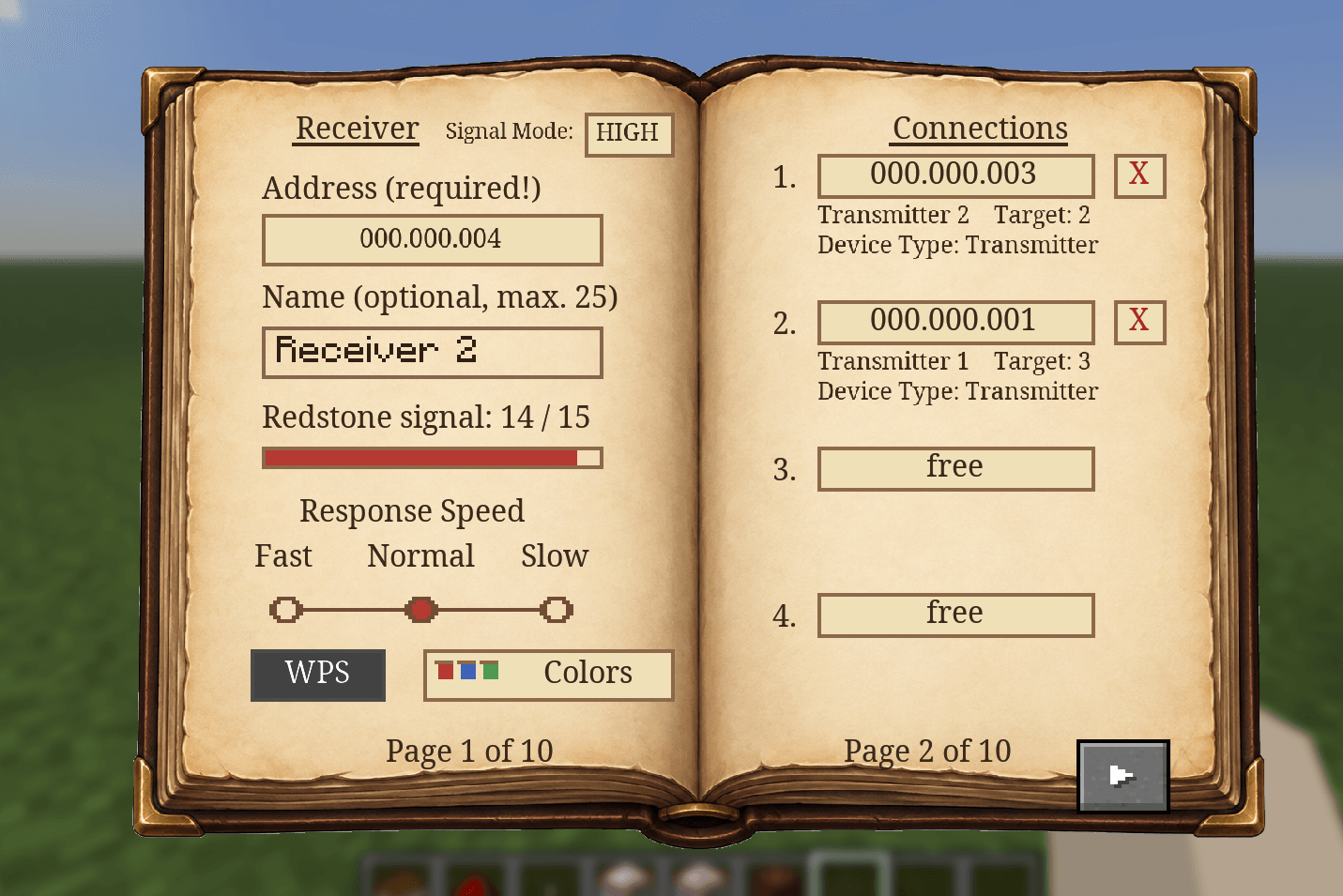
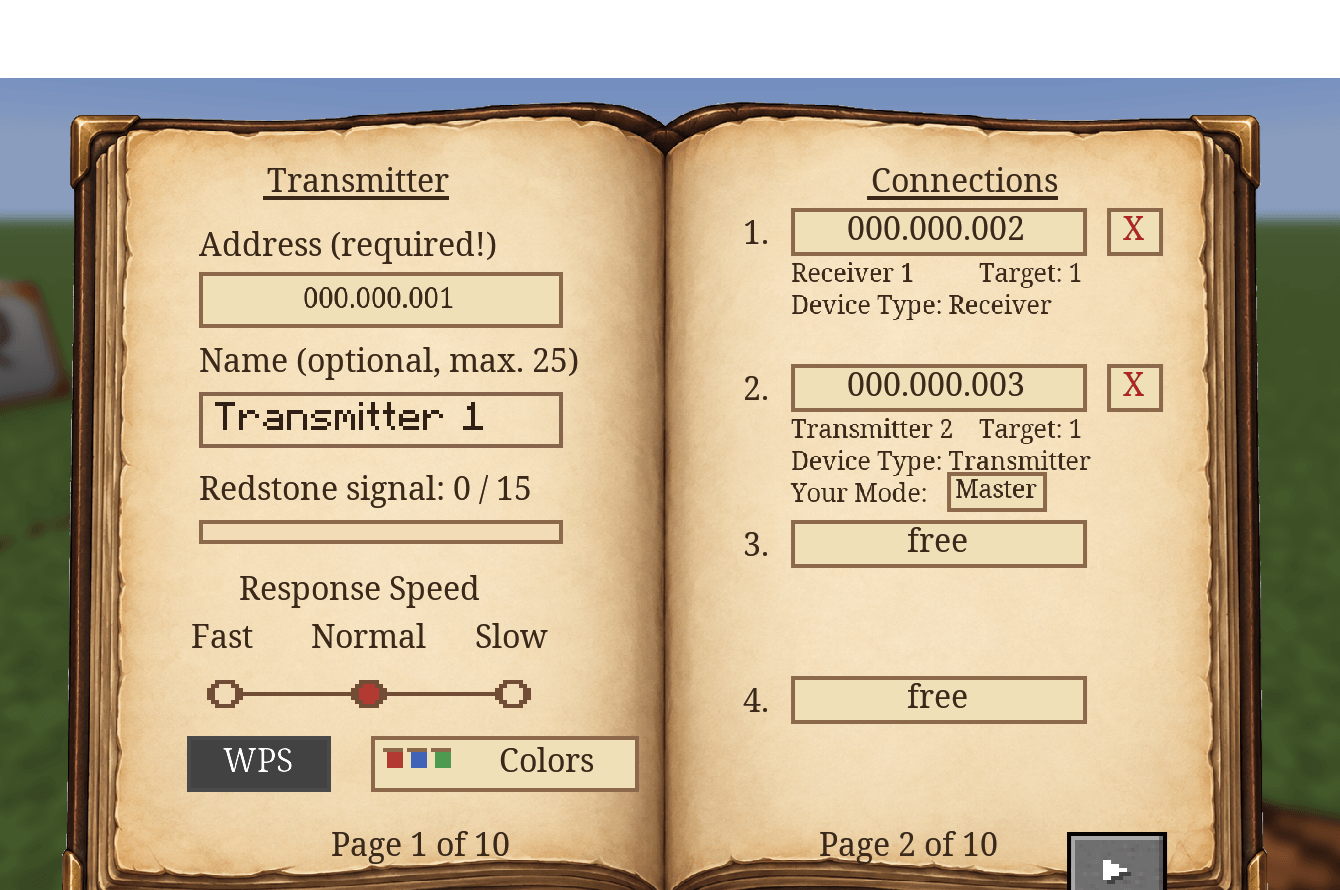
Every Transmitter and Receiver automatically receives a unique address when placed in the world.
Addresses use the format 000.000.001 and can also be changed manually.
You can give each device a custom name to make larger networks easier to organize. Both the address and name are displayed in the device’s interface.
Two Ways to Connect Devices
Manual Connection
Enter the address of another device, check whether the connection is valid, and confirm it.
The interface displays the target device’s type and name, helping you avoid connecting the wrong devices.
WPS – Quick Connection
For faster setup, WLAN Redstone includes a WPS function.
-
Open the first device and activate WPS.
-
Open the device you want to connect.
-
Activate WPS on the second device.
-
The devices establish their connection automatically.
WPS remains active for five minutes.
For multiplayer security, WPS pairing is player-specific. Only the player who activated WPS on the first device can complete that pairing.
Connections can be removed at any time using the device interface. A confirmation prevents accidental deletion.
Transmitter-to-Transmitter Connections
Transmitters can also communicate directly with other Transmitters.
Three operating modes are available:
-
MASTER: Sends signals to the connected Transmitter.
-
SLAVE: Receives signals from the connected Transmitter.
-
BOTH: Allows bidirectional signal transmission.
MASTER and SLAVE are automatically coordinated between the two devices.
BOTH mode is useful when two Redstone systems need to influence each other. Changes are synchronized between the connected Transmitters.
Multiple Signal Sources – HIGH / LOW
A Receiver can be connected to several Transmitters at the same time.
You can choose how it handles incoming signals:
-
HIGH: Uses the highest received Redstone signal strength.
-
LOW: Uses the lowest received Redstone signal strength.
For example, if a Receiver gets signal strengths of 5, 10, and 15:
-
HIGH outputs 15.
-
LOW outputs 5.
This makes it possible to build more advanced control systems without additional Redstone logic at the receiving location.
Adjustable Response Speed
Each device offers three response speed settings:
-
Fast: No additional delay (0 ticks)
-
Normal: 2 ticks
-
Slow: 8 ticks
These settings let you adjust how quickly wireless signals are processed.
Customizable Colors
Transmitters and Receivers do not have to look identical.
You can customize their appearance using the built-in color settings.
Features include:
-
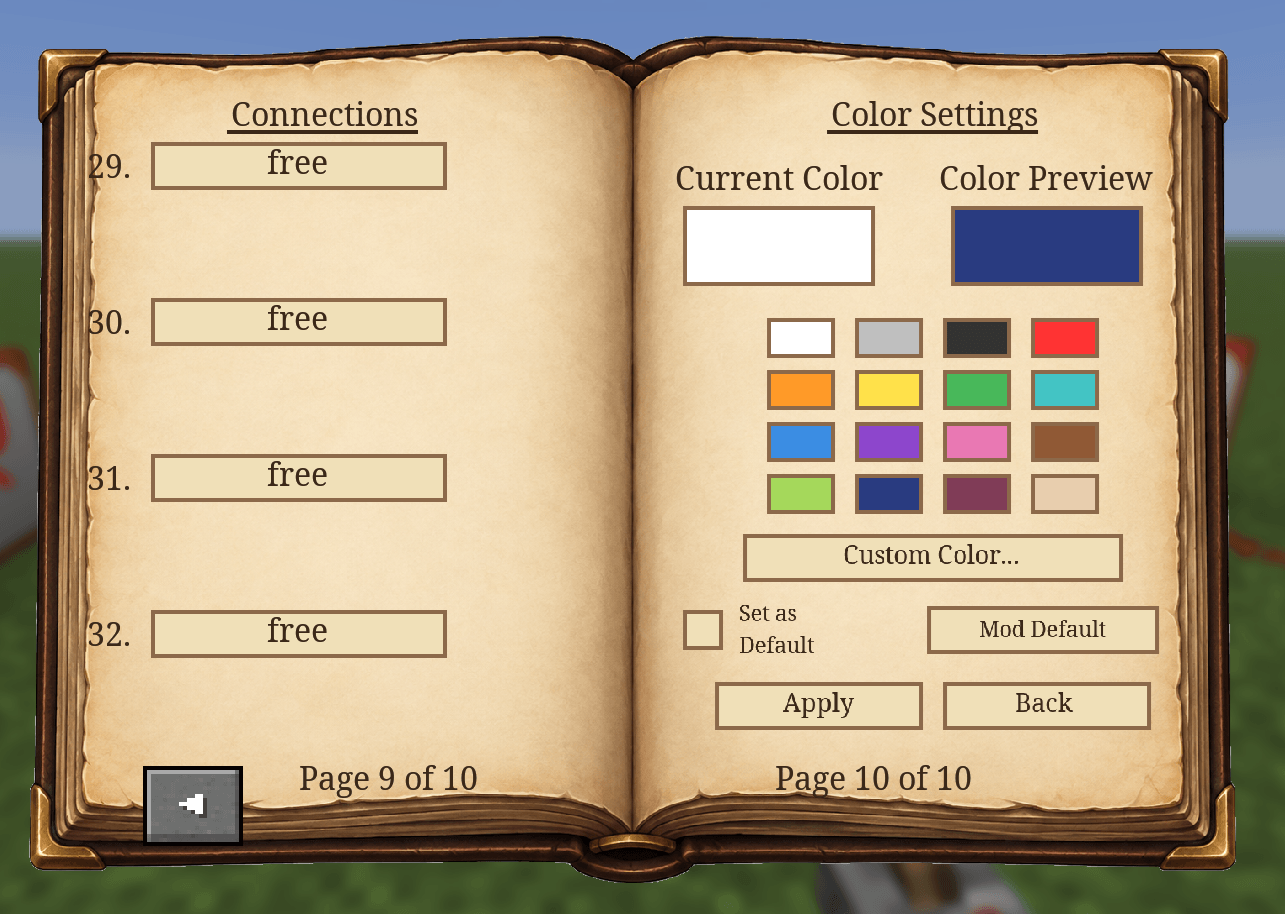
16 predefined colors
-
Custom RGB / hexadecimal colors
-
Color preview before applying changes
-
Personal default colors
-
Option to restore the mod’s default color
Color changes are applied only after confirmation, so you can experiment with different colors without immediately changing the block.
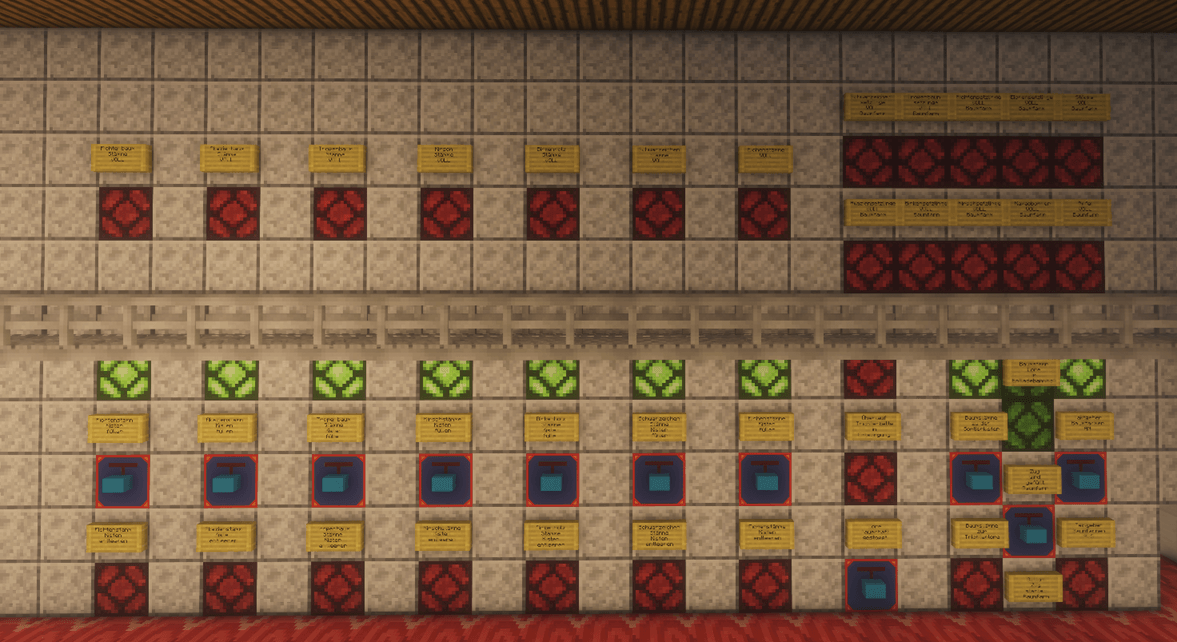
Custom colors are especially useful for identifying different parts of larger Redstone networks.
Chunk Handling and Persistent Data
WLAN Redstone is designed to work with Minecraft’s normal chunk-loading system.
The mod does not force chunks to stay loaded.
If a Transmitter’s chunk becomes unloaded, its last known signal state is remembered. Connected Receivers can continue using the stored value.
When unloaded devices become available again, their states are synchronized.
Device information is saved with the world, including:
-
Addresses and custom names
-
Wireless connections
-
Operating modes and settings
-
Device colors
-
Stored signal states
Connections and settings are preserved across world and server restarts.
Breaking a device also removes its connections, preventing old links from remaining attached to a newly placed device.
Multiplayer Support
WLAN Redstone supports both singleplayer and multiplayer worlds.
Players can create and manage shared wireless networks. Device settings and connections are stored on the server and remain available after restarting it.
The player-specific WPS system helps prevent other players from accidentally completing your pending pairing.
Built-in Guide Book
The mod includes an in-game guide book explaining how everything works.
It covers:
-
Transmitters and Receivers
-
Device addresses and basic operation
-
Manual connections and WPS
-
MASTER, SLAVE, and BOTH modes
-
Signal settings and wireless behavior
-
Color customization
-
Crafting recipes
New players automatically receive the guide book when entering a world for the first time.
The book can also be crafted or obtained from the Creative inventory.
The guide book is available in English and German.
Getting Started
Setting up your first wireless connection is simple.
-
Craft or obtain a Transmitter and a Receiver.
-
Place the Transmitter near your Redstone input, such as a lever or button.
-
Place the Receiver where you want to control another Redstone device.
-
Open the device interface and connect the two blocks using their addresses or WPS.
-
Connect your Redstone input and output.
That’s it. Your Redstone signal can now travel wirelessly between the two locations.
For more advanced setups, use multiple connections, signal modes, and different response speeds.
All crafting recipes and additional explanations are included in the in-game guide book.
Final Notes
WLAN Redstone was created to make Redstone automation more flexible without replacing the way normal Redstone works.
You can use it for a simple wireless light switch or as part of a much larger automation system. The goal is to keep basic connections easy to set up while providing additional controls for more complicated builds.
Modpack Permissions
You are welcome to include WLAN Redstone in both public and private modpacks. No additional permission is required.
If you encounter a bug or have an idea for an improvement, feel free to leave a comment.
Enjoy building with WLAN Redstone!
常见问题
WLAN Redstone – Wireless Redstone Networks 支持哪些 Minecraft 版本?
WLAN Redstone – Wireless Redstone Networks 支持 Minecraft Java 版 1.21.11–26.3,共 4 个版本,可用的加载器:Fabric。下载时注意选择和你游戏版本一致的文件。
WLAN Redstone – Wireless Redstone Networks 怎么安装?
先用 PCL2 或 HMCL 启动器安装对应版本的 Fabric,再把下载的 .jar 文件放进游戏目录的 mods 文件夹,重新启动游戏即可。开启了版本隔离的,mods 文件夹在 versions/版本名 下面。
Arathorn76 的其他作品
查看全部 →
My Photo Paintings
在 Minecraft 中使用自己的 PNG、JPG 和 JPEG 图片,自定义绘画。
Chest Counter (Chest Preview & Inventory Overlay)
显示你正在查看的容器的详细信息,包括物品数量、填充程度和顶部内容物。
Switch Hopper
一个红石控制的漏斗,可在两个相反方向之间切换物品输出。

Auto Storage Labels and Signs
根据储物箱内的物品,自动用告示牌和物品展示框标注储物箱。支持大型储物系统、自定义放置方式和悬挂式告示牌。
评论
登录后评论和评分