
TerrainRadar
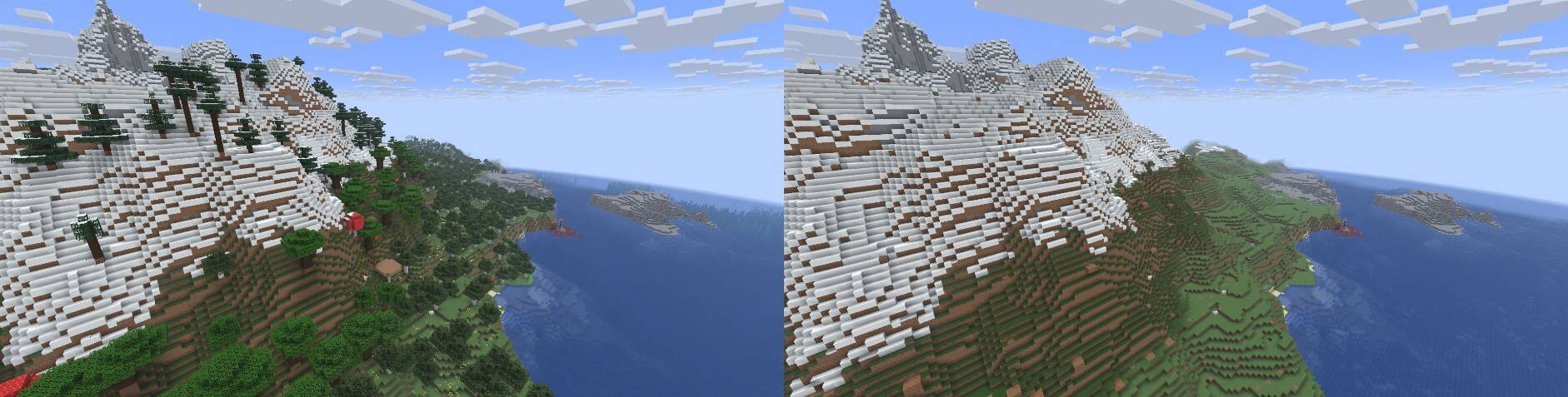
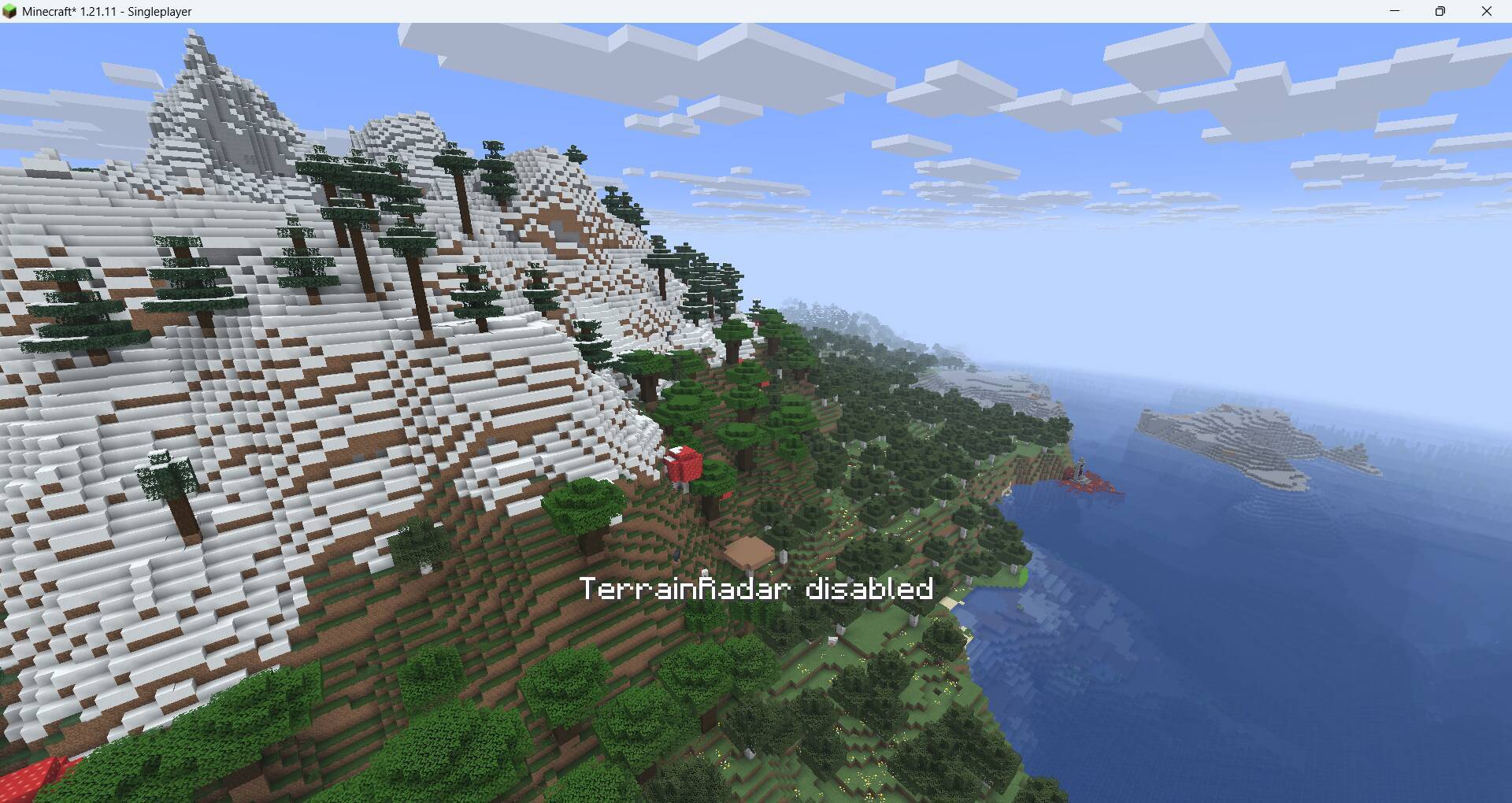
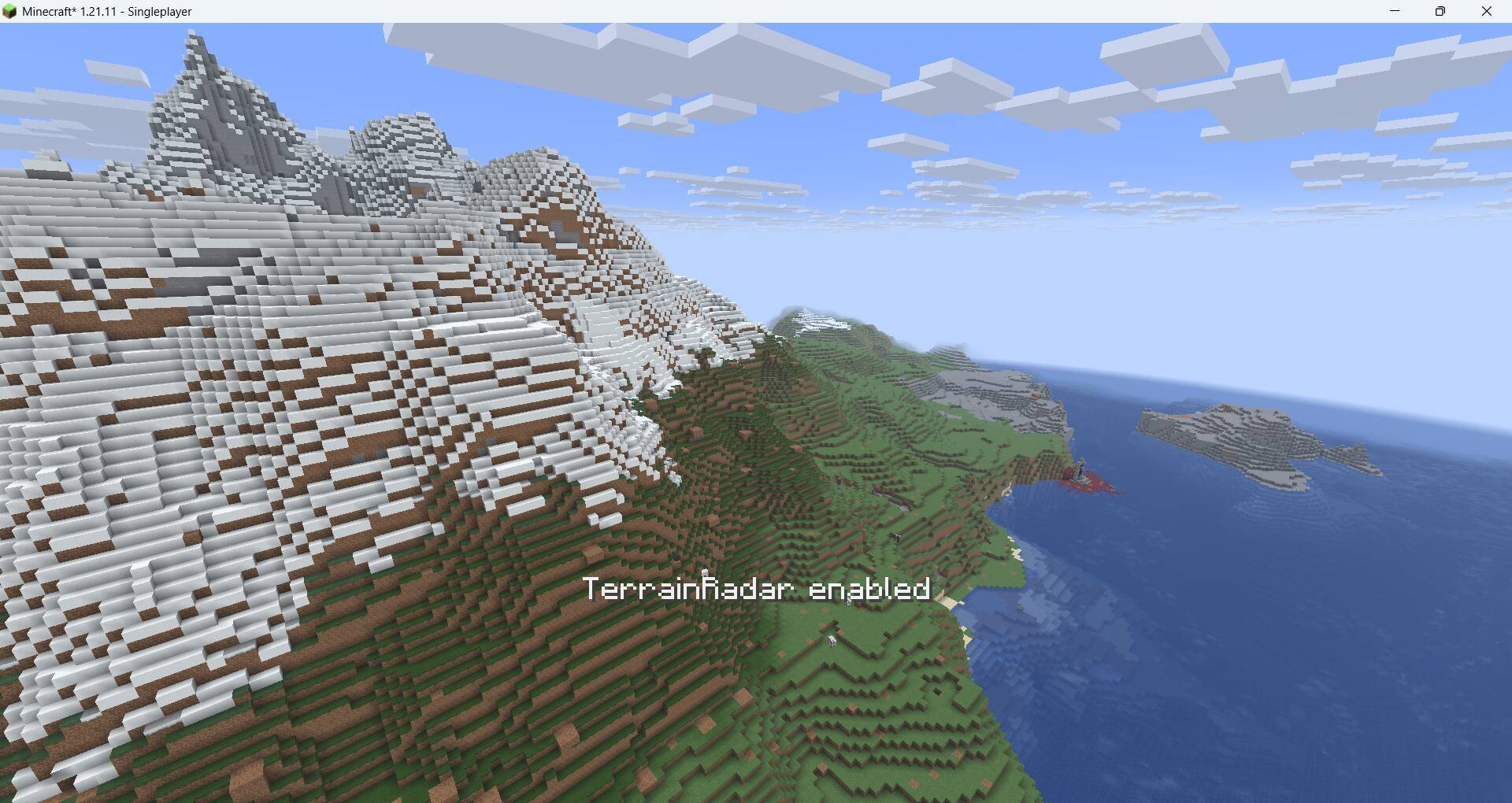
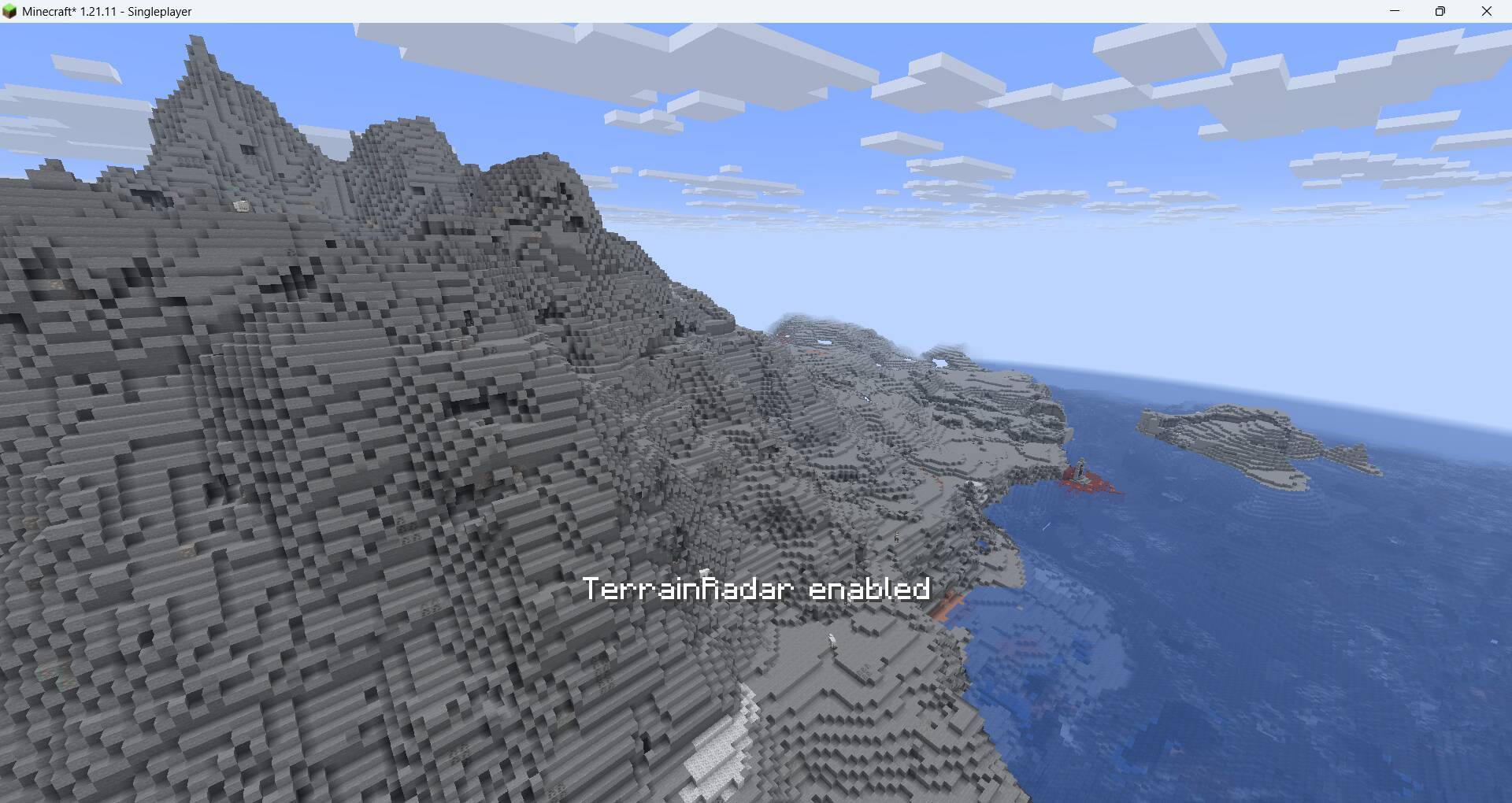
Client-side Fabric mod that can hide the rendering of specified blocks and reveal the real terrain.
截图
介绍
TerrainRadar
A client-side Fabric rendering mod for Minecraft 1.21.11 that hides selected blocks and reveals the real terrain underneath.
Overview
TerrainRadar is a pure client-side rendering mod. Selected blocks remain in the world — collision, hitboxes, drops and server-side logic are untouched — but their rendering is skipped. Neighbor faces are rendered so hidden solid blocks do not leave see-through holes. The default list focuses on vegetation; any registered block can be added from the GUI.
The mod is only intended for visual optimizations such as “hiding vegetation,” and it is not recommended to use it on servers that prohibit X-Ray.
Features
- Hide any block from the built-in list, or search and tick any registered block.
- No holes — when a hidden block would normally cull a neighbor’s face, that face is rendered instead (vanilla renderer, Fabric API Indigo and Sodium 0.8.x are all handled).
- Light passthrough (toggle, default on) — hidden blocks no longer block skylight, and no ambient-occlusion shadow remains around hidden blocks (vanilla/Indigo and Sodium).
- Section-occlusion fix (v0.4.2) — hidden blocks no longer count as chunk-section occluders, so they cannot make whole sections behind them disappear (previously visible as background sky-coloured gaps).
- Sodium 0.8.x / Iris 1.10.x support — a dedicated compatibility layer is enabled automatically when Sodium is present; without Sodium the vanilla/Indigo path is unchanged.
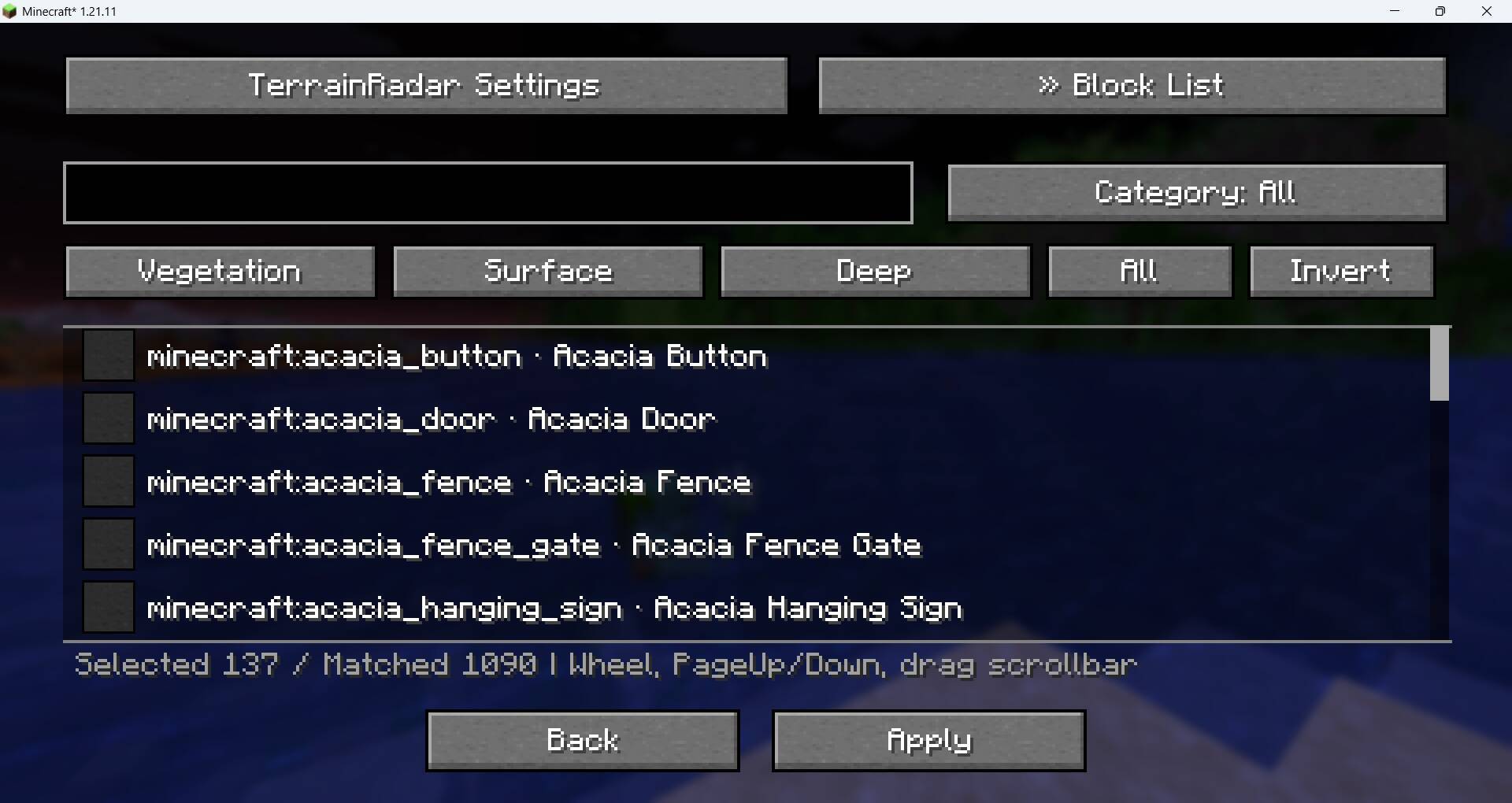
- Block list GUI with search, vanilla-creative-style categories, a scrollable list with scrollbar / mouse wheel / PageUp/PageDown, select all / invert, and presets.
- Three cumulative presets: Vegetation, Surface, Deep.
- Optional key binding for the master switch; unbound by default.
- Bilingual UI: English by default; Simplified Chinese for
zh_cn,zh_hk,zh_twandlzh. - Everything is saved to a single global JSON config.
Requirements
- Minecraft 1.21.11
- Fabric Loader 0.17.0+ (0.20.1 used for development)
- Fabric API 0.141.6+1.21.11
- Optional: ModMenu 17.0.1+ for the “Config” button in the mod list
- Optional: Sodium 0.8.x and/or Iris 1.10.x — supported with a dedicated Sodium compatibility layer (detected automatically)
Installation
- Install Fabric Loader for Minecraft 1.21.11.
- Put Fabric API and (optionally) ModMenu into the
modsfolder. - Put the latest
terrainradar-<version>.jar(current:v0.4.2) into themodsfolder. - Launch the Fabric 1.21.11 profile.
Usage
GUI
Open it from ModMenu → TerrainRadar → Config, or run /terrainradar gui.
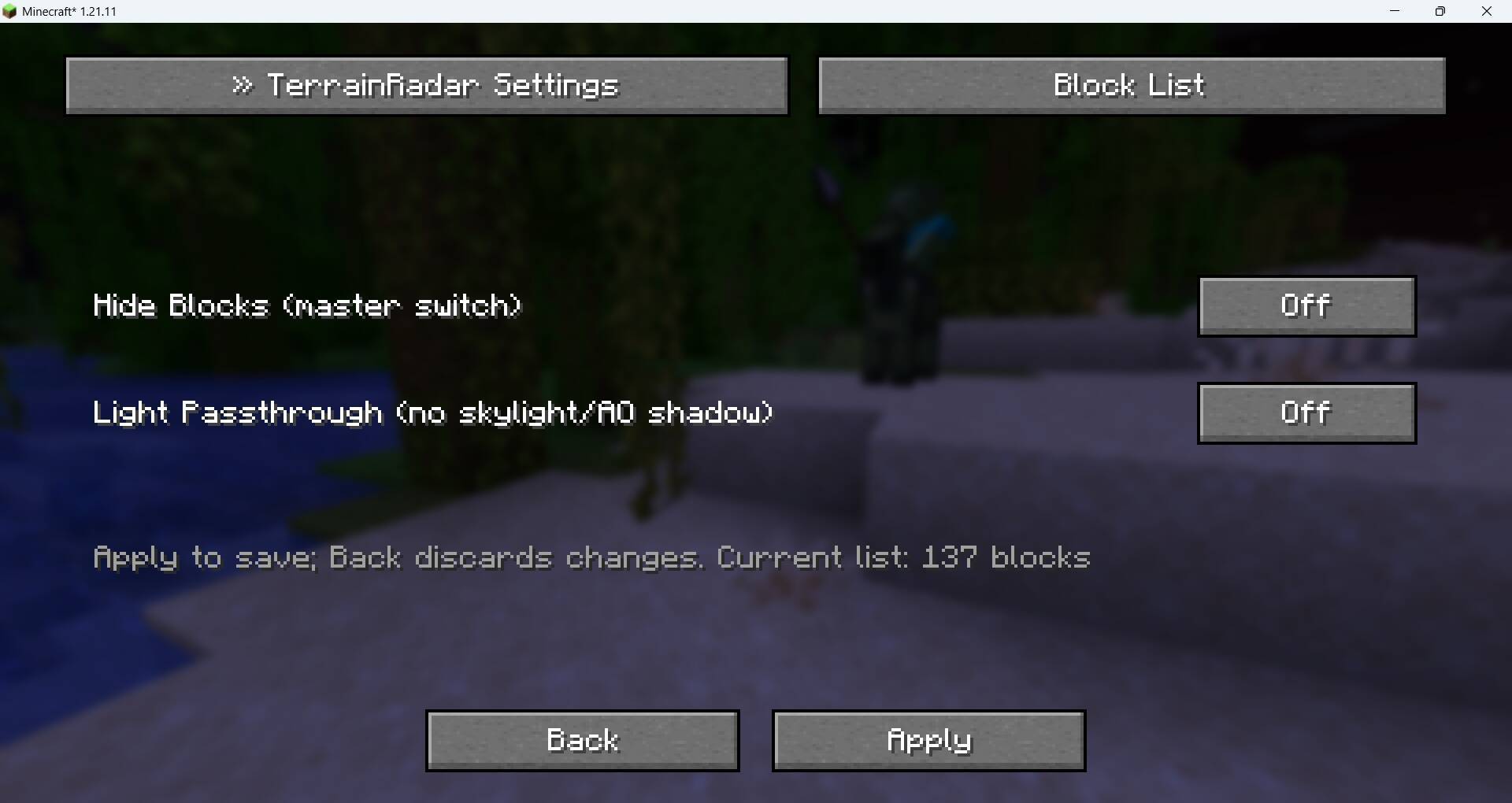
- Settings tab: toggle hidden blocks and light passthrough. Click Apply to save; Back discards unsaved changes.
- Block List tab: search by block ID or name, cycle the category, scroll with the mouse wheel / PageUp / PageDown / scrollbar, click a row to tick it. All / Invert apply to the current filter. Choosing a preset replaces the current selection.
Key Binding
Go to Options → Controls → Key Binds → TerrainRadar → Toggle Hidden Blocks and assign a key. It is unbound by default. The key only works in-game while no GUI is open, and shows an action-bar message when toggled.
Commands
/terrainradar— show current status (enabled, hidden count, light passthrough, preset, config path)/terrainradar on/off/toggle— switch the master switch/terrainradar light on/off/toggle— switch light passthrough/terrainradar add <block>— add a block ID to the hidden list/terrainradar remove <block>— remove a block ID from the hidden list/terrainradar preset <name>— apply a preset (vegetation/surface/deep, or植被/表层/深层)/terrainradar list— print the first 20 hidden block IDs/terrainradar gui— open the settings screen/terrainradar reload— reload the config from disk
Presets
Presets are cumulative and replace the current selection. Manual edits afterwards change the preset state to Custom.
- Vegetation — default list + player crops: wheat, carrots, potatoes, beetroots, torchflower crop, pitcher crop, nether wart, cocoa (137 blocks)
- Surface — Vegetation + dirt/grass/podzol/coarse dirt/mycelium/rooted dirt/moss blocks, sand/red sand/suspicious sand, gravel/suspicious gravel, snow block/powder snow, farmland, dirt path, clay (156 blocks)
- Deep — Surface + natural rocks: stone family (stone, granite, diorite, andesite, tuff, deepslate), netherrack/basalt/blackstone, sandstone/red sandstone (167 blocks)
Deep deliberately excludes crafted variants (cobblestone, stone bricks, polished/cut/smooth blocks), ores and bedrock.
Categories
The block list follows the vanilla creative tabs: All, Building, Colored, Natural, Functional, Redstone, Other. A block can appear in more than one category; Other only contains blocks that match none of them. Blocks added by mods fall back to tag/ID-based classification.
Configuration
- Path:
config/terrainradar.json(global, applies to all worlds). - Fields:
enabled,lightPassthrough,preset,hidden. presetstores the canonical Chinese preset name (植被/表层/深层/自定义); the GUI displays it in the current language.- Old preset names (
默认/仅树叶/仅植物) are rejected; loading a config with one normalizes it to自定义without touching the hidden block list.
Language
- Default: English (
en_us). - Simplified Chinese for
zh_cn,zh_hk,zh_twandlzh. - Any other language falls back to English.
Compatibility and Limitations
- Client-side only — the server does not need this mod; server-side behavior is unchanged.
- Renderer support: vanilla renderer, Fabric API Indigo, Sodium 0.8.x and Iris 1.10.x (tested with Sodium 0.8.15-beta.1 and Iris 1.10.8 on 1.21.11; other Sodium 0.8.x builds share the same hook signatures). Embeddium is not supported.
- With Sodium installed, a dedicated mixin configuration is enabled automatically; without Sodium it is inert and the vanilla/Indigo path is unchanged. The Sodium hooks target four Sodium 0.8 members — if a future Sodium version changes them, hiding degrades gracefully (a warning is logged, no crash).
- Only normal blocks are guaranteed. Block entities (chests, signs, etc.) are not part of the default list and their rendering is not guaranteed.
- Light passthrough is a visual approximation using vertex brightness; it does not perform a real relight. On Sodium it uses the chunk-build light slice (render-section ±2 blocks), so extremely tall canopies may be missed.
- Hiding a whole surface layer (Surface/Deep presets) intentionally reveals whatever is behind it. v0.4.2 fixed a section-occlusion bug that could show the background sky colour through hidden ground layers; remaining openings now show real caves/aquifers/air (not a false hole). Deep presets may render more sections and cost some performance.
- No per-world configuration is provided.
License
This project is licensed under the GNU General Public License v3.0. See LICENSE for the full text.
常见问题
TerrainRadar 支持哪些 Minecraft 版本?
TerrainRadar 支持 Minecraft Java 版 1.21.11,可用的加载器:Fabric。下载时注意选择和你游戏版本一致的文件。
TerrainRadar 怎么安装?
先用 PCL2 或 HMCL 启动器安装对应版本的 Fabric,再把下载的 .jar 文件放进游戏目录的 mods 文件夹,重新启动游戏即可。开启了版本隔离的,mods 文件夹在 versions/版本名 下面。
评论
登录后评论和评分