
Tabs Organizer
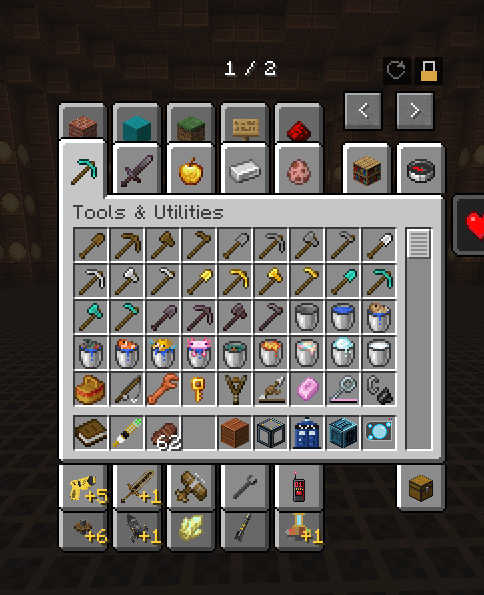
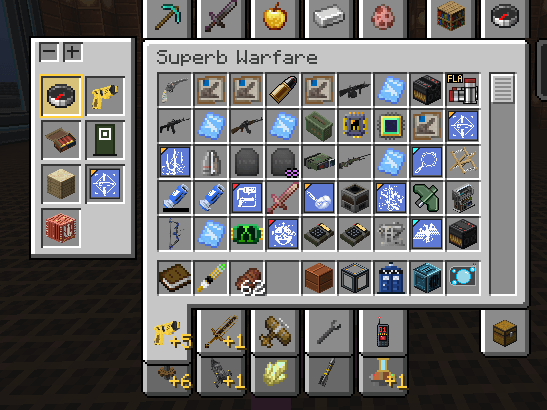
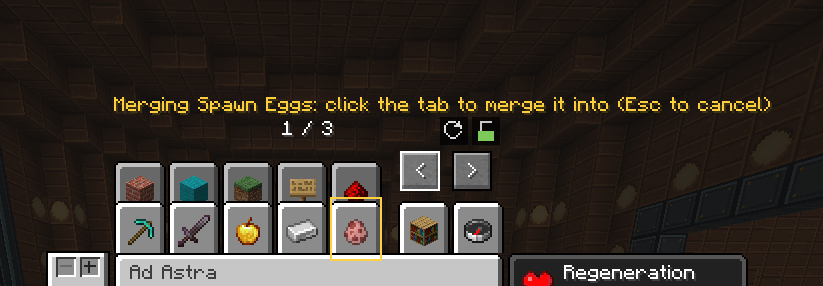
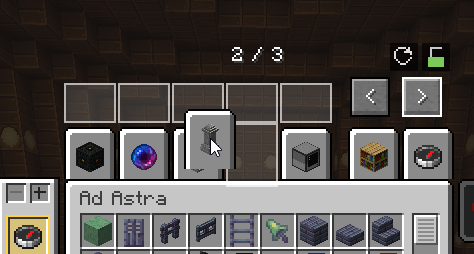
Cleans up the creative inventory: two rows of tabs, drag and drop, merge tabs into one with a side panel. Client side only.
截图
介绍
This mod is write with ai. I don’t know how to code, I can make various thing but code is something I’m not good. Everything is test and debug, the mod work fine but I can make mistake with the code, report if you have any issue with the crash log or the latest log. I do my best to patch everything inside the mod. If you have any suggestion to improve the code don’t hesitate and I check to patch ! Anyway, enjoy the mod.
Tabs Organizer makes the creative inventory usable when you play with a lot of mods.
Features
- Two stacked rows of tabs on top and two on the bottom, like a Windows settings window
- Drag and drop tabs to reorder them, including onto another page
- Merge tabs together (right-click): the merged tab gets a side panel listing every tab inside it
- An automatic General (A-Z) entry shows all the items of the merged tabs, sorted by name
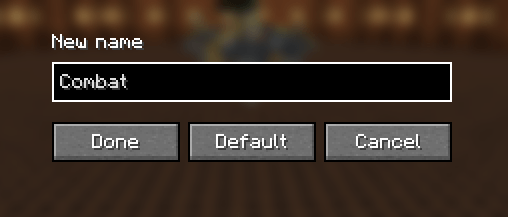
- Rename tabs and merged entries (Shift + right-click)
- Reorder the entries of a merged tab, and choose how many columns the side panel has
- A padlock to avoid accidental changes, and a reset button
- Saved in
config/tabsorganizer.json
How to use
Click the padlock above the creative window to unlock the tabs. Drag a tab to move it, right-click a tab then
another one to merge them, Shift + right-click to rename. The full list is in the README on GitHub.
Notes
- Client side only: do not install it on a server (it does nothing there).
- NeoForge 1.21.1.
- It changes how the creative screen is drawn. If another mod also rewrites the creative tabs, they may not work together.
Please report any problem on the issue tracker with yourlogs/latest.log.
Source code (MIT): https://github.com/elilouve/Tabs-organizer/
常见问题
Tabs Organizer 支持哪些 Minecraft 版本?
Tabs Organizer 支持 Minecraft Java 版 1.20.1–1.21.1,共 2 个版本,可用的加载器:Forge / NeoForge。下载时注意选择和你游戏版本一致的文件。
Tabs Organizer 怎么安装?
先用 PCL2 或 HMCL 启动器安装对应版本的 Forge / NeoForge,再把下载的 .jar 文件放进游戏目录的 mods 文件夹,重新启动游戏即可。开启了版本隔离的,mods 文件夹在 versions/版本名 下面。
评论
登录后评论和评分