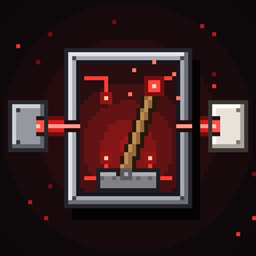
Redstone controller
Name any lever or button and control them all from one menu. Build laser sensors for automatic doors, alarms and sirens, plus name and status signs. For NeoForge 1.21.1.
介绍
中文介绍正在准备中,下面暂时显示原文。
# Redstone Controller
Name your levers and buttons, then control all of them from one menu. Add laser sensors for automatic doors and alarms, and signs that show what everything is and whether it is on.
**Minecraft 1.21.1 · NeoForge · No dependencies · Required on both client and server**
—
## Levers, buttons and the Controller
– Look at a lever or button and press **K** (rebindable under Controls, category “Redstone Controller”; in VR it can be bound to a controller button). Type a name and save.
– Craft the **Redstone Controller**: 4 iron ingots, 4 redstone and a lever in the middle. Right-click to open a menu with everything you have named. Toggle levers, press buttons, run special buttons and switch lasers on or off, all from one place.
– **Special Button** (stone button + redstone + gold ingot): press K on it and choose, per lever, button or laser, what happens when it is pressed: nothing, turn on, turn off, toggle, or press.
## Laser sensors
Craft a **Laser Emitter** and a **Laser Receiver**. The emitter shoots a beam from its front; place the receiver on the other side, facing the emitter.
– **Emitter (K):** visible beam on/off, colour, and range of 16, 32, 48 or 64 blocks. Redstone power turns it off.
– **Receiver (K):** choose what can break the beam (players, hostile mobs, animals and other mobs, items, arrows, anything else), invert the signal, and pick which named levers, buttons and lasers to control **when broken** and **when intact**.
– Solid blocks break the beam. Glass, panes and bars let it through.
### Receiver modes
| Mode | What it does |
|—|—|
| **Signal** | Redstone output while the beam is broken. |
| **Toggle** | Each time the beam is broken it flips on/off, like a lever. |
| **Timed button** | Breaking the beam turns it on for 0.5 s to 60 s, like a button. |
| **Door** | Fully automatic doors: see below. |
| **Armed laser** | Alarm system: see below. |
## Automatic doors
Put an emitter and a receiver at the door (a pair, or one on each side), pick **Door**, and tick the levers that open it. It works with piston doors, doors, trapdoors and fence gates.
– It does not matter which position the lever is in: the system learns it, flips it to the opposite position when the door opens and back when it closes.
– **Open early:** the door starts opening when someone walks towards the beams (2 to 12 blocks away, default 4), so piston doors are open before you arrive.
– Several sensors at the same door work together as a group. Everyone who arrives keeps it open, and it closes a moment after the last person. It never closes on someone standing in the doorway.
– After closing it stays locked until everyone has stepped away from the beams.
– Options: who opens it (players, or players and mobs), nearby doors, redstone output while open or closed, and sync with other sensors.
– **Armed door:** the right players and mobs get in as usual, the wrong ones do not, and the alarm goes off.
## Alarm system
Pick **Armed laser** on a receiver.
– Choose who triggers it (everyone, everyone except chosen players, or only chosen players), how long it rings (10 s to 5 min, or until you switch it off in the Controller) and which mobs count, including mobs from other mods (searchable list).
– Levers can move while the alarm rings and move back afterwards.
– **Alarm Siren** (iron, note block, redstone): plays an alarm sound and shows a warning in the middle of the screen for players within 64 blocks. Right-click to change sound, sneak + right-click to change warning text.
– **Alarm Light** (red glass, redstone lamp, iron, redstone): blinks while the alarm rings. Right-click to change colour.
## Signs
– **Name Sign** shows what a button is called and what it is.
– **Status Sign** shows the current state (ON / off / BROKEN). Updates instantly.
– Place a sign next to a named block and it finds it by itself, or press K on the sign to choose manually.
## Commands (op)
`/rscontroller list | activate | press | register | remove | macro | set | sign | link | trust | alarmlink | mob | sync`
Debugging: start with `-Drscontroller.debug=true` to log what door groups do.
—
**Note:** the logic has been tested on a real server. Please report any issues with menus, keybinds or sign visuals.
License: All Rights Reserved
常见问题
Redstone controller 支持哪些 Minecraft 版本?
Redstone controller 支持 Minecraft Java 版 1.21.1,可用的加载器:NeoForge。下载时注意选择和你游戏版本一致的文件。
Redstone controller 怎么安装?
先用 PCL2 或 HMCL 启动器安装对应版本的 NeoForge,再把下载的 .jar 文件放进游戏目录的 mods 文件夹,重新启动游戏即可。开启了版本隔离的,mods 文件夹在 versions/版本名 下面。
评论
登录后评论和评分