
Prioritized Music Player
Makes only configured sounds/music heard when multiple sounds/music are playing simultaneously.
介绍
Important!
This mod is published only on Modrinth and CurseForge. If you find it anywhere else, it is not an official upload by me, and downloading from those sites is unsafe.
Features:
Prioritized Music Player (PMP in short), is a small *client-side and very configurable mod, that makes configured sounds or music to play without other sounds or music heard simultaneously, by weakening thier volume or muting them, without breaking any mod logics.
In addition for my own usage, i also made the mod to be able to pause configured sounds from playing until a configured sound finish playing.
*client-side – When PMP is meant and usable for client side only, it could also be installed on server side for additionl features, as following:
- PMP on client side only – All features beside mod integration features (read more below).
- PMP on server-side only – mod integration features only and PMP would never force clients to install it. (mod integration features apply only for clients with the mod installed on client side, read more below).
- PMP on both server and client – client side only + server side only features.
PMP was made as to give a solution for simultaneously playing of music and sounds, by making only the importent ones to be heard, and the rest not, without changing anything else.
Mod Integration Features
When PMP is installed on server-side, the mod offers additonal features with other mods, using PMP api. This features do nothing for clients without this mod installed. Key features included are:
- Manual sound unpausing – Usually, paused sounds wait for conditional sound to finish playing. Using the api, mods could manually unpause specific sounds when they want to.
- Sound registeration support – Mods can register their on default sound configuration to clients to save clients from configuring sounds manually. This feature is implemneted in a safe way:
1. Mods cant remove or edit PMP client configuration, but only add new configuration to very specific parts of PMP client config.
2. Every mod-added configuration is tracked so clients know exactly what configuration was mod-added.
3. This feature can be disabled in the client config, only by the client, blocking mods from touching it. In the same way, clients can also whitelist specific mods to use this feature.
I wrote this mod’s code a while ago for the tweaks of my own upcoming modpack, but it worked so well that i have decieded to seperate it’s code to it’s own mod for better compabillity with other mods (mine included).
I took some time off from studying/working, to create an ambitious modpack to test my skills as a game maker. If you are curious, I would appreciate it if you consider joining my Discord group that I have opened for it.
Discord: https://discord.gg/McYBqCNbnd
Compabillity:
The mod has been well built to be used for big and small modpacks, so it should be compatible with any mod! I have not encountered any myself either.
If you find any incompabillity with mod, please let me know!
Usage in other projects:
You may use this mod, its assets, and its code in any non-commercial project, as long as proper credit and a link to this mod’s page are provided.
You are not allowed to republish or redistribute this mod anywhere.
Having crushes or found a bug?
Please open an issue on my GitHub describing your problem and i will check it out.
You are also welcome to contact me on the mod’s Discord server.
Fabric/Neoforge/other minecarft versions porting?
At the moment I don’t have the time, as I’m working on other projects. Source code is relased so if you want to make an official port, please contact me at the mod GitHub or at the mod Discord.
常见问题
Prioritized Music Player 支持哪些 Minecraft 版本?
Prioritized Music Player 支持 Minecraft Java 版 1.20.1,可用的加载器:Forge。下载时注意选择和你游戏版本一致的文件。
Prioritized Music Player 怎么安装?
先用 PCL2 或 HMCL 启动器安装对应版本的 Forge,再把下载的 .jar 文件放进游戏目录的 mods 文件夹,重新启动游戏即可。开启了版本隔离的,mods 文件夹在 versions/版本名 下面。
NoEndMan 的其他作品
查看全部 →
Magic Circles – ISAS Addon
Iron's Spells 'n Spellbook 附属模组,施放魔法时会出现魔法阵!

Animation Crusher Fixer
修复非最新Forge版本中关键漏洞的小型模组
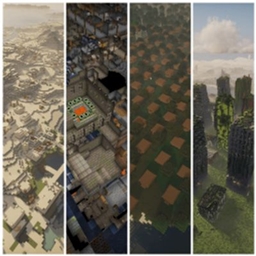
Zones – Grouped Structrues
Grouping structures together in spesific areas in your worlds!

Serious Guards
Gives Guard Villagers better equipment in vanilla way for modded environment!
评论
登录后评论和评分