Recipe Studio KubeJS
A visual, multi-station recipe editor for KubeJS. Edit crafting, furnace, smithing and stonecutting recipes in-game, then save directly to KubeJS scripts.
截图
介绍
Recipe Studio
A visual, multi-station recipe editor for KubeJS
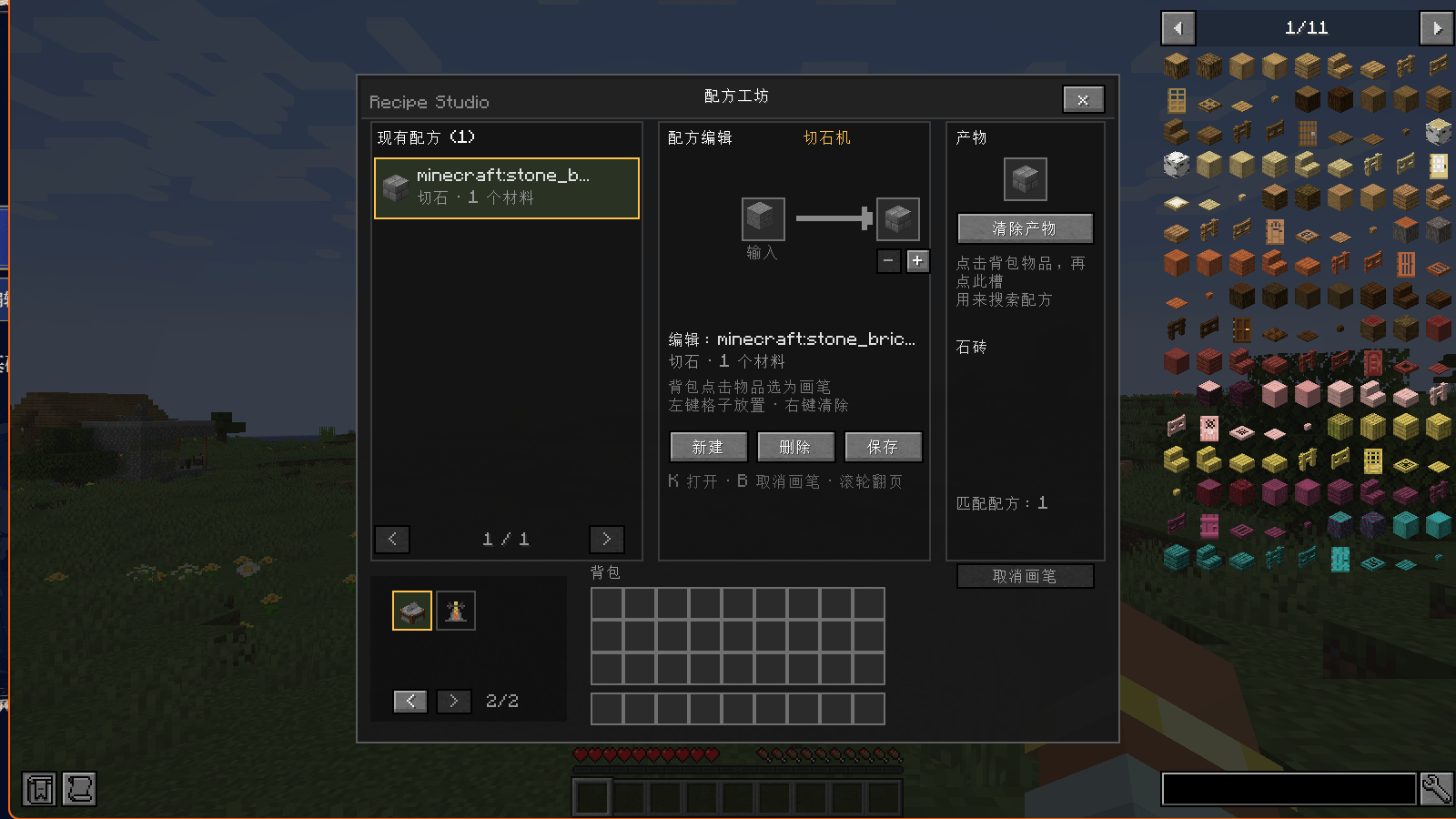
Recipe Studio brings KubeJS recipe authoring into the game. Pick a station, choose an output, browse the recipes that produce it, and edit or create recipes in a visual editor. Save and Recipe Studio generates the KubeJS script for you.
Features
- Multiple stations: crafting table, furnace, blast furnace, smoker, campfire, smithing table and stonecutter.
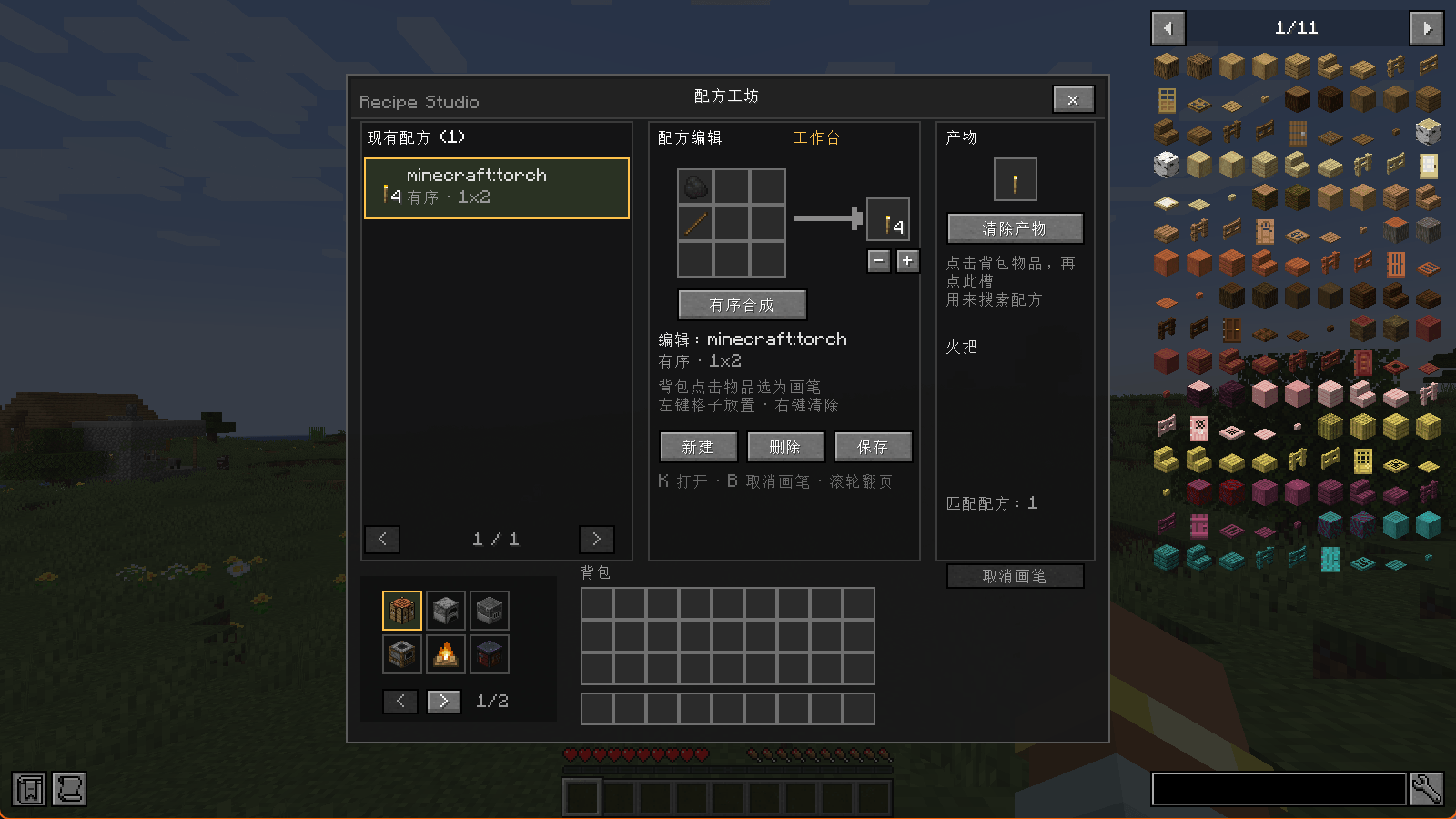
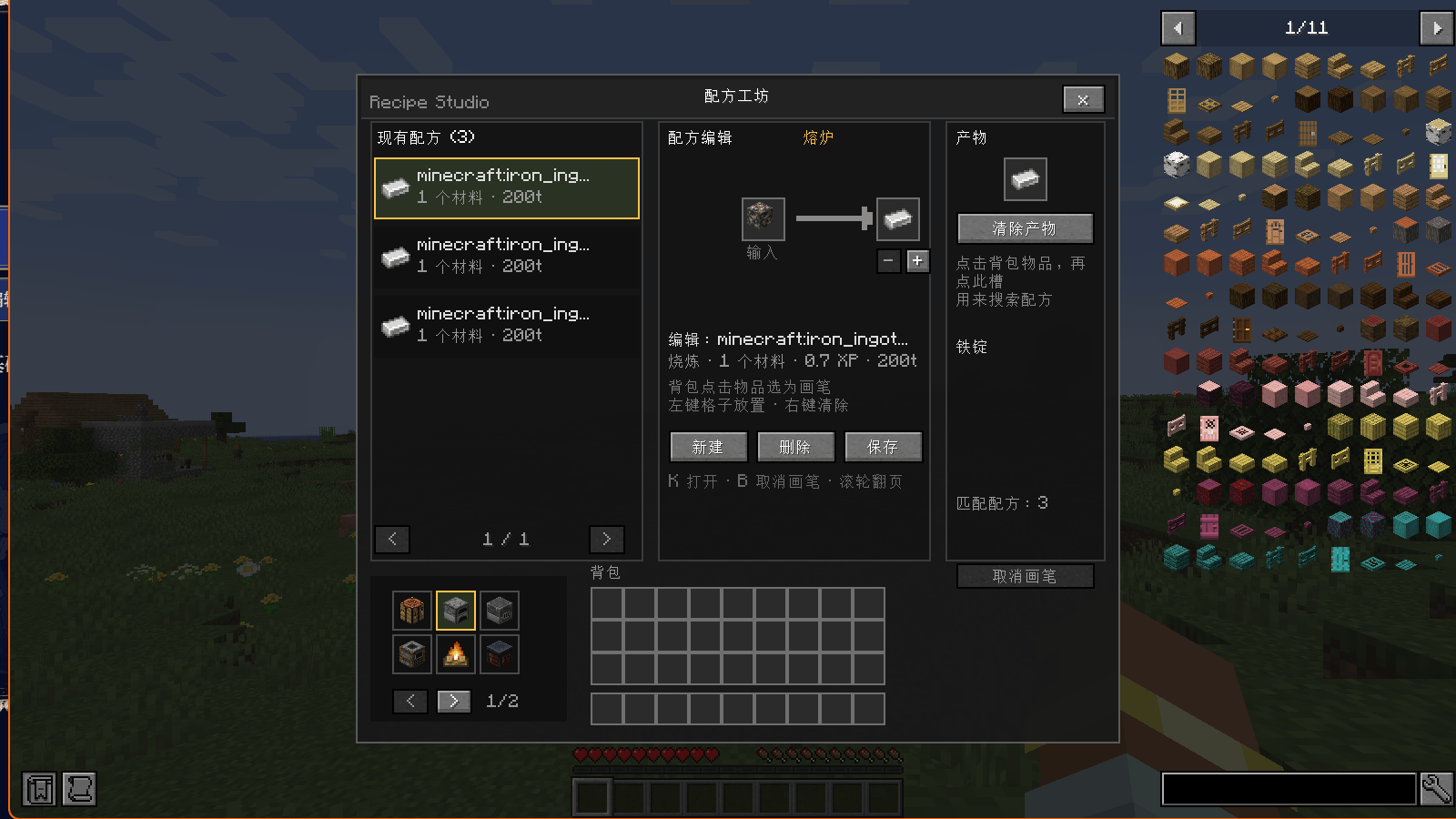
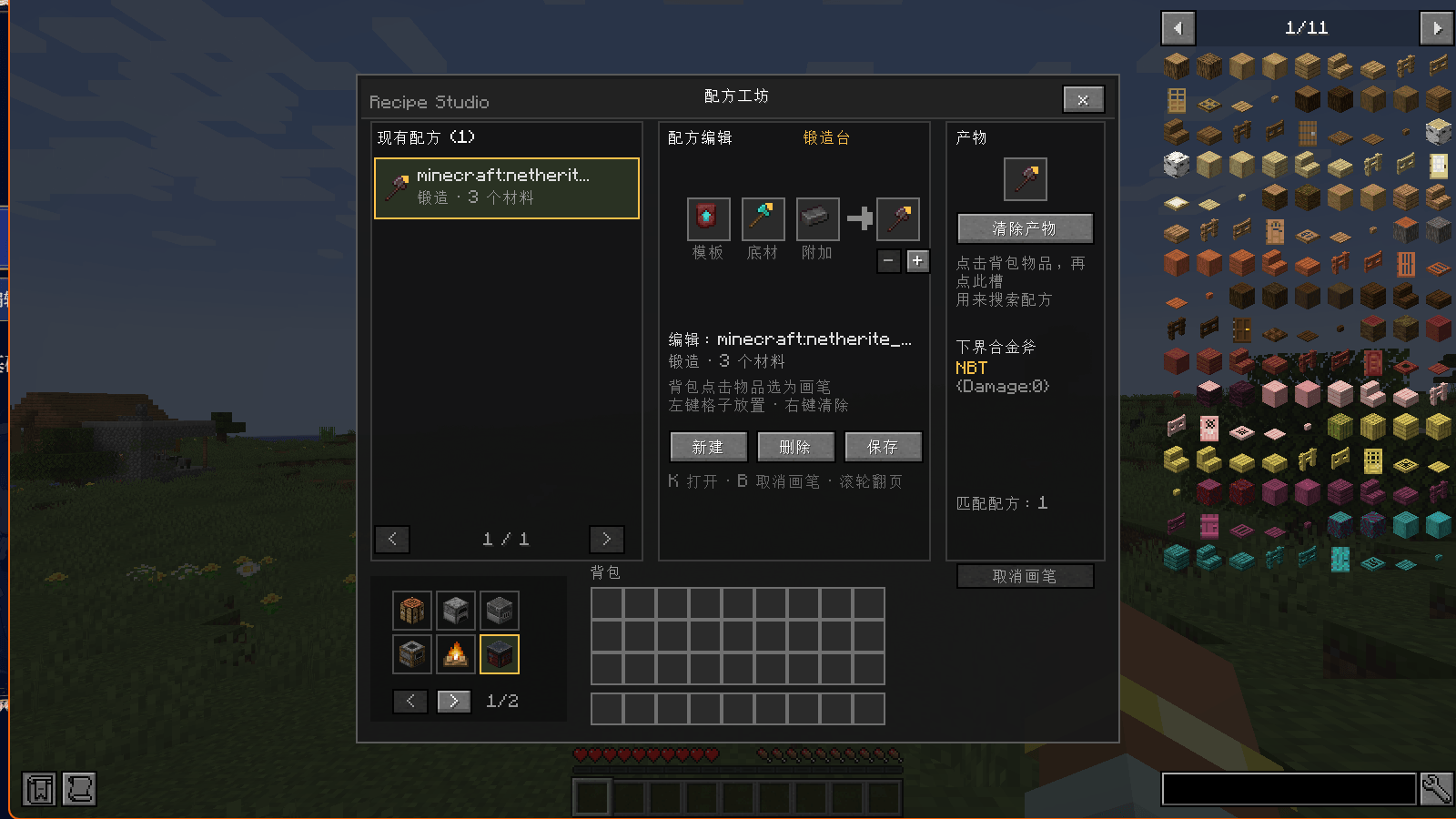
- Visual editing: 3×3 crafting grid, single-input cooking/stonecutting, and template/base/addition smithing layouts.
- Search by output: put an item in the output slot and the editor lists recipes that produce it.
- Create, edit and delete: changes are written to a generated KubeJS script.
- NBT-aware: same item ID with different NBT is treated as a different output.
- JEI integration: the JEI ingredient list is compressed beside the centered panel; left-clicking a JEI item picks it as the brush, and typing in JEI’s search box does not trigger the editor’s hotkeys.
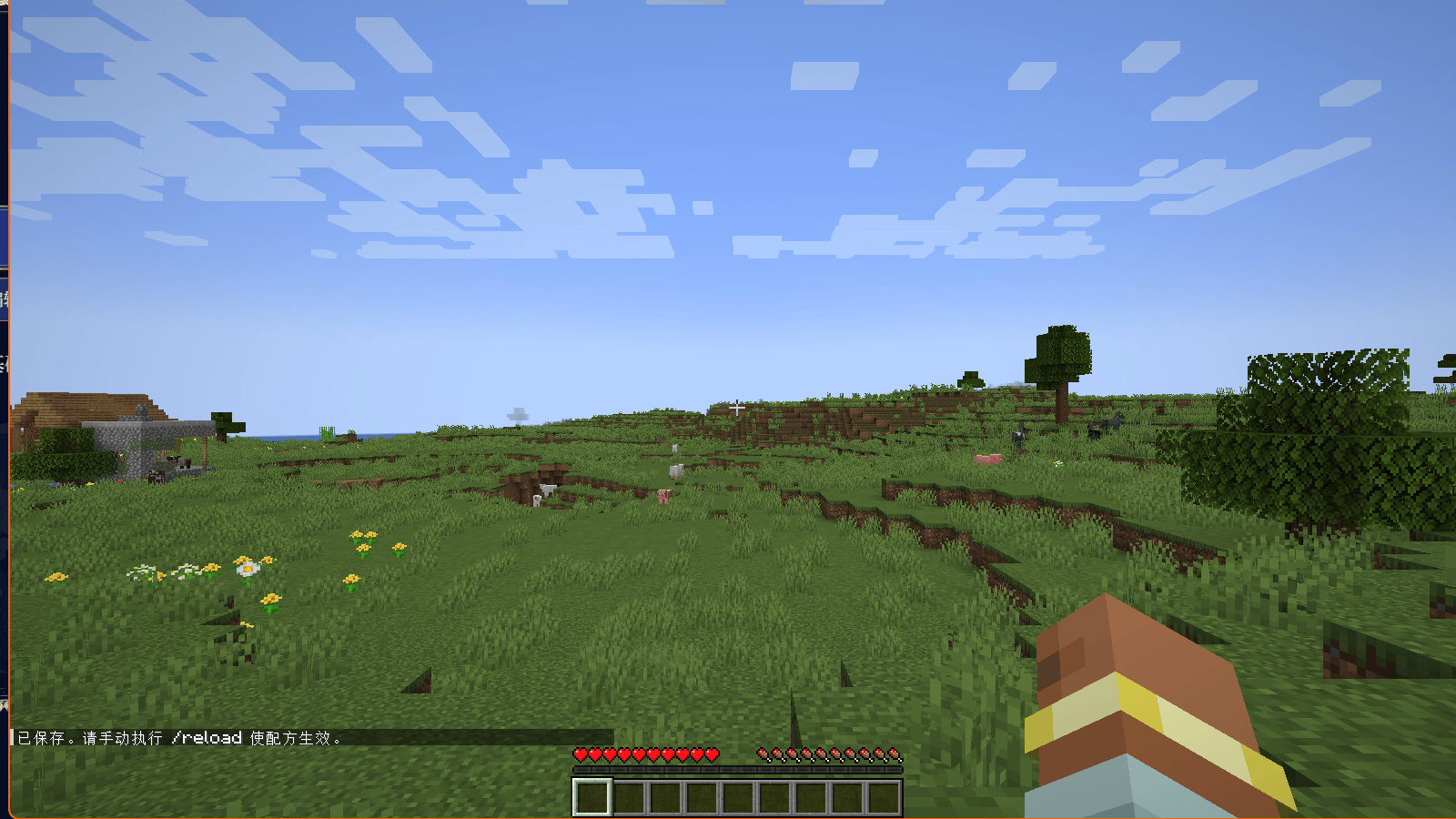
- Safe saving: saving only writes files. It never runs
/reloadautomatically; the player is asked to reload manually.
Supported stations
| Station | Input layout | Generated KubeJS |
|---|---|---|
| Crafting Table | 3×3, shaped or shapeless | event.shaped / event.shapeless |
| Furnace | 1 input | event.smelting(...).xp(...).cookingTime(...) |
| Blast Furnace | 1 input | event.blasting(...) |
| Smoker | 1 input | event.smoking(...) |
| Campfire | 1 input | event.campfireCooking(...) |
| Smithing Table | template / base / addition | event.smithing(...) |
| Stonecutter | 1 input | event.stonecutting(...) |
| Brewing Stand | 2 inputs (reserved) | Not enabled in 1.3.3 |
How to use
- Open the editor with
Kor/recipe_studio. - Pick a station with the icons at the bottom-left of the panel. Six icons are shown per page; use the
</>arrows to change pages. - Set the output: – click an inventory item to pick it up as the brush, then click the output slot; – or
Shift + left-clickan inventory item to set it directly; – with JEI installed, left-click a JEI item. - Select a recipe from the list on the left.
- Edit the inputs: – crafting table: 3×3 grid; – furnace/blast furnace/smoker/campfire/stonecutter: single input; – smithing table: template, base and addition.
- Use New to create a recipe, Delete twice to delete, and Save to write files.
- After saving, the editor closes. Run
/reloadmanually, then reopen the editor to see the recipe as a normal entry.
Generated files
kubejs/recipe_studio/store.json— source of truth for overrides and deletions.kubejs/server_scripts/zzz_recipe_studio.js— regenerated on every save.
The zzz_ prefix makes it load after normal recipe scripts, so event.remove wins.
Requirements
- Minecraft 1.20.1
- Forge 47.x
- KubeJS 2001.6.5+ on the server
- Java 17
- JEI 15.x on the client (optional)
The server must have KubeJS. JEI is client-side only. The current release is tested with Forge 47.4.0, KubeJS 2001.6.5-build.26 and JEI 15.74.0.234.
Important notes
- Manual
/reloadis required. Saving does not reload the data pack; this is intentional to avoid freezing large modpacks. - Brewing is not enabled in 1.3.3. In 1.20.1 brewing is handled by
PotionBrewing, not by aRecipeManagerrecipe type, and KubeJS 2001 has no built-inevent.brewing. The brewing stand entry is reserved for a future MoreJS/custom bridge. - Cooking XP and time are read-only. Existing recipes keep their values; new recipes use defaults. The editor does not yet provide +/- controls for them.
- Ingredient limitations: unchanged slots keep tags where possible; multi-choice or custom ingredients are reduced to their first item. Special KubeJS actions such as
.replaceIngredient()or stages are not preserved. - Permissions: saving requires singleplayer or OP level 2.
- Overrides/deletions are instance-level, not per-world. Back up
store.jsonand the generated script before experimenting. - JEI: left-clicking an ingredient is used for picking the brush, so it does not open JEI’s recipe lookup; right-click is unchanged. Fluid ingredients cannot be used as a brush.
Compatibility
- Forge 1.20.1 only for this release.
- KubeJS is required; saving fails without it.
- JEI is optional.
- Compatibility with other recipe-editor mods has not been tested.
- Adding custom stations currently requires editing
StationType,RecipeScannerandKubeJsWriter.
FAQ
The recipe does not appear after saving.
Run /reload, then close and reopen the editor. Saving never reloads automatically.
The list says no recipe was found.
Check the output item, the selected station, and that the recipe belongs to that station.
The smithing inputs are empty.
This was fixed in 1.3.3; use the latest jar.
Why is the brewing stand disabled?
Brewing is not a RecipeManager recipe type in 1.20.1. See the limitations above.
Can I use this on a server?
Yes. Install Recipe Studio and KubeJS on the server; clients need Recipe Studio. JEI is optional on clients.
Changelog
1.3.3
- Fixed smithing table input slots not displaying (template/base/addition).
- Added release screenshots and complete release documentation.
1.3.2
- New icon built from an in-game screenshot, a 3×3 mark and a pixel wordmark.
1.3.0
- Added furnace, blast furnace, smoker, campfire, smithing table and stonecutter editing.
- Added the paged station selector (6 icons per page).
- Added generic station data, save/scan paths and per-station KubeJS generation.
1.2.x
- JEI integration with a centered, compressed ingredient list.
- Unsaved draft rows, clear-brush button, manual-reload save behavior.
1.0 / 1.1
- Initial crafting table editor, NBT-aware search, create/edit/delete and KubeJS script generation.
License
MIT
常见问题
Recipe Studio KubeJS 支持哪些 Minecraft 版本?
Recipe Studio KubeJS 支持 Minecraft Java 版 1.20.1,可用的加载器:Forge。下载时注意选择和你游戏版本一致的文件。
Recipe Studio KubeJS 怎么安装?
先用 PCL2 或 HMCL 启动器安装对应版本的 Forge,再把下载的 .jar 文件放进游戏目录的 mods 文件夹,重新启动游戏即可。开启了版本隔离的,mods 文件夹在 versions/版本名 下面。
评论
登录后评论和评分