
DrawLess
DrawLess is a client-side Minecraft rendering optimization mod focused on reducing redundant work without sacrificing visual fidelity. Same scene. Less work.
截图
介绍

What DrawLess does
DrawLess is a client-side rendering optimization mod for Minecraft 26.2 on Fabric, built for the scenes that make servers heavy on the client: hundreds of Item Displays and ModelEngine models, crowds of players in armor with items in hand, and dense particles. It started with Item Displays and now covers players and particles as well.
The approach is the same everywhere: geometry that does not change stays on the GPU, and work that would repeat every frame is reused, while movement, animation and lighting stay live. Anything a path does not support falls back to vanilla rendering, and every optimization has its own switch.
The benefit depends on the scene, hardware and other installed mods. Busy multiplayer scenes with many models and players are its main target.
What it optimizes
Item Displays and models
- Live geometry: supported Item Display models, including ModelEngine models built from them, keep their meshes on the GPU and draw together; each frame sends only poses, lighting and tint.
- Parts of these models outside the camera view are skipped for the frame, and animated parts get their pose computed directly; ticks and animation keep running.
- A model cache reuses prepared model layers and refreshes them within a CPU budget.
Players
- Armor stays on the GPU: armor layers, trims and enchantment glint are drawn in a few calls instead of being rebuilt every frame.
- Items held and worn on the head stay on the GPU too, including enchantment glint, and share their meshes with Item Displays. Glowing and translucent items keep vanilla rendering.
- Player bodies with skins that have no semi-transparent pixels stay on the GPU and are drawn in one call; other skins keep vanilla rendering.
Particles
- Particle light reuse and a fast path for collisions with empty space; particle count and movement are unchanged.
Drawing
- Batching of compatible draws, with OFF, LIMITED and EXPANDED modes.
- Optional text/name-tag buffer reuse.
With the default settings
- Live geometry, skipping displays outside the view, fast poses for animated displays, the model cache, EXPANDED batching, particle caches, GPU armor, GPU items on players and GPU player bodies are ON.
- Text buffer reuse and the NPC pose budget are OFF.
- Entity movement and animation ticks remain live; unsupported parts use ordinary rendering.
- Existing saved settings are preserved when updating; new options get their default.
EXPANDED batching can change the appearance of overlapping layers. If text backgrounds or other layers look incorrect, switch to LIMITED or OFF under Rendering → Feature batching.
Settings
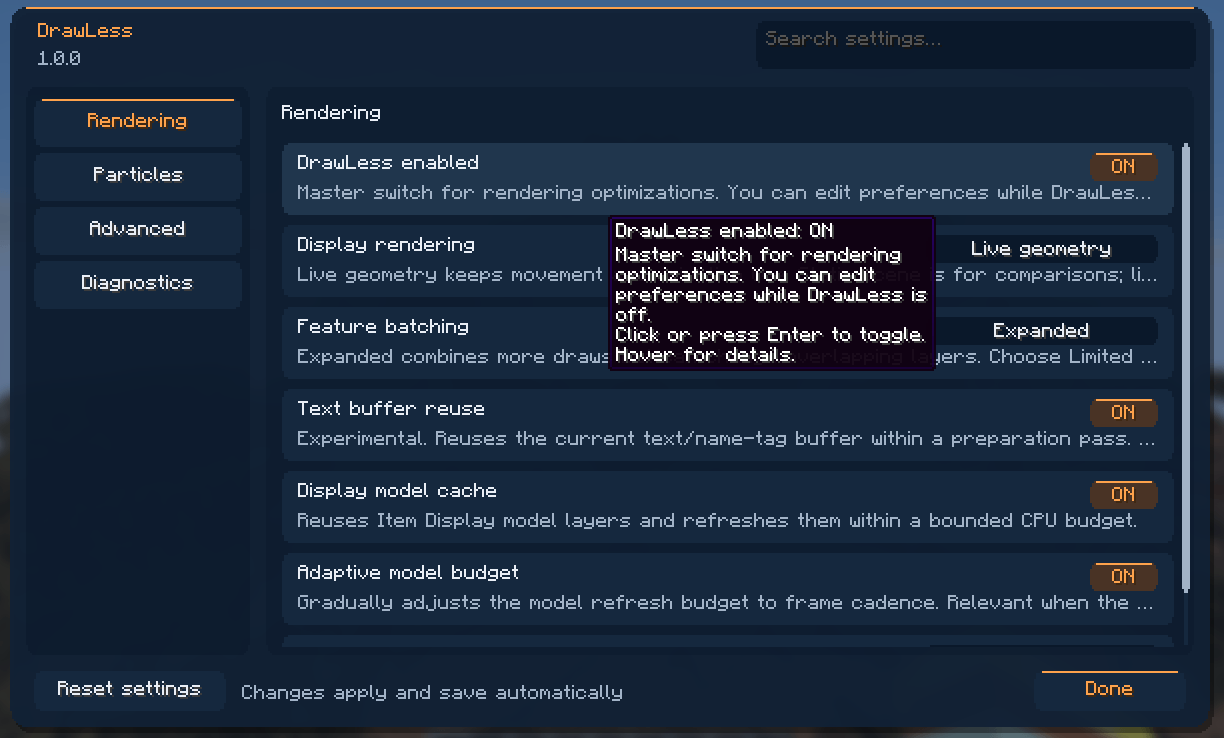
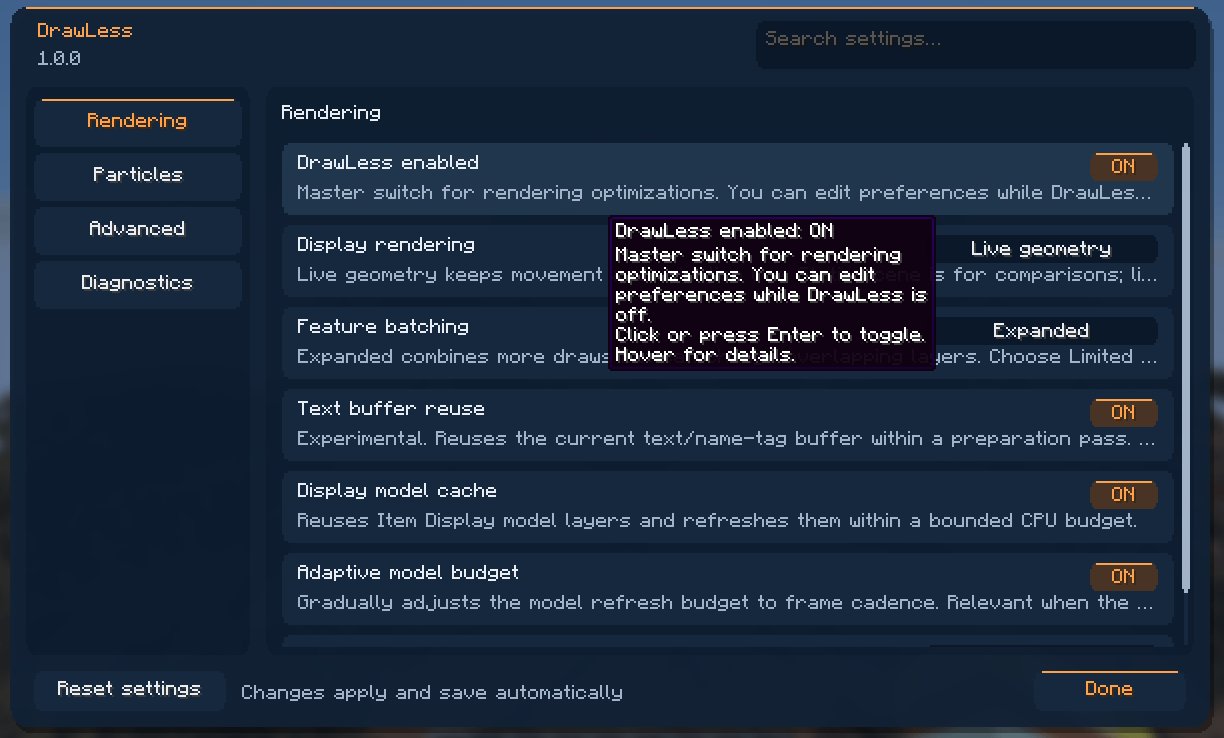
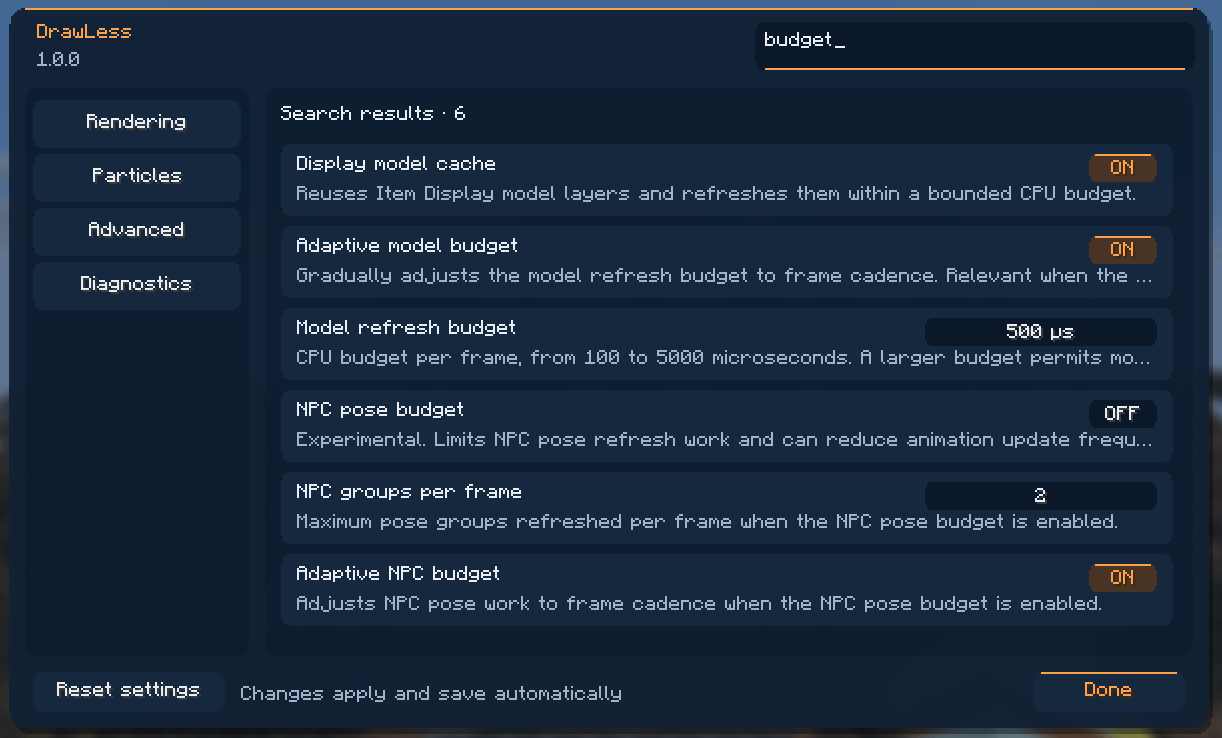
Press F8 to open a searchable settings menu with English and Russian translations.
Rendering, Players, Particles and Advanced each have their own section. Hover settings for explanations, adjust values with the mouse or keyboard. Changes save automatically, and the shortcut can be rebound in Minecraft’s controls.
Compatibility
- Works standalone or with Sodium (tested with 0.9.2); nothing is needed on the server.
- With ImmediatelyFast, DrawLess disables its overlapping text and batching optimizations.
- With Iris (tested with 1.11.4), DrawLess optimizations stay active while shaders are off. While a shader pack is active, feature batching, GPU armor, GPU items on players and GPU player bodies pause and Live geometry uses ordinary rendering; they resume when shaders are turned off.
- GPU player bodies are disabled with mods that change player models or skins (3D Skin Layers, Entity Model Features, Entity Texture Features, Figura, CPM).
- With Particle Core or AsyncParticles, DrawLess disables its overlapping particle caches.
These safeguards do not imply validation with every combination of rendering or model mods.
Tested comparisons
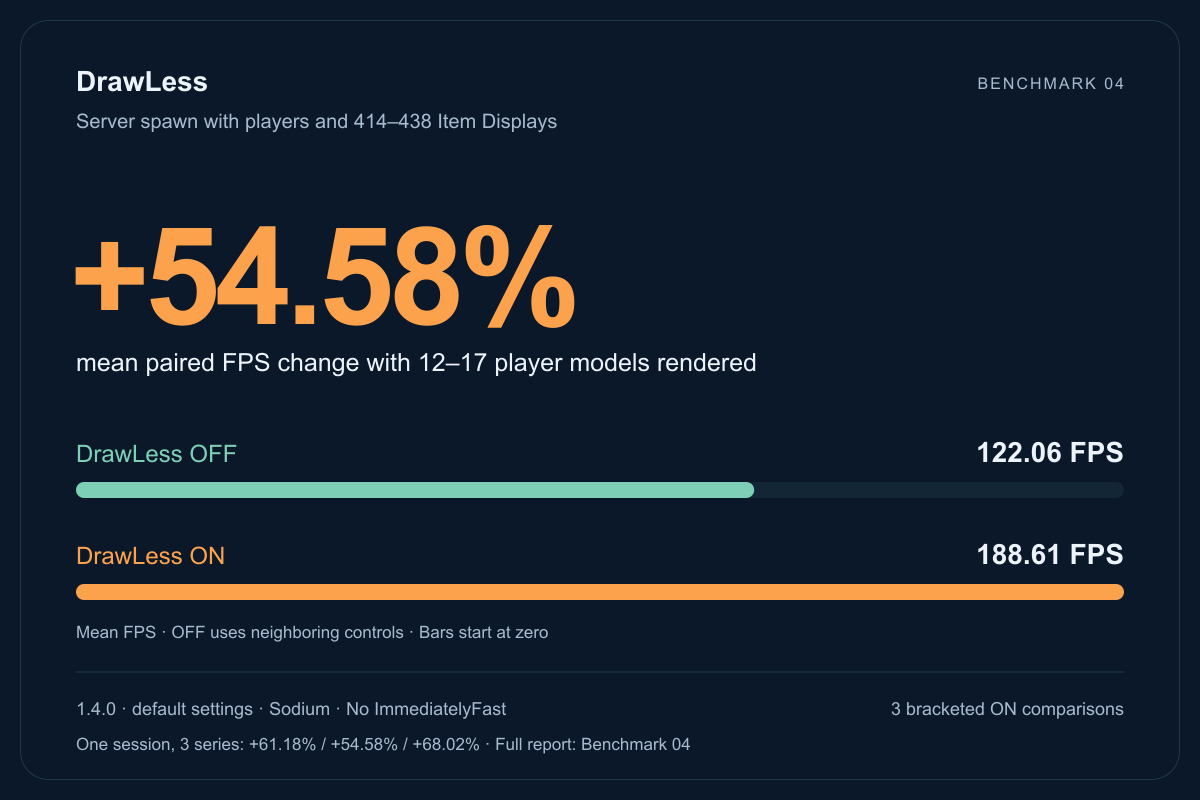
Server spawn with 12–17 other player models in view and about 420 Item Displays. DrawLess 1.4.0 + Sodium, default settings, without ImmediatelyFast. Two more series in the same session measured +61.18% and +68.02%. The 1.3.0 benchmark had fewer players in view, so the numbers are not a version-to-version comparison.
Independent check
Because the number was much higher than before, I checked it the same evening with PresentMon, a frame-time tool outside DrawLess. Switching DrawLess off and on in one session gave +38% and +41% in a somewhat lighter scene, and both ON captures were faster than both OFF captures around them. Slow frames improve less than the average: p95/p99 frame times were about 20% shorter and 1% low about 20% higher. “OFF” means DrawLess installed with its master switch off; a comparison with the game without DrawLess was inconclusive because the scene changed between restarts. All captures are linked from the full report.
Detailed benchmark results
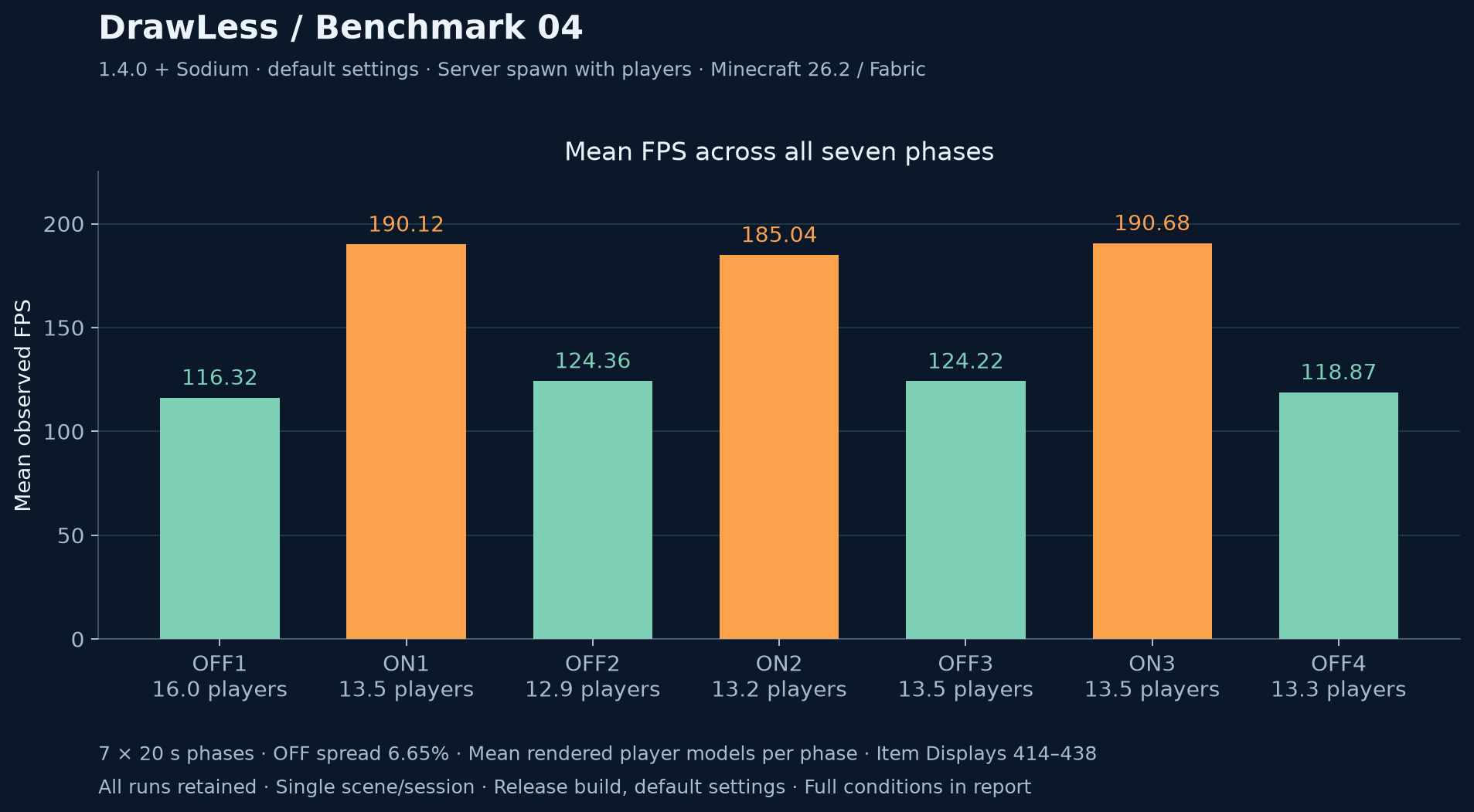
Single-session result for one scene, with the mean number of rendered players in each phase. Ryzen 5 5600H / RTX 3060 Laptop GPU.
Optimisation costs
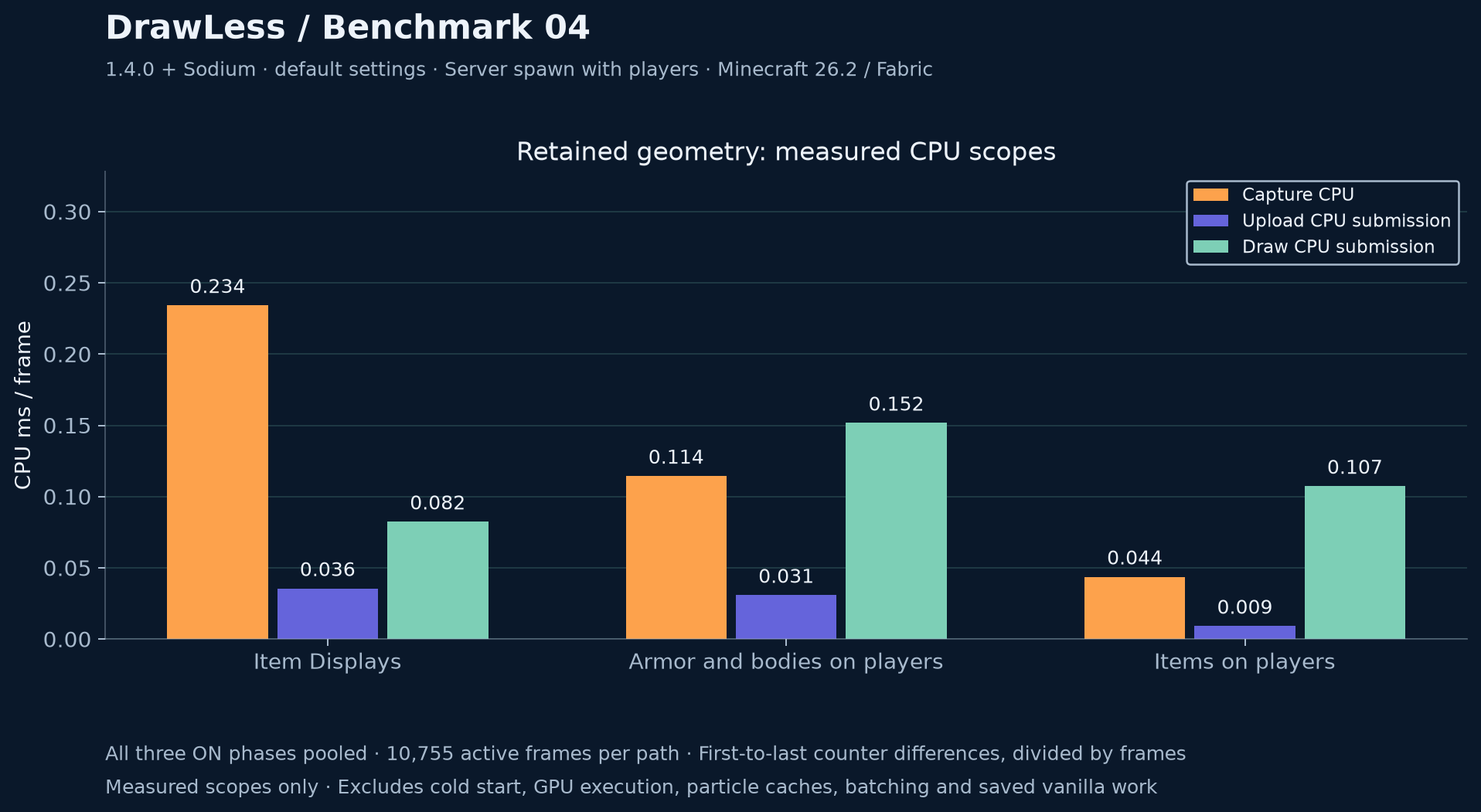
Measured CPU scopes of the GPU-retained paths in warm intervals; excludes the vanilla work they replace, GPU execution and unmeasured overhead.
Full report with methodology and raw measurements
常见问题
DrawLess 支持哪些 Minecraft 版本?
DrawLess 支持 Minecraft Java 版 26.2,可用的加载器:Fabric。下载时注意选择和你游戏版本一致的文件。
DrawLess 怎么安装?
先用 PCL2 或 HMCL 启动器安装对应版本的 Fabric,再把下载的 .jar 文件放进游戏目录的 mods 文件夹,重新启动游戏即可。开启了版本隔离的,mods 文件夹在 versions/版本名 下面。
评论
登录后评论和评分