介绍
Installation side
Client only.
Dependencies
- Use the matching build for Minecraft 1.12.2, 1.16.5, 1.20.1, 1.21.1 or 26.3 and its supported loader.
- No extra mods are required. Fabric builds do not require Fabric API; Quilt uses the compatible Fabric JAR.
- Client only. Install RMS in each instance that should share settings.
- Supported shader and settings mods are optional. RMS remembers their preferences but does not install them.
Description
Tired of fixing your sensitivity, sound and keybinds every time you try a new pack? RMS remembers saved client settings on your PC and restores them when another instance with RMS starts.
It carries Minecraft options, vanilla and mod keybinds, supported shader preferences and selected client configs. Full option profiles stay grouped by Minecraft version, while portable settings such as sensitivity and volume can follow you across versions.
Start your already configured instance first, then launch the others. Everything stays local, with backups and settings to keep chosen options separate. Mods, shader packs and resource packs still need to be installed normally.
常见问题
Remember My Settings 支持哪些 Minecraft 版本?
Remember My Settings 支持 Minecraft Java 版 1.12.2–26.3,共 5 个版本,可用的加载器:Fabric / Forge / NeoForge。下载时注意选择和你游戏版本一致的文件。
Remember My Settings 怎么安装?
先用 PCL2 或 HMCL 启动器安装对应版本的 Fabric / Forge / NeoForge,再把下载的 .jar 文件放进游戏目录的 mods 文件夹,重新启动游戏即可。开启了版本隔离的,mods 文件夹在 versions/版本名 下面。
Hecrius 的其他作品
查看全部 →
Smooth Loading Screens
减少启动时的卡顿,并让创建世界的加载界面保持流畅响应!
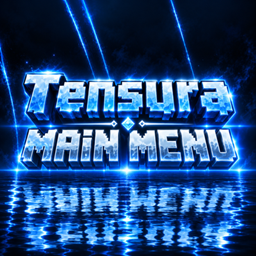
Tensura: Main Menu
Tensura 主题电影感前端,包含动态镜湖、加载水晶、进入世界过渡效果、主题菜单、环形暂停菜单和可自定义字体。
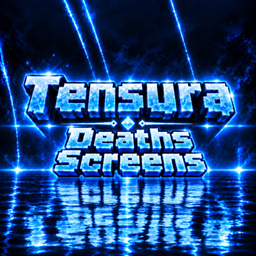
Tensura: Death Screens
受《转生史莱姆》启发的死亡动画,可选择配置并安全预览,重生后还有匹配的过渡动画回到世界。
Custom FPS Crosshairs
完全可自定义的 VALORANT 风格 Minecraft 准星,带实时编辑器、可分享代码、动态效果,最多 10 个配置档。
评论
登录后评论和评分