
DarkFinder
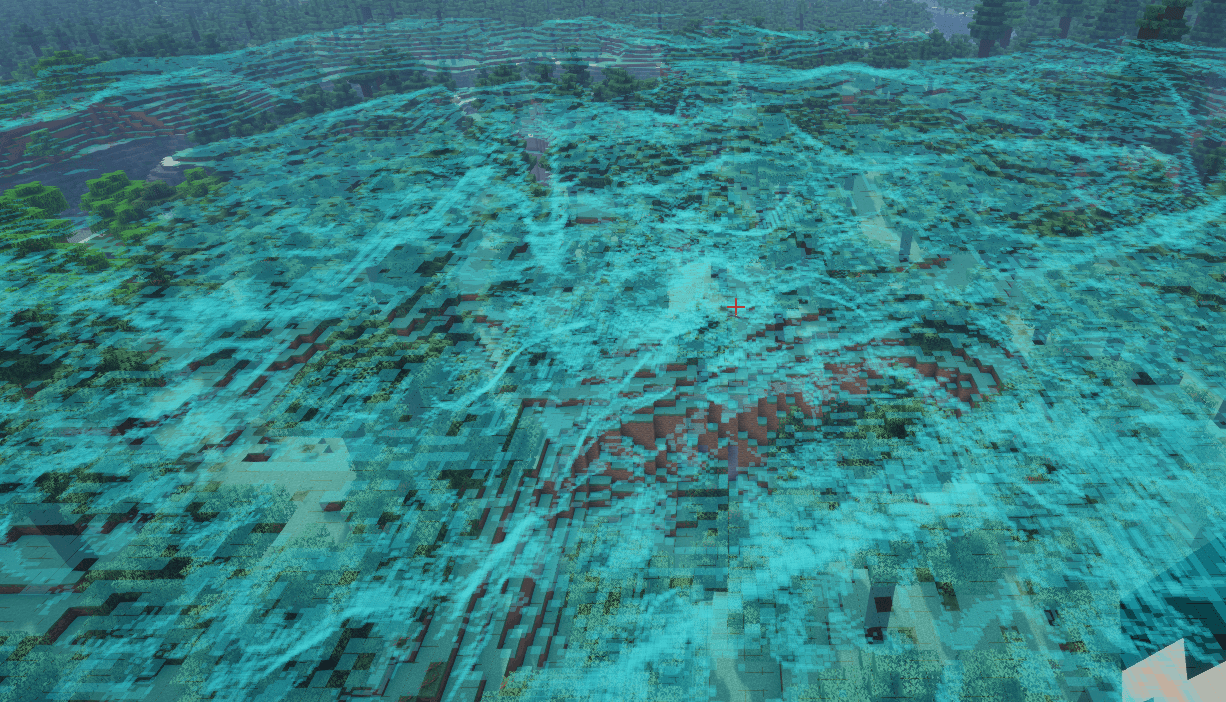
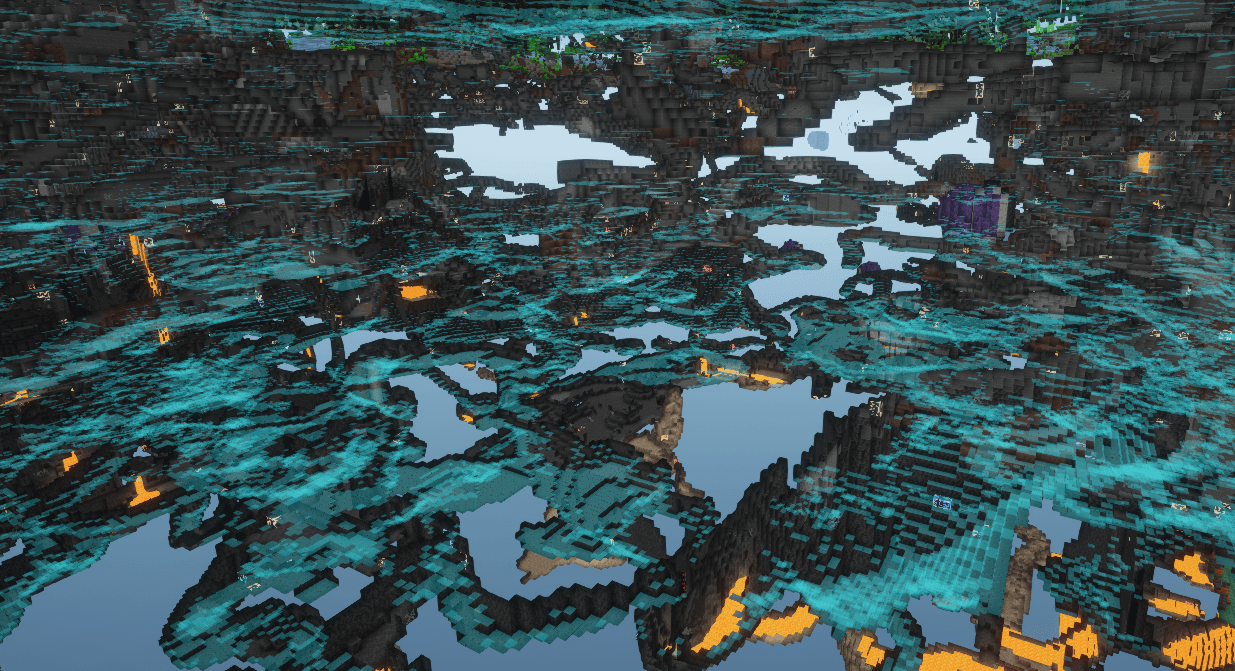
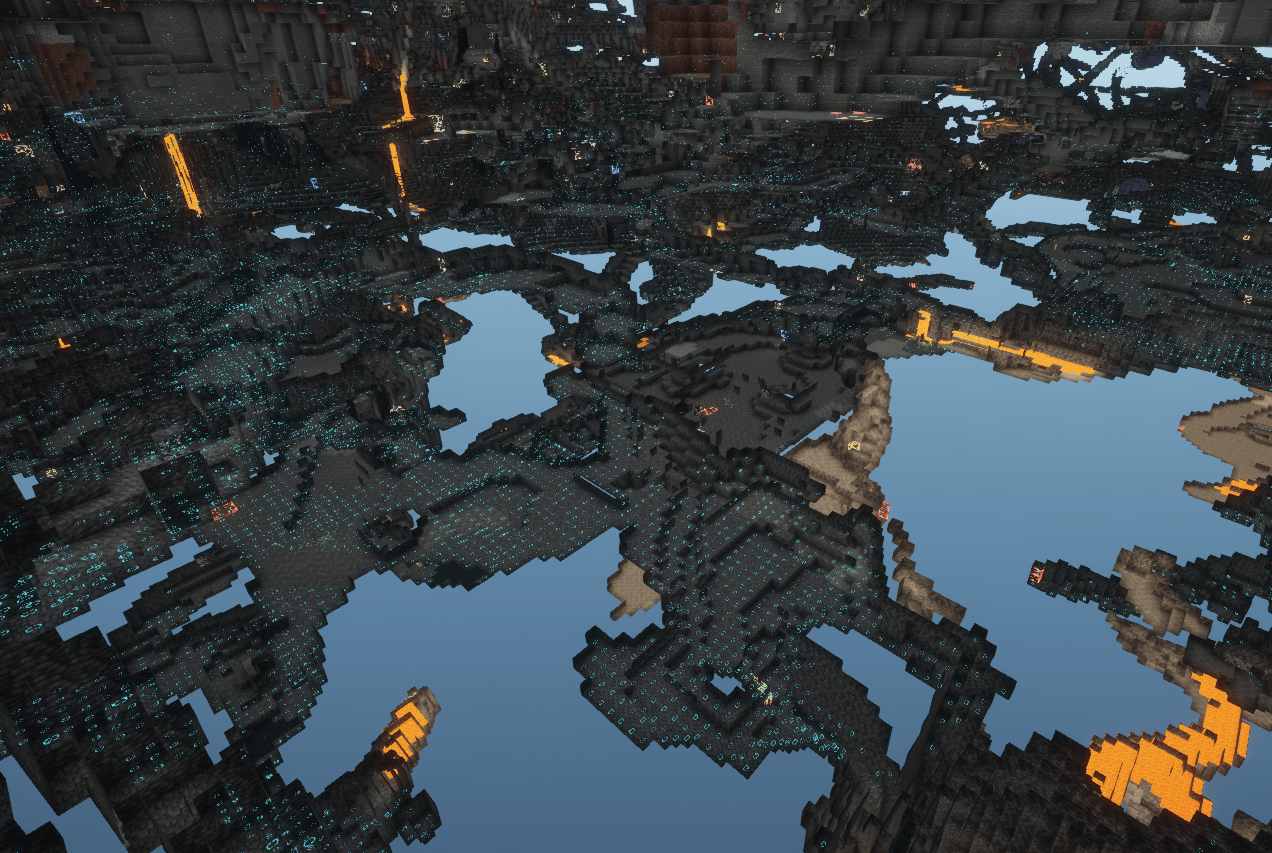
Find low-light mob-spawnable surfaces around you—even through walls—with customizable highlights and progressive scanning.
截图
介绍
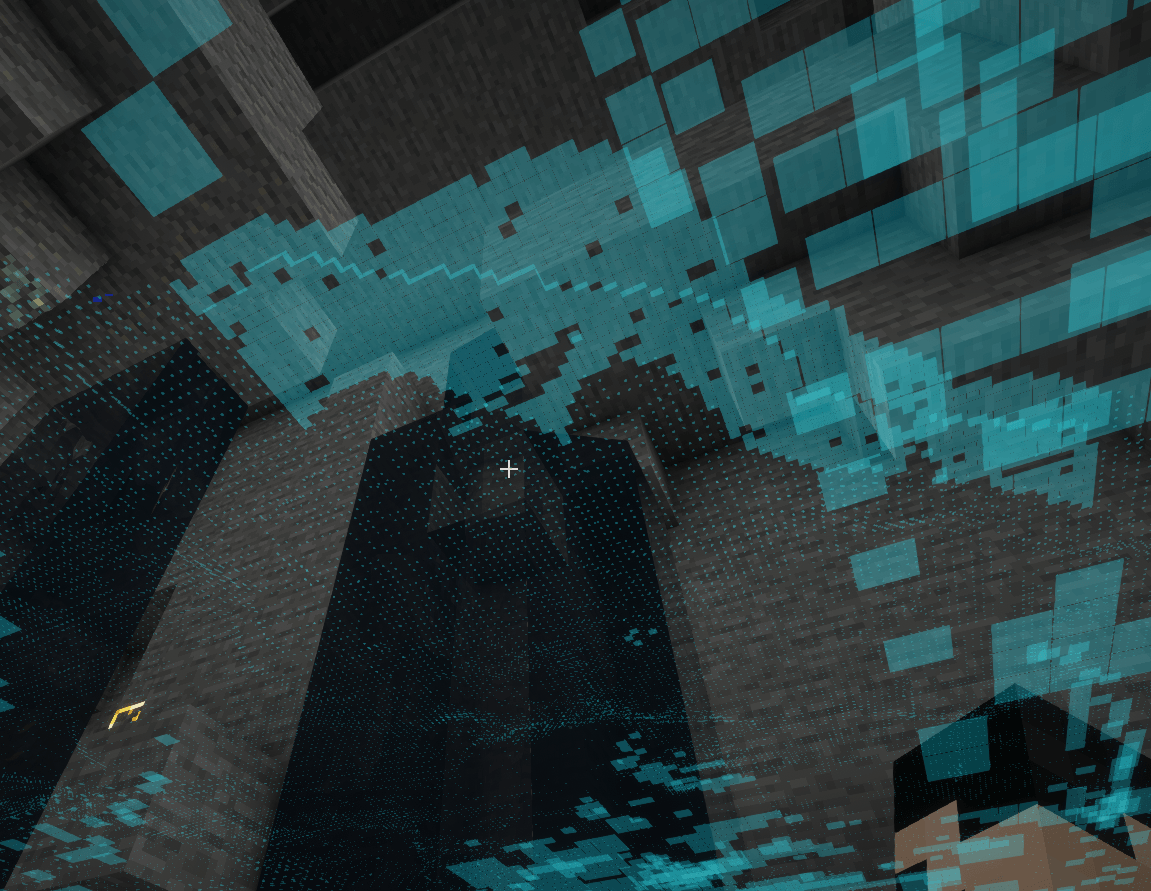
DarkFinder helps you find dark surfaces where ground-spawning hostile mobs can fit. It scans nearby loaded chunks over multiple frames, prioritizes areas closest to you, and highlights qualifying surfaces through walls.
Features
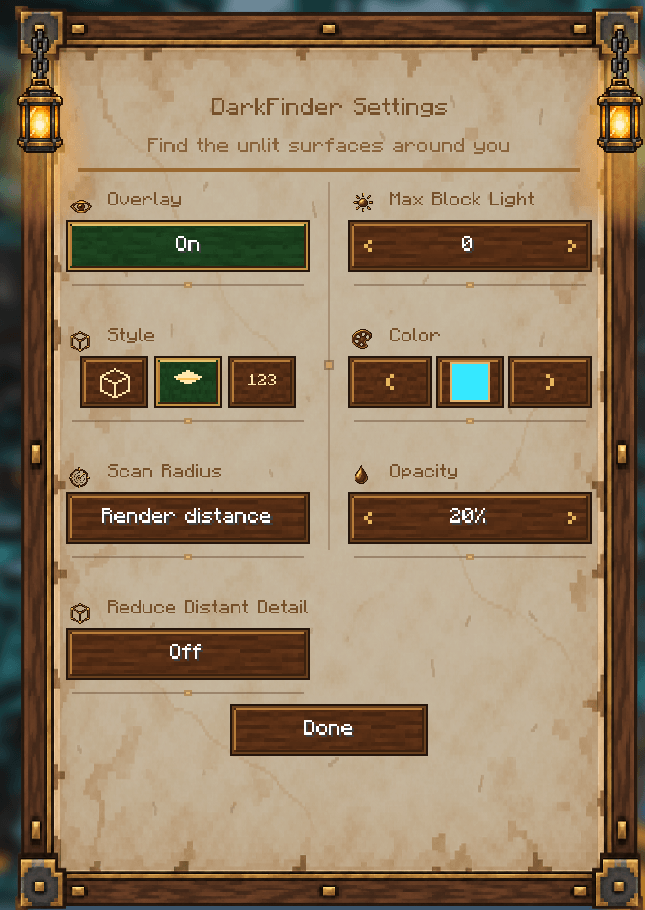
- Three highlight styles: block outlines, a carpet-like surface overlay, and light-level numbers.
- Configurable block-light threshold from 0 to 15.
- A choice of 16 standard Minecraft chat colors.
- Scan ranges of 8, 16, 24, or 32 blocks, or an option to follow your render distance.
- Optional smaller highlights at a distance to reduce rendering work.
- Progressive scanning of loaded chunks, starting with the nearest.
- Settings available with F8 or through Mod Menu when installed.
- Crash recovery that disables the overlay and uses a safer scan range after an unclean exit.
Requirements
- 26.1.2 jar: Minecraft 26.1.2, Fabric API for 26.1.2, Mod Menu 18.0.2+ (optional).
- 26.2 jar: Minecraft 26.2, Fabric API for 26.2, Mod Menu 20.0.3+ (optional).
- 26.3 jar: Minecraft 26.3, Fabric API for 26.3, Fabric Loader 0.19.5+, Mod Menu 21.0.0+ (optional).
DarkFinder is client-side. It reads blocks and block-light levels from chunks already loaded by Minecraft. It does not change blocks or send additional requests to a server. It highlights surfaces that meet the configured light threshold and have a valid support block and enough clear space for at least one registered ground-spawning hostile mob. Biome-specific spawn rules and random natural-spawn attempts are not simulated.
New installations start with the overlay off and a 24-block scan range. Press F8 to open settings and enable it. You can change the key in Minecraft’s Controls menu.
常见问题
DarkFinder 支持哪些 Minecraft 版本?
DarkFinder 支持 Minecraft Java 版 26.1.2–26.3,共 3 个版本,可用的加载器:Fabric。下载时注意选择和你游戏版本一致的文件。
DarkFinder 怎么安装?
先用 PCL2 或 HMCL 启动器安装对应版本的 Fabric,再把下载的 .jar 文件放进游戏目录的 mods 文件夹,重新启动游戏即可。开启了版本隔离的,mods 文件夹在 versions/版本名 下面。
kenace 的其他作品
查看全部 →
kenace’s Stash Finder
A client-side Fabric mod for finding items in previously opened storage, highlighting matching containers, searching open containers, and sorting their contents.

kenace’s Entity Counter
A client-side HUD that counts nearby mobs, dropped items, and hoppers, with customizable layout, compact cycling, colours, and positioning.

kenace’s Macro
Create client-side Minecraft macros for chat and commands using triggers, hotkeys, profiles, input forms, and chat-screen buttons.

kenace’s WorldEase
A client-side accessibility and comfort mod for Minecraft, with visual and sound controls, friendly mob appearances, movement and text options, and waypoint tools.
评论
登录后评论和评分