
Mob Senses: Mobs Hear Sound, Light & Voice Chat
Mobs hear you: steps, blocks, doors, fights and explosions, muffled by walls. Zombie awareness, stealth and horror survival for Forge, NeoForge, Fabric and Paper. Works server-side; with Simple Voice Chat mobs hear your voice too.
介绍

Mob Senses
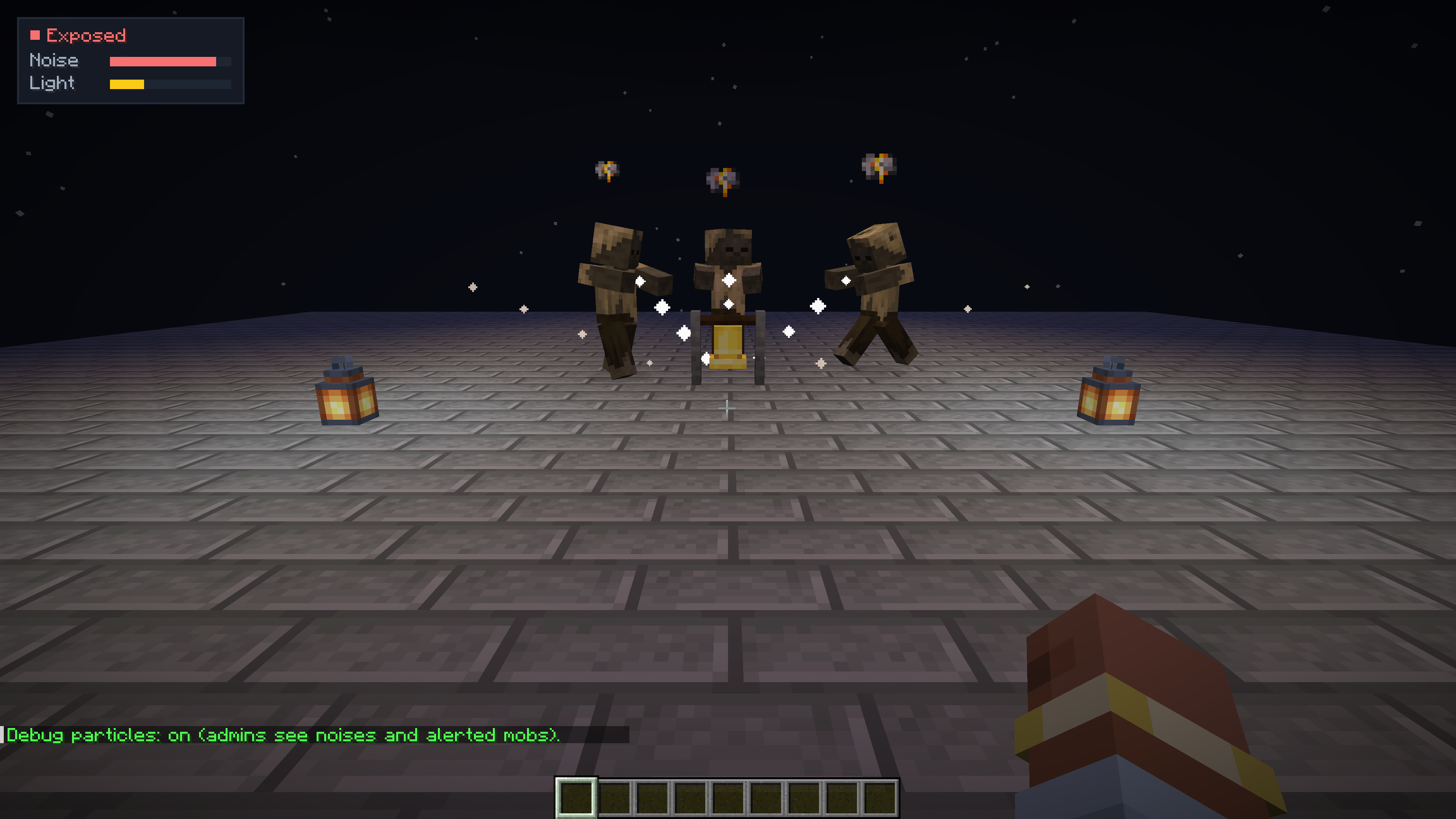
Mobs hear you, see your light, smell blood trails and, with Simple Voice Chat, hear your voice.
A server-side survival and stealth mod for Forge, NeoForge, Fabric and Quilt, for Minecraft 1.16.5 – 26.3.
Hostile mobs in vanilla notice you only within a fixed range. With Mob Senses they use their senses:
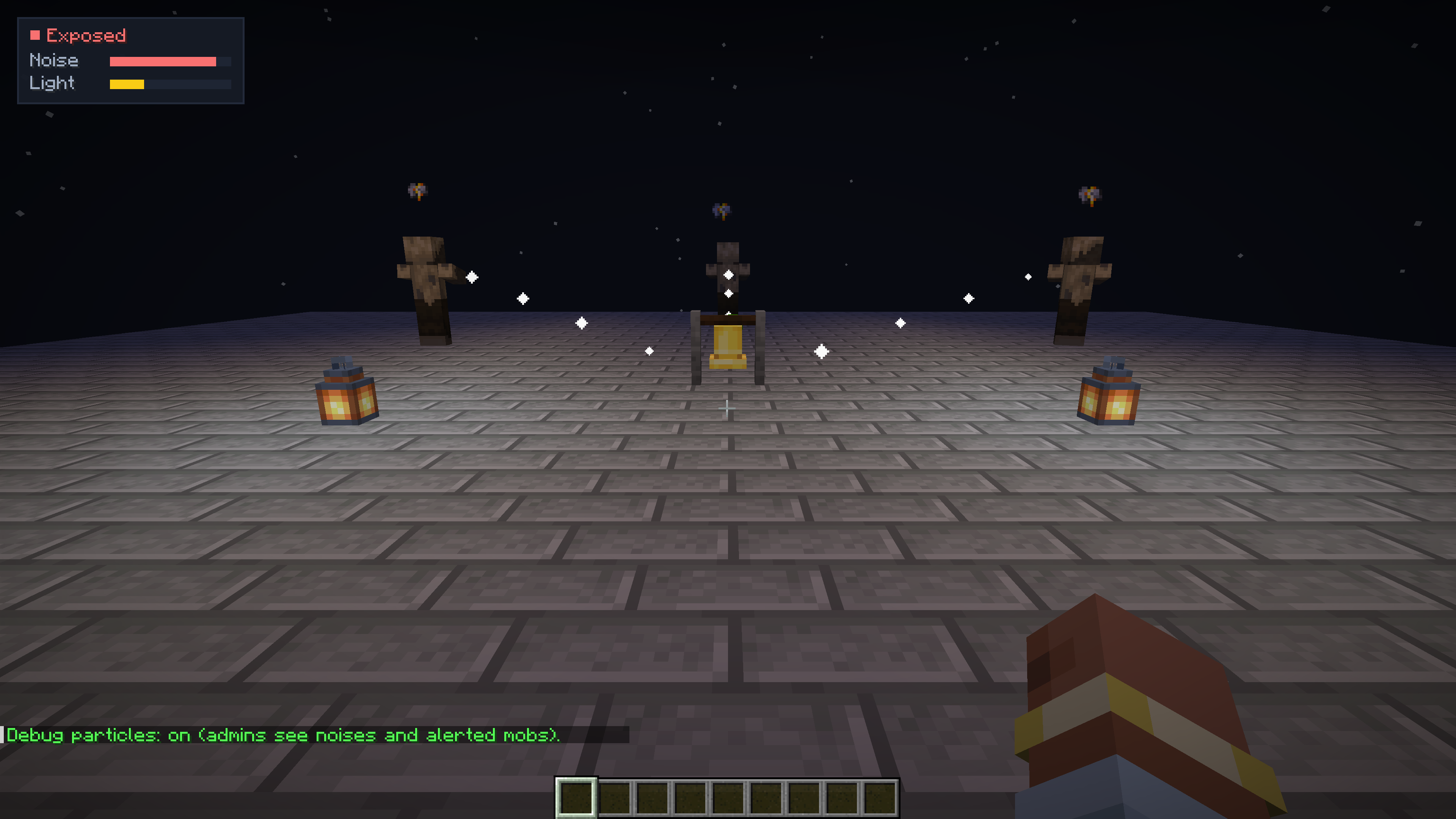
- Hearing. Running is loud, sneaking is quiet, wool muffles your steps and gravel gives you away. Breaking and placing blocks, doors, chests, fights, arrows, explosions, bells, note blocks and eating make noise too. A mob that hears it walks to where the noise came from, looks around and goes back to its business. Stone walls muffle noise, glass and wood less, an open door lets it through.
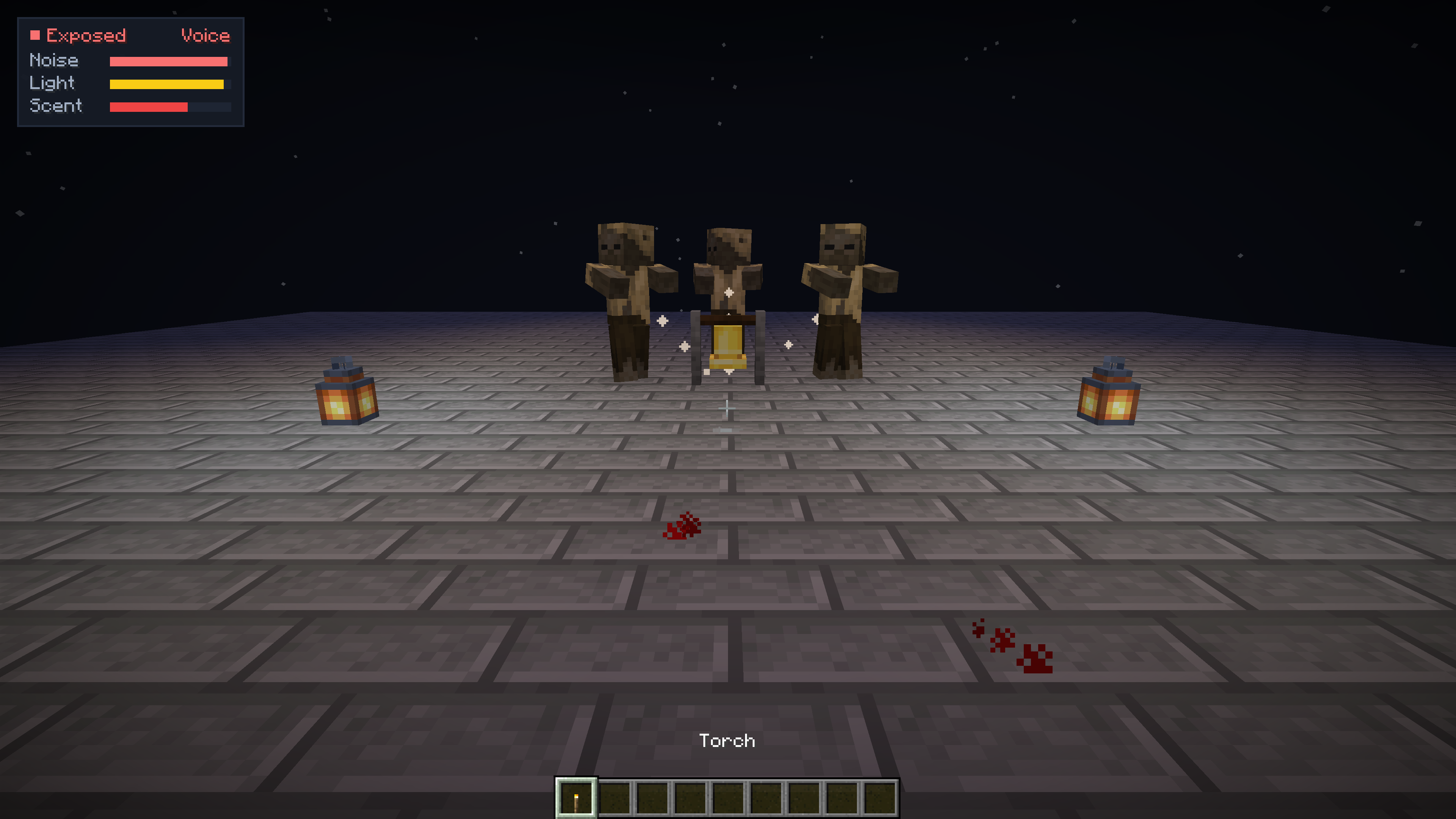
- Voice (with Simple Voice Chat). Mobs hear you talk. A shout carries far, a whisper only next to them; loudness is measured against each player’s own normal voice, so a quiet microphone gives no free stealth.
- Light and stealth. A torch or lantern in your hand makes you visible from afar; darkness and sneaking hide you.
- Scent. A badly wounded player (at or below half health) leaves a blood trail that zombies and spiders follow.
- Stealth HUD. Players who install the mod on the client see a compact indicator of their noise, light exposure, voice activity and blood scent.
Works like Zombie Awareness, for Minecraft 1.16.5 – 26.3 across Forge, NeoForge, Fabric and Quilt (and Paper / Purpur / Folia / Spigot via the plugin), with wall occlusion and voice chat built in.
Quick start
Server
- Put the mod’s
.jarintomods/(on Fabric and Quilt also Fabric API). - Start the server. Players join with any client, vanilla too: they need nothing.
- Choose how keen the senses are with
/mobsenses preset subtle|default|hardcore, or inmobsenses-server.properties.
Singleplayer: put the same .jar into .minecraft/mods/.
Simple Voice Chat is optional: without it everything but the voice works.
What works where
| Server with the mod | Server without the mod | |
|---|---|---|
| Player without the mod (vanilla client) | Everything: mobs hear, see and smell | Vanilla |
| Player with the mod | Everything, plus the noise and stealth HUD | Vanilla, plus the client noise and light HUD |
| Singleplayer | Everything | — |
Versions and files
| You run | Minecraft | File |
|---|---|---|
| Forge | 1.16.5 – 1.21.11, 26.1 – 26.3 | mob-senses-forge-neoforge-…+mc1.16.5-26.x.jar |
| NeoForge | 1.20.1 – 1.21.11, 26.1 – 26.3 | the same file |
| Fabric, Quilt | 1.16.5 – 1.21.11, 26.1 – 26.3 | mob-senses-fabric-…+mc1.16.5-26.x.jar + Fabric API |
One file serves every Minecraft version of its loader: it picks the right code when the game starts. Running Paper, Purpur, Folia or Spigot? Get the Bukkit plugin from the Bukkit Plugins page or GitHub Releases.
Commands
/mobsenses is for operators (level 2) and the console. Replies come in the player’s language (English, Russian, Ukrainian, German, Spanish, Portuguese, Chinese).
| Command | What it does |
|---|---|
/mobsenses or /mobsenses status |
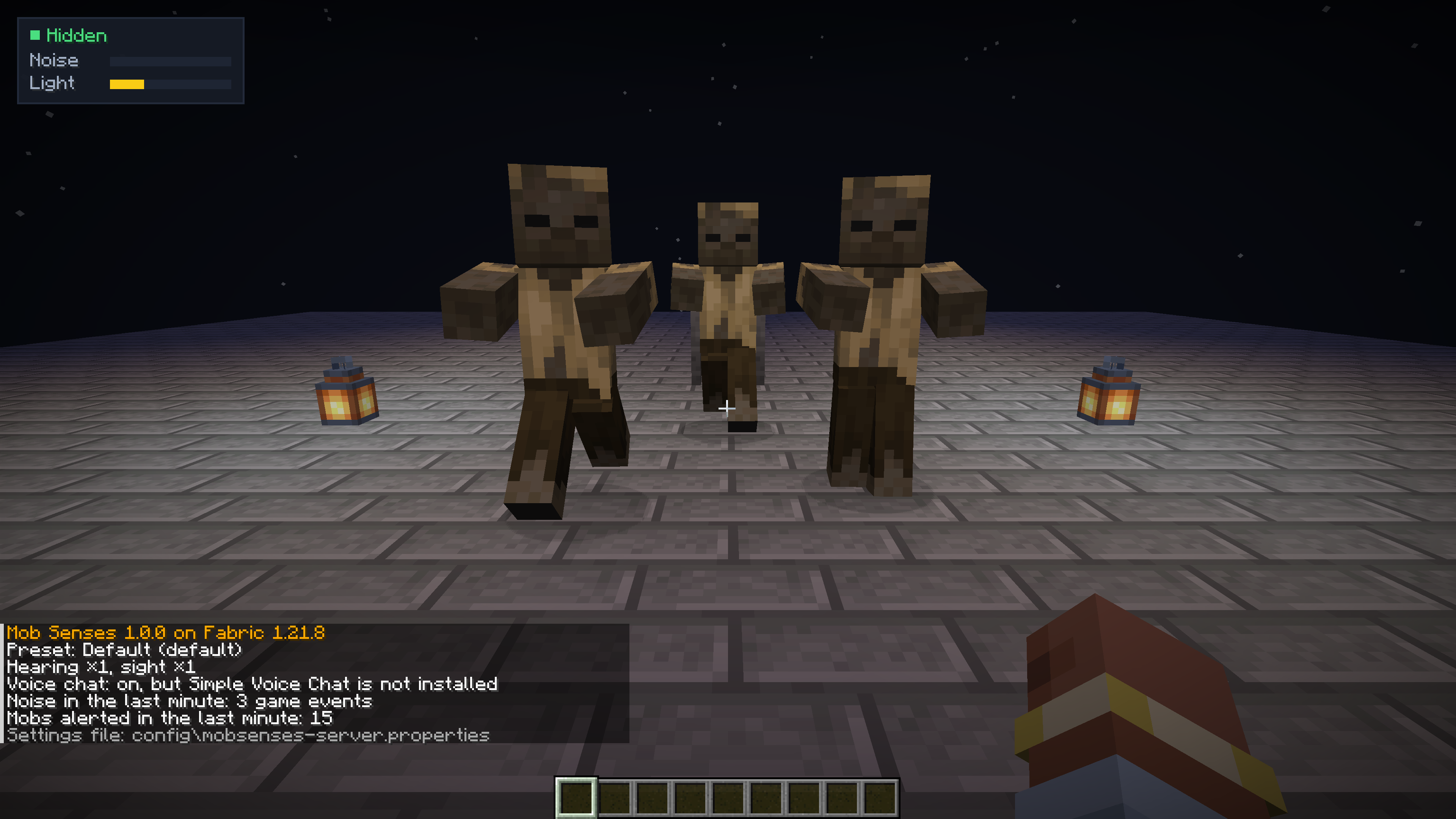
Version, preset, multipliers, voice chat, how much noise the server heard and how many mobs reacted in the last minute |
/mobsenses preset <off|subtle|default|hardcore> |
How keen the senses are; off makes mobs behave as in vanilla |
/mobsenses hearing <0-3> |
How far mobs hear, times the preset |
/mobsenses sight <0-3> |
How far mobs see you, times the preset |
/mobsenses voice <on|off> |
Whether mobs hear Simple Voice Chat |
/mobsenses debug [on|off] |
Particle traces for operators showing sound, light and scent paths |
/mobsenses world <world|here> <preset|inherit> |
A world’s own preset (inherit: back to the server’s) |
/mobsenses reload |
Read the settings file again |
/mobsenses help |
The list of commands |
| Preset | Hearing | Sight | For |
|---|---|---|---|
| Off | — | — | Vanilla mobs |
| Subtle | ×0.6 | ×0.8 | Builders’ servers: mobs notice only real noise |
| Default | ×1 | ×1 | Survival |
| Hardcore | ×1.6 | ×1.3 | Horror and hardcore: every step counts |
Compatibility
- Vanilla clients join a server with the mod; the mod does not change the network protocol.
- Custom and modded mobs: the
#mobsenses:listenersentity type tag controls which mobs investigate noise. - Other AI mods (In Control!, Enhanced AI, Improved Mobs): Mob Senses adds a low-priority investigation goal that yields immediately when a mob enters combat.
- Simple Voice Chat: optional; without it everything but the voice works.
<details>
<summary>🇷🇺 Русский</summary>
В обычном Minecraft враждебные мобы замечают вас только на фиксированном расстоянии. С Mob Senses у них появляются чувства:
- Слух. Бег громкий, шаг в приседе тихий, шерсть глушит шаги, а гравий выдаёт. Ломание и установка блоков, двери, сундуки, бой, стрелы, взрывы, колокола, нотные блоки и еда тоже шумят. Моб, который это услышал, идёт туда, откуда шёл звук, осматривается и возвращается к своим делам. Каменные стены глушат шум сильнее, стекло и дерево — слабее, открытая дверь пропускает.
- Голос (с Simple Voice Chat). Мобы слышат, как вы говорите. Крик разносится далеко, шёпот — только рядом; громкость отсчитывается от обычного голоса самого игрока, поэтому тихий микрофон не даёт бесплатной скрытности.
- Свет и скрытность. Факел или фонарь в руке делает вас заметным издалека; темнота и присед прячут.
- Запах. Сильно раненый игрок (половина здоровья или меньше) оставляет за собой след, по которому идут зомби и пауки.
- Индикатор скрытности. У игроков с модом на клиенте есть компактный индикатор собственного шума, заметности на свету, голоса и следа крови.
Быстрый старт
Сервер
- Положите
.jarмода вmods/(на Fabric и Quilt — ещё Fabric API). - Запустите сервер. Игроки заходят с любым клиентом, в том числе с чистым: им ничего ставить не нужно.
- Выберите чуткость мобов командой
/mobsenses preset subtle|default|hardcoreили вmobsenses-server.properties.
Одиночная игра: положите тот же .jar в .minecraft/mods/.
Версии и файлы
| У вас | Minecraft | Файл |
|---|---|---|
| Forge | 1.16.5 – 1.21.11, 26.1 – 26.3 | mob-senses-forge-neoforge-…+mc1.16.5-26.x.jar |
| NeoForge | 1.20.1 – 1.21.11, 26.1 – 26.3 | тот же файл |
| Fabric, Quilt | 1.16.5 – 1.21.11, 26.1 – 26.3 | mob-senses-fabric-…+mc1.16.5-26.x.jar + Fabric API |
Один файл подходит ко всем версиям Minecraft своего загрузчика: нужный код он выбирает сам при запуске.
Команды
/mobsenses доступна операторам (уровень 2) и консоли. Ответы приходят на языке игрока (русский, украинский, английский, немецкий, испанский, португальский, китайский).
| Команда | Что делает |
|---|---|
/mobsenses или /mobsenses status |
Версия, режим, множители, голосовой чат, сколько шума услышал сервер и сколько мобов отреагировало за последнюю минуту |
/mobsenses preset <off|subtle|default|hardcore> |
Насколько чутки мобы; off возвращает обычное поведение |
/mobsenses hearing <0-3> |
Как далеко мобы слышат, поверх режима |
/mobsenses sight <0-3> |
Как далеко мобы видят, поверх режима |
/mobsenses voice <on|off> |
Слышат ли мобы Simple Voice Chat |
/mobsenses debug [on|off] |
Частицы отладки для операторов: пути звука, света и запаха |
/mobsenses world <мир|here> <режим|inherit> |
Свой режим для отдельного мира (inherit — вернуть общий) |
/mobsenses reload |
Перечитать файл настроек |
/mobsenses help |
Список команд |
</details>
Issues · Source · License: MIT
常见问题
Mob Senses: Mobs Hear Sound, Light & Voice Chat 支持哪些 Minecraft 版本?
Mob Senses: Mobs Hear Sound, Light & Voice Chat 支持 Minecraft Java 版 1.16.5–26.3,共 33 个版本,可用的加载器:Fabric / Forge / NeoForge / Quilt。下载时注意选择和你游戏版本一致的文件。
Mob Senses: Mobs Hear Sound, Light & Voice Chat 怎么安装?
先用 PCL2 或 HMCL 启动器安装对应版本的 Fabric / Forge / NeoForge / Quilt,再把下载的 .jar 文件放进游戏目录的 mods 文件夹,重新启动游戏即可。开启了版本隔离的,mods 文件夹在 versions/版本名 下面。
Shamanalle 的其他作品
查看全部 →
Simple Voice Chat: Voice Physics
为 Simple Voice Chat 带来真实的距离语音效果:声音会随距离逐渐减弱,被墙壁阻隔后变得沉闷,能穿过门,并在洞穴中产生回声。提供 HUD、预设和声音区域;服务端墙体效果对未安装该模组的玩家也有效。

MultiClicker
适用于 Fabric、NeoForge 和 Forge 的连点器与挂机助手:支持自动攻击、自动进食、自动钓鱼、自动耕种、自动切换工具、快捷栏补充、挂机防踢,以及适用于刷怪、挖矿、耕种和钓鱼的快捷键。

Chat Items
Type [item], [inv] or [ender] in chat to show items with tooltips and read-only inventory snapshots. Server-side, vanilla clients welcome. Forge, NeoForge, Fabric, Paper. 1.16.5 - 26.3.
评论
登录后评论和评分