
Flashback Text
Adds the ability to place Text in the minecraft world in flashback replays.
截图
介绍
MOD SHOWCASE
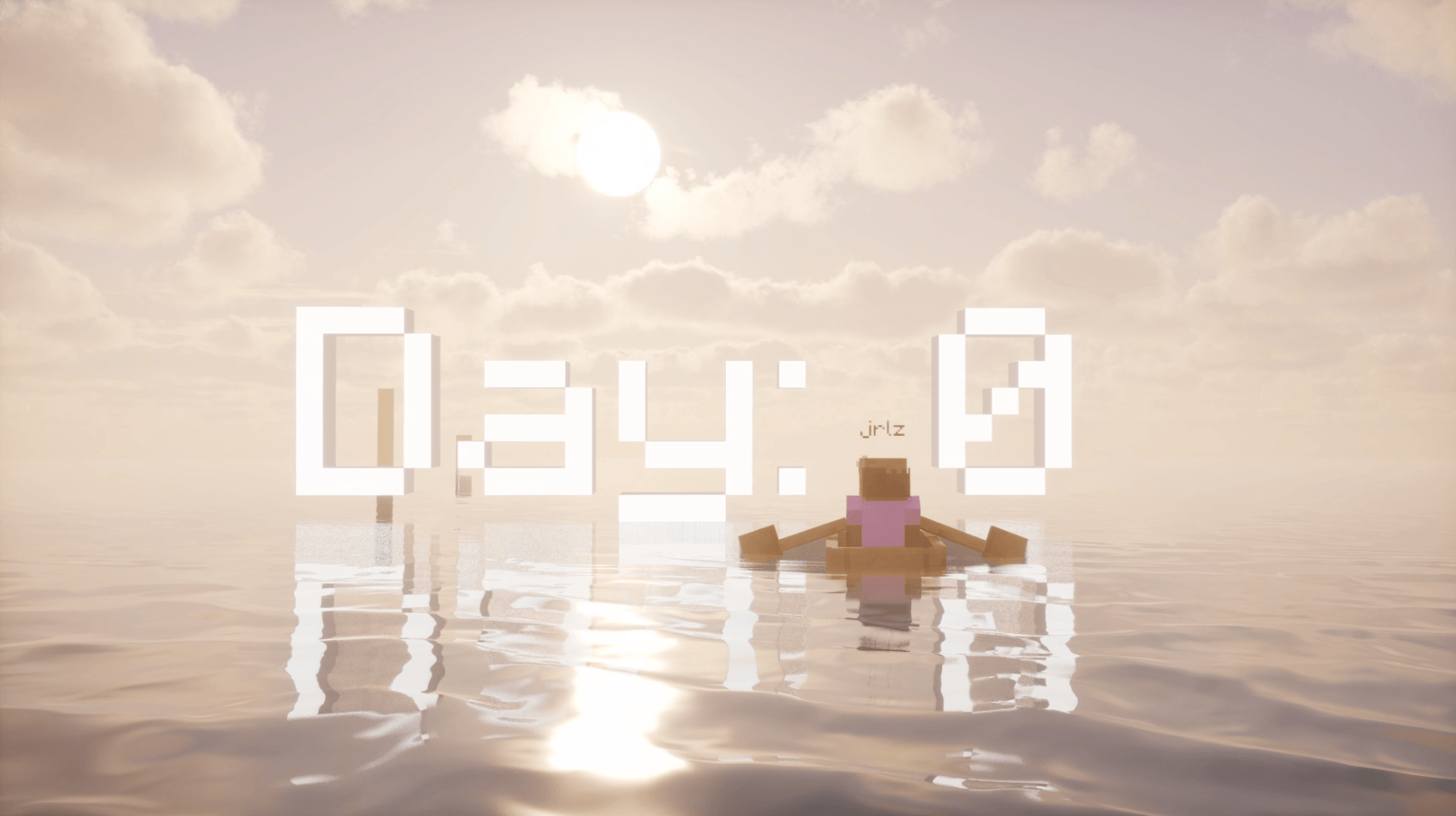
Flashback Text adds a Text element to the timeline of Flashback. You can place text in the world for titles, labels, captions and cinematics. The text is part of the 3D world/scene, so it appears in the video preview and in your exported videos.


How it works
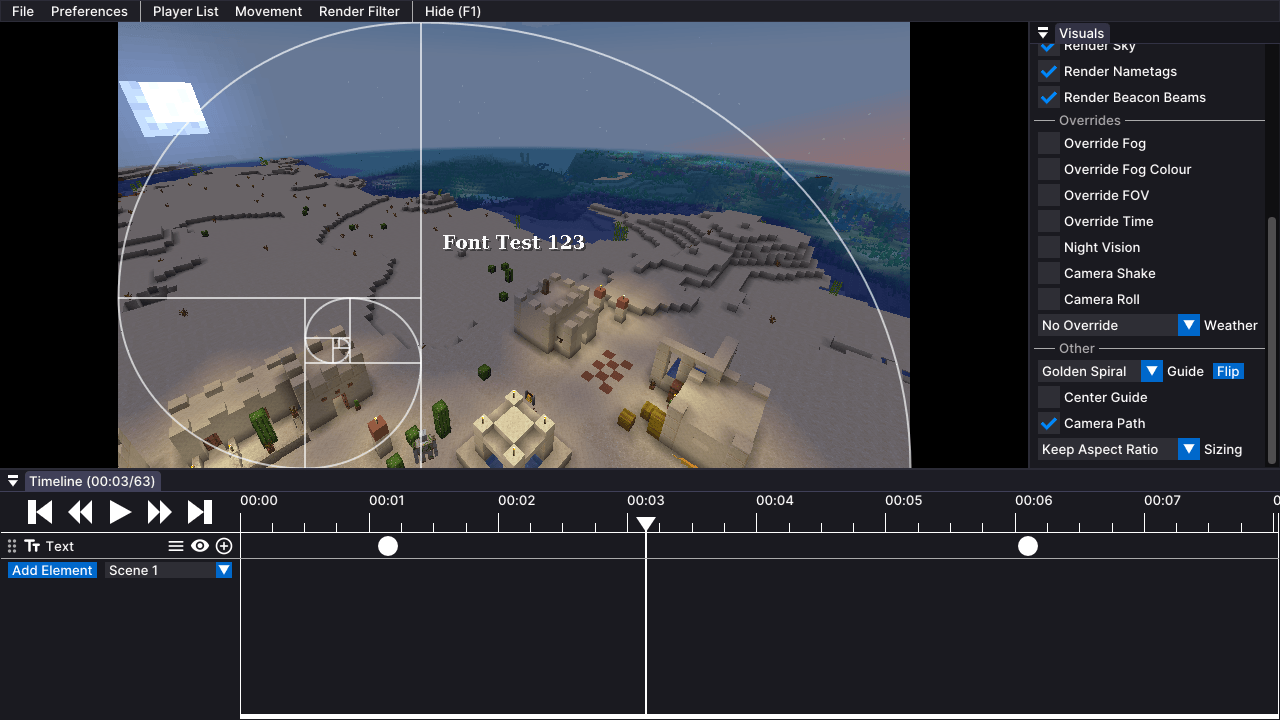
- Open a replay, click Add Element on the timeline and pick Text.
- Move the playhead to where the text should appear and press ⊕ to add a keyframe. The text is placed in front of the camera, facing it.
- Add a second keyframe where it should disappear.
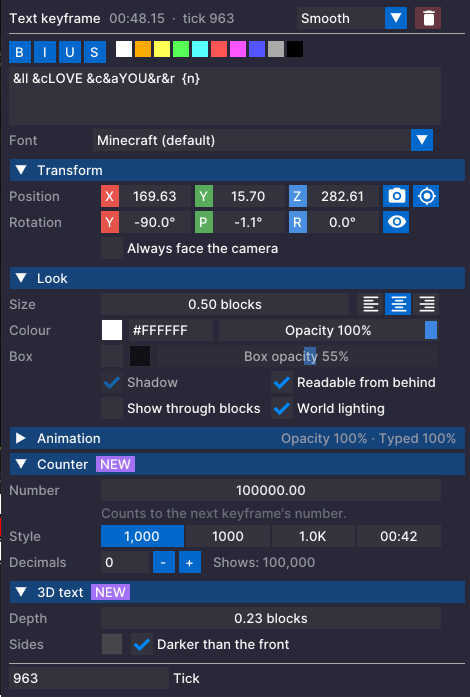
- Right click a keyframe to edit the text, how it looks and much more.
Updates
- 1.4.0 CURRENT: New settings UI with folding sections, formatting buttons and delete/type in the header. Added the Counter and 3D text. Fixed 3D text going flat from behind, 3D text not fading, and counters going past the number you set.
- 1.3.2: Fixed the background box hiding the text when a shader pack is on.
- 1.3.1: Fixed the camera and text jerking when they reach a keyframe. Added favorite fonts button.
- 1.3.0: Fixed text wobbling against the camera during camera moves. Added system fonts and the Guide dropdown.
- 1.2.3: Fixed Start Export not starting, and replay edits being lost after a restart, when a replay had text.
- 1.2.2: Different text on the next keyframe is now untyped, then the new text typed in.
- 1.2.1: The typewriter now types at an even speed between keyframes.
Features
- Text in the world at fixed coordinates and rotation (X Y Z, yaw, pitch, roll), like a real sign
- Several lines and Minecraft colour/format codes (
&cred,&eyellow,&lbold,&oitalic, and more) - Colour with transparency, size in blocks, left/centre/right alignment
- Optional background box (off by default) with its own colour
- Shadow, readable from behind, show through blocks and world lighting options
- Keyframe animation: position, rotation, size, colour and transparency blend between keyframes using Flashback’s interpolation types (Smooth, Linear, Ease, Hold…). Fade text in and out by keyframing its transparency.
- Typewriter effect that types at an even speed between keyframes. When the next keyframe has different text, the old text is untyped and the new text typed in.
- Counter: put
{n}in your text and it counts between keyframes, like 0 -> 1,000,000 or Day 1 -> Day 100. Set the number on each keyframe and pick a style (1,000 / 1000 / 1.0K / 00:42). Add a colour code in front of it like&c{n}to colour just the number. - 3D text: give your text depth in blocks so it looks like real solid letters. The sides are a darker shade of each letter’s colour, or pick your own side colour. Works with readable from behind and fades like normal text.
- New settings UI: everything is split into folding sections (Transform, Look, Animation, Counter, 3D text) so its easy to find. Formatting buttons add the colour/format codes for you, and the keyframe’s type and delete button are at the top.
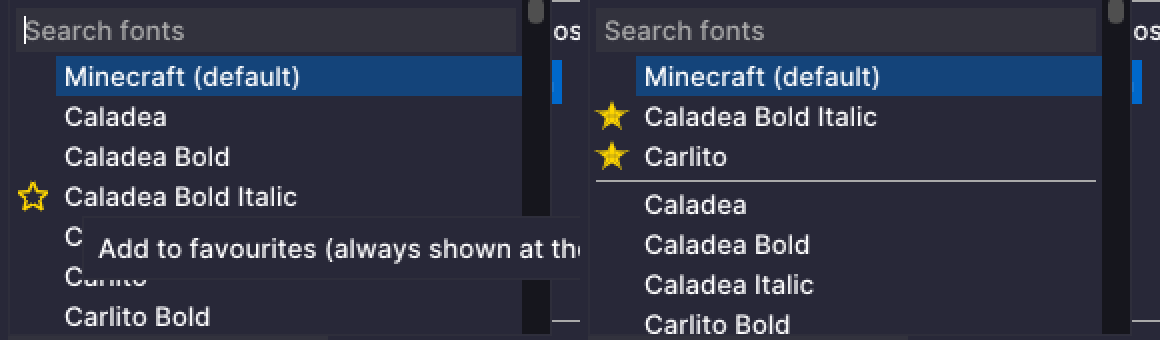
- System fonts: use any font installed on your computer, picked per keyframe from a searchable list. Minecrafts font stays the default. Click the ☆ next to a font to favourite it and keep it at the top of the list.
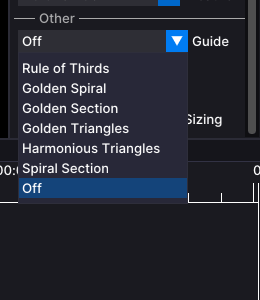
- Composition guides: the Rule of Thirds checkbox in Visuals -> Other becomes a Guide dropdown with Rule of Thirds, Golden Spiral, Golden Section, Golden Triangles, Harmonious Triangles and Spiral Section, plus a Flip button for the ones that have a direction. Saved per replay, shown in the editor only.
- Smooth keyframe joins: fixes the jerk when the camera or text reaches a keyframe, so motion keeps a steady speed through each Smooth keyframe. On by default, you can turn it off in Visuals -> Other to get Flashback’s original curve back.
- Works with shaders: tested with Iris and Solas, including the background box, 3D text and exports.
Requirements
- Minecraft 1.21.1
- Flashback for 1.21.1
- Fabric API
- Also runs on NeoForge through Sinytra Connector (with Forgified Fabric API), the same way Flashback does although some mods have compatibility issues.
Good to know
-
Don’t remove this mod while a replay has Text tracks. If Flashback opens that replay without Flashback Text, it can’t read the replay’s editor data and deletes it, camera keyframes included. Delete the Text tracks first if you want to uninstall.
-
This is an unofficial addon. It isn’t made or endorsed by Flashback’s author, and it contains no Flashback code.
-
Extra Yap
This mod will be cared for, tested, and quality controlled aswell as have bugs fixed, which you can join the discord for if you find any!
常见问题
Flashback Text 支持哪些 Minecraft 版本?
Flashback Text 支持 Minecraft Java 版 1.21.1,可用的加载器:Fabric。下载时注意选择和你游戏版本一致的文件。
Flashback Text 怎么安装?
先用 PCL2 或 HMCL 启动器安装对应版本的 Fabric,再把下载的 .jar 文件放进游戏目录的 mods 文件夹,重新启动游戏即可。开启了版本隔离的,mods 文件夹在 versions/版本名 下面。

评论
登录后评论和评分