
Item Chat Cards
作者:MTm9999
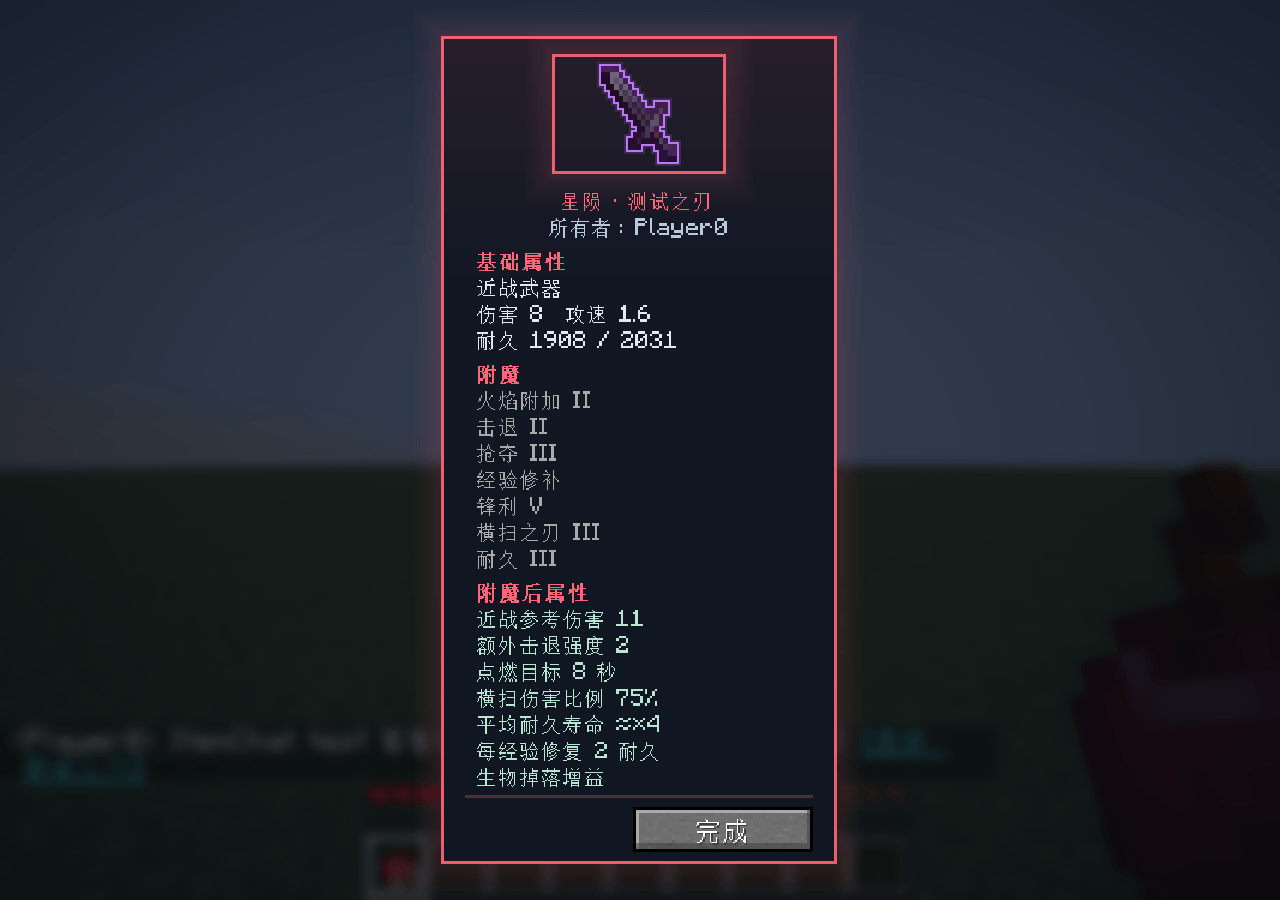
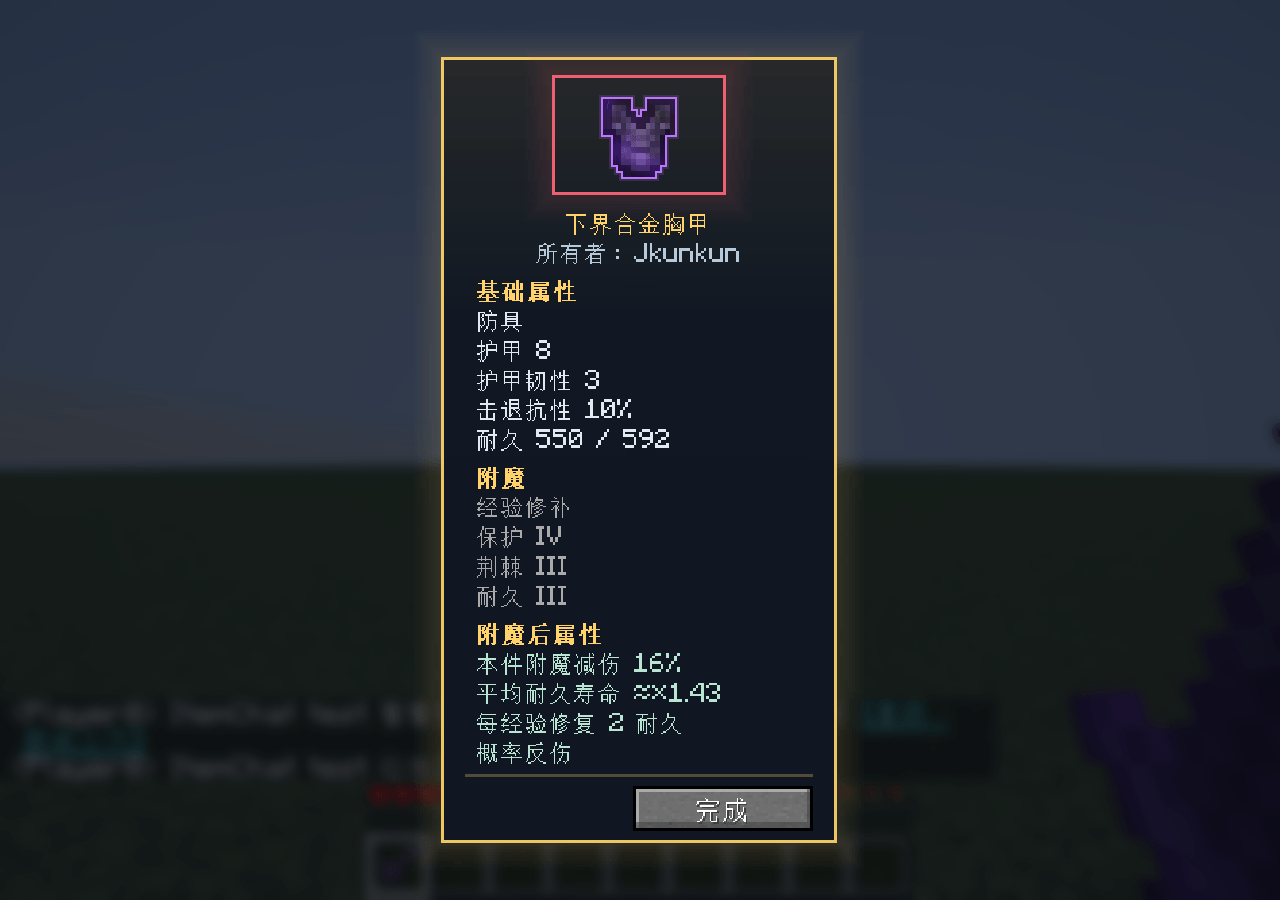
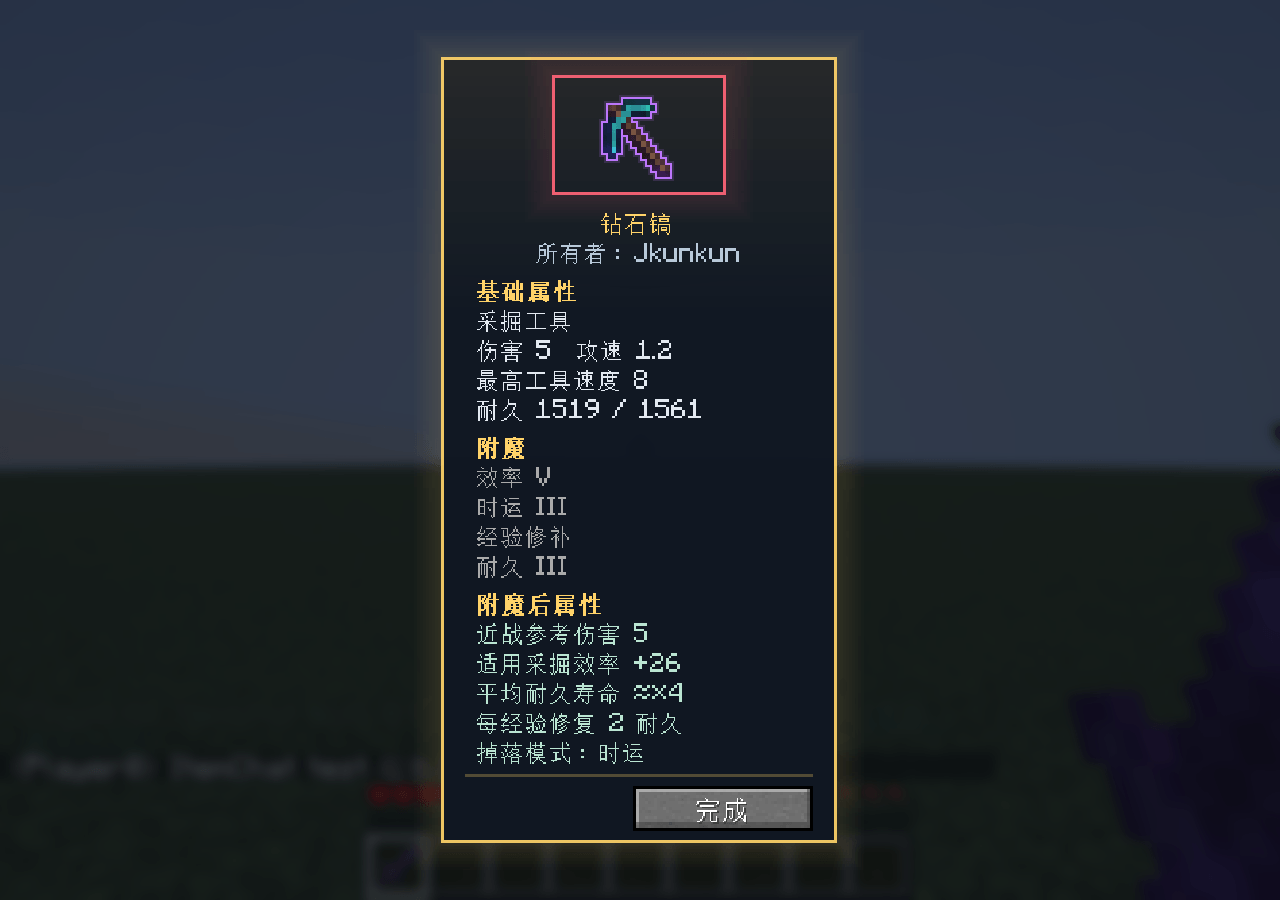
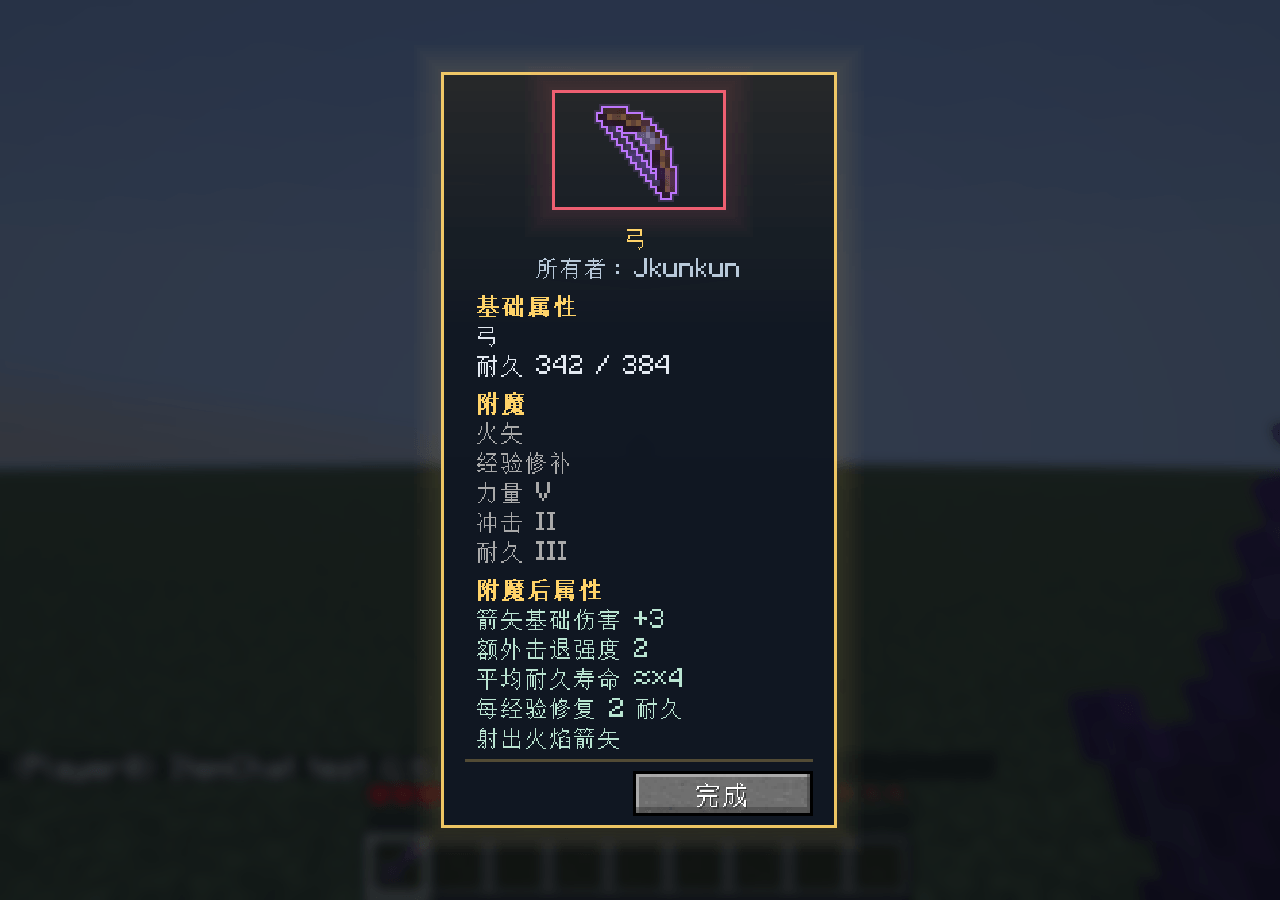
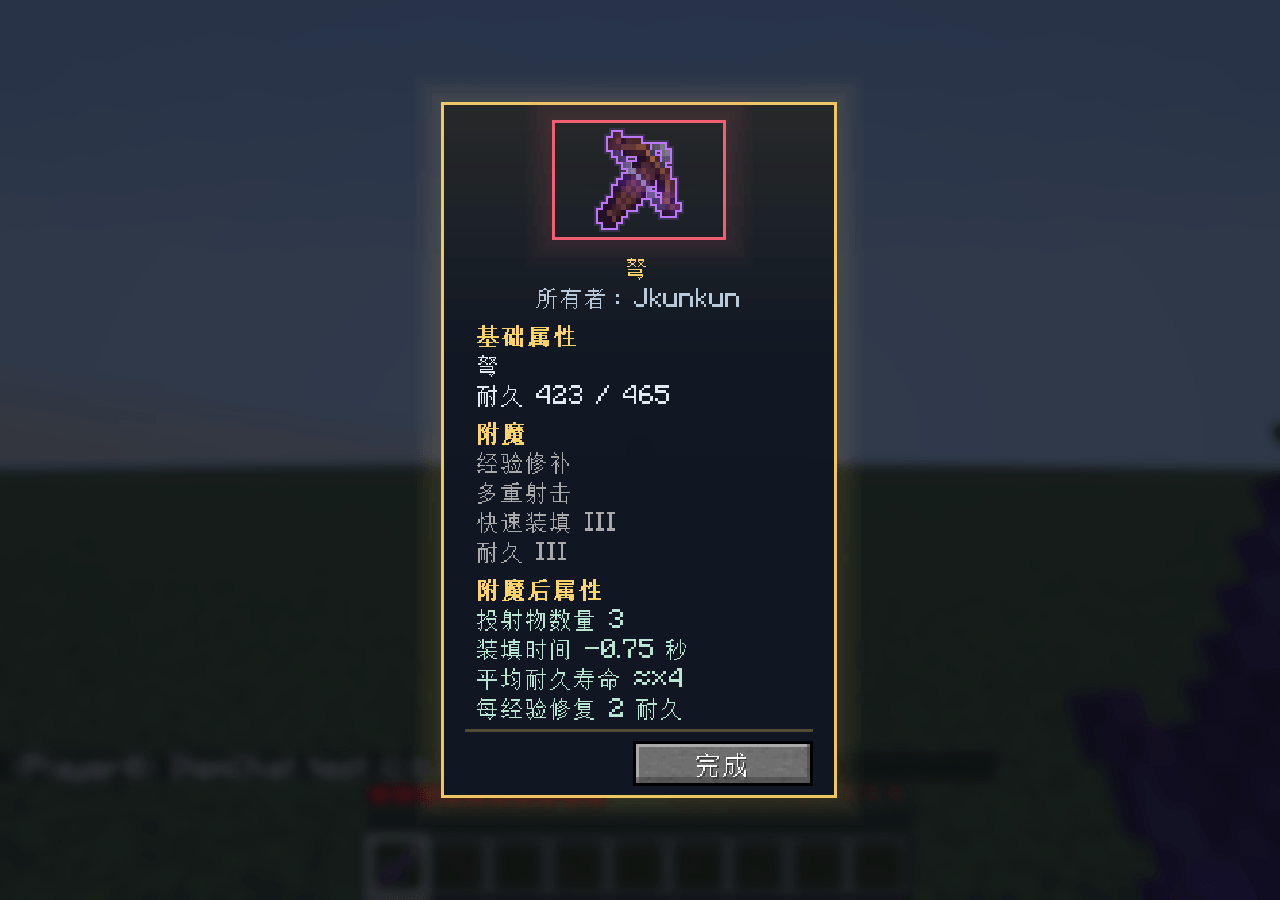
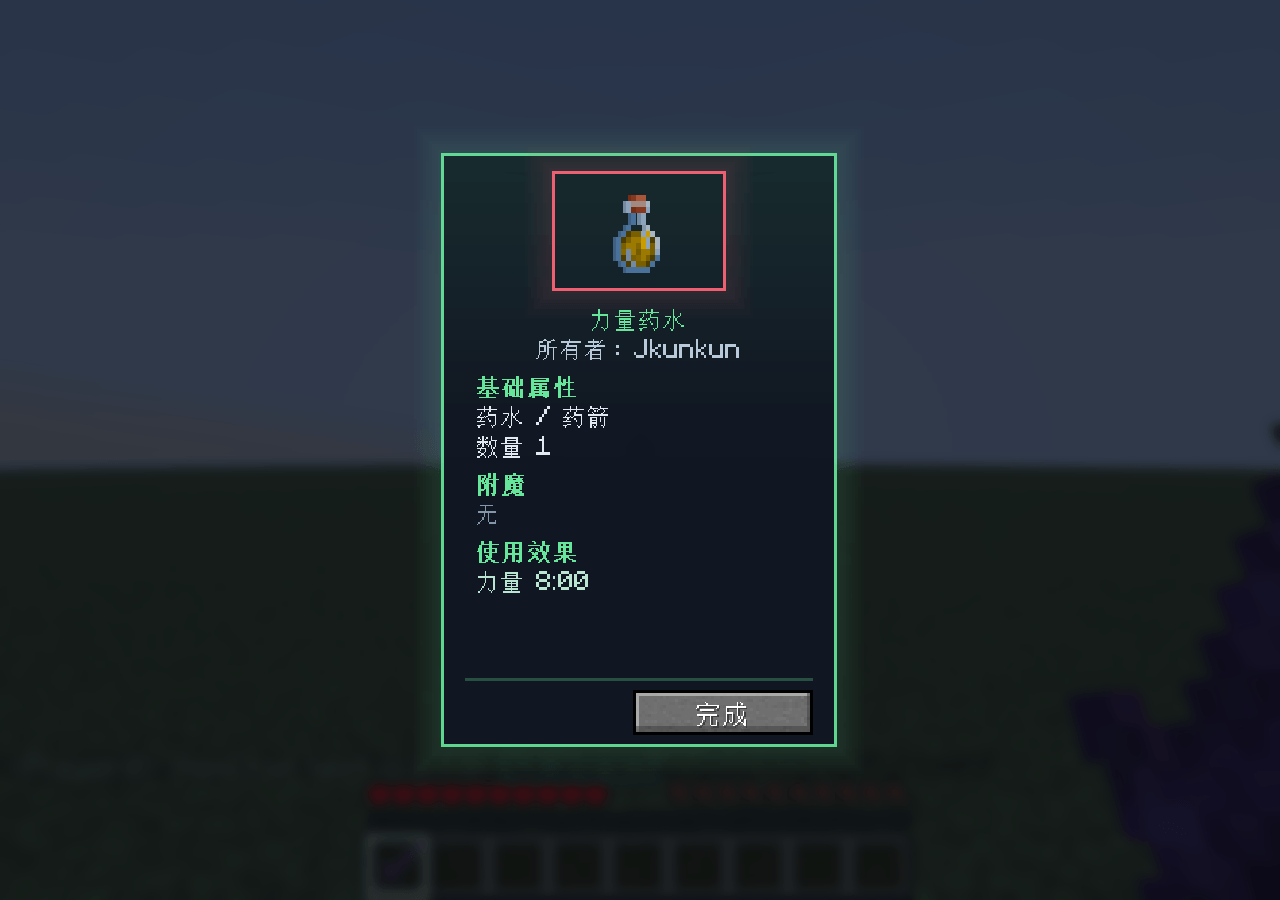
Type `[i]` in the chat to send the information of the item in your main hand.
截图
介绍
中文介绍正在准备中,下面暂时显示原文。
1.Item Chat Cards

Type `[i]` in the chat to send the information of the item in your main hand.

2.Features

- A slowly rotating item preview, enchanted-item outline, and decorative rarity borders.
- Enchantment effect references, including item-only damage reduction, target-specific melee damage, mining efficiency, expected durability life, and projectile bonuses.
- A server-created snapshot of the shared item. Viewing the card does not give, remove, or modify items.
- English and Simplified Chinese interface translations.

3.Requirements and installation

Minecraft Java Edition 26.3, Fabric Loader 0.19.5 or newer, Fabric API 0.165.0+26.3, and Java 25.

For multiplayer, install the same mod version on the server and every client that wants to view item details. For singleplayer, install it in the client instance. Replace older versions instead of loading multiple copies.

4.How to use

Hold an item in your main hand, send a chat message such as `Look at my [i]!`, and click the shared item name.

5.Stat references and limitations

Displayed values describe the shared item itself. They do not include the viewer's other equipment, potion buffs, target defenses, critical hits, or every special attack. Armor reduction describes this item's enchantments only. Durability life is an average multiplier, not an increase to maximum durability. Arrow bonuses are not guaranteed final hit damage.

Random or context-dependent abilities are summarized rather than assigned invented fixed outcomes. Custom modded effects may not be fully recognized. Rarity border colors are decorative and do not change item stats.

Shares are temporary: they can expire after up to 30 minutes, be evicted at the cache limit, or become unavailable after a server restart. Ask the sender to share the item again if a link no longer works.

6.Production disclosure

Development disclosure: substantial portions of the code and documentation were produced with generative AI assistance. The project icon is AI-generated branding artwork, not an in-game screenshot or an added item. Gallery images are actual in-game captures.
常见问题
Item Chat Cards 支持哪些 Minecraft 版本?
Item Chat Cards 支持 Minecraft Java 版 26.3,可用的加载器:Fabric。下载时注意选择和你游戏版本一致的文件。
Item Chat Cards 怎么安装?
先用 PCL2 或 HMCL 启动器安装对应版本的 Fabric,再把下载的 .jar 文件放进游戏目录的 mods 文件夹,重新启动游戏即可。开启了版本隔离的,mods 文件夹在 versions/版本名 下面。
评论
登录后评论和评分