
Advancement
Click any advancement to see how to get it and exactly what you're still missing, then track it above your hotbar
介绍
Advancements
Know exactly what an advancement still needs. Click any advancement and see how to get it and what you are missing, then track it right above your hotbar.
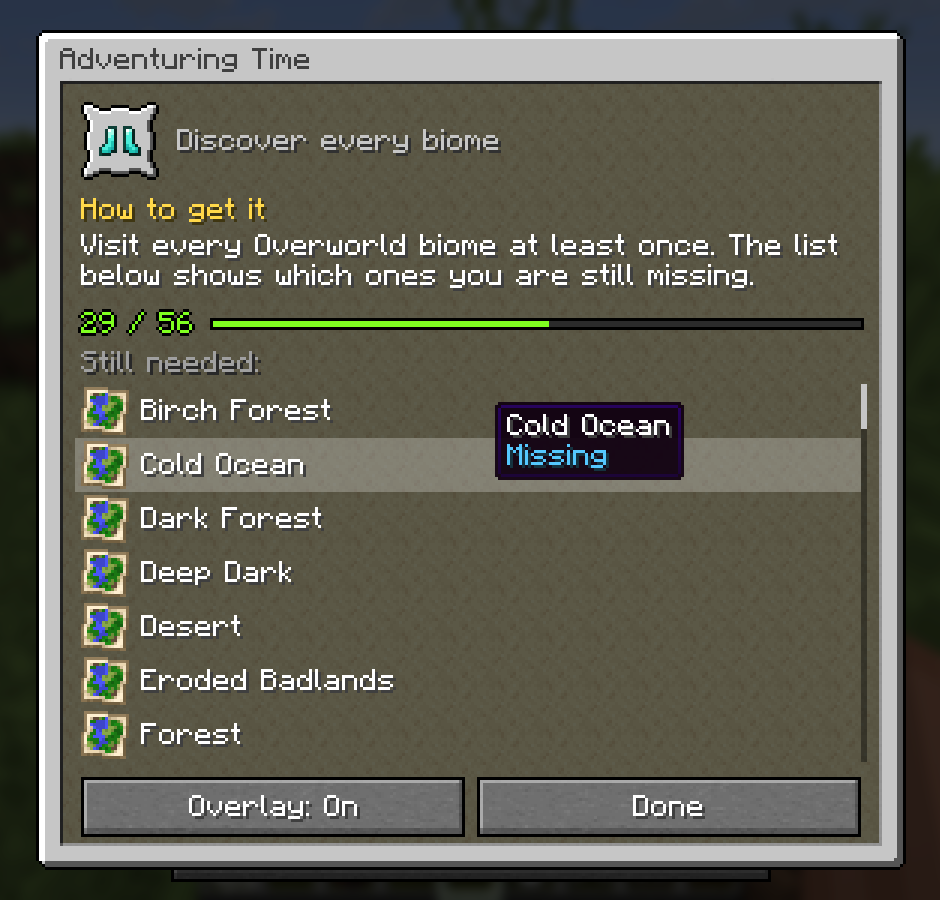
Click any advancement
Open your advancements (L) and click one. A small window in the same style explains it:
- How to get it: written for every one of Minecraft’s 126 advancements. What to do, where to go, and a tip where it helps.
- Your progress, like 29 / 56.
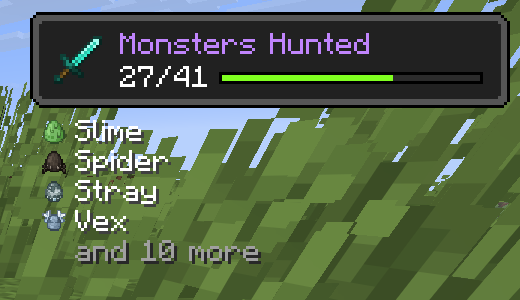
- Still needed: every biome you have not visited for Adventuring Time, every food you have not eaten for A Balanced Diet, every mob for Monsters Hunted, every cat, wolf and frog variant, every armor trim. Hover a part you have to see when you got it.
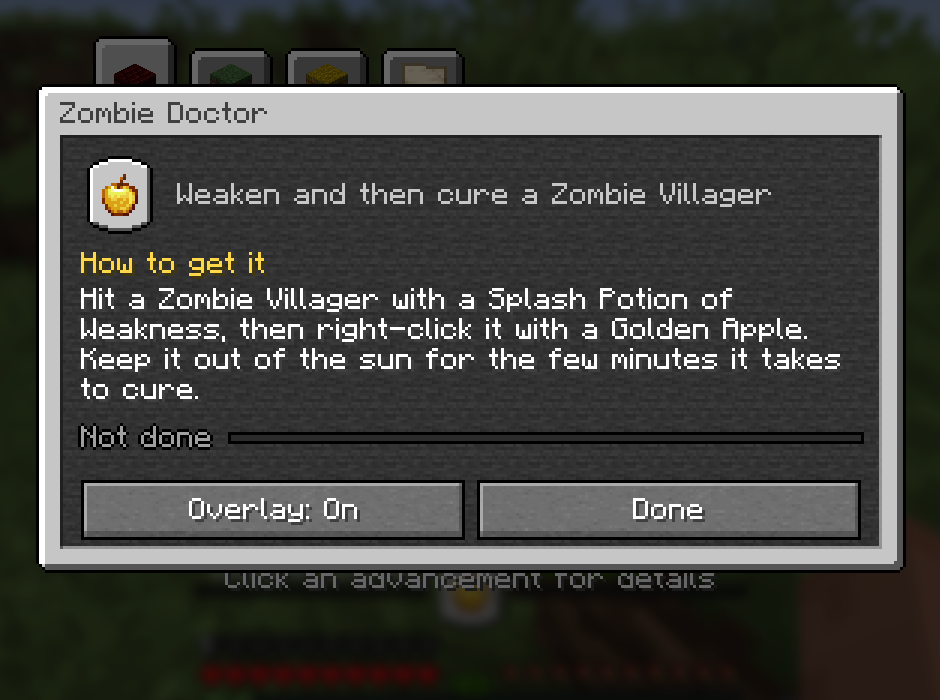
Track it while you play
Press Overlay: On and the advancement sits right above your hearts and food: its icon in the middle, the progress bar running out to both sides.
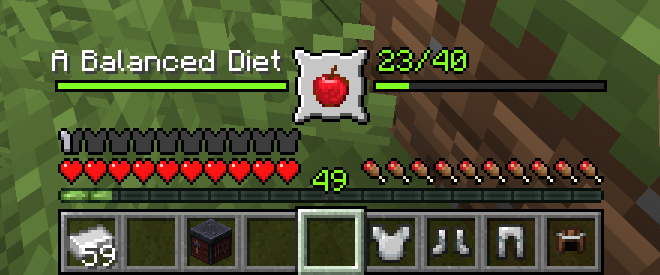
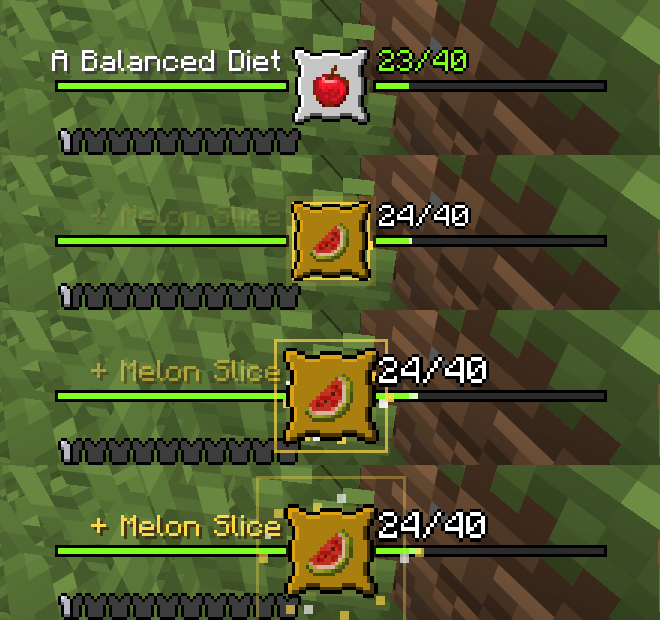
Every time you get a new part, the frame pops, a gold ring and sparks burst out, the new item shows up and a chime plays that gets higher the closer you are. Finish it and you get a bigger celebration.
Prefer it out of the way? Put it in a corner as an advancement toast with the next missing parts below it.
Works everywhere
Client only. Works in singleplayer and on any server, vanilla servers included. Advancements from other mods and data packs work too.
Requires Mycel. Fabric, Forge and NeoForge, Minecraft 26.1 to 26.3. Wiki · Discord
常见问题
Advancement 支持哪些 Minecraft 版本?
Advancement 支持 Minecraft Java 版 26.1–26.3,共 5 个版本,可用的加载器:Fabric / Forge / NeoForge。下载时注意选择和你游戏版本一致的文件。
Advancement 怎么安装?
先用 PCL2 或 HMCL 启动器安装对应版本的 Fabric / Forge / NeoForge,再把下载的 .jar 文件放进游戏目录的 mods 文件夹,重新启动游戏即可。开启了版本隔离的,mods 文件夹在 versions/版本名 下面。
MyCeliumGG 的其他作品
查看全部 →
MyCel
所有MyCelium模组的前置库。与其中任意模组一起安装。本身不添加任何玩法。

Better Pets
通过完整的宠物菜单,寻找、召唤、重命名并保护你的狗、猫、鹦鹉和马,即使在未加载的区块中也可以。

Auto Block Refiller
建造时,空的快捷栏槽位会自动从你的物品栏中补充方块。

Instant XP PickUp
你附近的经验球会被立即拾取,而经验修补、声音和统计数据仍然有效。范围可配置。
评论
登录后评论和评分