截图
介绍
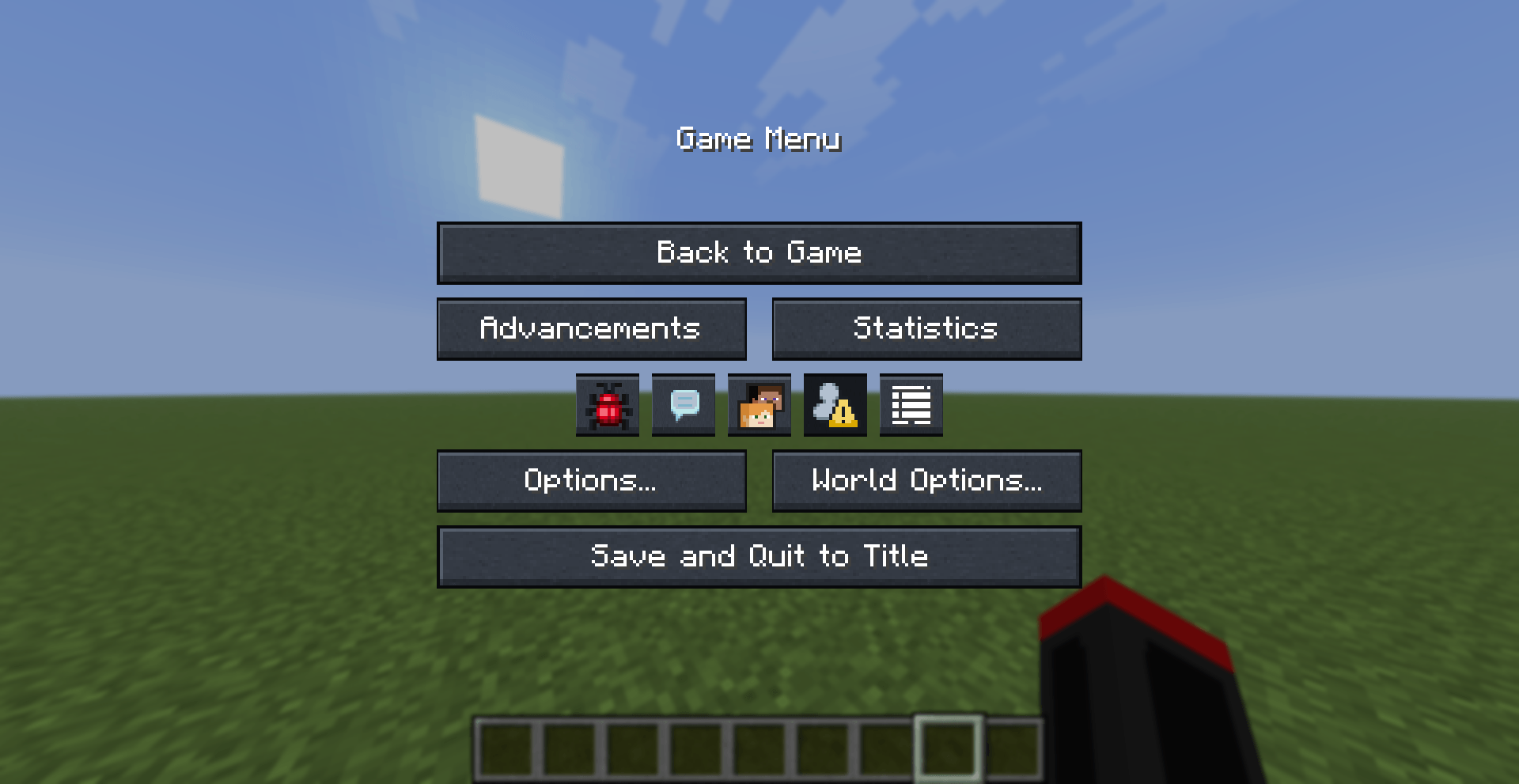
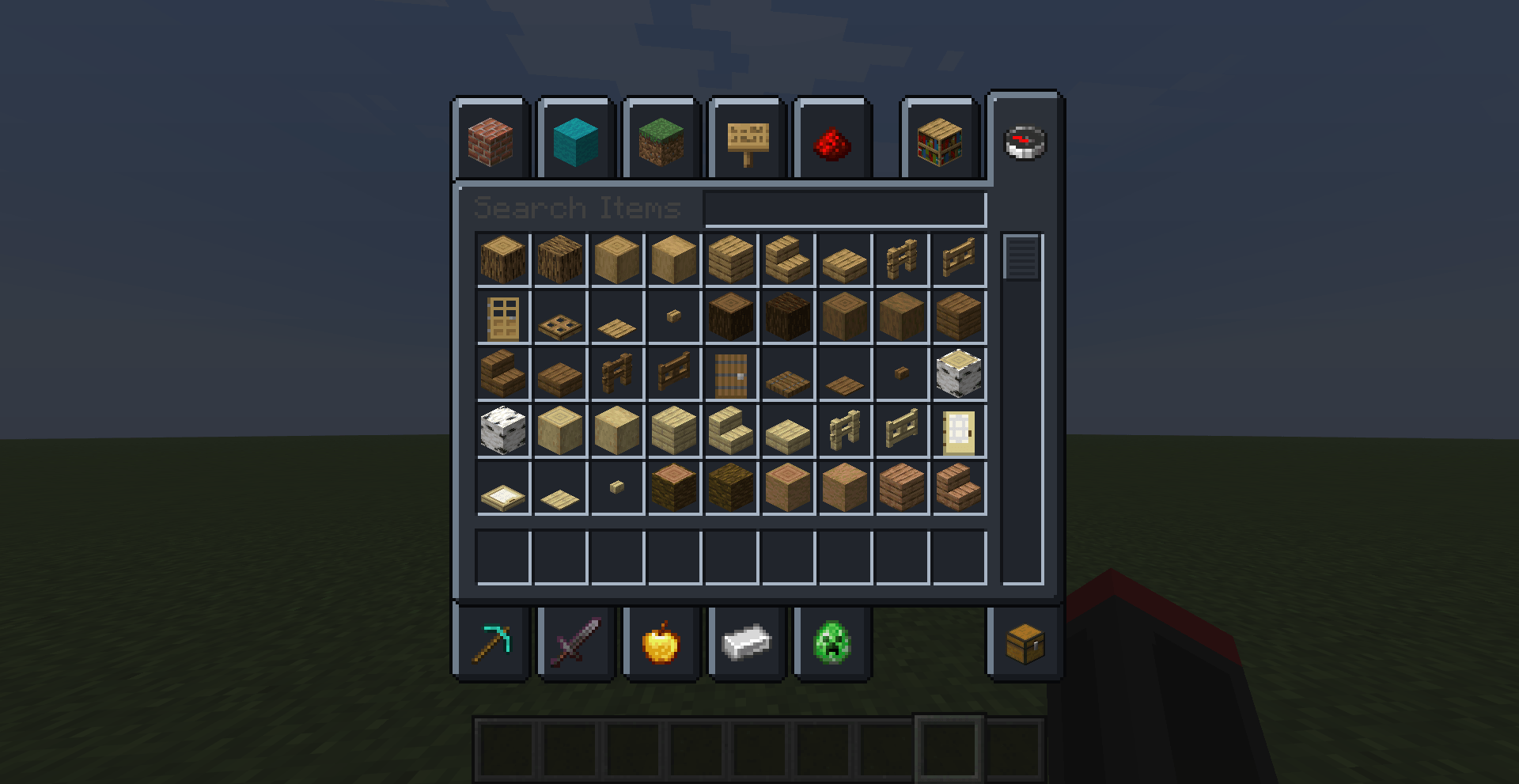
Dark Mode turns Minecraft 26.3’s bright interface into one deep, low-glare slate theme. Every container GUI – chests, shulkers, furnaces, the crafting table, the recipe book, the anvil, the beacon, the creative inventory – is rebuilt from the vanilla templates with a charcoal palette, and the same treatment runs through the pause menu, options, world list and multiplayer list. The title-screen backdrop is left alone, so the lobby or world behind the menu still shows through. Layouts, slot positions and hit areas stay pixel-identical, so nothing moves; only the light changes. Bright beige panels give way to recessed slate slots, cool slot highlights and soft outer bevels, while functional accents – furnace flames, progress arrows, redstone, ping bars and warning icons – keep their colour so you never lose a signal. The result is a calmer, darker interface that is easier on the eyes during long sessions and makes every item in your inventory instantly readable.
常见问题
Dark Mode UI 支持哪些 Minecraft 版本?
Dark Mode UI 支持 Minecraft Java 版 26.3。下载时注意选择和你游戏版本一致的文件。
Dark Mode UI 怎么安装?
把下载的 .zip 文件(不用解压)放进游戏目录的 resourcepacks 文件夹,进游戏后在「选项 → 资源包」里把它移到右边启用。
RavenYT 的其他作品
查看全部 →
Gammaless
This resource pack lets you see in the dark!
Ore Border
This resource packs lets you see ores more clearly!
Elytra and chestplate
This mod lets you use your elytra and chestplate at the same time

Food Value
This resource pack lets you preview how much hunger you regen from diffrent foods
评论
登录后评论和评分