
Story Mode old Super TNT Textures
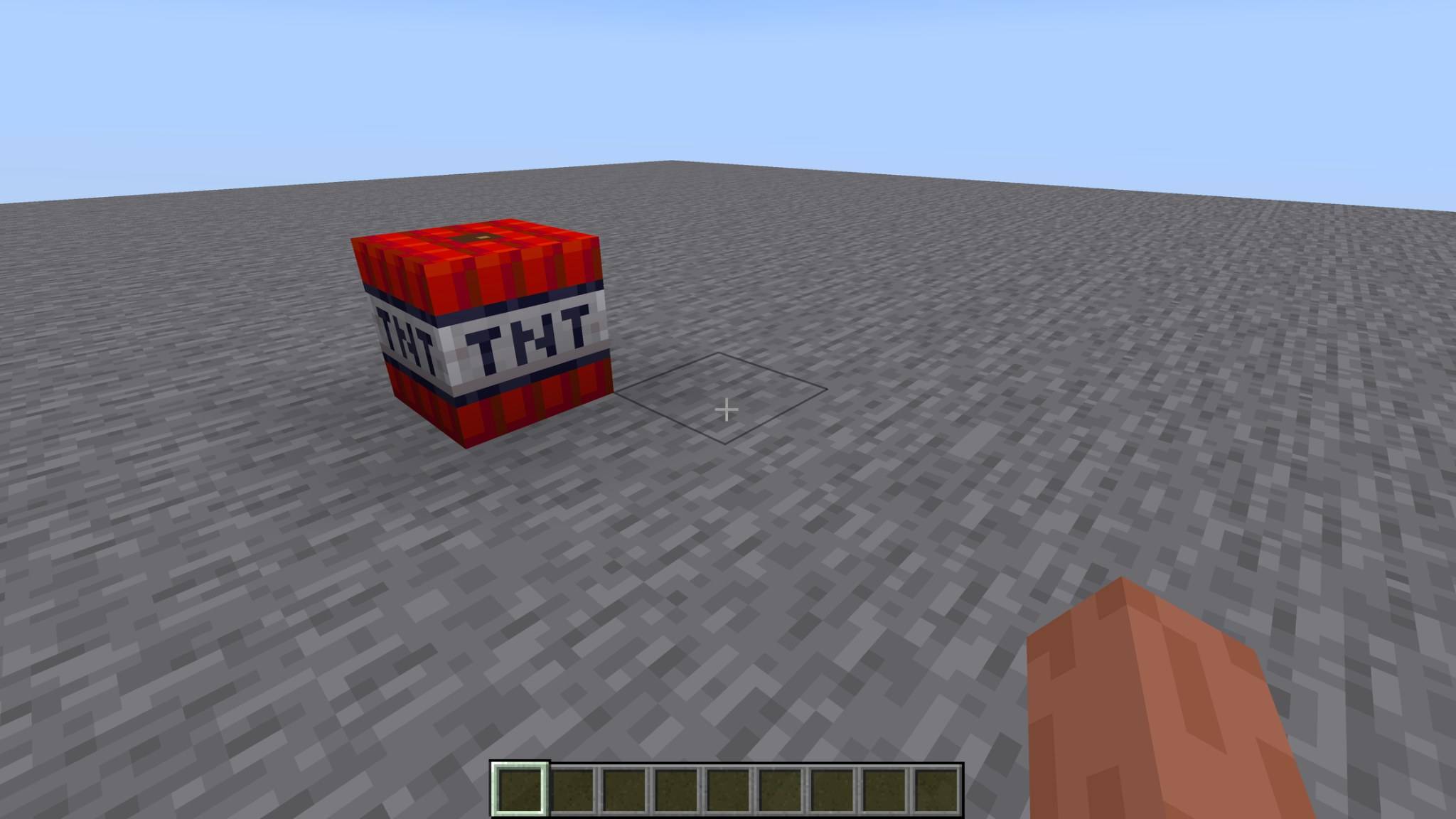
Restores the unused Minecraft: Story Mode beta Super TNT textures in Cracker's Wither Storm Mod!
截图
介绍
Minecraft: Story Mode Beta Super TNT Textures
Restore the original beta Super TNT textures from Minecraft: Story Mode!
This resource pack brings back the unused Super TNT textures that were originally intended to be used for Super TNT during the beta development of Minecraft: Story Mode.
These textures were part of an older Minecraft: Story Mode TNT texture pack I created a while ago. I decided to bring them back and make them work with Super TNT from Cracker’s Wither Storm Mod!
Instead of simply creating a new TNT appearance, this pack aims to restore a piece of Minecraft: Story Mode’s early development history.
Features
-
Restores the intended Minecraft: Story Mode beta Super TNT appearance
-
Custom Super TNT side, top, and bottom textures
-
Reuses textures from my older Minecraft: Story Mode TNT pack
-
Works with Cracker’s Wither Storm Mod
-
No changes to explosions, behavior, or gameplay
Supported Versions
-
Minecraft 1.16.5 — Wither Storm Mod 1.0.3
-
Minecraft 1.20.1 — Wither Storm Mod 4.2.1
Requirements
-
Minecraft Forge
-
Cracker’s Wither Storm Mod
-
The matching resource pack version
Installation
-
Install Cracker’s Wither Storm Mod.
-
Download the resource pack for your Minecraft version.
-
Place the ZIP in your
resourcepacksfolder. -
Enable the resource pack.
-
Enjoy the beta-style Super TNT!
Why I Made This
I originally included these unused beta Super TNT textures in a Minecraft: Story Mode TNT resource pack I made a while ago.
Since Cracker’s Wither Storm Mod adds Super TNT, I thought it would be a great opportunity to finally put these textures to use on the block they were originally intended for!
常见问题
Story Mode old Super TNT Textures 支持哪些 Minecraft 版本?
Story Mode old Super TNT Textures 支持 Minecraft Java 版 1.16.5–1.20.1,共 2 个版本。下载时注意选择和你游戏版本一致的文件。
Story Mode old Super TNT Textures 怎么安装?
把下载的 .zip 文件(不用解压)放进游戏目录的 resourcepacks 文件夹,进游戏后在「选项 → 资源包」里把它移到右边启用。
The_wither_storm_fan 的其他作品
查看全部 →
the huge TNT pack
这个整合包新增了 200 多种 TNT 方块。

Crackers wither storm plus put together
即装即玩的模组集合,整合了 Cracker's Wither Storm Mod Plus 及其配套与性能优化模组,让安装更快捷、更轻松。

wither storm from 2017
我CurseForge上Old Wither Storm Java模组的官方Modrinth版本,重现了2017年经典基岩版凋灵风暴附属模组中的物品,适用于Minecraft 1.20.1。

wither storm spawn point for my 16 wither storm all add ons
我发现 1.16.5 没有破败房屋,所以我自己做了一个凋灵风暴生成点。
评论
登录后评论和评分