
Border Free – No Vignette
A simple pack that removes the vignette effect from the game
截图
介绍

Dark edges blocking your screen?
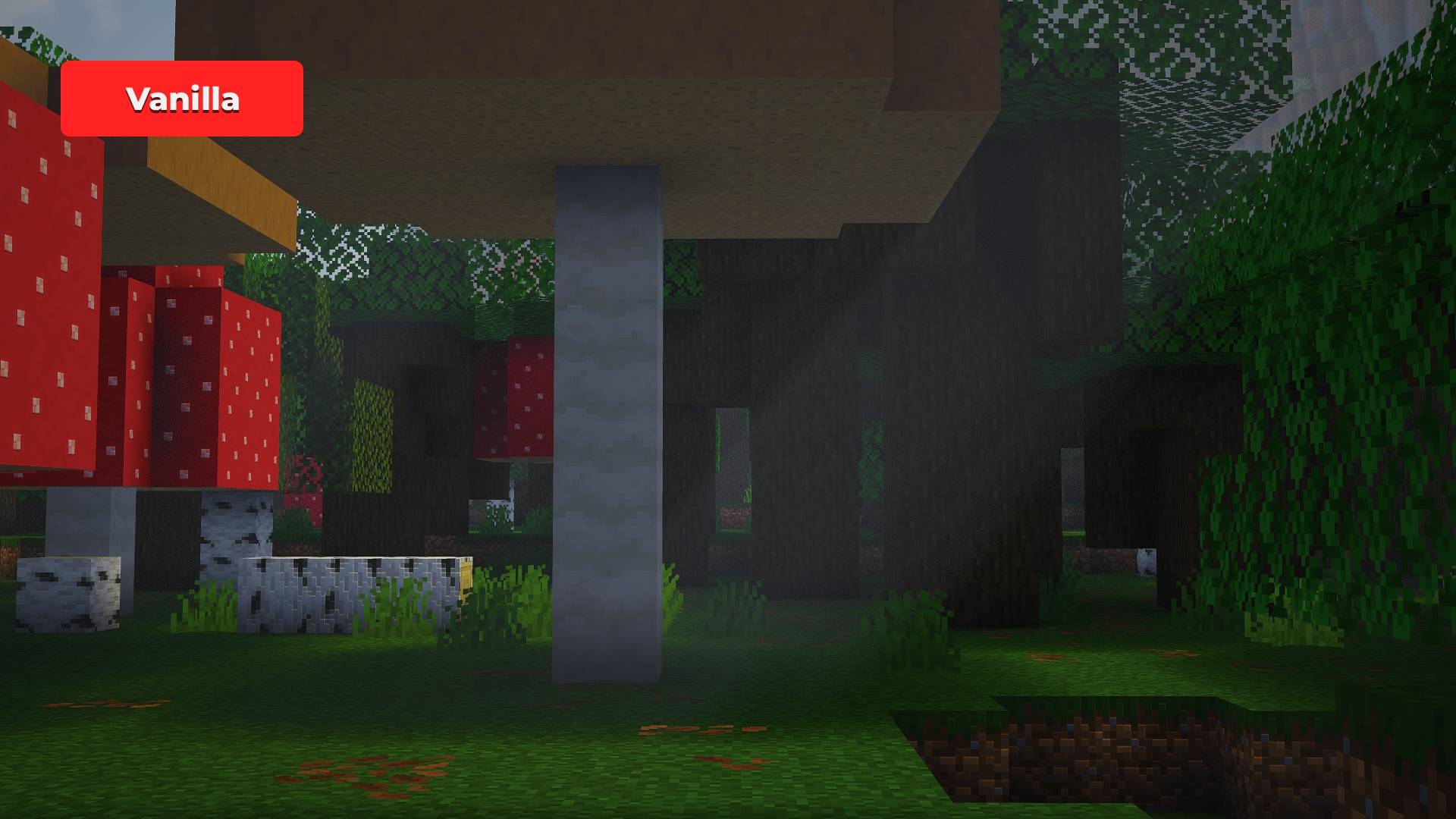
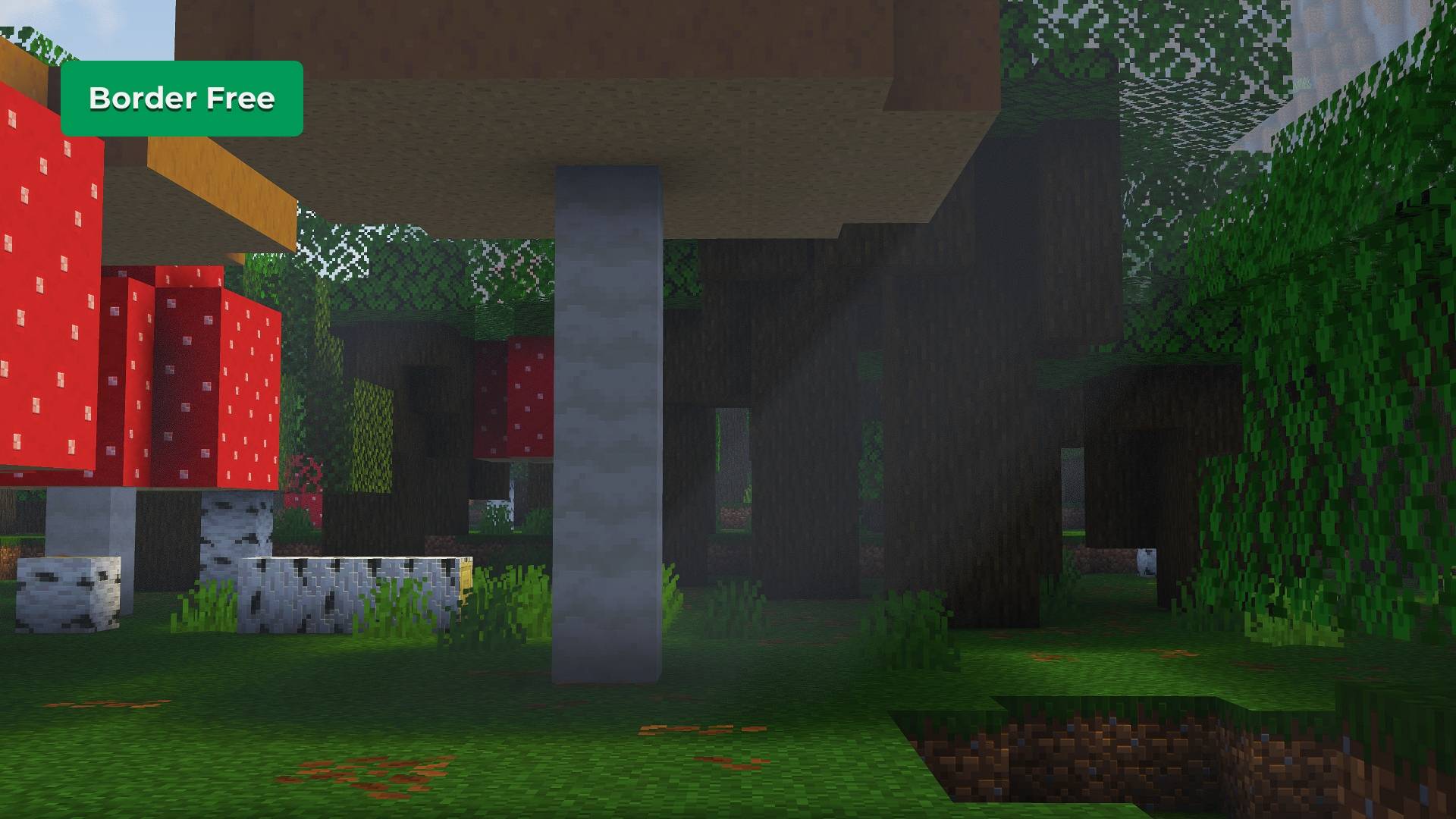
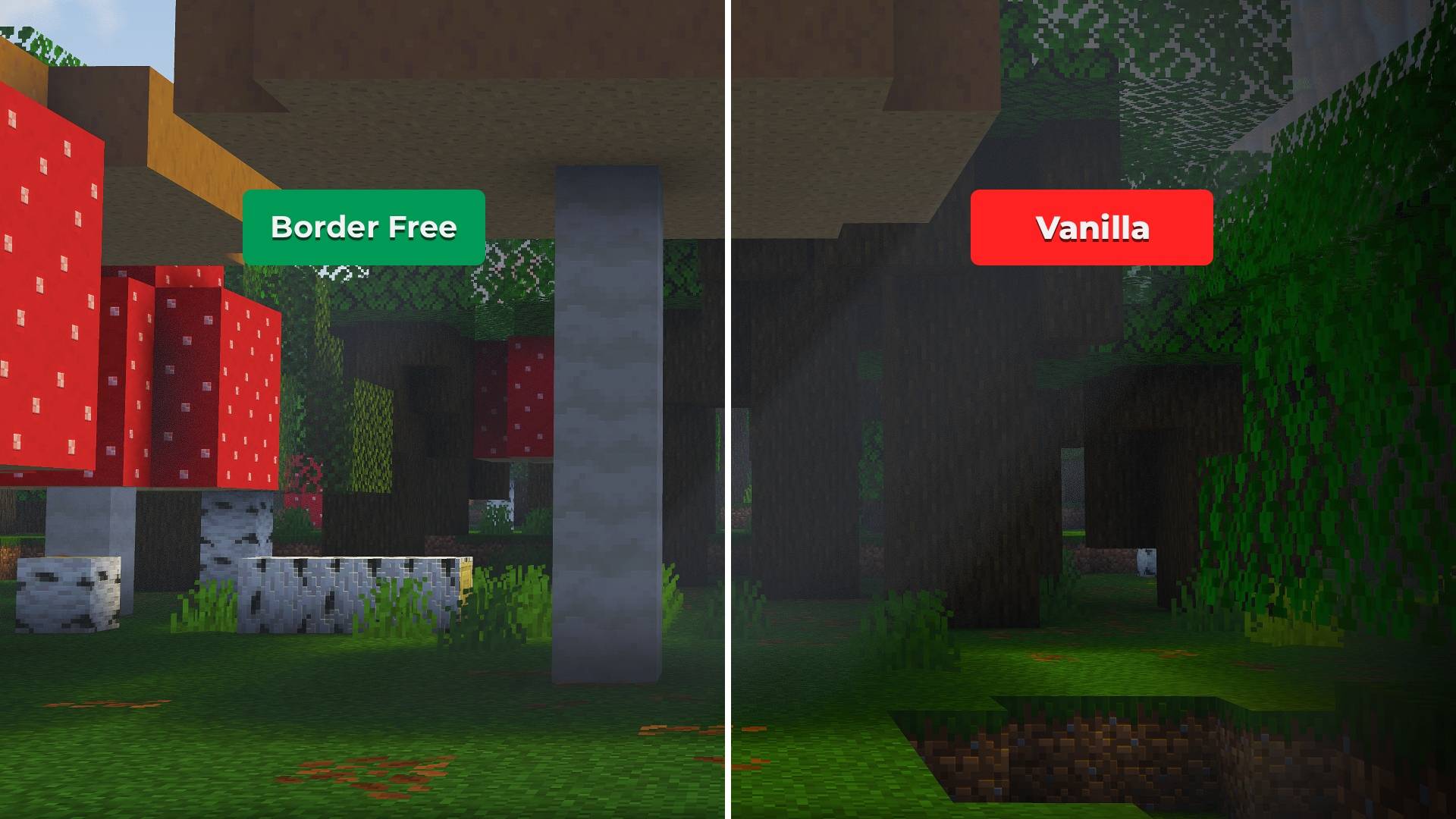
Border Free removes the vignette effect from screen edges, giving you a completely clear, border-free view while keeping Minecraft’s vanilla look unchanged.


📂 Click below to see the Image Gallery:

Part of the **Vanilla Remastered** collection — subtle improvements that enhance Minecraft while preserving the vanilla feel.

Features
- Vanilla compatible
- Vignette (dark edge effect) removed
- Full screen visibility with no border shading
- No gameplay changes
- Fully server-friendly
- Resource pack only
Why Border Free?
In vanilla Minecraft, a vignette effect darkens the edges of the screen, especially in low light or certain conditions. Border Free removes this effect to provide a consistent, unobstructed view while keeping everything else unchanged.
Screenshots
Vanilla

Border Free

**Note:** The vignette effect on the Vanilla image above was added for comparison purposes. **The pack fully removes Minecraft’s actual vignette overlay.**
Installation
- Download the texture pack ZIP file
- Place it in your Minecraft
resourcepacksfolder - Enable it from the Resource Pack menu
Compatibility
- Works with vanilla-based gameplay
- Compatible with other texture packs
- No mods required
常见问题
Border Free – No Vignette 支持哪些 Minecraft 版本?
Border Free – No Vignette 支持 Minecraft Java 版 1.6.1–1.21.11,共 82 个版本。下载时注意选择和你游戏版本一致的文件。
Border Free – No Vignette 怎么安装?
把下载的 .zip 文件(不用解压)放进游戏目录的 resourcepacks 文件夹,进游戏后在「选项 → 资源包」里把它移到右边启用。
PrecisionZero 的其他作品
查看全部 →
Photon – Fullbright
适用于原版、Sodium、OptiFine 和 Vulkan 的简易全亮材质包。
Hydron – Clear Water
一款让水体更清澈的简易材质包,兼容原版、Sodium、Optifine 和 Vulkan。

Veinify – Better Mining
功能最全面的挖矿优化材质包。

Mace Enchant Indicator – Breach and Density
根据破甲和密度效果改变重锤颜色,现已支持风爆。
评论
登录后评论和评分