
Create: Addon Organizer
Create Addon Organizer (Or CAO for short) makes create addons get sorted into the main "Create" tab in a style similar to create aeronautics, with tons of customisability. (Soon to be Creative Re-Tabbed!)
介绍
Notice: CAO IS GETTING A RENAME!
because the abilites of CAO is getting so diverse and expanded upon, it makes sense to rename it to a more general name to signify that it isnt JUST a create addon. (The create compatibilty stays though!) Development on CAO 2.0 is winding down and i am getting ready for a trailer and the full release. join the discord for more info!
Create: Addon organizer -> Creative: Re-Tabbed

Have you ever been in creative mode with a ton of create mod addons and found it annoying that EVERY SINGLE ONE has its own tab? well, Worry no more! CAO sorts every create addon into sections contained within the base “Create” tab, and the “Create’s Building Blocks” tab. it also leaves create aeronautics untouched.
Before vs after
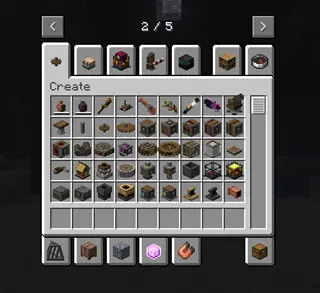
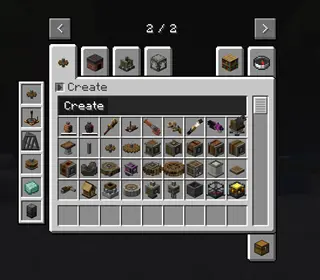
As you can see, it reduces the clutter a ton.
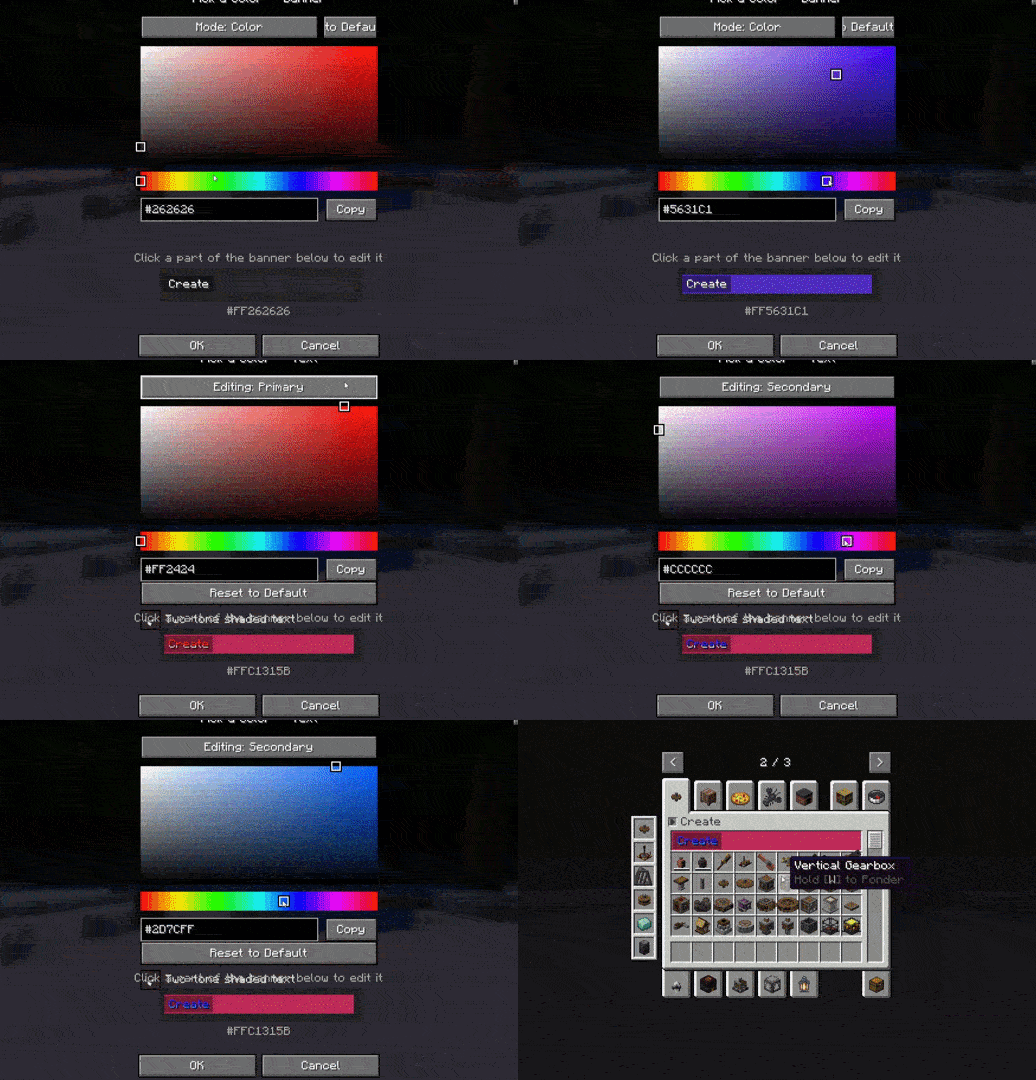
But not only does it look good naitively, it supports a TON of customization via the mod’s config screen!
You can change
- The banner’s color
- The contrast box’s color & transparency
- The text color
- a 2-tone option that looks like the create aero tab
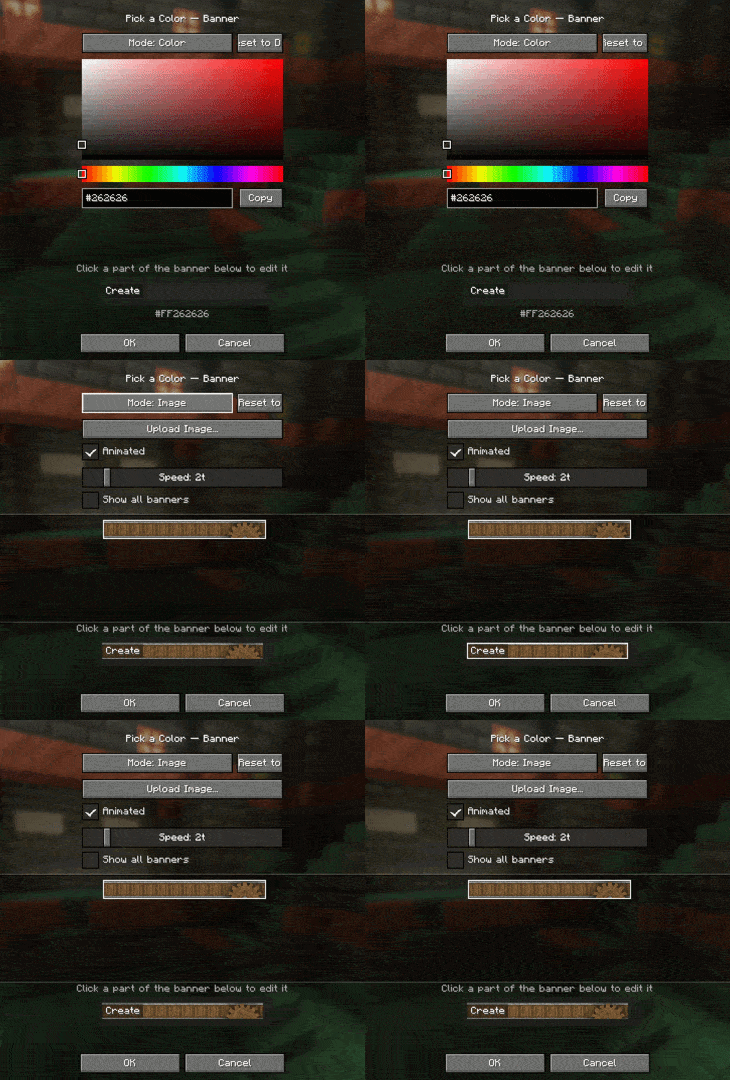
And if you dont want a color for the tab section, you can upload your own image! it has to be 160×17, and the mod also has full vanilla texture animation support (just like create aero!)
If you have a lot of addons, there is a built in sidebar that allows you to quickly jump to them!
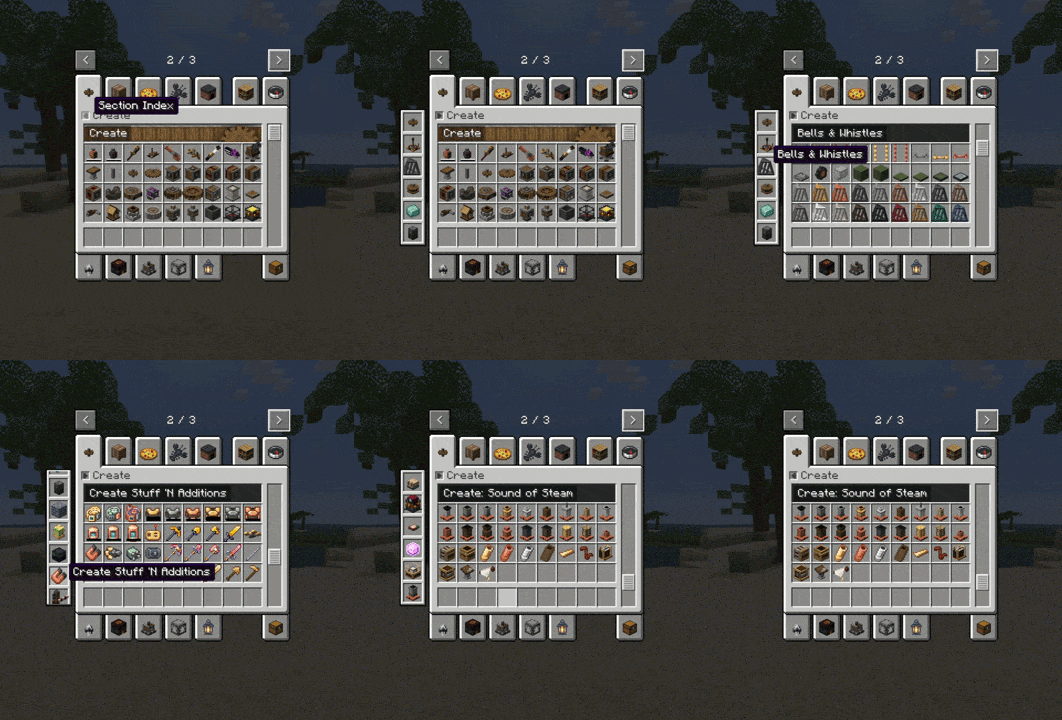
CAO also supports a lot of languages! this includes:
- English (en_us)
- Portuguese (pt_br)
- Chineese (zh_cn)
Some being added include:
- Russian (ru_ru)
- French (fr_fr)
- Spanish (es_es)
Can i use this in my video / modpack?
Yes! you dont even have to ask. you can always include this in modpacks / videos. for more detailed info, check the license.
常见问题
Create: Addon Organizer 支持哪些 Minecraft 版本?
Create: Addon Organizer 支持 Minecraft Java 版 1.21.1,可用的加载器:NeoForge。下载时注意选择和你游戏版本一致的文件。
Create: Addon Organizer 怎么安装?
先用 PCL2 或 HMCL 启动器安装对应版本的 NeoForge,再把下载的 .jar 文件放进游戏目录的 mods 文件夹,重新启动游戏即可。开启了版本隔离的,mods 文件夹在 versions/版本名 下面。运行环境:仅客户端。

评论
登录后评论和评分