
Lan’s Texture
A custom texture pack crafted to enhance visuals and maintain consistency across the entire modpack.
截图

介绍
🎨 Official Modpack Texture
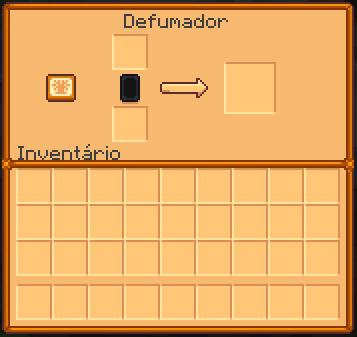
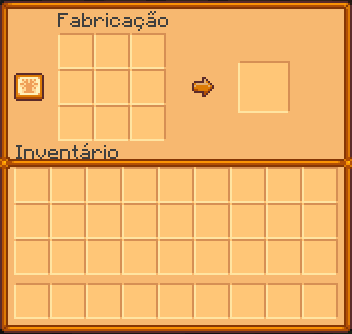
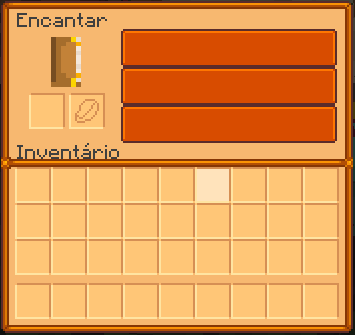
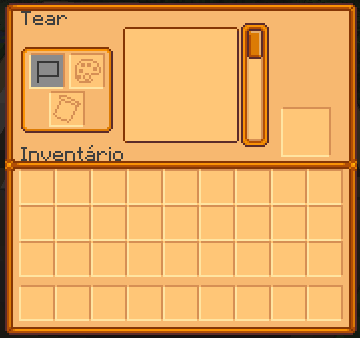
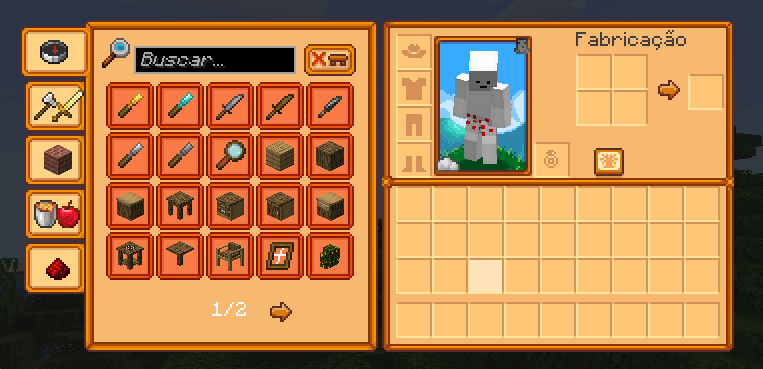
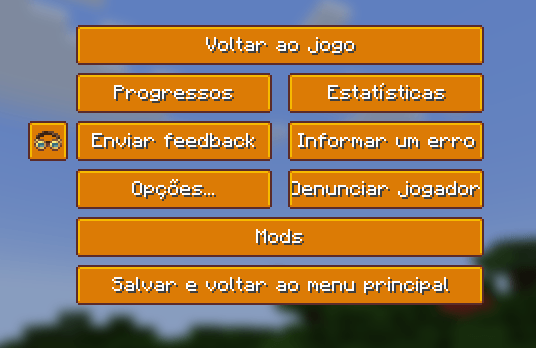
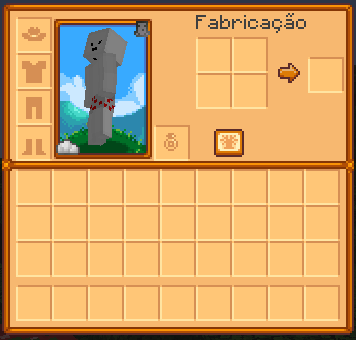
This texture pack was created specifically for the modpack, delivering a cleaner, more consistent, and visually pleasing experience while staying true to Minecraft’s original style.
Every detail was carefully designed to enhance gameplay, making the experience more intuitive and enjoyable for both new and experienced players. Blocks, items, and interfaces were adjusted to perfectly match the mods used in the pack, including Pokémon-related elements, creating a unique and immersive visual identity.
✨ Features:
-
Visuals fully optimized for the modpack
-
Clean and casual style without screen clutter
-
Improved readability for items, blocks, and UI
-
Compatible with Vanilla and main mods
-
Ideal for long gameplay sessions
If you’re looking for a smoother, more organized experience with its own visual identity, this texture pack is the perfect complement to the modpack.
🎨 Textura Oficial do Modpack
Essa textura foi criada especialmente para acompanhar o modpack, trazendo um visual mais limpo, consistente e agradável sem fugir da essência do Minecraft original.
Cada detalhe foi pensado para melhorar a experiência de jogo, deixando tudo mais intuitivo e bonito, tanto para iniciantes quanto para quem já conhece o modpack. Os blocos, itens e interfaces foram ajustados para combinar perfeitamente com os mods utilizados, incluindo os elementos de Pokémon, mantendo uma identidade visual única e imersiva.
✨ O que essa textura oferece:
-
Visual harmonizado com os mods do modpack
-
Estilo leve e casual, sem poluir a tela
-
Melhor leitura de itens, blocos e interfaces
-
Compatível com Vanilla e mods principais
-
Ideal para longas sessões de gameplay
Se você busca uma experiência mais fluida, organizada e com identidade própria, essa textura é o complemento perfeito para o modpack.
常见问题
Lan’s Texture 支持哪些 Minecraft 版本?
Lan’s Texture 支持 Minecraft Java 版 1.21.1。下载时注意选择和你游戏版本一致的文件。
Lan’s Texture 怎么安装?
把下载的 .zip 文件(不用解压)放进游戏目录的 resourcepacks 文件夹,进游戏后在「选项 → 资源包」里把它移到右边启用。

评论
登录后评论和评分