
Fade in and Out
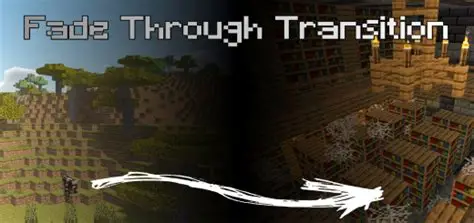
This resource pack adds a cinematic fade in and out screen transition that can be activated with a command
截图

介绍
Fade In and Out
Fade In and Out adds cinematic fade transitions using a custom full-screen texture
The pack is designed for cutscenes that require smooth transitions between scenes, locations, or events.
The effect is created by replacing a private-use Unicode character with a full-screen texture, allowing map creators to trigger fade effects using a title command.
Usage
Display the transition:
/title @a title {“text”:””}
Set fade timings:
/title @a times
Example:
/title @a times 20 60 20
Clear the transition:
/title @a clear
Features
- Full-screen fade transitions
- No mods required
- Customizable timings
- Perfect for cutscenes and adventure maps
- Compatible with multiplayer maps
Notes
GUI must be enabled for the effect to appear.
The pack uses a private-use Unicode character.
Other packs using the same character may cause conflicts.
常见问题
Fade in and Out 支持哪些 Minecraft 版本?
Fade in and Out 支持 Minecraft Java 版 1.20.1。下载时注意选择和你游戏版本一致的文件。
Fade in and Out 怎么安装?
把下载的 .zip 文件(不用解压)放进游戏目录的 resourcepacks 文件夹,进游戏后在「选项 → 资源包」里把它移到右边启用。
Xegon1 的其他作品
查看全部 →
Escape Room: Legacy of the Forgotten
逃离平凡:体验终极挑战,但要知道:他们一直在注视

The Futures End SMP (DISCONTINUED)
The best of the best Zombie Apocalypse modpack

Tactical Mayhem: Dominate the Battlefield
Shoot your friends on 12 custom maps!

Escape Room: Legacy of the Forgotten music
Eerie music resource pack for the Modpack Escape Room: Legacy of the Forgotten
评论
登录后评论和评分