截图
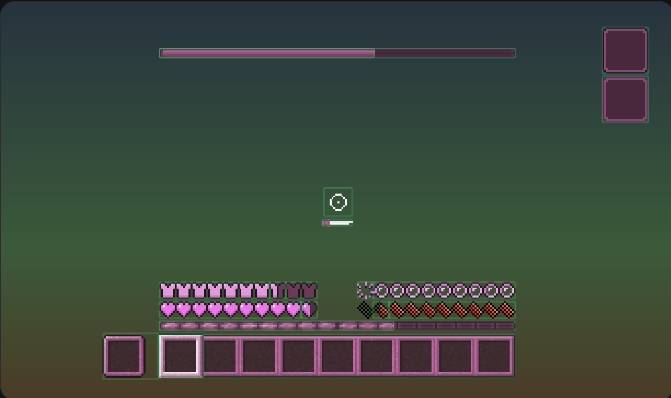
介绍
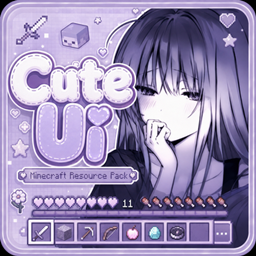
Cute UI
Cute UI is a clean and charming Minecraft resource pack that redesigns the vanilla user interface with a cute, polished aesthetic.
The pack focuses on improving the overall look and feel of Minecraft’s menus and interface elements while maintaining the familiar vanilla experience. It is designed to be lightweight, consistent, and suitable for everyday gameplay.
Features
– Redesigned Minecraft UI elements
– Clean and polished visual style
– Cute aesthetic while preserving usability
– Consistent interface design
– Lightweight and easy to use
– Designed for a smooth vanilla-friendly experience
Compatibility
Cute UI is designed to support the Minecraft versions listed on the project’s CurseForge files page. Please make sure to download the correct version for your Minecraft installation.
Installation
1. Download the appropriate version of Cute UI.
2. Place the resource pack “.zip” file into your Minecraft “resourcepacks” folder.
3. Launch Minecraft and enable the pack from Options → Resource Packs.
Enjoy a cleaner, cuter Minecraft interface with Cute UI.
常见问题
Cute UI 支持哪些 Minecraft 版本?
Cute UI 支持 Minecraft Java 版 1.19–26.1,共 6 个版本。下载时注意选择和你游戏版本一致的文件。
Cute UI 怎么安装?
把下载的 .zip 文件(不用解压)放进游戏目录的 resourcepacks 文件夹,进游戏后在「选项 → 资源包」里把它移到右边启用。
AnSit 的其他作品
查看全部 →
Rainbow Outlines Animation
彩虹方块轮廓与碰撞箱

Anime Totem 3D
全新图腾材质【3D】
DarkUI Resource Pack
A dark theme for minecraft java

White
A clean resource pack that turns several vanilla Minecraft UI elements white, including the hotbar and XP bar.
评论
登录后评论和评分