
介绍
WELCOME GUYS
———————————————————————————————————————-
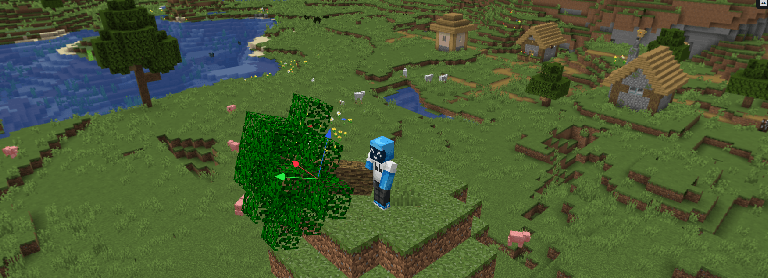
This resource pack is primarily designed to give you a similar feeling to holding a tree in your hand on social media.
So I replaced the wooden sword model from the original game with a tree from Minecraft—yes, you heard right, a real tree, the one you dig up every time.
I also adapted the hand-holding posture and drop item models to make them look less strange for your gaming experience.
You should see some surprises when the fox picks it up.
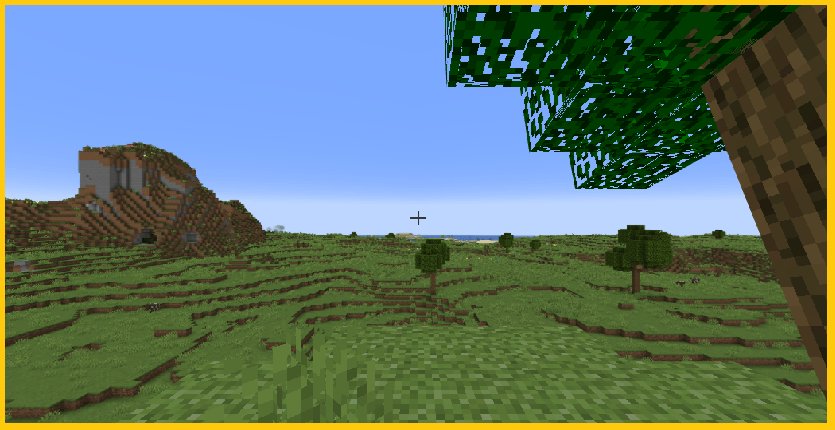
First Person right hand display:
Step-by-Step Guide: How to Install a Resource Pack
1. Download the pack First, make sure you have the resource pack file (usually a .zip file). Do not unzip it!
2. Open Minecraft and go to Options Launch the game, click on Options, and then select Resource Packs…
3. Open the folder Click on Open Pack Folder. This will open a folder window on your computer.
4. Move the file Drag and drop your downloaded .zip file into that folder.
5. Activate the pack Go back to Minecraft. You should see the new pack in the “Available” list on the left. Hover over it and click the arrow icon to move it to the “Selected” list on the right.
6. Enjoy! Click Done, and the game will reload with your new textures. Have fun!
常见问题
WoodenSword? 支持哪些 Minecraft 版本?
WoodenSword? 支持 Minecraft Java 版 1.19.4–26.1.2,共 23 个版本。下载时注意选择和你游戏版本一致的文件。
WoodenSword? 怎么安装?
把下载的 .zip 文件(不用解压)放进游戏目录的 resourcepacks 文件夹,进游戏后在「选项 → 资源包」里把它移到右边启用。
MochiLinesStudio 的其他作品
查看全部 →
Lower Fire:Blue Fire: Safe & Low Visuals
一个让下界探索更安全的资源包
Sword Texture|VoidWalker:katana
Project: AZURE-GLITCH 风格:赛博朋克/科幻风下界合金剑设计
Sword 3D model : FlameDragonOverlord
为下界合金剑更换更好看的皮肤
[512+] Sword Tyrant’s Gaze [3D Weapon Model]
低多边形艺术的杰作,突破了材质细节的极限。这把重型阔剑拥有精心雕刻的龙头护手和暗金色锻造剑柄。
评论
登录后评论和评分