
截图
介绍
OPTIFINE ONLY!
LS LONG SWORD
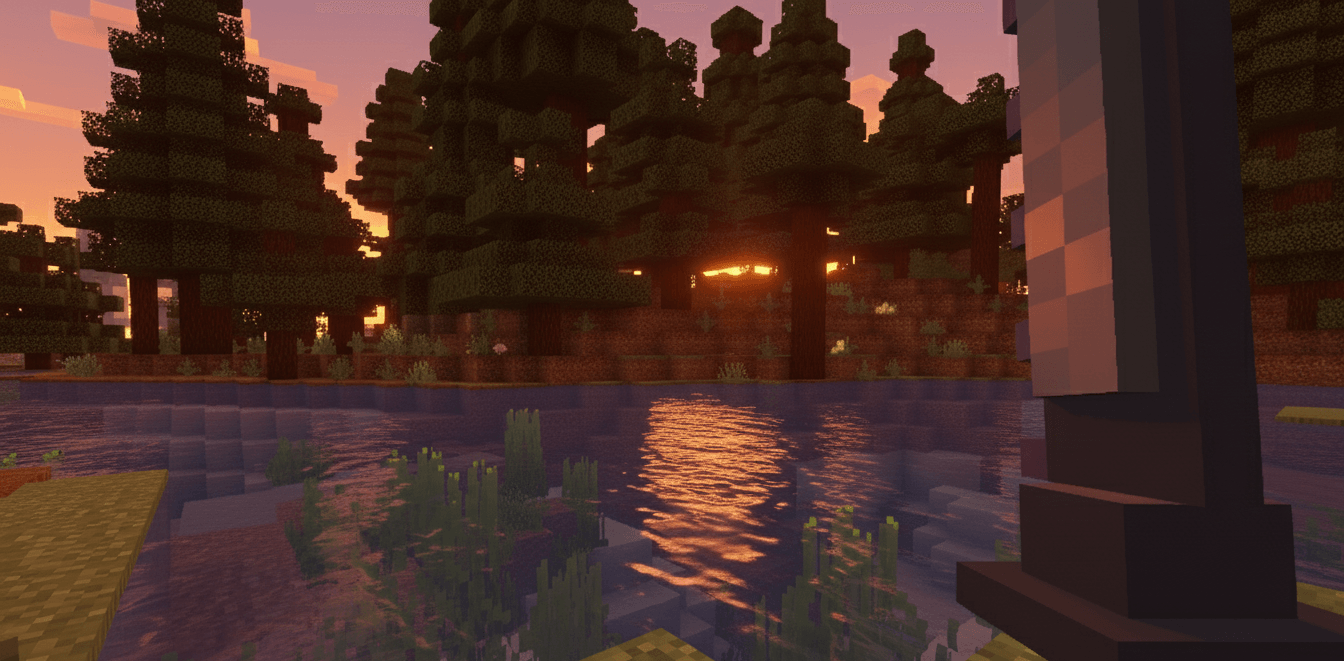
Long Sword is a fictional long sword that we created, this sword has a very painful slash suitable for war, this sword has serrations on the front.
ReinForge Website: Click to open
How To Use:
- Step 2: Spawn Anvil
- Step 3: Make sure you have a Diamond Sword in your inventory.
- Step 4: Enter Diamond Sword into the input and enter the name “Long Sword”
- Step 5: Take the Long Sword and enjoy the Visual of the Long Sword
- Step 1: Make sure you have installed the mods resource pack
Feature:
- Update Visual for Diamond Sword
- Anvil System (Use Diamond Sword)
⚔️ ReinForge Long Sword
ABOUT THE LONG SWORD:
The ReinForge Long Sword represents the pinnacle of medieval weapon craftsmanship in Minecraft. This isn’t just another sword reskin – it’s a completely reimagined weapon with extended reach, refined balance, and deadly precision that will change how you approach combat forever.
🎯 WEAPON SPECIFICATIONS:
📏 PHYSICAL ATTRIBUTES:
Extended Blade Length – Superior reach in melee combat
Perfect Weight Distribution – Faster recovery between swings
Razor-Sharp Edge – Clean, efficient strikes
Reinforced Crossguard – Enhanced defensive capabilities
⚔️ COMBAT PERFORMANCE:
Remains the same as Diamond Sword Default
🎨 VISUAL DESIGN:
Custom 3D Geometry – Not a simple texture replacement
Polished Steel Finish – Realistic metallic appearance
🛠️ TECHNICAL FEATURES:
OptiFine CIT Ready – Instant compatibility with Custom Item Textures
16x Resolution – Maximum performance across all systems
Multi-Perspective Models – Unique appearances in first-person, third-person, and GUI
Vanilla Foundation – Built upon diamond sword mechanics for perfect integration
Use Anvil and enter Diamond sword and type Long Sword take the sword and experience a new visual sensation!
Give: /give @p diamond_sword{display:{Name:'{“text”:”Long Sword”}’},RepairCost:1}
Installation Guide
- Step 1: Download and install Minecraft Optifine for version 1.20.1
- Step 2: Download the Long Sword mod .Zip file
- Step 3: Place the downloaded .Zip file into your Resource Packs folder
- Step 4: Launch Minecraft and go to Options > Resource Packs
- Step 5: Enable the Long Sword resource pack
- Step 6: Enjoy the new Long Sword visuals in your game
DONATE TEAM:
Your support helps us continue creating amazing mods for the Minecraft community.
常见问题
[LS] Long Sword 支持哪些 Minecraft 版本?
[LS] Long Sword 支持 Minecraft Java 版 1.20.1–1.21.10,共 2 个版本。下载时注意选择和你游戏版本一致的文件。
[LS] Long Sword 怎么安装?
把下载的 .zip 文件(不用解压)放进游戏目录的 resourcepacks 文件夹,进游戏后在「选项 → 资源包」里把它移到右边启用。


评论
登录后评论和评分