White Mining Lines
Replaces Minecraft's default mining cracks with clean white mining lines for a modern and minimal look.
截图
介绍
First release – Version 1.0
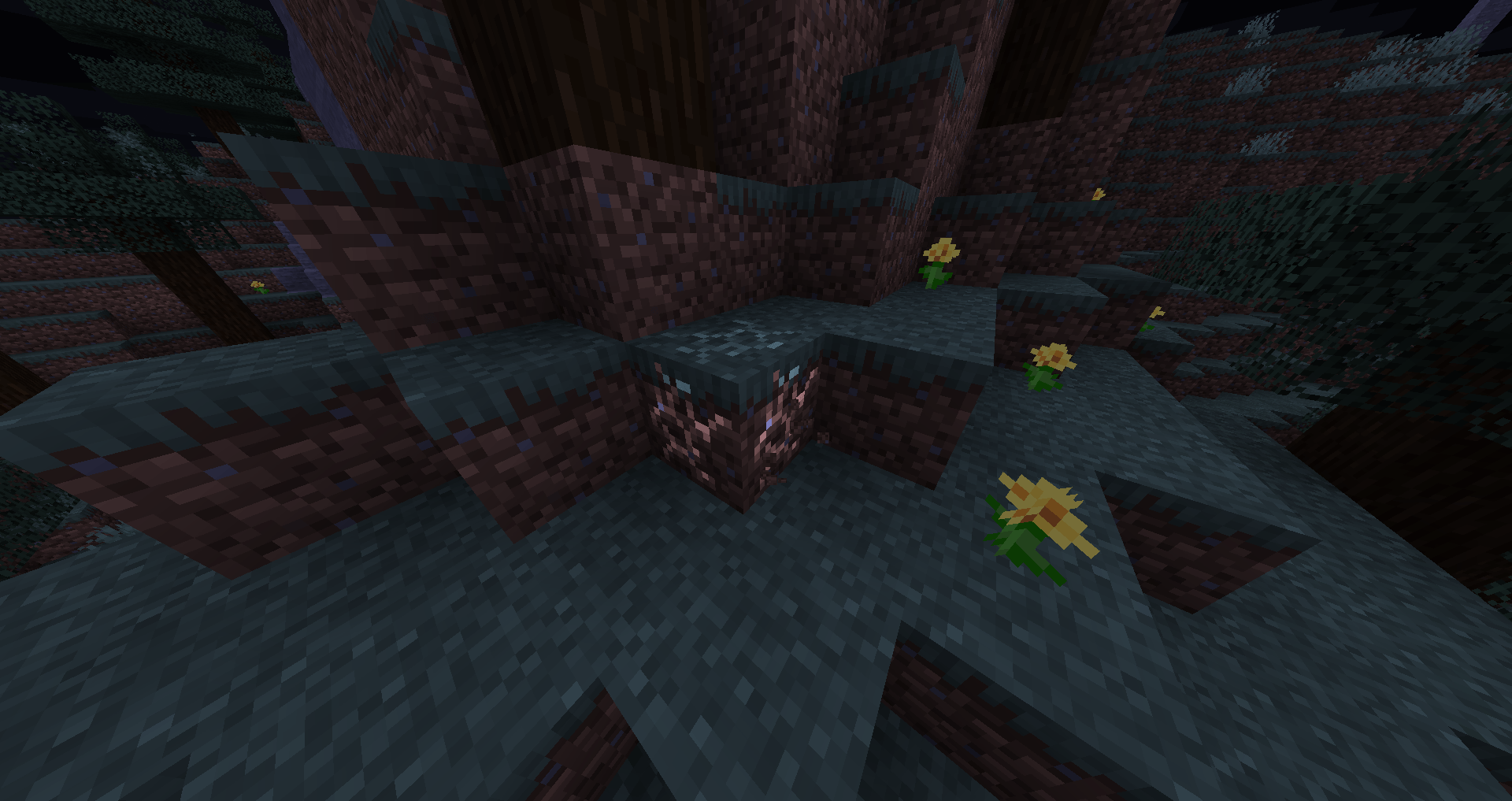
A simple idea: replace the default cracks with clean white mining lines. More visual variants may be added in future updates.
White Mining Lines
White Mining Lines is a lightweight vanilla-friendly resource pack that replaces Minecraft’s default dark block-breaking cracks with clean white mining lines.
The default mining overlay can sometimes be difficult to see on certain blocks or simply not match a clean resource pack setup. This pack gives the mining animation a fresh, minimal appearance while keeping the original mining progression intact.
Features
- Clean white mining lines
- Visible mining progress on all blocks
- Lightweight and performance-friendly
- Vanilla-style experience
- Works in Survival and Creative mode
- Compatible with most resource packs
- No mods required
Compatibility
- Minecraft Java Edition 1.21.x
- Works on singleplayer and multiplayer servers
- Compatible with Fabric, Forge, NeoForge, Quilt, Paper, Spigot, Purpur, and vanilla clients
What Does This Pack Change?
This pack only changes the block-breaking overlay (destroy_stage_0 through destroy_stage_9).
It does not modify:
- Block textures
- Item textures
- Models
- User interface
- Sounds
- Gameplay mechanics
Perfect For
- Vanilla+ players
- Minimalist resource pack users
- PvP players who want a cleaner mining overlay
- Builders who prefer a modern look
- Players creating custom pack combinations
Installation
- Download the resource pack.
- Place the ZIP file into your
.minecraft/resourcepacksfolder. - Open Minecraft.
- Go to Options → Resource Packs.
- Enable White Mining Lines.
- Enjoy a cleaner mining experience.
Credits
Created by Noxav.
Thank you for downloading White Mining Lines! Feedback and suggestions are always welcome.
常见问题
White Mining Lines 支持哪些 Minecraft 版本?
White Mining Lines 支持 Minecraft Java 版 1.8–26.2,共 74 个版本。下载时注意选择和你游戏版本一致的文件。
White Mining Lines 怎么安装?
把下载的 .zip 文件(不用解压)放进游戏目录的 resourcepacks 文件夹,进游戏后在「选项 → 资源包」里把它移到右边启用。
评论
登录后评论和评分