
T2x2 Totem of Undying
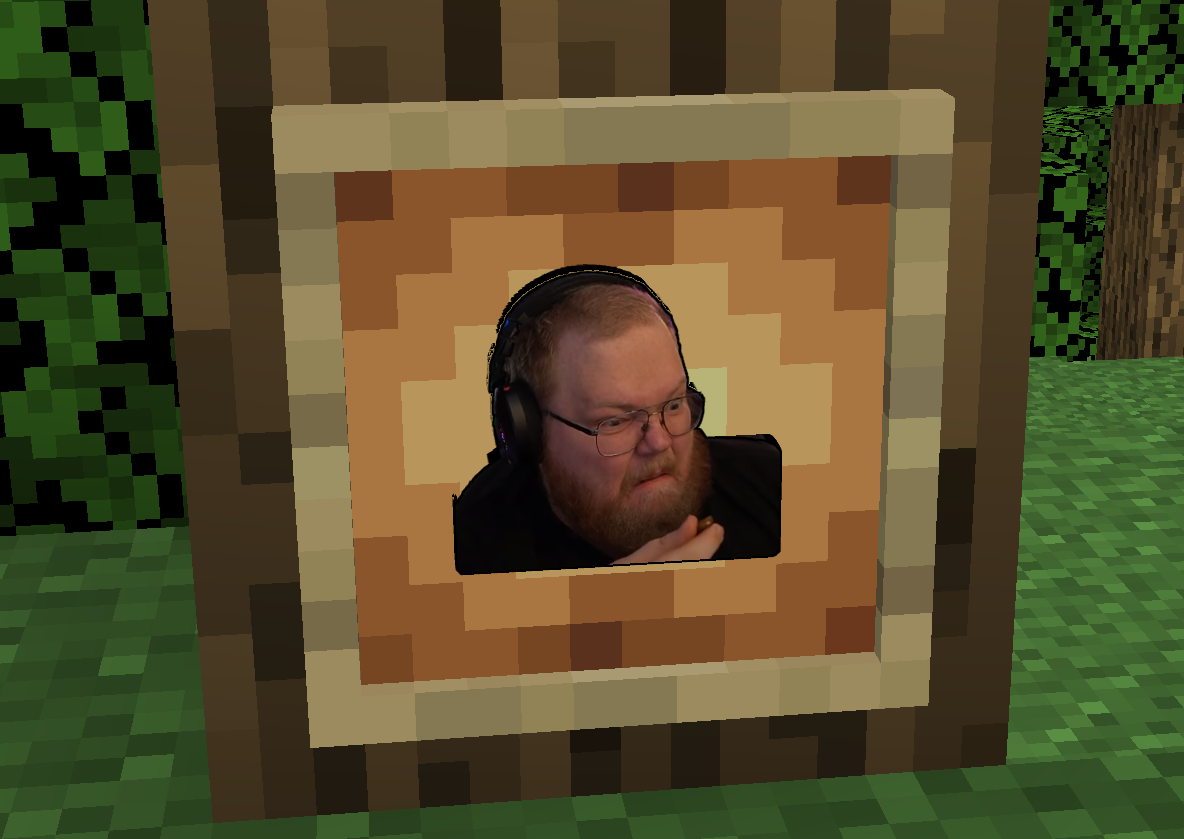
Resource pack that changes the default texture of the totem of undying to Anton T2x2. I have not seen anyone do this before me >"
截图

介绍
//ENG//
Are you tired of the boring totem of undying? Then this resource pack is for you!
What does he add?
✔ New texture – now the totem of undying looks like Anton T2x2 streamer!
✔ Funny sound – when the totem is activated, a funny sound is heard that will cheer you up even in the most tense moment!
✔ Funny vibe – with this totem, death in Minecraft will not be scary, but funny!
Why should I download it?
✅Ideal for servers – It will be even more fun to play with friends!)
✅Easy installation – just move the archive to the “resourcepacks” folder in the root folder of the game!
✅Perfect for PVP – Fighting will become even more fun!
💥Install and relive your adventures with T2x2 Totem!
//RU//
Ты устал от скучного стандартного тотема бессмертия? Тогда этот ресурспак для тебя!
Что он добавляет?
✔ Новая текстура – теперь тотем бессмертия выглядит как стример Антон T2x2!
✔ Прикольный звук – при активации тотема раздаётся забавный звук, который поднимет настроение даже в самый напряжённый момент!
✔ Весёлый вайб – с этим тотемом смерть в Майнкрафте станет не страшной, а смешной!
Почему стоит скачать?
✅Идеален для серверов – С друзьями станет играть ещё веселее!)
✅Простая установка – достаточно просто переместить архив в папку “resourcepacks” в корневой папке игры!
✅Идеален для ПВП – Сражаться станет ещё веселее!
💥 Установи и оживи свои приключения с T2x2 Totem!
‼️WARNING/ВНИМАНИЕ‼️
//ENG// (Don’t pay attention to the fact that Minecraft writes that the resource is made for the old or new version of the game, everything will work!)
//RU// (Не обращайте внимания на то, что Minecraft пишет, что ресурспак создан для старой или новой версии игры, все будет работать!)
常见问题
T2x2 Totem of Undying 支持哪些 Minecraft 版本?
T2x2 Totem of Undying 支持 Minecraft Java 版 1.13–1.21.6,共 41 个版本。下载时注意选择和你游戏版本一致的文件。
T2x2 Totem of Undying 怎么安装?
把下载的 .zip 文件(不用解压)放进游戏目录的 resourcepacks 文件夹,进游戏后在「选项 → 资源包」里把它移到右边启用。
评论
登录后评论和评分