Creeper’s Better Paintings
Creeper's Better Paintings adds pixel-y versions of your favourite real-life paintings into the world of Minecraft!
截图
介绍
Hello and welcome to Better Paintings!
This mod adds better painting textures based on real-life paintings. Here are some of the paintings it adds:
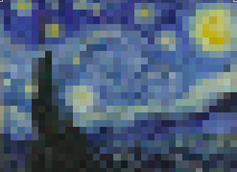
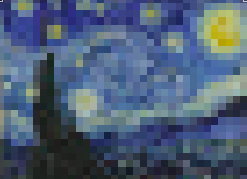
-Starry Night by Vincent Van Gogh (4×3)
-The Persistence of Memory by Salvador Dalí (4×3)
-American Gothic by Grant Wood (4×4)
-The Son of Man by René Magritte (4×4)
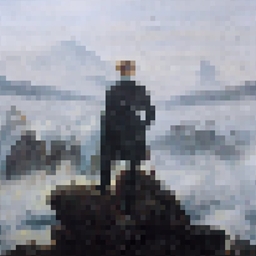
-Wanderer above the Sea of Fog by Caspar David (4×4)
-The Last Supper by Vincent Van Gogh (4×2)
-Girl with a Pearl Earring by Johannes Vermeer (2×2)
-The School of Athens by Raphael (2×2)
-Guernica by Pablo Picasso (2×1)
-The Creation of Adam by Michelangelo (2×1)
-The Scream by Edvard Munch (1×2)
-Mona Lisa by Leonardo Da Vinci (1×2)
Instructions for Download
=====================
1- Download the Better Paintings file.
2- Unzip the file.
3- Start up Minecraft on the supported version for Better Paintings (1.17).
4- Go to “Options” and then click “Resource Packs”.
5- Select the Option “Open Pack Folder”.
6- Copy-Paste the unzipped file into the folder.
7- You will now see the Better Paintings resource pack in the “Available” category.
8- Move the Better Paintings pack to the “Selected” category and click “Done” to activate.
常见问题
Creeper’s Better Paintings 支持哪些 Minecraft 版本?
Creeper’s Better Paintings 支持 Minecraft Java 版 1.17.1。下载时注意选择和你游戏版本一致的文件。
Creeper’s Better Paintings 怎么安装?
把下载的 .zip 文件(不用解压)放进游戏目录的 resourcepacks 文件夹,进游戏后在「选项 → 资源包」里把它移到右边启用。
justanotheraddict 的其他作品
查看全部 →
Exploration +: A Survival Expansion
添加新物品、附魔、方块和武器,丰富生存玩法。

Undertale Music Discs
这款模组为 Minecraft 添加了多张不同的《Undertale》音乐唱片。
Excalibur’s Arch
A Minecraft recreation of a setting from my D&D campaign!
评论
登录后评论和评分