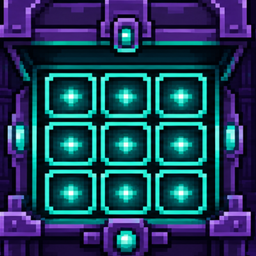
Storage Grid
All your Hypixel SkyBlock Ender Chest and Backpack pages in one scrollable, searchable grid.
介绍
Your SkyBlock storage, all in one place
Storage Grid brings your Hypixel SkyBlock Ender Chest and Backpack pages into one scrollable, searchable interface. Open pages normally to cache them, then browse the pages you have seen without stepping through every menu again.
A project with deep roots in the SkyBlock modding community. NotEnoughUpdates (NEU) and its contributors pioneered the familiar custom storage experience and have done an enormous amount for the Hypixel SkyBlock mod ecosystem. Storage Grid is heavily inspired by that work. Its direct implementation lineage is Firmament: the storage-overlay code and GUI textures used here were ported from Firmament by Linnea Gräf (nea89o) and its contributors. Please support and credit both projects.
What it does
- Shows cached Ender Chest and Backpack pages together in a responsive grid.
- Searches item names and lore across cached pages, filters the view, and highlights matches.
- Replaces the live storage screen by default, keeping the active page interactive alongside cached pages.
- Lets you click a page to open it through the normal
/enderchest Nor/backpack Ncommand. - Preserves cached pages between game sessions, separated by Minecraft account UUID.
- Includes a simpler click-to-navigate overview as an alternative view.
- Offers an optional Hypixel API check to compare the local cache with the selected SkyBlock profile.
Pages discovered through Hypixel’s standard /storage overview appear as placeholders until visited. Storage Grid does not automatically cycle through storage pages: a page is cached only after you open it yourself.
Installation
Storage Grid 0.2.0 requires:
- Minecraft Java Edition 26.1.2
- Fabric Loader 0.19.3 or newer
- Fabric API
- Fabric Language Kotlin 1.13.12+kotlin.2.4.0 or newer
Install Fabric for Minecraft 26.1.2, place Storage Grid and both required dependency mods in your instance’s mods folder, then launch the game. Storage Grid is a client-only mod; it is not installed on a server.
Using Storage Grid
/storagegrid— open the main storage grid./storagegrid overview— open the simple click-to-navigate overview./storagegrid clear— clear cached storage pages for the current Minecraft account./storagegrid apikey <key>— save a Hypixel developer API key locally for optional verification./storagegrid verify— compare cached pages with the selected SkyBlock profile through the Hypixel API.- Open Storage Grid keybind — optional and unbound by default; assign it under Minecraft Controls.
The configuration is created at config/storagegrid/config.json. Cached pages are stored at config/storagegrid/storage-cache.json.
Caching and navigation
Storage Grid reads the contents of storage screens you explicitly open and saves a local snapshot. Clicking another cached page sends the corresponding navigation command only because you clicked it. It never sends commands in the background to populate the cache.
Cache entries are currently separated by Minecraft account UUID rather than SkyBlock profile. If you switch SkyBlock profiles, reopen pages to refresh stale entries, or run /storagegrid clear to start over for that account.
Optional API verification and privacy
API verification is completely optional. Storage Grid works without an API key.
When you explicitly run /storagegrid verify, the mod makes one read-only request to Hypixel’s public /v2/skyblock/profiles endpoint using your Minecraft UUID and the API key you supplied. It compares the selected profile’s storage data with the local cache and reports differences in chat. Hypixel API data can lag behind recent in-game changes.
Your API key is stored locally in plain text in config/storagegrid/config.json; protect that file and never share or commit it. Outside an explicit verification request, Storage Grid does not contact a web service. The mod contains no telemetry or analytics.
Storage Grid is designed around explicit player actions: it does not automate page traversal, item movement, or gameplay. As with any third-party mod, Hypixel’s rules can change and use is at your own risk.
Credits and license
Storage Grid is maintained as a standalone port by Yackshow.
- NotEnoughUpdates (NEU) and contributors — major inspiration, the established custom-storage experience, and years of foundational work for the Hypixel SkyBlock modding community. Storage Grid would not exist in its current form without the path NEU helped establish.
- Firmament, Linnea Gräf (nea89o), and contributors — direct source of the ported storage-overlay implementation.
- Linnea Gräf and Firmament contributors — original GUI sprite textures used by Storage Grid.
- Yackshow — standalone port, Minecraft 26.1.2 adaptation, maintenance, testing, and release packaging.
The mod’s code is distributed under GPL-3.0-or-later. The Firmament-derived GUI sprite textures are distributed under CC BY 4.0 with attribution to Linnea Gräf and Firmament contributors. See the license, third-party notices, and source provenance headers for details.
Storage Grid is an independent community project. It is not affiliated with, endorsed by, or an official product of NotEnoughUpdates, Firmament, Hypixel, Mojang Studios, or Microsoft.
常见问题
Storage Grid 支持哪些 Minecraft 版本?
Storage Grid 支持 Minecraft Java 版 26.1.2,可用的加载器:Fabric。下载时注意选择和你游戏版本一致的文件。
Storage Grid 怎么安装?
先用 PCL2 或 HMCL 启动器安装对应版本的 Fabric,再把下载的 .jar 文件放进游戏目录的 mods 文件夹,重新启动游戏即可。开启了版本隔离的,mods 文件夹在 versions/版本名 下面。
评论
登录后评论和评分