
Neural Terrain
Replaces Overworld terrain generation with a trained neural network model (CPU/GPU), keeping vanilla structures.
截图
介绍
NEURAL TERRAIN
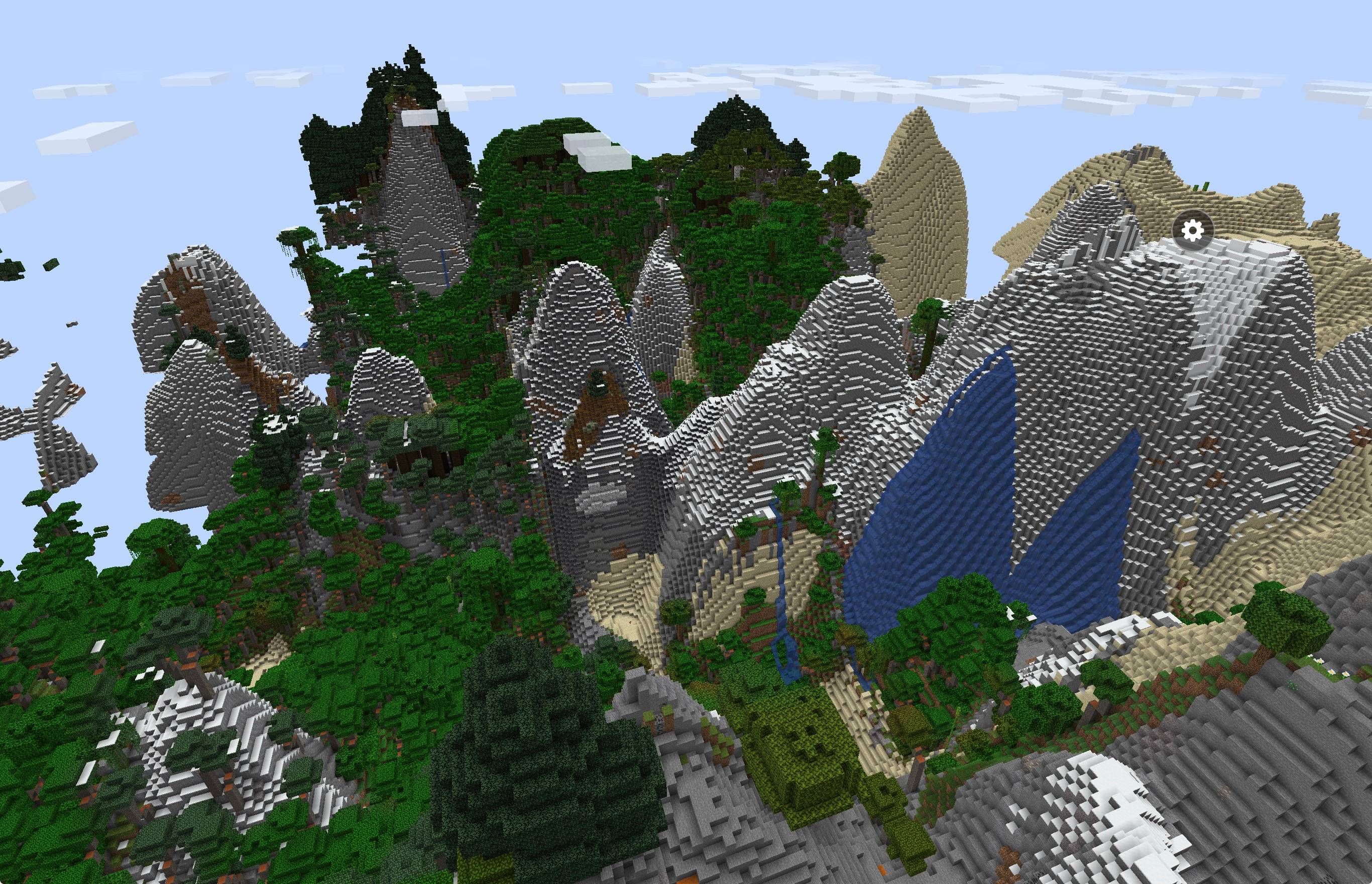
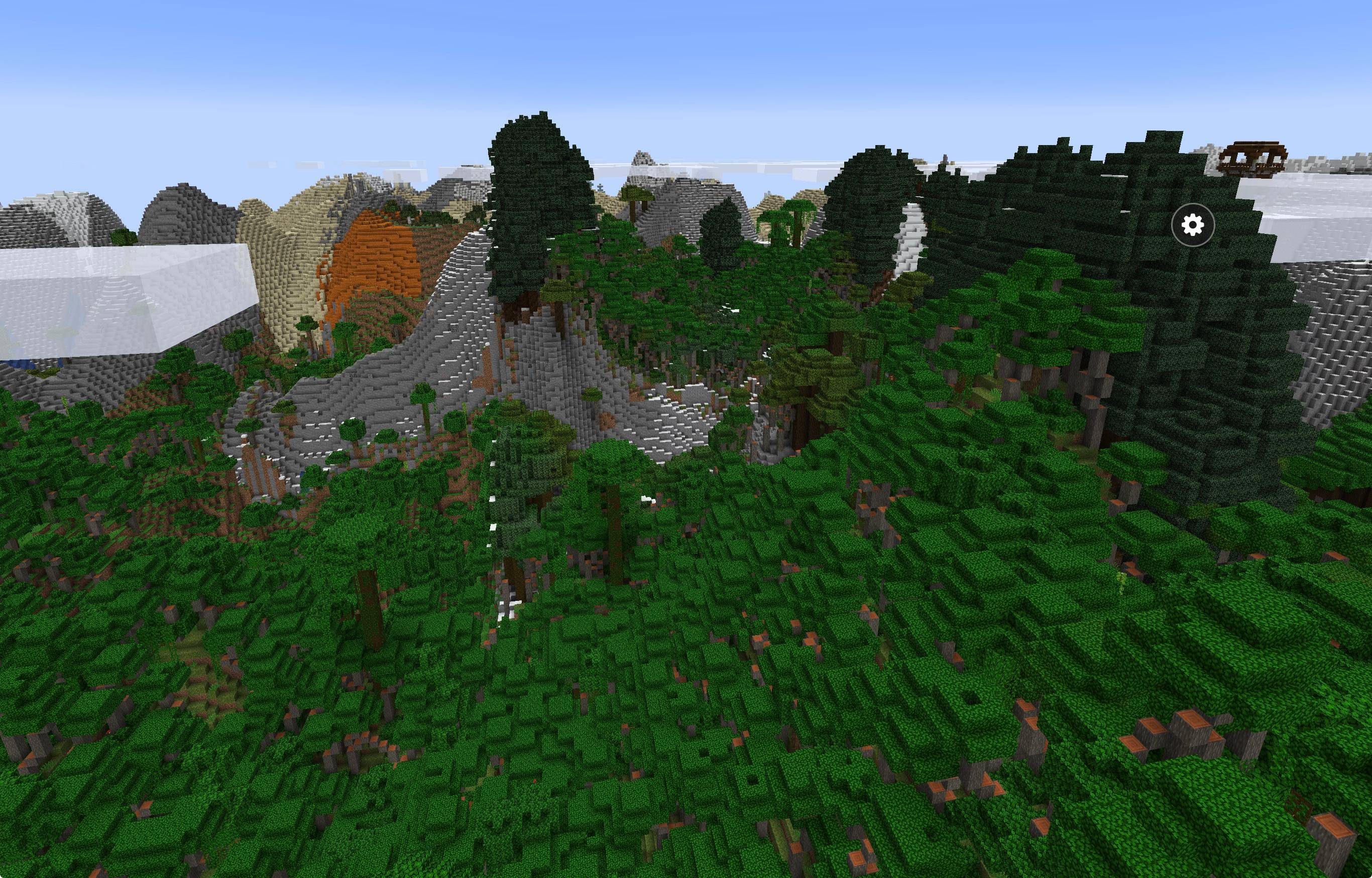
A Fabric mod for Minecraft 1.21.4 that replaces default Overworld generation with realistic terrain generated by an artificial intelligence model trained on real Earth satellite data.
Continents, mountain ranges, plains, biomes, oceans, rivers, and caves are generated together in a seamless, natural landscape. Vanilla structures, villages, temples, trees, and ores are fully supported and naturally integrated into the terrain.
FEATURES
• Realistic AI-Generated Landscapes:
Vast mountain peaks, rolling hills, canyons, flat valleys, and natural shorelines generated seamlessly without chunk cuts or sharp borders.
• Rich Variety of Vanilla Biomes:
Smooth transitions between deserts, badlands, savannas, lush jungles, dark oak forests, flower plains, birch groves, taiga, snowy slopes, frozen peaks, and deep oceans.
• Runs on Almost Any Hardware (CPU or GPU):
– CPU Mode: Works out of the box on any modern processor using all available cores.
– GPU Mode: Accelerated generation on graphics cards (NVIDIA, AMD, Intel), integrated laptop graphics, Apple Silicon (M1/M2/M3/M4).
HOW TO PLAY
1. Install Fabric Loader for Minecraft 1.21.4.
2. Install Fabric API for 1.21.4.
3. Put the mod’s .jar file into your `.minecraft/mods` folder.
4. Launch Minecraft and click “Create New World”.
5. Go to the “World” tab.
6. Click “World Type” and select “Neural Terrain”.
7. Click the “Neural engine” button to choose CPU or your graphics card / Metalium device.
8. Create the world and explore!
SETTINGS
• In-Game Engine Menu:
Accessible when creating a world. Lets you switch between CPU and any detected graphics card or integrated GPU. If you connect an external GPU or change graphics drivers, click “Rescan compute devices”.
• In-Game Command:
Type `/neuralterrain info` in chat to see your active engine and generation performance.
• Config File (`config/xaloex_neural_terrain.json`):
Your settings are saved automatically. You can also edit them manually:
– “engine”: “cpu” or “gpu”
– “gpuDevice”: choose a specific graphics device, or leave empty for auto-detect
– “seamSmoothing”: true (keeps borders between areas completely smooth)
– “caves”: true (enables underground cave generation)
TIPS & PERFORMANCE
• For best generation speed, select your GPU or integrated graphics in the engine settings.
• Recommended render distance: 12–16 chunks.
• If your graphics driver does not support GPU acceleration, the mod will safely switch to CPU mode without crashing or corrupting your world.
• Memory: 4 GB minimum allocated to Minecraft; 6–8 GB recommended.
COMPATIBILITY
• Works on Windows, Linux, macOS (Apple Silicon / Intel), and iOS/iPadOS (PojavLauncher).
• Only alters the Overworld. The Nether and The End remain vanilla.
• Designed for new worlds. Do not use alongside other mods that replace the Overworld terrain generator.
常见问题
Neural Terrain 支持哪些 Minecraft 版本?
Neural Terrain 支持 Minecraft Java 版 1.21.4,可用的加载器:Fabric。下载时注意选择和你游戏版本一致的文件。
Neural Terrain 怎么安装?
先用 PCL2 或 HMCL 启动器安装对应版本的 Fabric,再把下载的 .jar 文件放进游戏目录的 mods 文件夹,重新启动游戏即可。开启了版本隔离的,mods 文件夹在 versions/版本名 下面。
XALoEX 的其他作品
查看全部 →
The Schizophrenia
首个还原真实精神分裂症的模组。

Mirror.txt
# Mirror (Psychological Horror)

PARANOIA AYBW
When you enter the world... you have a VHS camera and you have to survive and something will happen...

kitty.jar
A mod that should scare you kitty.jar ....
评论
登录后评论和评分