
Hullspark Fuzzy Command
Typo, middle-of-the-name and Japanese matches added to chat command suggestions. Vanilla's stay first.
截图
介绍
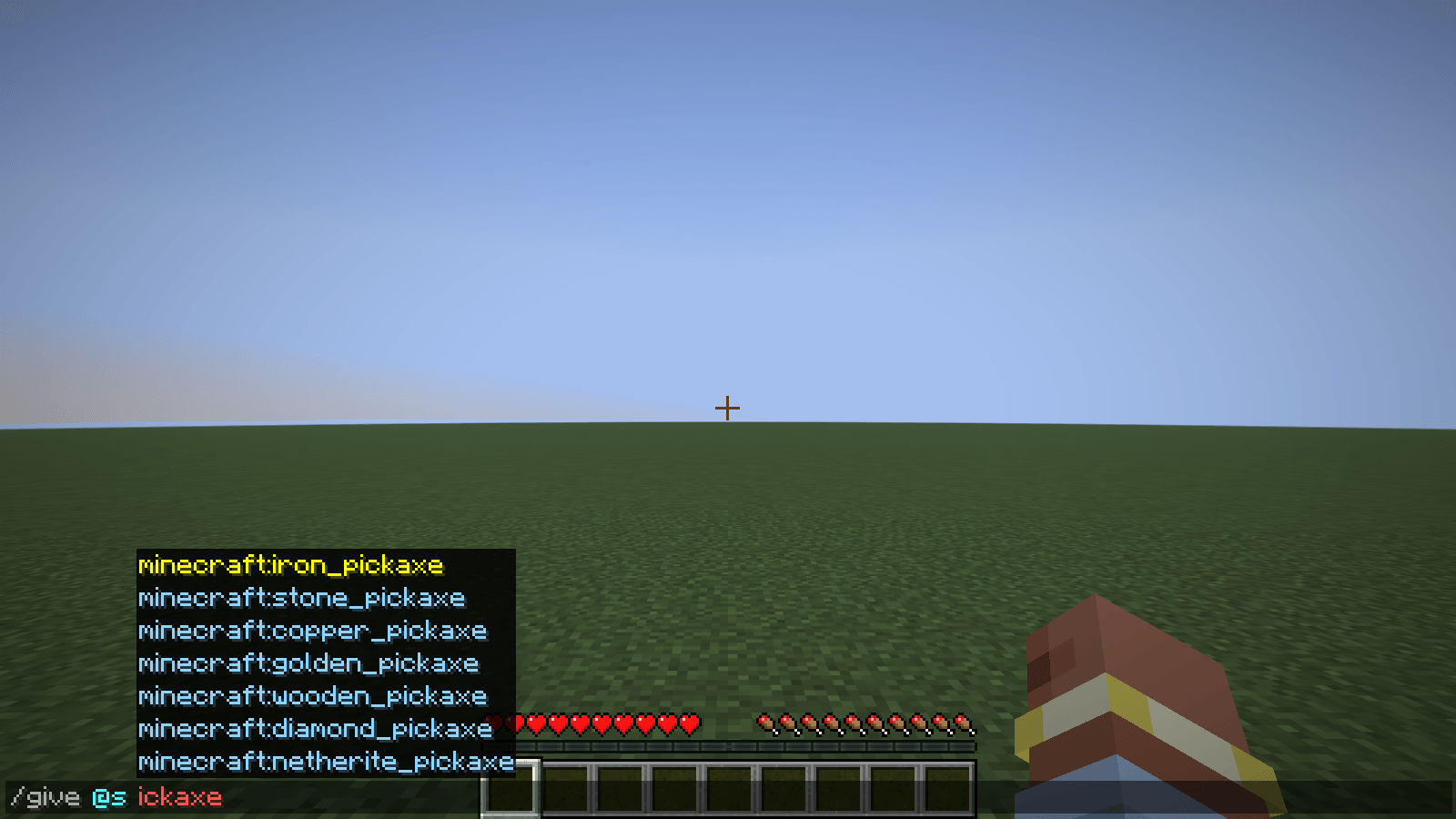
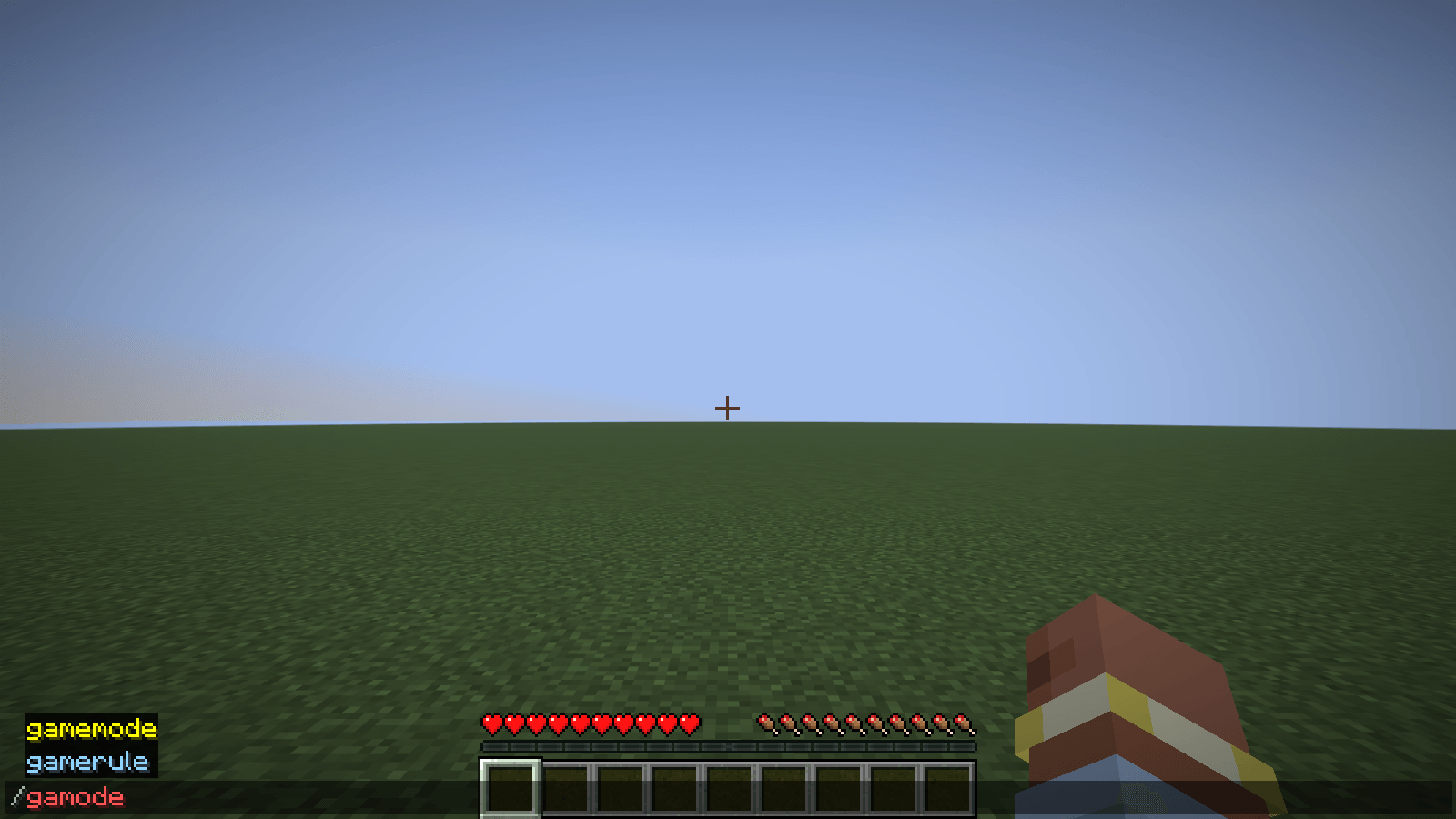
You type /gamode or /give @s ickaxe and the chat shows nothing: the game only offers names that start with what you typed (ids can also match after an underscore). If you cannot remember the exact start of a command or an item id, the list stays empty.
Where: the chat box, the drop-down list of suggestions that appears above it when you type a command (text starting with /).
What you can do: keep typing as usual. When the game’s own list is empty or short (under 8 entries), this mod adds loose matches after the game’s entries, in light blue, with a "Fuzzy match" tooltip:
a typo: /gamode, /gmae, diamnd_sw (one or two letters wrong, missing, extra or swapped)
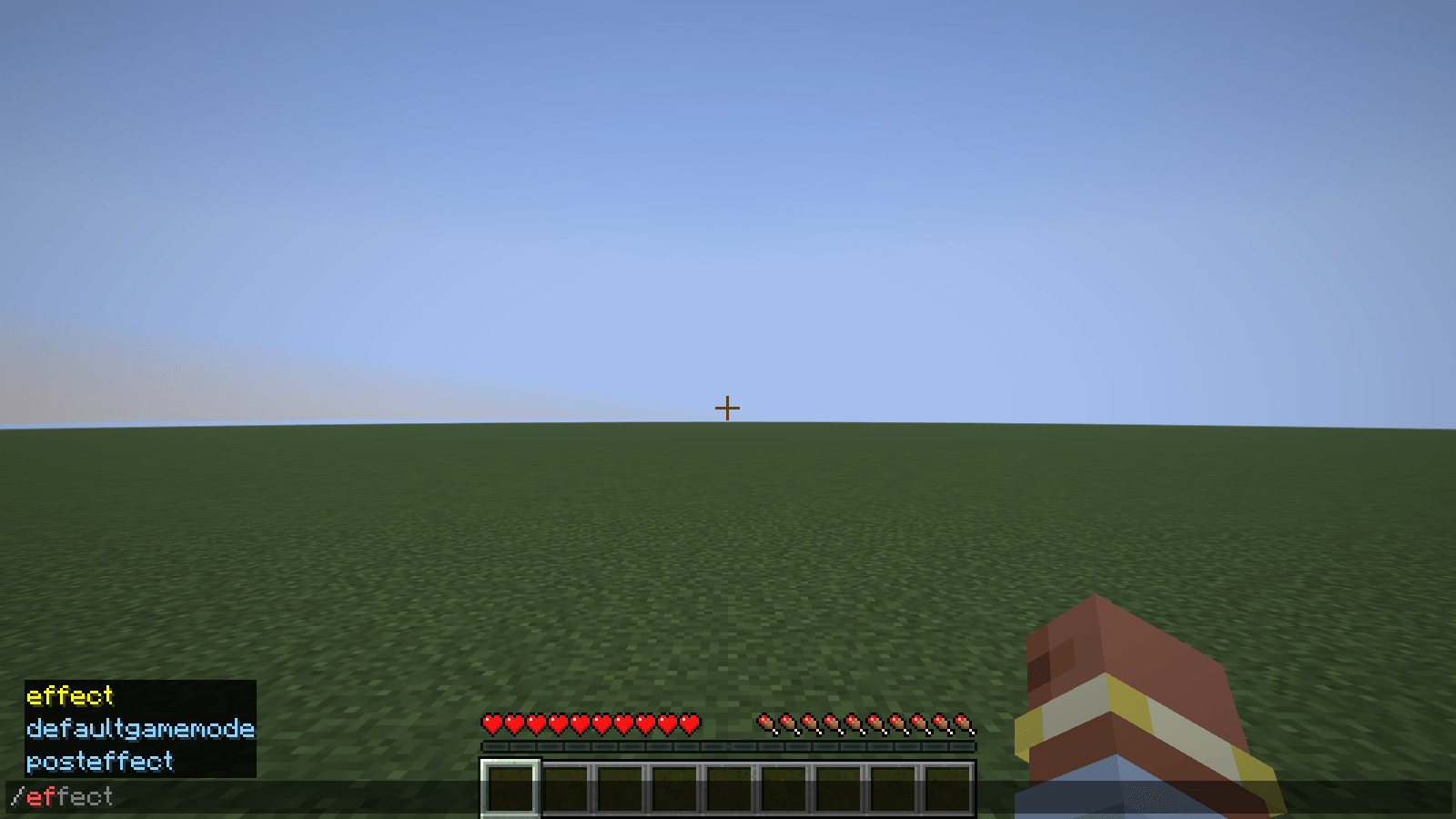
a part from the middle of a name: ickaxe finds the pickaxes, ef finds defaultgamemode
the typed letters in order, starting at the start of the name or of a part after _ (3+ letters, not spread too thin): dpick finds minecraft:diamond_pickaxe
an id typed without its namespace
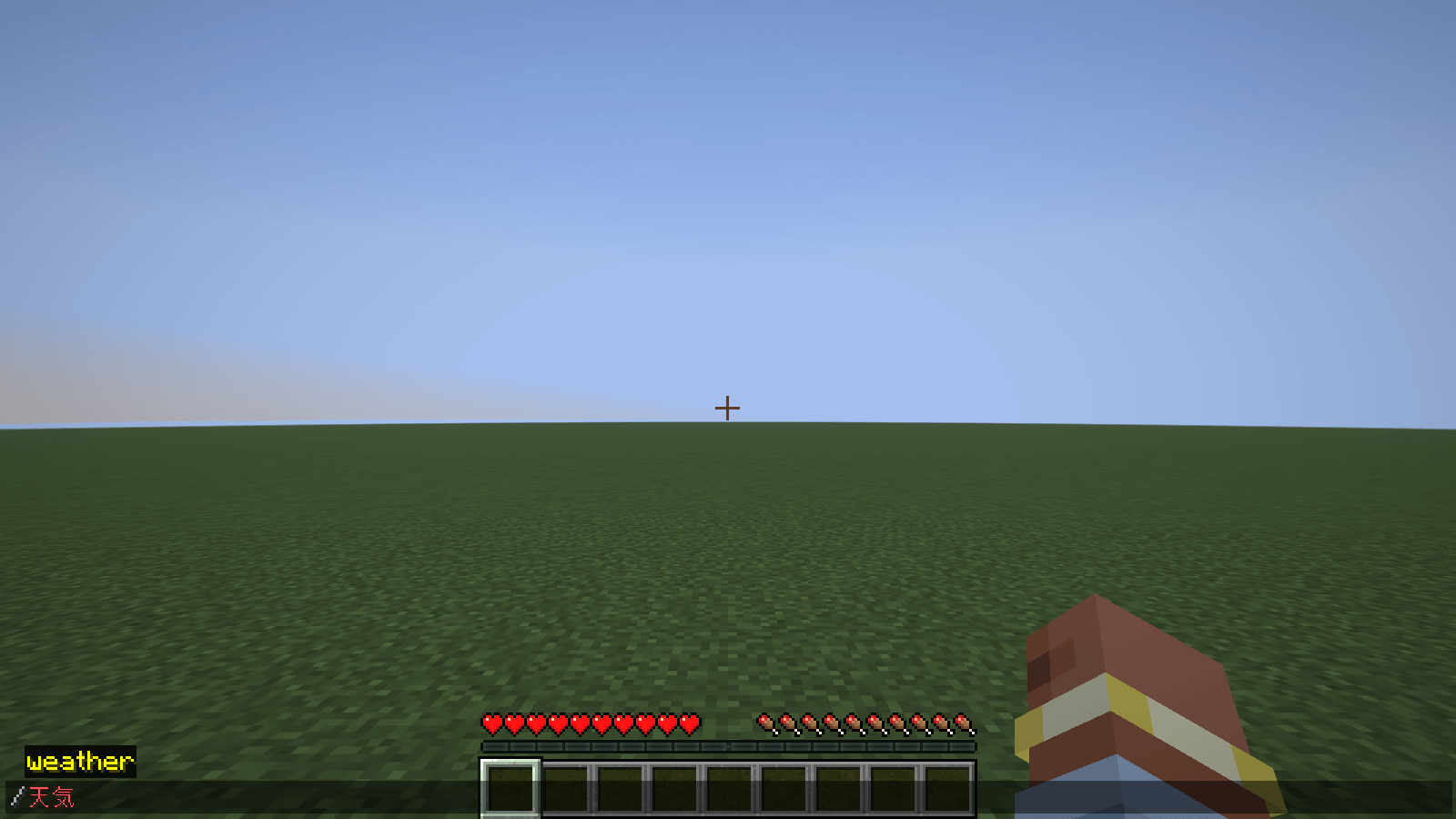
Japanese words: 天気 finds weather, テレポート finds tp and teleport, ダイヤ finds the diamond ids (a small built-in word table)
The game’s own entries come first and keep their order. What you typed is never changed until you pick an entry (Tab, Up/Down then Tab, or a click); Enter sends exactly what is in the box. Entries you pick and then send are remembered and rank a little higher next time, but only literal command words (such as gamemode, survival) and ids from the game’s own registries (such as minecraft:diamond_pickaxe), in config/fuzzycmd/used.txt. Player names, selectors, coordinates, names the server supplies, and anything after /msg, /tell, /w, /teammsg, /tm or /me are never remembered.
/fuzzycmd on|off|status|forget switches it (a client command, not sent to the server).
Result: in the automated test (a real game window, the real chat screen, typing through the game’s keyboard path), /gamode showed nothing in the game’s own list and the mod’s list offered gamemode; Enter sent gamode unchanged; ickaxe, dpick, diamnd_sw, 天気, テレポート and ダイヤ found the expected entries; for /ef the list was effect (the game’s, yellow) and then defaultgamemode, posteffect (the mod’s, blue); Tab picked an entry and only then did the box change; the mod stopped its own "ask the server" listing so it sends no packet of its own; /fuzzycmd off made the list empty again. With the mod switched off, the same test fails (23 of 44 checks).
常见问题
Hullspark Fuzzy Command 支持哪些 Minecraft 版本?
Hullspark Fuzzy Command 支持 Minecraft Java 版 26.3,可用的加载器:Fabric。下载时注意选择和你游戏版本一致的文件。
Hullspark Fuzzy Command 怎么安装?
先用 PCL2 或 HMCL 启动器安装对应版本的 Fabric,再把下载的 .jar 文件放进游戏目录的 mods 文件夹,重新启动游戏即可。开启了版本隔离的,mods 文件夹在 versions/版本名 下面。
Hullspark 的其他作品
查看全部 →
Death Point Marker
After you die, one HUD line keeps pointing you back to your loot: direction, distance and coordinates. No chat spam to scroll back to.

Hullspark Cat Dance
Cats near a playing jukebox hop, lean and swish their tails to the beat. Draw-only, client-side.

LastView
Your loading screen shows the place you left. Rejoin a world and its loading screen has your last view behind it instead of the menu panorama.

Hullspark Coordinate HUD
Always see where you are and how far you are from spawn. One line at the top of the screen, no minimap, no F3.
评论
登录后评论和评分