spawn2
Make any mob spawn in groups across the Overworld, with an in-game settings menu.
截图
介绍
# Spawn2
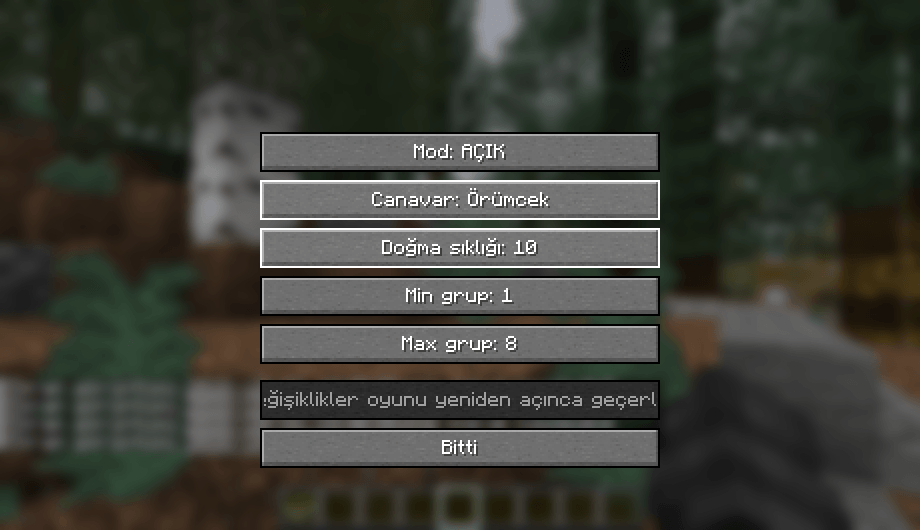
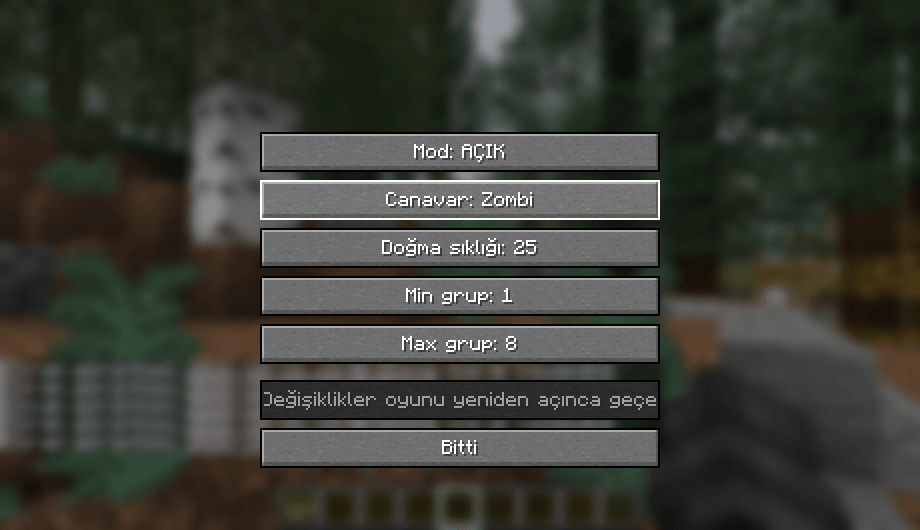
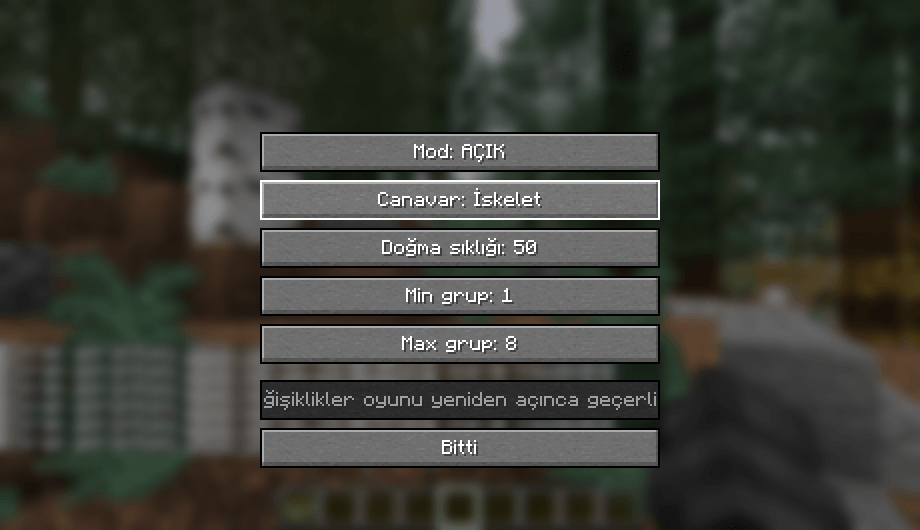
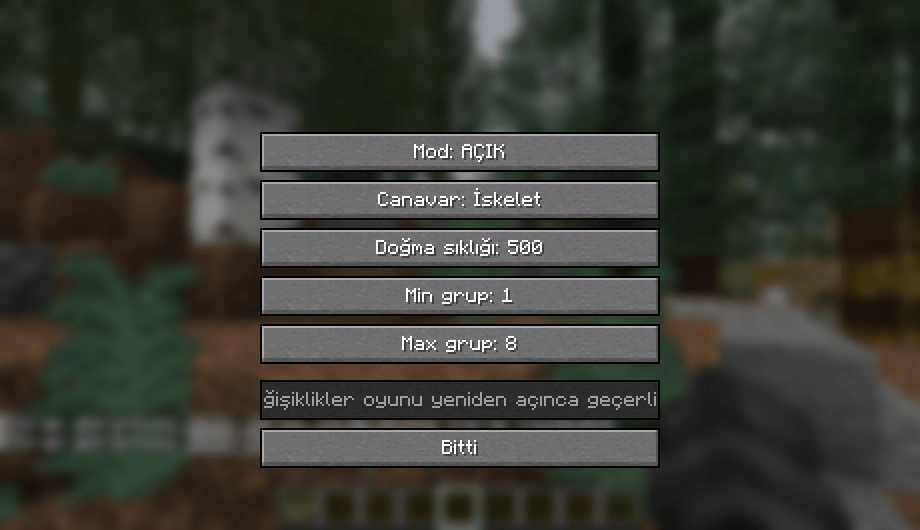
Spawn2 lets you choose which mob spawns across the whole Overworld, how often, and in what group sizes, all from a simple in-game menu.
## Features
– Add one extra mob type to every Overworld biome (Zombie, Skeleton, Creeper or Spider)
– Adjust spawn weight (how often the group spawns)
– Adjust minimum and maximum group size
– Turn the mod on or off without removing it
– Settings menu opened with the K key (rebindable in Controls)
## How to use
1. Press K in a world to open the settings menu.
2. Change the options and press Done.
3. Restart the game. The new settings apply when the game starts.
Settings are saved in config/spawn2.properties, so you can also edit them by hand.
## Multiplayer / servers
The mod works in singleplayer. On a dedicated server, edit config/spawn2.properties on the server and restart it. The menu only changes the local client’s file.
## Requirements
– Minecraft 26.3
– Fabric Loader
– Fabric API
– Java 25
## Notes
Extra spawns stack on top of the vanilla ones. Very high weights can make the world crowded.
常见问题
spawn2 支持哪些 Minecraft 版本?
spawn2 支持 Minecraft Java 版 26.3,可用的加载器:Fabric。下载时注意选择和你游戏版本一致的文件。
spawn2 怎么安装?
先用 PCL2 或 HMCL 启动器安装对应版本的 Fabric,再把下载的 .jar 文件放进游戏目录的 mods 文件夹,重新启动游戏即可。开启了版本隔离的,mods 文件夹在 versions/版本名 下面。

评论
登录后评论和评分