
RuType
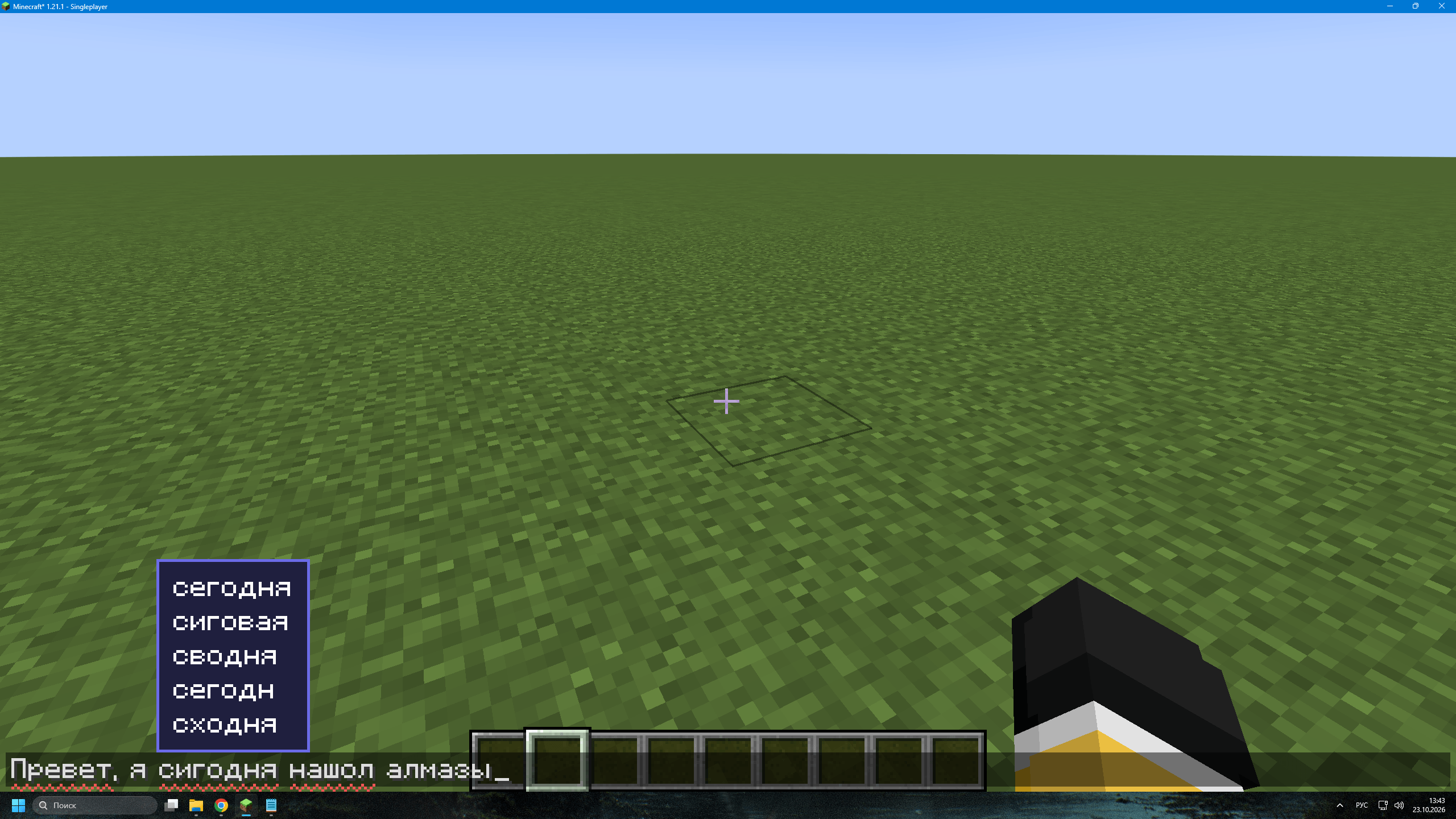
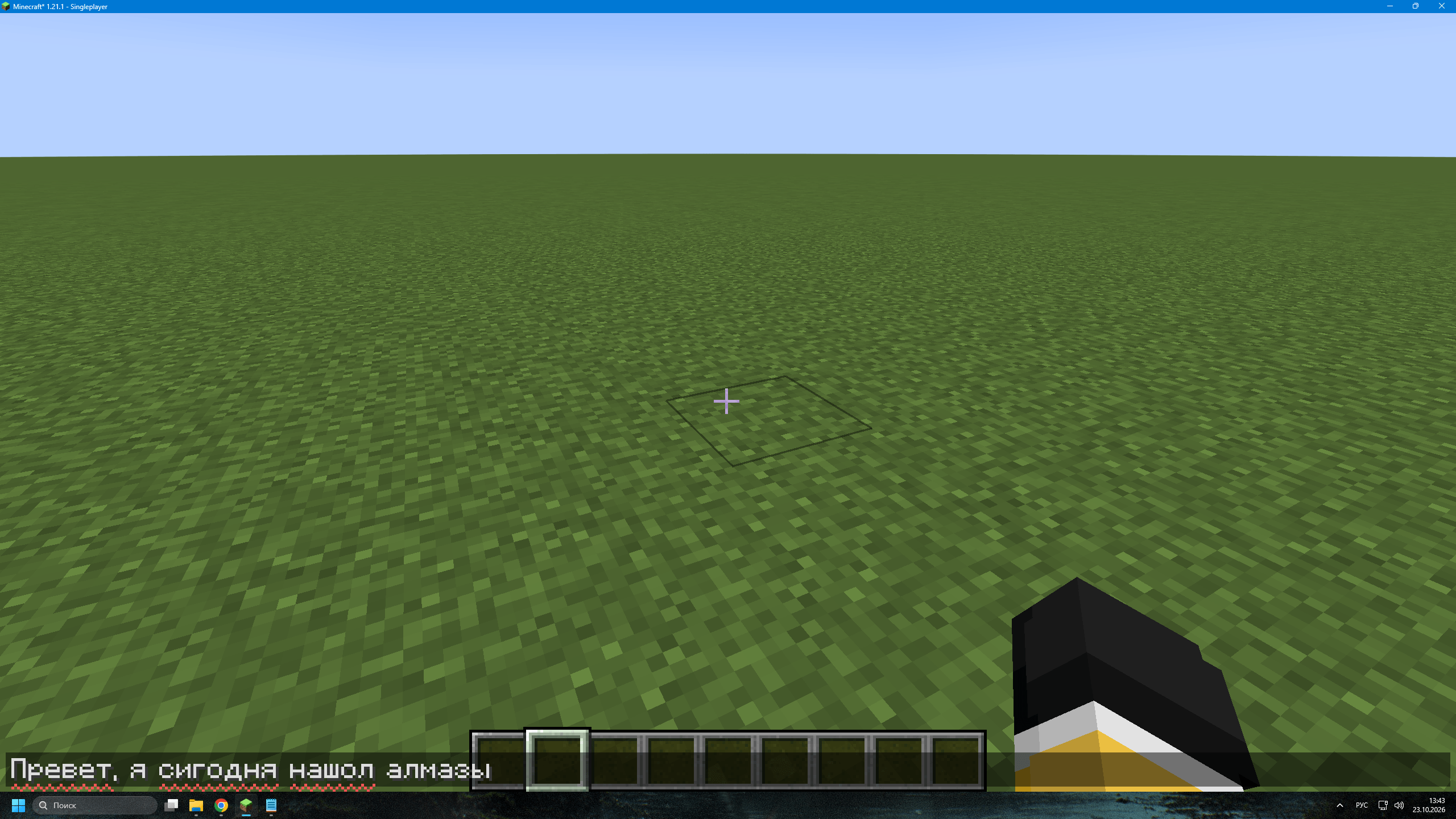
Spell check. Misspelled Russian words in the chat field get a red wavy underline, like in a text editor. The word you are currently typing is not underlined until you move on.
截图
介绍
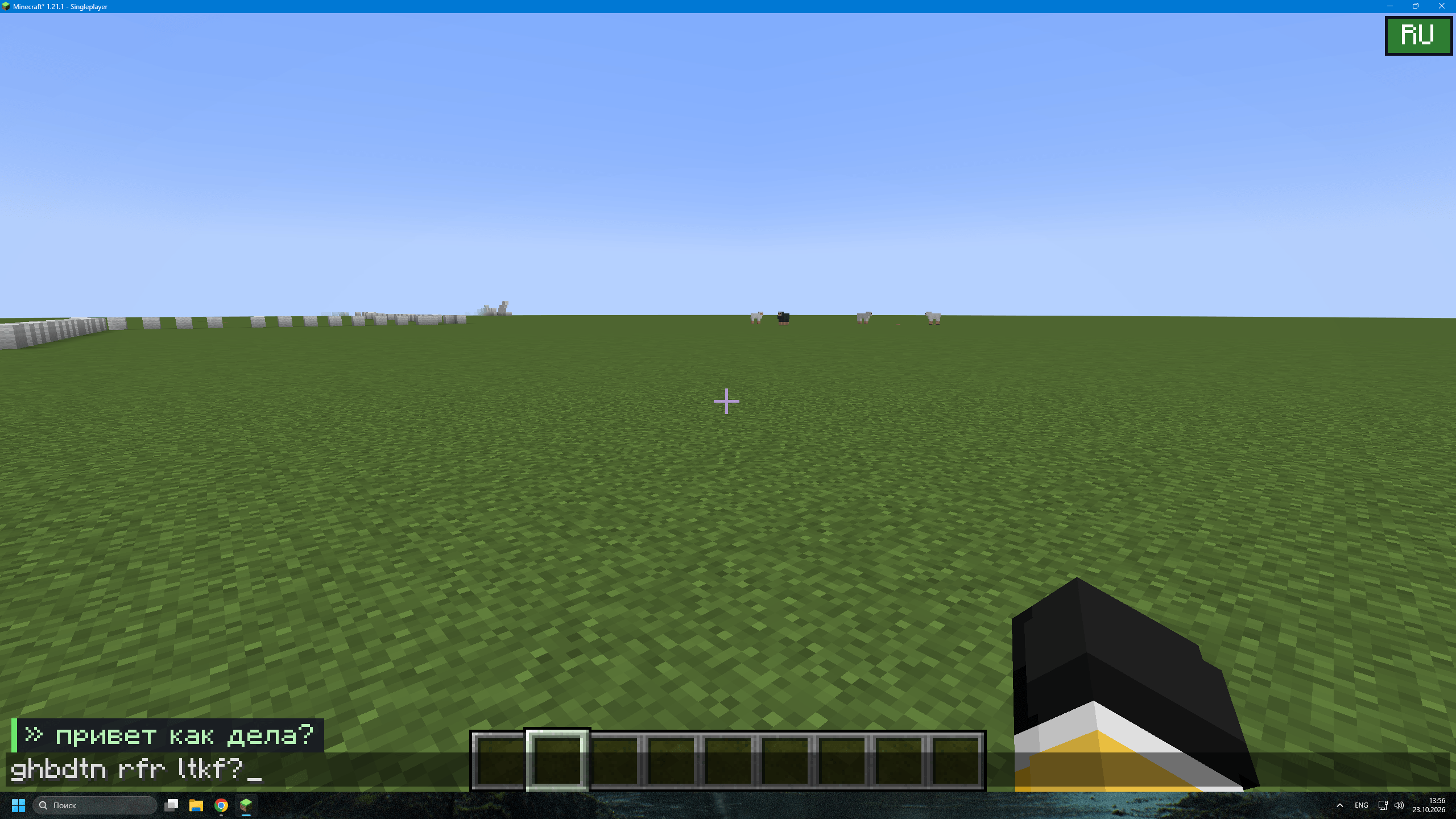
Spell check. Misspelled Russian words in the chat field get a red wavy underline, like in a text editor. The word you are currently typing is not underlined until you move on. Commands that start with /, nicknames, mentions and URLs are ignored. Click to fix. Hover over an underlined word and a small menu with suggestions pops up above it. Click a suggestion and the word is replaced, just like in a word processor. Tab to fix. Put the cursor in a misspelled word and press Tab. The word is replaced with the best suggestion, press Tab again to cycle through other variants. The last variant returns your original word. Suggestions are found within an edit distance of 2 (SymSpell with Damerau-Levenshtein). Wrong layout fix. Typed ghbdtn rfr ltkf? with the English layout on? A small preview bar right above the chat field shows the Russian version while you type, and when you press Enter the message is sent as привет как дела?. Only messages where every word becomes a real Russian word after conversion are changed, so normal English chat is never touched.
常见问题
RuType 支持哪些 Minecraft 版本?
RuType 支持 Minecraft Java 版 1.21.1,可用的加载器:Fabric。下载时注意选择和你游戏版本一致的文件。
RuType 怎么安装?
先用 PCL2 或 HMCL 启动器安装对应版本的 Fabric,再把下载的 .jar 文件放进游戏目录的 mods 文件夹,重新启动游戏即可。开启了版本隔离的,mods 文件夹在 versions/版本名 下面。
评论
登录后评论和评分