介绍
💜 ScriptyZ Quick Loot
Look. Select. Loot. Keep moving.
Ever get tired of opening every chest, barrel, or container just to grab a couple of items? Ever wish Minecraft had a Skyrim-style quick-looting system that let you see what’s inside without constantly opening and closing inventory screens?
Well, that’s exactly why I made ScriptyZ Quick Loot.
ScriptyZ Quick Loot brings a Skyrim-inspired looting experience to Minecraft, letting you preview supported container inventories directly in the world, browse their contents, take individual stacks, and collect everything that fits in your inventory.
But this isn’t just about saving a few clicks. I wanted the interface to feel like its own part of Minecraft, so I built it around a custom animated purple-glass aesthetic, flowing violet reflections, a radiating amethyst aura, rarity-colored item names, and glowing orange stars that travel across enchanted items.
It’s fast, customizable, animated, and designed to make looting feel a little more magical.
And apparently, it also has something against making furnaces feel left out. 😂
🎬 1. First Look — Icon Preview
Let’s start with a first look at ScriptyZ Quick Loot.
This is where you can get a feel for the project’s presentation and the visual direction behind the mod. The goal is to give Quick Loot its own identity rather than make it feel like another ordinary inventory overlay.
Purple glass. Amethyst lighting. Animated effects. A custom ScriptyZ style.
This is just the beginning.
✨ 2. The Interface — A Closer Look
I wanted Quick Loot to look and feel different from the usual Minecraft inventory screen.
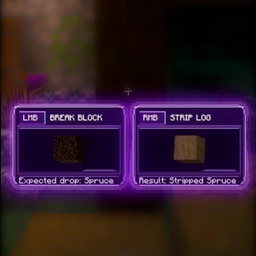
The interface uses translucent purple panels, flowing violet reflections inspired by molten lava, and a radiating amethyst glow around the outer borders. The selected item receives its own highlight, while enchanted or glinting items feature animated orange sparkles with bright golden centers.
Item names also use rarity-inspired colors, making valuable-looking loot stand out while keeping the interface readable.
The glow intensity, animation speed, panel position, and overlay visibility can all be configured.
This is the visual style I wanted Quick Loot to have: magical, atmospheric, and unmistakably ScriptyZ.
🏡 3. Village Chest Showcase — See What’s Inside
Here’s Quick Loot doing what it was made to do.
Instead of right-clicking a chest, opening the normal inventory, finding what you need, closing it, and repeating the process, you can simply look at a supported container and preview its contents.
Use the mouse wheel to move through the available item stacks. When you find something you want, take it directly from the preview without opening the regular container screen.
You can still right-click to open the normal screen whenever you need it.
The idea is simple: spend less time managing inventory screens and more time exploring, building, mining, and actually playing Minecraft.
📦 4. Take All — Grab Everything That Fits
Found a container full of loot and don’t feel like collecting it one stack at a time?
That’s what Take All is for.
Press your configured Take All key to transfer everything that fits into your inventory. If your inventory runs out of space, the remaining items stay in the container instead of being discarded.
No need to manually pick up every stack when you’re trying to get back to exploring.
Loot quickly. Get moving.
🎯 5. Take Selected — One Stack, Exactly What You Want
Sometimes you don’t want everything. You just want that one item.
Use the mouse wheel to select the stack you want, then press your configured Take Selected key to transfer it into your inventory.
You stay focused on the container, see what you’re taking, and avoid opening the standard inventory screen just to grab one thing.
It’s a small feature, but it’s the kind of quality-of-life improvement that makes quick looting feel natural.
🔥 6. WAIT… IT WORKS ON FURNACES TOO?! 😂
Okay, I need to talk about this one.
I went into this showcase expecting to demonstrate Quick Loot on chests. You know, the thing you’d reasonably expect a quick-loot mod to work on.
Then I looked at a furnace.
AND IT WORKED.
I wasn’t even planning to make the furnace the star of the show. It just decided it wanted screen time too. 💀
Apparently, the furnace had been cooking up more than dinner.
This is one of those moments where you’re testing a feature, something unexpected happens, and suddenly you’ve got another showcase clip. Quick Loot can preview supported furnace inventories too, which makes it useful beyond the traditional chest-looting scenario.
At this point, I’m starting to think every container in the neighborhood wants a turn.
🎮 Controls
The default controls are simple:
-
Mouse Wheel: Select an item stack.
-
R: Take Selected Stack.
-
G: Take All.
-
Right-click: Open the normal container screen.
You aren’t locked into R and G, either. Open Minecraft’s Options → Controls → Key Binds → ScriptyZ Quick Loot to remap the two actions.
The Quick Loot footer updates to display your currently assigned keys, so the instructions shown in the interface stay in sync with your controls.
⚙️ Customize Your Experience
Want a more subtle interface? Prefer stronger purple lighting? Want the panel on the other side of the screen?
Open Mods → ScriptyZ Quick Loot → Config to adjust:
-
Overlay visibility.
-
Glow intensity.
-
Animation speed.
-
Panel position.
The animated purple-glass look is the default, but you can adjust the visuals to suit your preferences.
🌌 What Makes ScriptyZ Quick Loot Different?
Quick Loot combines a practical quality-of-life feature with a fully custom visual presentation.
-
In-world previews of supported container inventories.
-
Server-validated item transfers.
-
Take Selected and Take All actions.
-
Normal right-click container access.
-
Translucent purple-glass panels.
-
Flowing violet reflections and a radiating amethyst aura.
-
Animated orange sparkles for enchanted or glinting items.
-
Rarity-inspired item colors and animated selection highlights.
-
Remappable keybindings and configurable visual settings.
The aim is to make looting quicker without sacrificing the feel of Minecraft or turning the screen into a cluttered mess.
📥 Version & Compatibility
Mod: ScriptyZ Quick Loot
Version: 1.0.0
Minecraft: 26.3
Mod Loader: NeoForge
NeoForge Version: 26.3.0.98
For multiplayer, install the mod on both the client and server.
Install the downloaded JAR in your Minecraft installation’s mods folder, launch the game, and look at a supported container to get started.
🐛 Found an Issue?
When reporting a bug, include your Minecraft version, NeoForge version, whether you’re playing single-player or multiplayer, the container involved, and any relevant error messages or logs.
Reports about containers that don’t display correctly, unexpected item-transfer behavior, or visual problems are especially helpful.
💜 Thanks for Checking Out ScriptyZ Quick Loot
This project started as an idea for making inventory management less tedious, and it has grown into a custom looting system with its own animated visual style.
If you enjoy the mod, consider sharing it with other Minecraft players and leaving feedback about what you’d like to see next.
And remember: you came for the chest loot, but you stayed because the furnace wanted to be included. 😂
ScriptyZ Quick Loot — Loot smarter. Not harder.
常见问题
ScriptyZ Quick Loot 支持哪些 Minecraft 版本?
ScriptyZ Quick Loot 支持 Minecraft Java 版 26.3,可用的加载器:NeoForge。下载时注意选择和你游戏版本一致的文件。
ScriptyZ Quick Loot 怎么安装?
先用 PCL2 或 HMCL 启动器安装对应版本的 NeoForge,再把下载的 .jar 文件放进游戏目录的 mods 文件夹,重新启动游戏即可。开启了版本隔离的,mods 文件夹在 versions/版本名 下面。
评论
登录后评论和评分