Sound Outputs
Pick the audio output Minecraft plays through, from the sound options screen.
截图
介绍
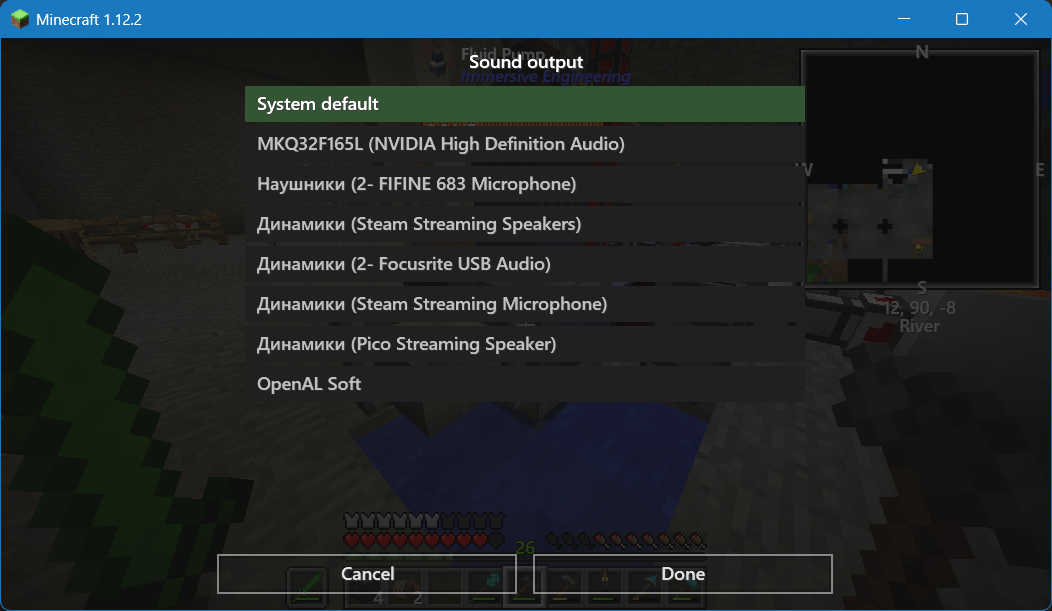
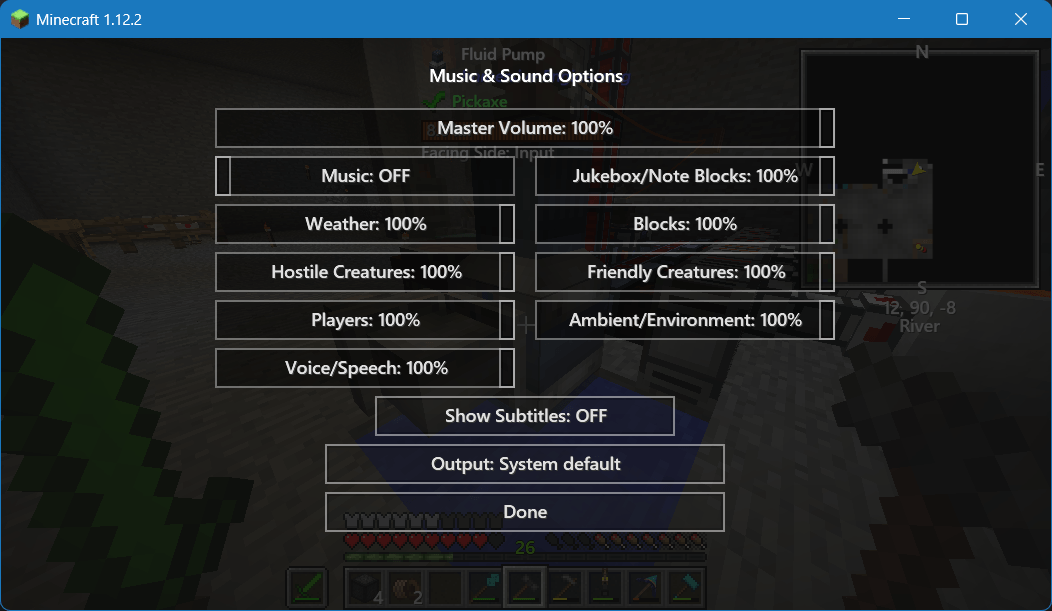
Sound Outputs adds an Output button to Music & Sounds. It lists the playback devices reported by the audio driver and switches Minecraft to the one you choose.
Device names are read as raw bytes, so names in the Windows system language show up instead of failing the device list. The choice is saved in config/soundoutputs.cfg and applied as soon as you press Done.
This mod is based on Sound Device Options, but fixes the main issue: it reads device names in raw format without breaking when encountering Cyrillic characters or other special characters.
常见问题
Sound Outputs 支持哪些 Minecraft 版本?
Sound Outputs 支持 Minecraft Java 版 1.12.2,可用的加载器:Forge。下载时注意选择和你游戏版本一致的文件。
Sound Outputs 怎么安装?
先用 PCL2 或 HMCL 启动器安装对应版本的 Forge,再把下载的 .jar 文件放进游戏目录的 mods 文件夹,重新启动游戏即可。开启了版本隔离的,mods 文件夹在 versions/版本名 下面。
syberflow 的其他作品
查看全部 →
Simple Click
将旧的UI点击音效替换为安静且现代的。

Simple Click
将旧版界面点击音效替换为安静、现代的音效。

Hide Artifacts
Hides wearable artifacts from the Artifacts mod by the author ochotonida. No need to hide it by itself. Hides from first-person view and other's people artifacts also

Hide Artifacts 1.19-26+
Hides wearable Artifacts models in first and third person. Versions: 1.19-1.19.4, 1.20-26.3.
评论
登录后评论和评分