介绍
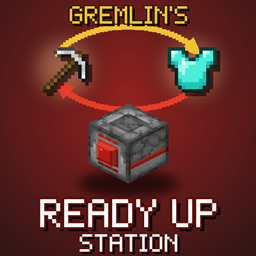
Gremlin’s Ready Up Station
The Ready Up Station stores a full loadout (armour, offhand and hotbar) and swaps it with yours in an instant. Press its button and your mining kit goes onto the station while your combat kit goes onto you. Press again to swap back. You can even hook it up to redstone.
Each station belongs to whoever placed it, so nobody else can take your gear.
Minecraft 1.21.1 · NeoForge
Block Added
Ready Up Station
| Recipe | |
|---|---|
| Top | Armor Stand |
| Middle | Dispenser |
| Bottom | Redstone Block · Any Button · Redstone Block |
It stores:
- 4 armour slots (helmet, chestplate, leggings, boots)
- 1 offhand slot
- 9 hotbar slots
Your stored loadout is shown on top of the station: a mini armour stand wears the armour, with your hotbar and offhand items arranged around the edge.
How To Use
| Action | What it does |
|---|---|
| Shift + right-click | Open the station and set up the stored loadout |
| Right-click the front button | Swap your armour, offhand and hotbar with the station’s |
| Redstone pulse | Swaps the owner’s loadout, if they are within 15 blocks |
- Place the station. It’s now yours.
- Shift + right-click and fill it with your second loadout.
- Press the button any time to swap. Press again to swap back.
Tip: Put a pressure plate or button wired to the station at your base door so you change kit as you walk in.
Good To Know
- Only the owner (or a server operator) can open, use or break a station.
- Armour with Curse of Binding stays on you and is not swapped.
- Hoppers and pipes can’t pull items out of a station.
- Breaking the station drops it and everything stored in it.
- You don’t need to be standing next to the Ready Up Station for the swap to work, you can be up to 15 blocks away (configurable)
Server Config
Found in serverconfig/gremlinsreadyup-server.toml:
| Setting | Default | What it does |
|---|---|---|
opPermissionLevel |
2 | Permission level that can use and break anyone’s station |
redstoneRange |
15 | How close the owner must be for redstone to swap their loadout |
常见问题
Gremlin’s Ready Up 支持哪些 Minecraft 版本?
Gremlin’s Ready Up 支持 Minecraft Java 版 1.21.1,可用的加载器:NeoForge。下载时注意选择和你游戏版本一致的文件。
Gremlin’s Ready Up 怎么安装?
先用 PCL2 或 HMCL 启动器安装对应版本的 NeoForge,再把下载的 .jar 文件放进游戏目录的 mods 文件夹,重新启动游戏即可。开启了版本隔离的,mods 文件夹在 versions/版本名 下面。
评论
登录后评论和评分